TX_V2_年保养英文.pdf - 第21页
3 WF 4 TX-Series V2 Maintenance Empty and clean the reject bin 0.5 min 1 / 1 C A U T I O N ! R e f e r t o s a f e t y i n s t r u c t i o n s i n u s e r m a n u a l b e f o r e c o m m e n c i n g M a i n t e n a n c…
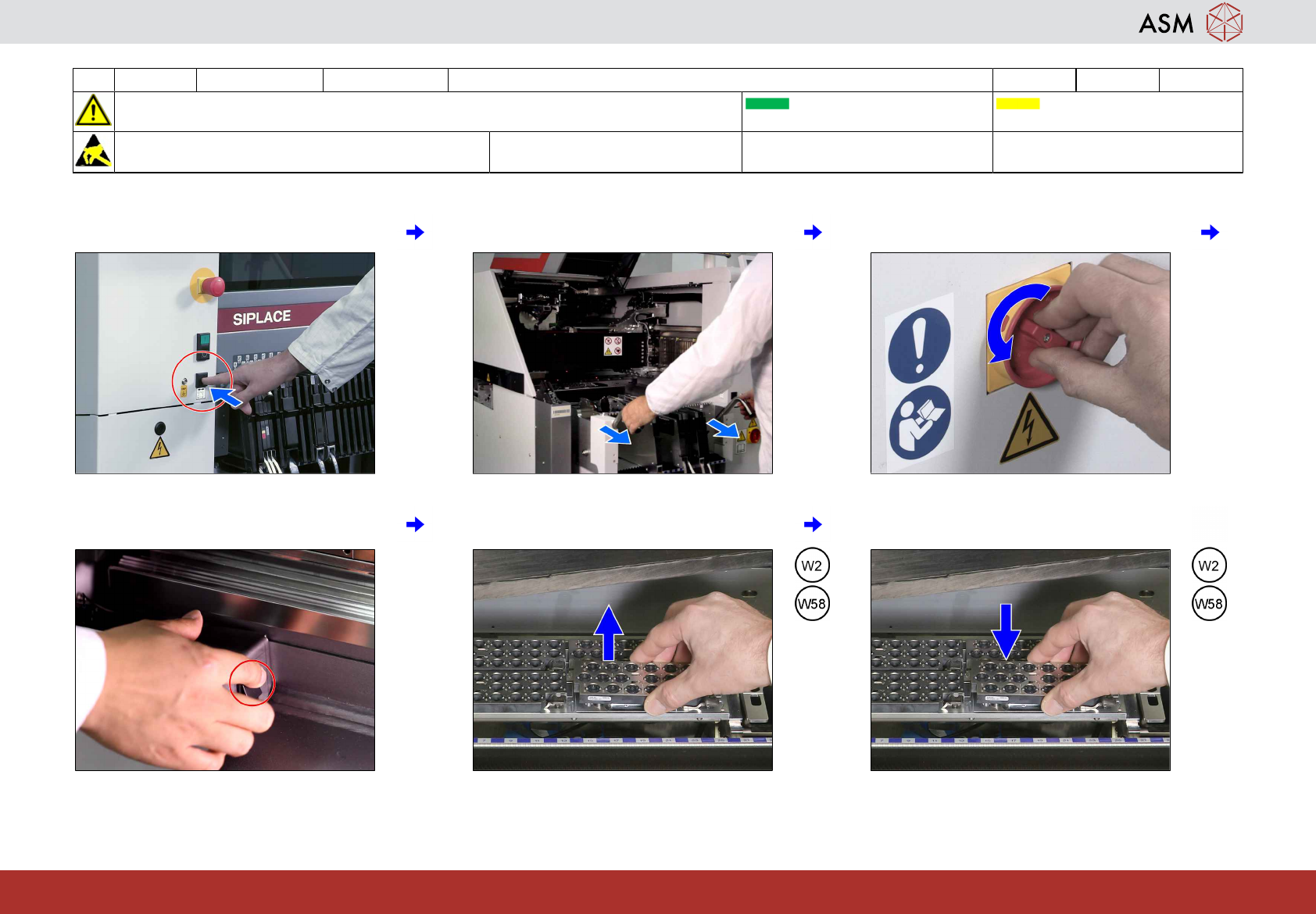
2 WF 4 TX-Series V2 Maintenance Shut down, remove all tables (COT) and exchange all nozzles 2 min 2 / 2
CAUTION! Refer to safety instructions in user manual before commencing Maintenance
Machine Status ON Conveyor Empty
NOTICE! ESD guidelines are to be followed Tool: Wear Part:
W2, W58
Consumables:
www.asm-smt.com
7 Press the remove COT button. 8 Remove all COT. 9 Switch off the machine when prompted.
10 Switch on the interior light. 11 Remove all nozzle magazines equipped
with ceramic nozzles.
12 Return all nozzle magazines equipped
with maintained ceramic nozzles.
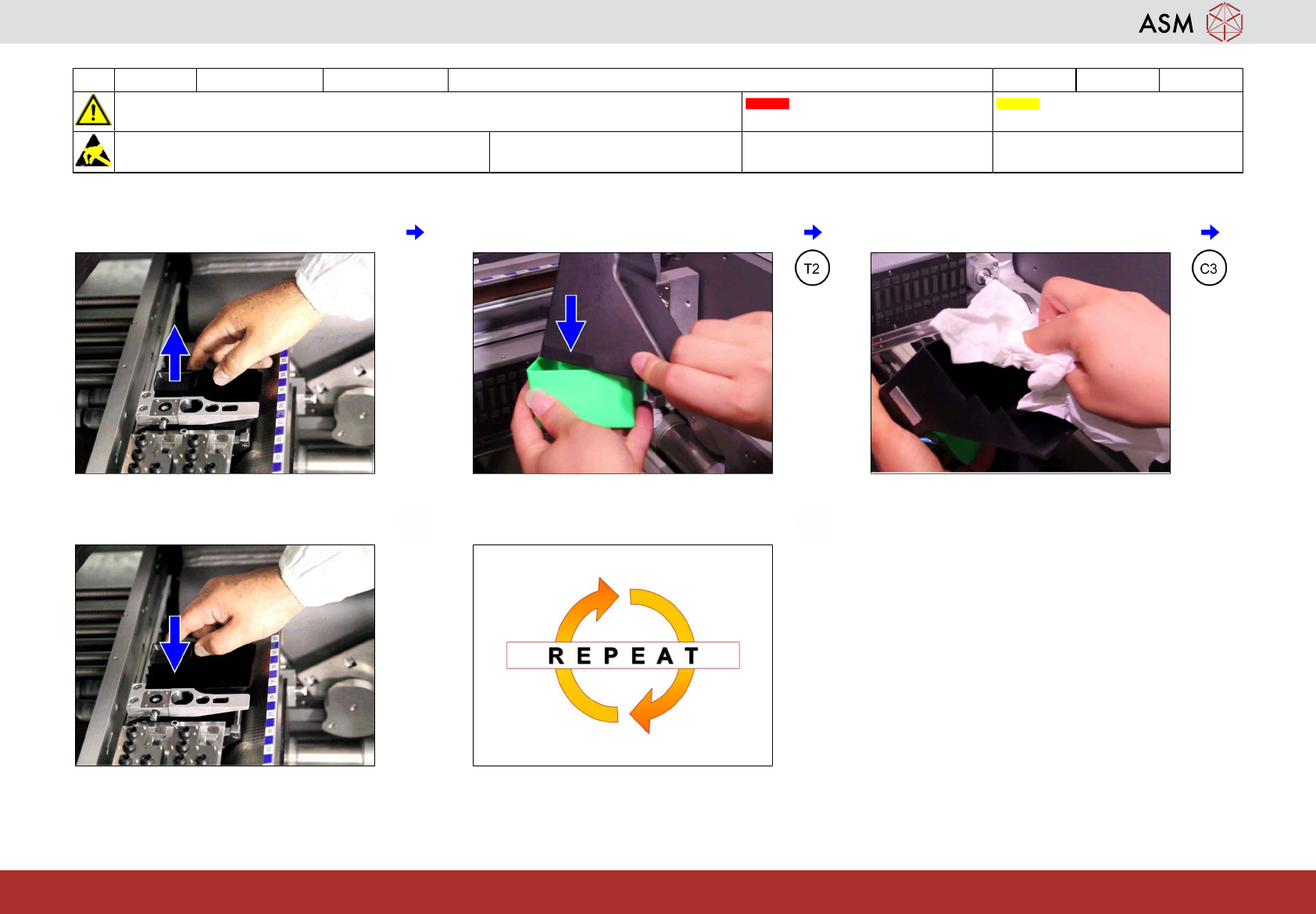
3 WF 4 TX-Series V2 Maintenance Empty and clean the reject bin 0.5 min 1 / 1
CAUTION! Refer to safety instructions in user manual before commencing Maintenance
Machine Status OFF Conveyor Empty
NOTICE! ESD guidelines are to be followed Tool:
T2
Wear Part: Consumables:
C3
www.asm-smt.com
1 Remove the reject bin. 2 Empty the reject bin into a waste box. 3 Clean the reject bin.
4 Return the reject bin. 5 Repeat steps 1 to 4 for the other locations.
www.asm-smt.com