TX_V2_年保养英文.pdf - 第60页
18 WF 4 TX-Series V2 Maintenance Calibrate the maintained TH 13 min 6 / 9 C A U T I O N ! R e f e r t o s a f e t y i n s t r u c t i o n s i n u s e r m a n u a l b e f o r e c o m m e n c i n g M a i n t e n a n c e …
18 WF 4 TX-Series V2 Maintenance Calibrate the maintained TH 13 min 5 / 9
CAUTION! Refer to safety instructions in user manual before commencing Maintenance
Machine Status ON Conveyor Empty
NOTICE! ESD guidelines are to be followed Tool:
T5
Wear Part: Consumables:
www.asm-smt.com
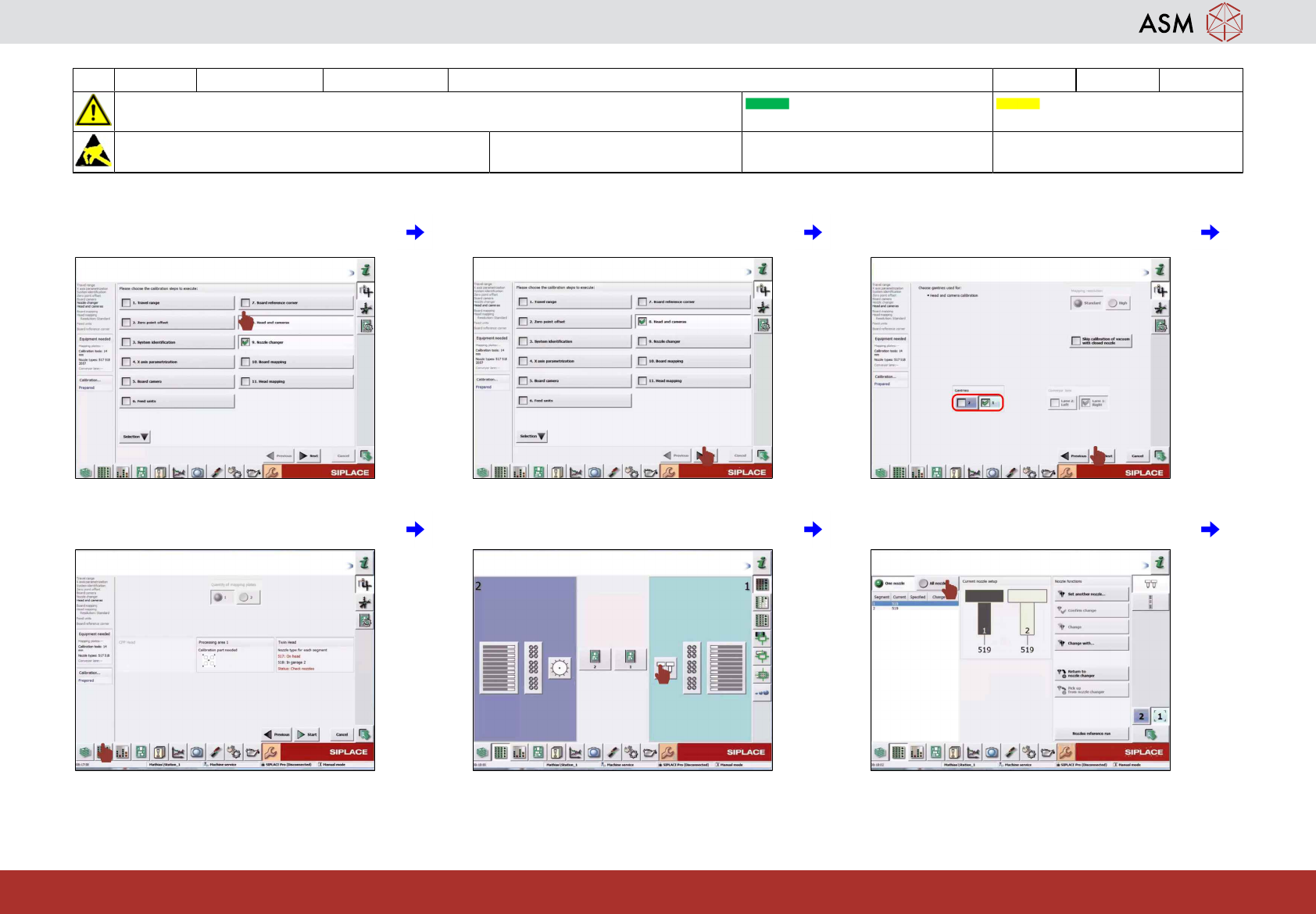
25 Click on "Heads and cameras" and
deselect all others.
26 Click on "Next". 27 Select the gantries with heads to be calib-
rated and click on "Next".
28 Click on "Display setup". 29 Click on "Selected head". 30 Click on "All nozzles".
18 WF 4 TX-Series V2 Maintenance Calibrate the maintained TH 13 min 6 / 9
CAUTION! Refer to safety instructions in user manual before commencing Maintenance
Machine Status ON Conveyor Empty
NOTICE! ESD guidelines are to be followed Tool:
T5
Wear Part: Consumables:
www.asm-smt.com
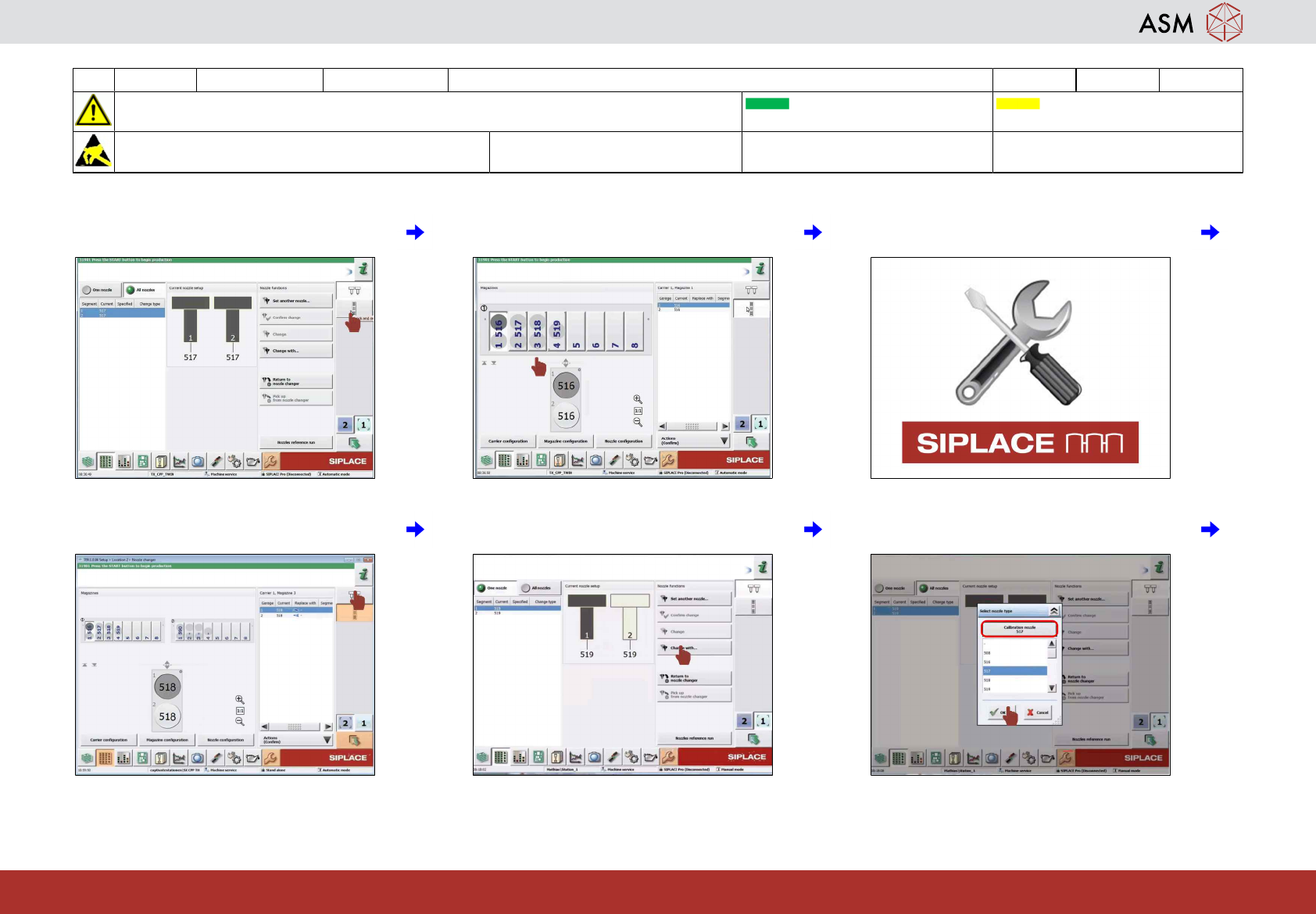
31 Click on "Check configuration of the
nozzle changer".
32 Check if 517 and 518 are in the nozzle
changer.
33 If no 517 and 518 nozzles are in the
nozzle changer inform service.
34 Click on "Set configuration of nozzles on
heads".
35 Click on "Change with". 36 Select the calibration nozzles and then
click on "OK".
18 WF 4 TX-Series V2 Maintenance Calibrate the maintained TH 13 min 7 / 9
CAUTION! Refer to safety instructions in user manual before commencing Maintenance
Machine Status ON Conveyor Empty
NOTICE! ESD guidelines are to be followed Tool:
T5
Wear Part: Consumables:
www.asm-smt.com
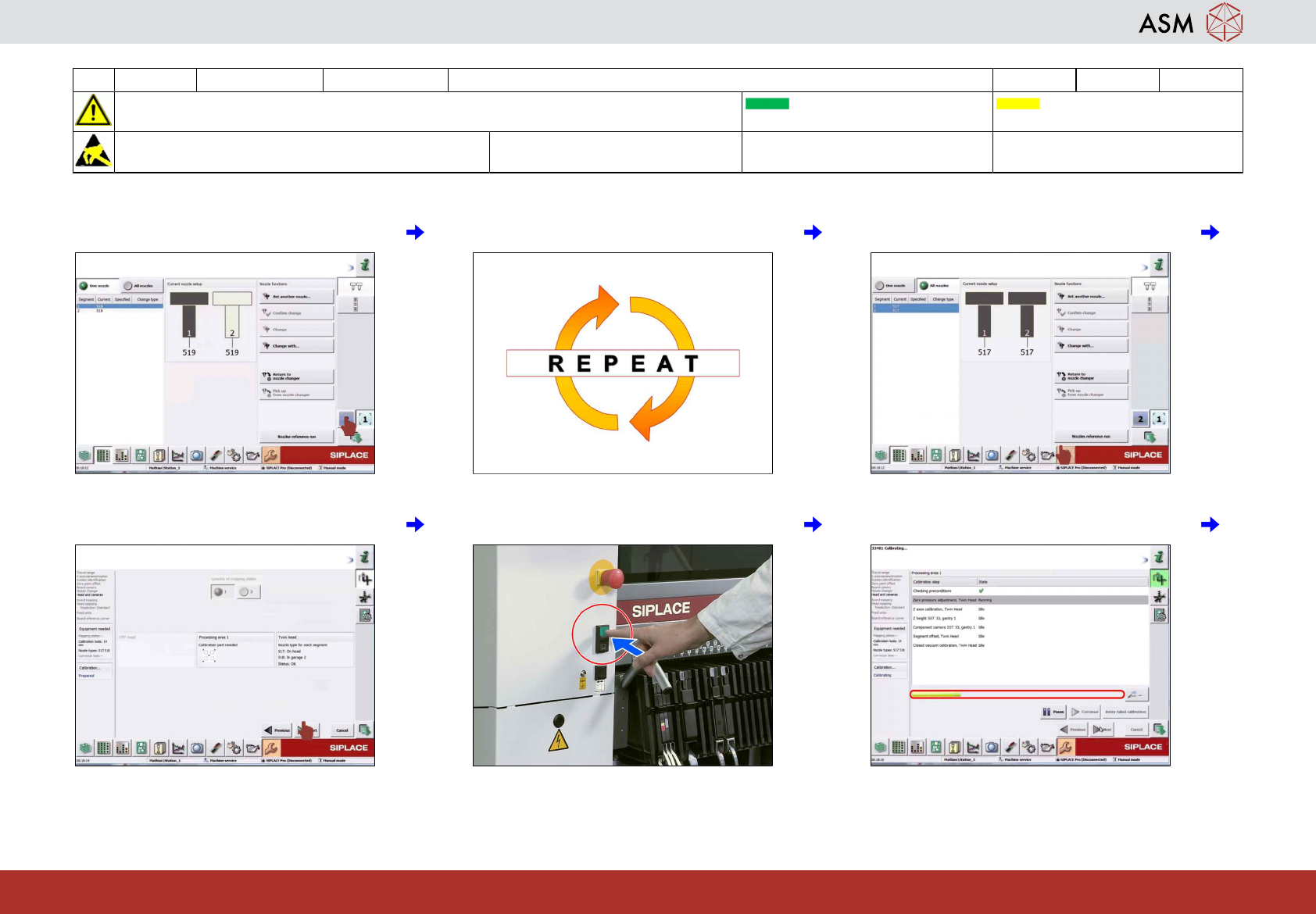
37 Select the second TH if required. 38 Repeat steps 30 to 36. 39 Click on "Calibration".
40 Click on "Start". 41 Press the start button if requested. 42 The calibration takes about 5 minutes.