TX_V2_年保养英文.pdf - 第70页
www.asm-smt.com
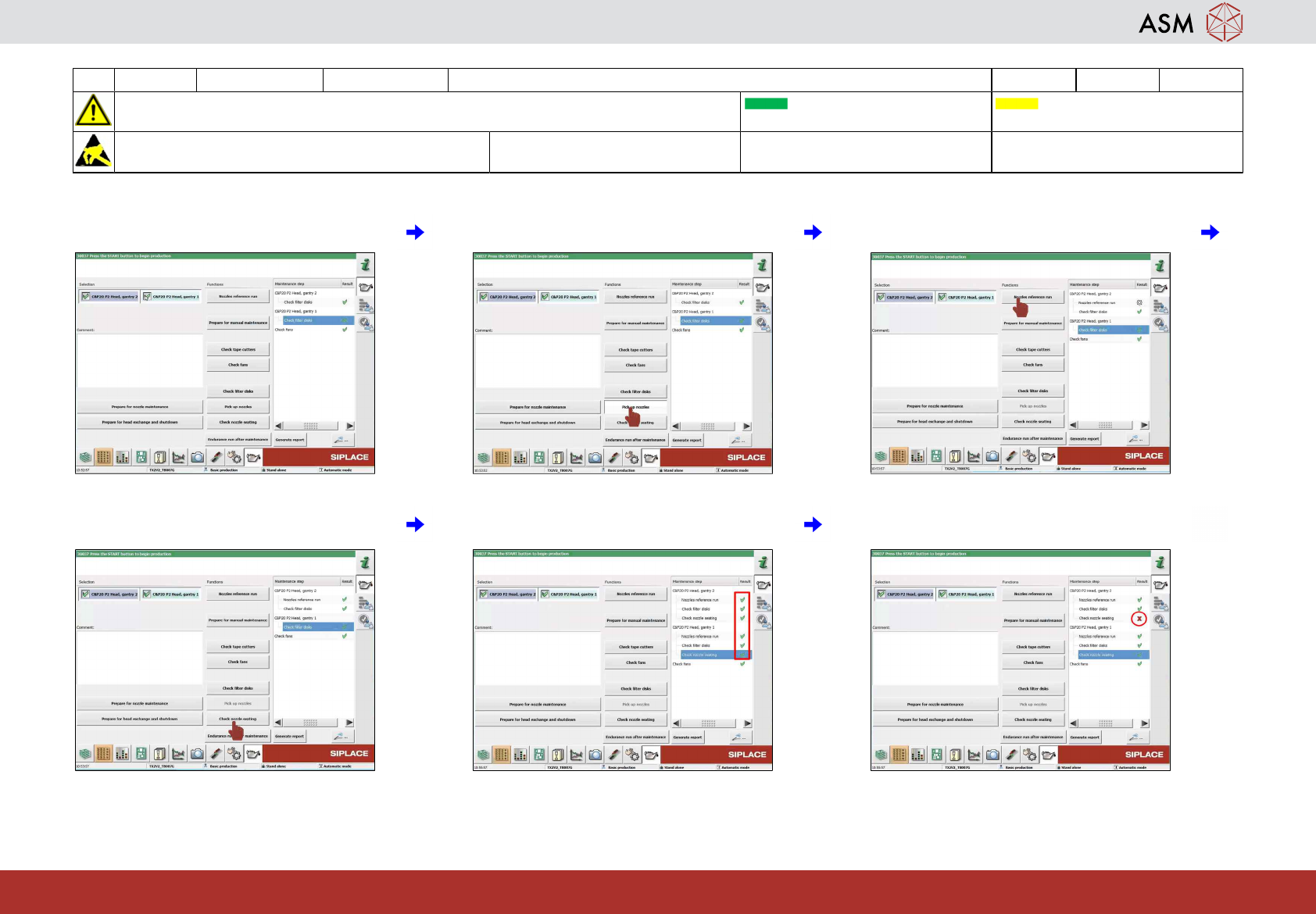
21 WF 4 TX-Series V2 Maintenance Check the nozzle status of all C&P heads 1 min 1 / 1
CAUTION! Refer to safety instructions in user manual before commencing Maintenance
Machine Status ON Conveyor Empty
NOTICE! ESD guidelines are to be followed Tool: Wear Part: Consumables:
www.asm-smt.com
1 Select all C&P heads. 2 Click on "Pick up nozzles". 3 Click on "Nozzle reference run".
4 Click on "Check nozzles seating". 5 Check if the result is OK (green hook). 6 If the result is NOT OK (red cross) contact
service.

www.asm-smt.com
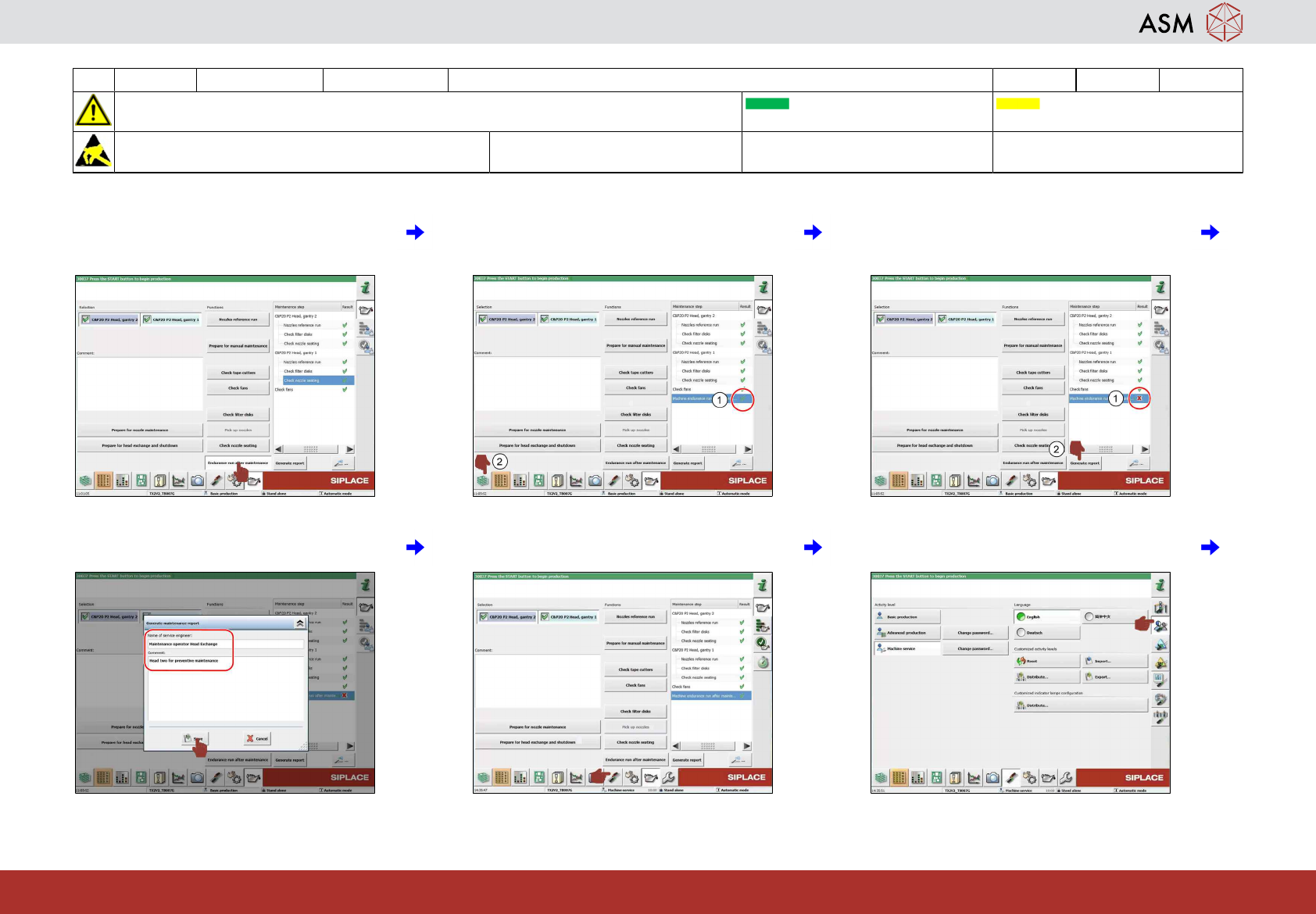
22 WF 4 TX-Series V2 Maintenance Endurance run 4 min 1 / 2
CAUTION! Refer to safety instructions in user manual before commencing Maintenance
Machine Status ON Conveyor Empty
NOTICE! ESD guidelines are to be followed Tool: Wear Part: Consumables:
www.asm-smt.com
1 Click on "Endurance run after mainten-
ance".
2 Check if the result is OK (green hook). If
the result is OK(1) click on "Display pro-
duction status"(2).
3 If the result is NOT OK (red cross(1)) click
on "Generate report"(2) and contact ser-
vice.
4 Enter required information and click on
"Save".
5 Click on "Settings and options". 6 Click on "User settings".