00198051-02_IM_SetupCenter_8.1_EN.pdf - 第26页
Setup Center Application Installation Individual Setup Types and Next Steps 5.2.1 Setup T ype – SIPLACE Setup Center Complete 26 Installation Manual SIPLACE Setup Center 8.1 ► Click Next if you accept all the information…
Setup Center Application Installation
5.2.1 Setup Type – SIPLACE Setup Center Complete Individual Setup Types and Next Steps
Installation Manual SIPLACE Setup Center 8.1 25
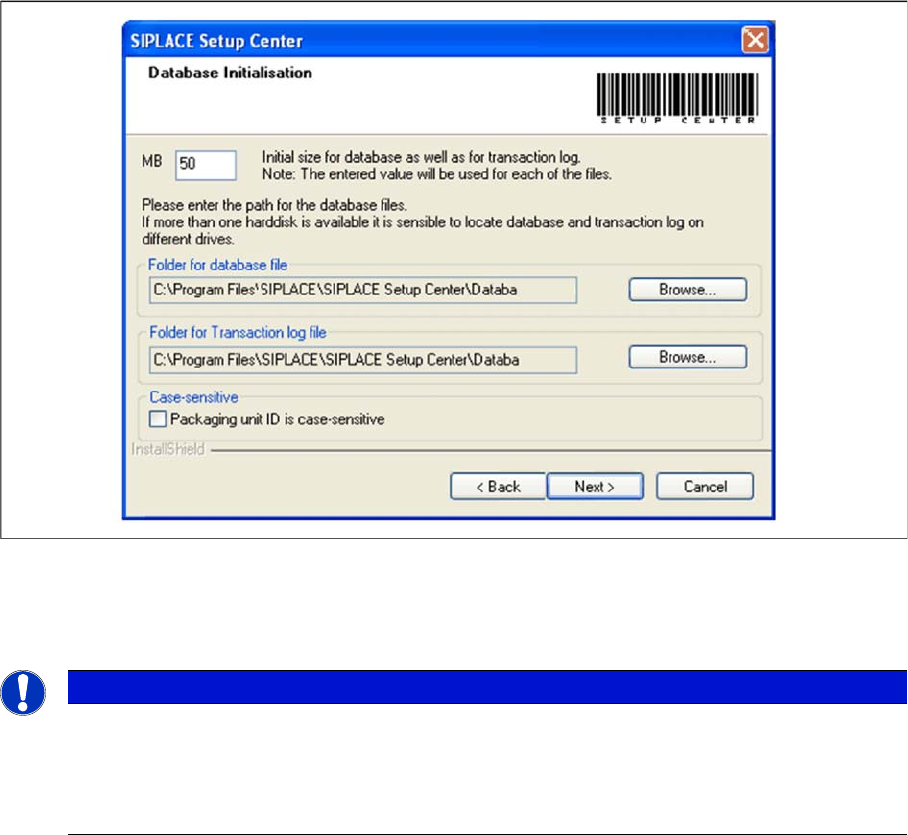
► Case-sensitive means that the upper and lower case for packaging unit identification (Packaging unit
ID) can be evaluated by Setup Center. Activate the checkbox Packaging unit ID is case-sensitive, if
it is necessary to distinguish between upper- case and lower-case in Packaging unit ID. This option
can only be changed during the installation.
Step 4
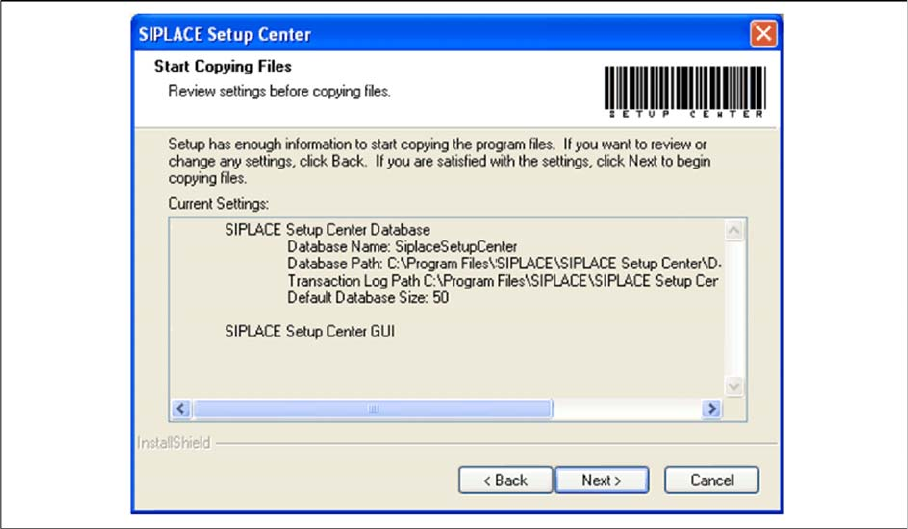
► The Start Copying Files dialog box gives you a chance to check the information again, which you
have entered during the previous steps.
NOTICE
The specified size is only an initial value. The database will grow automatically as required.
However, only the database administrator is capable of freeing up unused disk space. In the
database files edit field, enter the directory in which the SIPLACESetupCenter.mdf file is to be
created. In the transaction log file edit field, enter the name of the directory in which the
SIPLACESetupCenter.mlf database file is to be created.
Setup Center Application Installation
Individual Setup Types and Next Steps 5.2.1 Setup Type – SIPLACE Setup Center Complete
26 Installation Manual SIPLACE Setup Center 8.1
► Click Next if you accept all the information entered.
► If you want to change any settings, click the Back button until you get back to the dialog box in ques
-
tion.
► There, enter your changes and click Next to continue as usual.
⇨ The installation routine starts.
Step 5 (Only when conflicts occur)
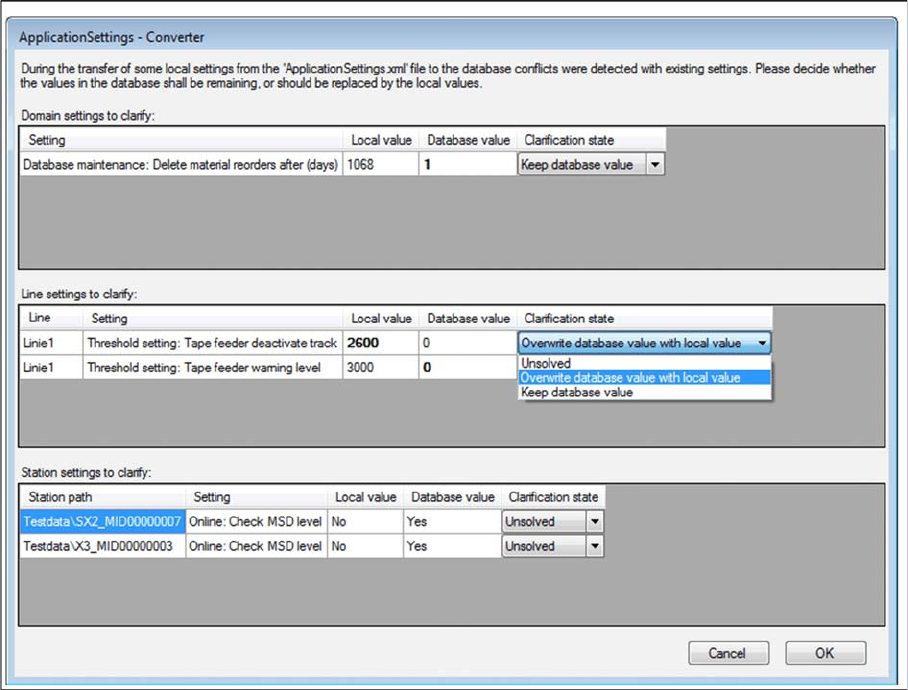
During the installation,settings are converted, some of which have been transferred from the local Appli
-
cationSettings.xml file to the database. This can lead to conflicts with existing settings. If conflicts were
detected, the Application Settings - Converter dialog appears.
Setup Center Application Installation
5.2.1 Setup Type – SIPLACE Setup Center Complete Individual Setup Types and Next Steps
Installation Manual SIPLACE Setup Center 8.1 27
► Decide whether the values in the database shall remaining (Keep database value), or should be re
-
placed by the local values (Overwrite database value with local value).
► All settings must be solved to get the next step.
Step 6
► The "Setup Complete" window appears if the installation has been completed successfully.