00198051-02_IM_SetupCenter_8.1_EN.pdf - 第95页
Uninstalling 11.3.1 Uninstalling SQL Server Exp ress Installations Optional: U ninstalling the SIE MultiThread API SIECA 132 Software Package Installation Manual SIPLACE Setup Center 8.1 95 ► Click Settings . ► Click Con…
Uninstalling
Uninstalling Forced Setup Verification 11.3.1 Uninstalling SQL Server Express Installations
94 Installation Manual SIPLACE Setup Center 8.1
► Confirm the deletion of the database.
► Go back to the node of the database server instance.
► Expand the node SQL Server Agent
► Expand the node Jobs
► Mark all entries starting with SIPLACESetupCenter and delete them.
► Confirm the deletion of the maintenance jobs.
► Go back to the node of the database server instance.
► Expand the node Security
► Expand the node Logins
► Mark all entries starting with SIPLACESetupCenter and delete them.
► Confirm the deletion of the logins.
The database is completely deleted now.
11.3.1
11.3.1 Uninstalling SQL Server Express Installations
Uninstalling SQL Server Express Installations
► Uninstall the SQL Server Express or MSDE instance used for Setup Center.
► Remove the database files manually.
11.4
11.4 Uninstalling Forced Setup Verification
Uninstalling Forced Setup Verification
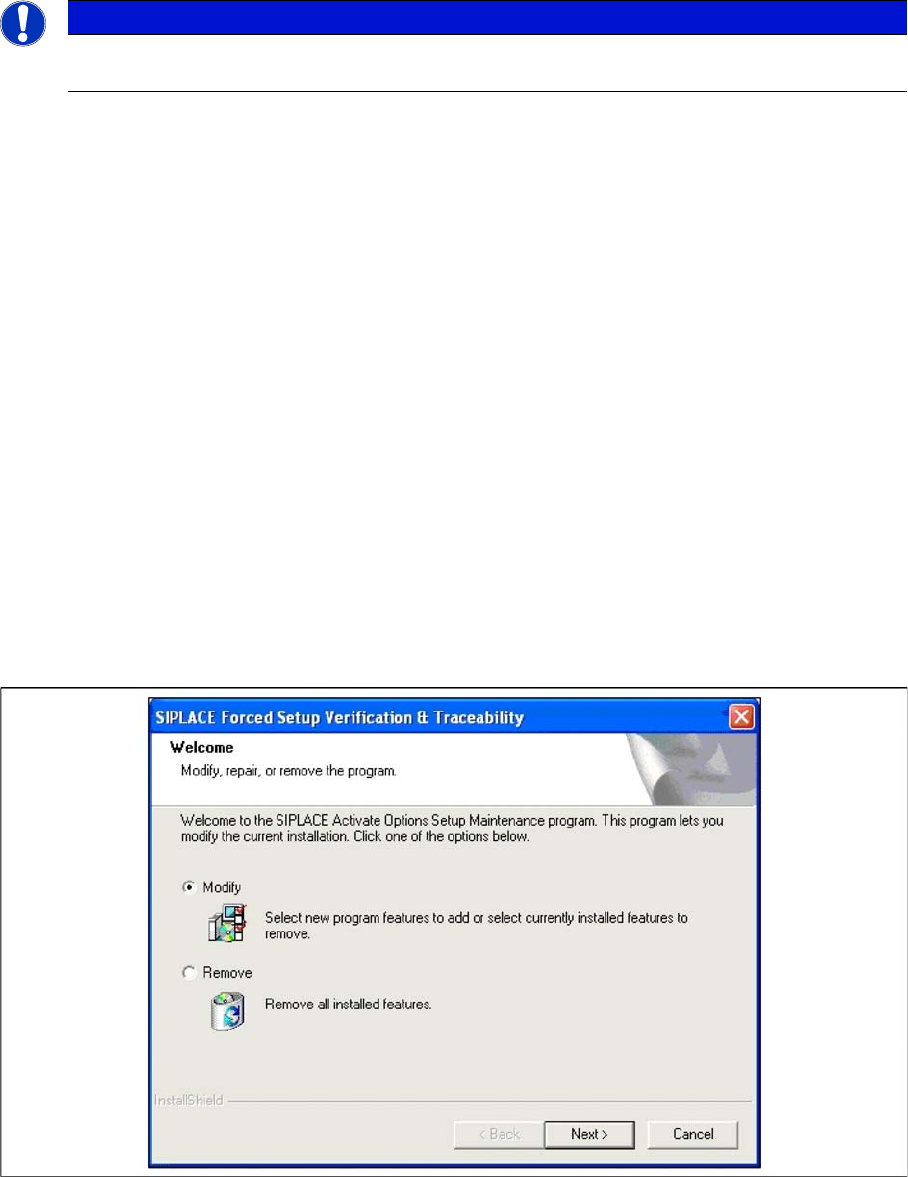
If the Setup at the software CD "SIPLACE Setup Center 3.0" is called up at the SIPLACE station again,
the following dialog appears.
► If Remove is selected, the option Forced Setup Verification and Traceability will be deactivated.
11.5
11.5 Optional: Uninstalling the SIE MultiThread API SIECA 132 Software Package
Optional: Uninstalling the SIE MultiThread API SIECA 132 Soft
-
ware Package
► Click Start in the Windows start menu.
NOTICE
The following steps are not possible and not necessary for the express variants of the SQL
server.
Uninstalling
11.3.1 Uninstalling SQL Server Express Installations Optional: Uninstalling the SIE MultiThread API SIECA 132 Software Package
Installation Manual SIPLACE Setup Center 8.1 95
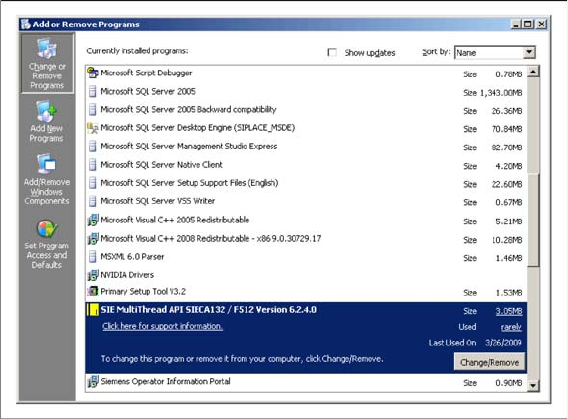
► Click Settings.
► Click Control Panel.
► Double-click Add / Remove Programs.
A list appears with the names of the software packages installed on the computer.
► Select SIE MultiThread API SIECA 132.
► Click the Remove button.
► Confirm the deletion of the application.
Uninstalling
Optional: Uninstalling the SIE MultiThread API SIECA 132 Software Package 11.3.1 Uninstalling SQL Server Express Installations
96 Installation Manual SIPLACE Setup Center 8.1