PPS Pro version 8.2 - 第113页
4022 591 98 247 User Manual 05.07 P PS-Pro v8.2 109 Guidelines for using PPS-Pro 3.3.3.2 Production modes Ther e are 2 meth ods of board alignment. Th e se mod es are configurabl e via t he ALE file (R efer to Descriptio…
User Manual 4022 591 98247
108 PPS-Pro v8.2 05.07
Guidelines for using PPS-Pro
3.3.2.8 Toolbit - Alignment module compatability
Due to the various configuration possibilities of AX machines the user has to
take care that PSI toolbits can actually be used by the machine. If a package
has no toolbit that can be used in combination with any of the defined AX
alignment modules then an error message will be generated.
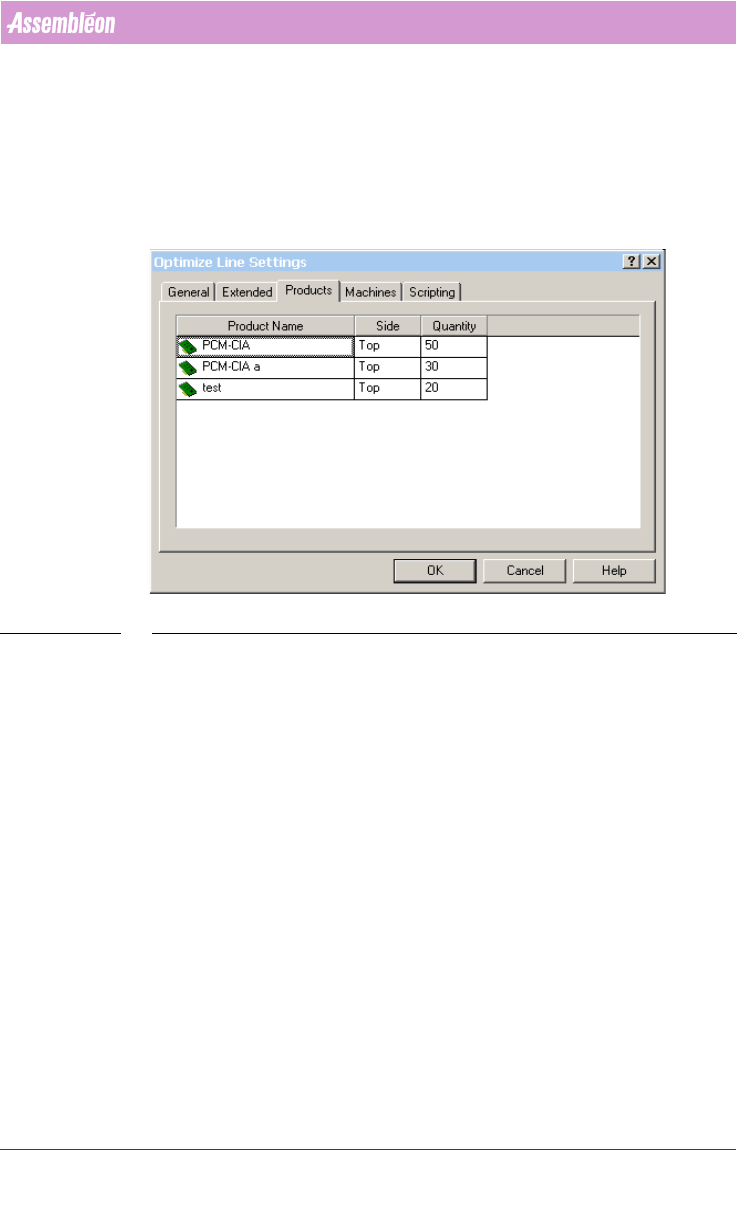
SCREEN 65 Setting production quantity
3.3.3 Vision methods of the AX machine
3.3.3.1 Artwork recognition on the AX machine
The AX machine has a method for board alignment called Local Mode (LAR),
which means that each placement robot (Standard & Compact) aligns its own
part of the PCB by means of measuring features on the PCB (such as pieces of
artwork). This board alignment method contributes to increased accuracy,
reduced cost of the transport system and lower production changeover times.
This strategy implies requirements on the quality of the artwork found on
PCBs.
(see 3.3.3.4 "Optimize AX machine(s) in LOCAL mode" on page 111)
Because it is not expected that all users can meet these requirements imme-
diately, the AX machine also supports the usage of traditional fiducials on
PCBs. This method is called Distributed mode (DSF). This method implies that
board alignment can be a combined effort of multiple placement robots.
(see
3.3.3.3 "Optimizing Ax machine(s) in DISTRIBUTED mode" on page 110).
4022 591 98247 User Manual
05.07 PPS-Pro v8.2 109
Guidelines for using PPS-Pro
3.3.3.2 Production modes
There are 2 methods of board alignment. These modes are configurable via the
ALE file (Refer to Descriptions ALE-file 12nc 4022 591 98715)
■ Specify operation mode (local and distributed) per panel
In combined products it is possible to specify for each PCB what its operation
mode must be for the AX ‘LOCAL’ or ‘DISTRIBUTED’.
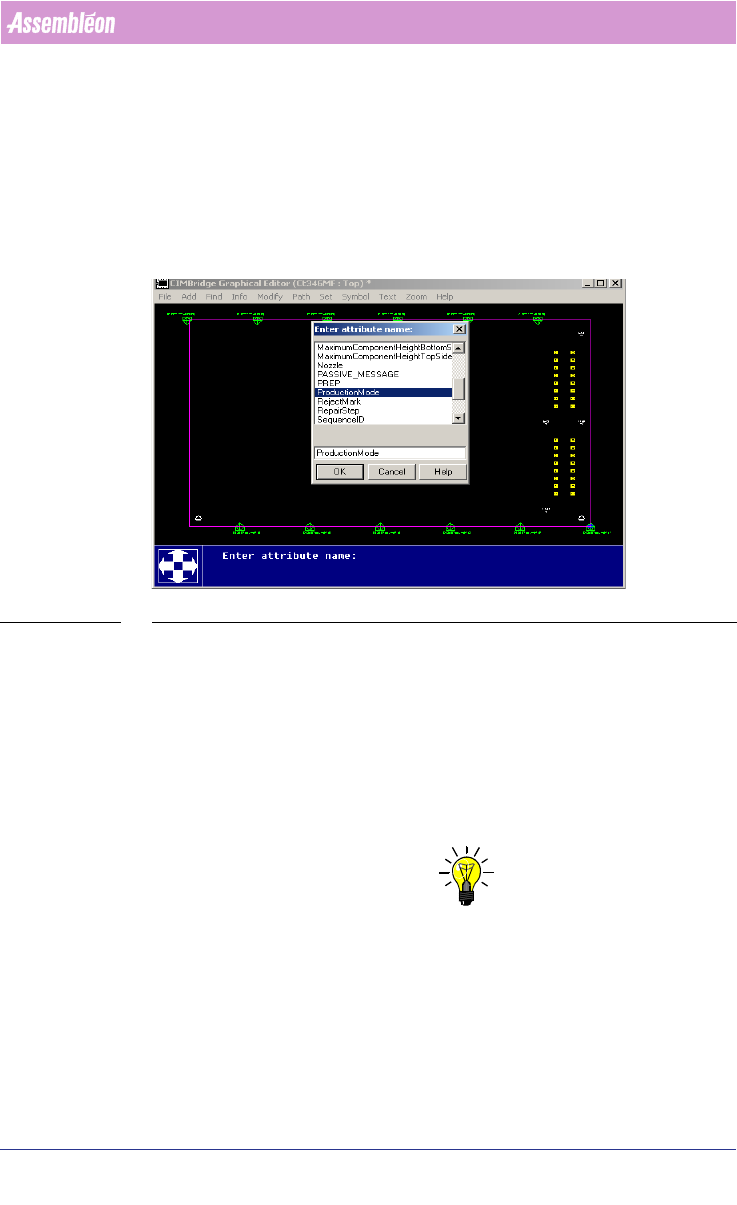
SCREEN 66 Specify operation mode per panel
The settings have to be made in the MDF-editor by selecting the Panel-outline
‘modify/attributes/add’ select ‘ProductionMode’. Here the attribute name can
be filled in ‘LOCAL’ or ‘DISTRIBUTED’. Repeat this for each board (panel).
■ Local mode
For Local mode (LAR), CAD data and Artwork info (Gerber data) may be
needed. The artwork may be needed by the Assembléon optimizer to search
for PCB board copper patterns that can be used as board alignment method
and artwork fiducial generation.
NOTE: If enough ‘standard’ fiducials (at least 2) are located for each placement
robot in each tranport index step no extra artwork extraction may be needed.
This also depends on accuracy class for the component that could be placed.
So artwork extraction can be skipped.
Each Placement robot reads it own artwork (fiducials) for board correction.
Local mode guarantees the best placement accuracy.
If not enough standard fiducials can be found by each of the placement robots
in each index step, then artwork (gerber information) can be used to find
User Manual 4022 591 98247
110 PPS-Pro v8.2 05.07
Guidelines for using PPS-Pro
recognizable copper patterns that can function as fiducials. These artwork
fiducials are divided in 3 types: fiducials, Edge shapes and Free forms. With a
combination of artwork fiducials on a specific board PPS-Pro will create the
set of fiducials that can be used for Local Artwork Recognition.
■ Distributed mode
Default the distributed mode Distributed Standard Fiducial (DSF) is used,
because it can be used on all PCBs that have fiducials.
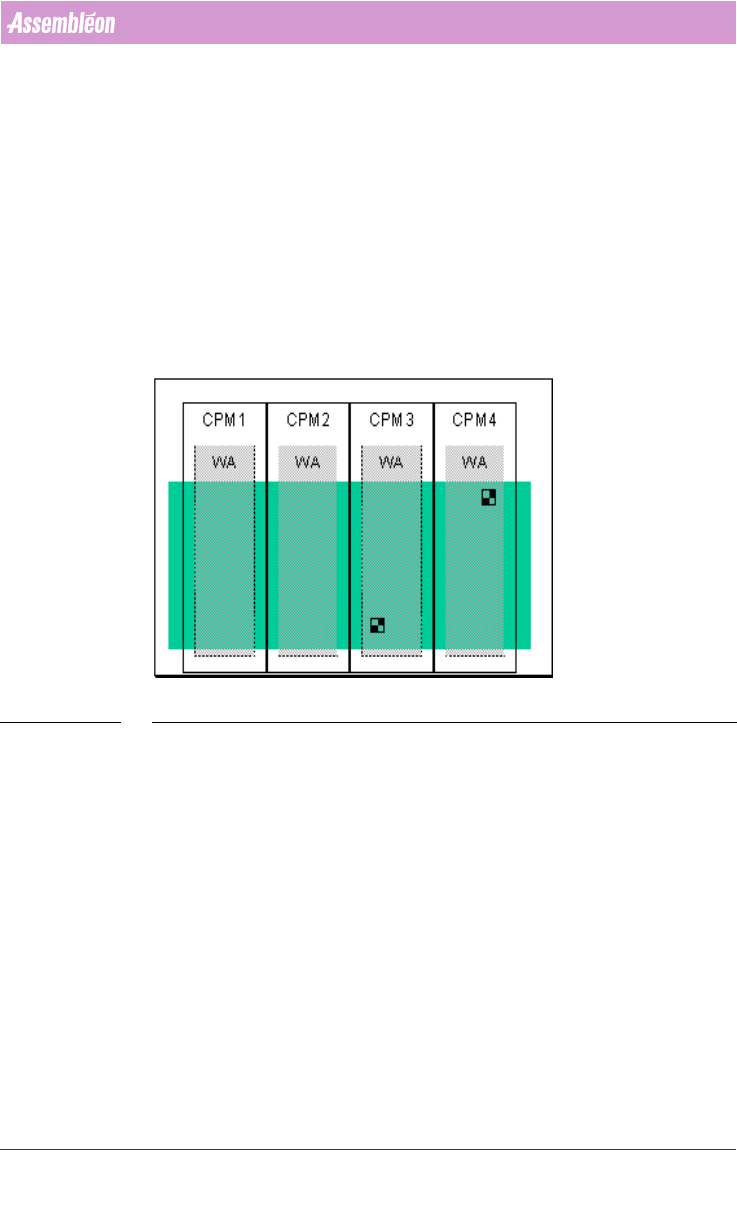
In DSF mode, after each return stroke and possibly after each index, one
board is positioned based on fiducial measurements by one or more Pick and
Place modules
(see FIGURE 9 on page 110). The results are distributed to the
central controller, which calculates the board offset and distributes the results
to the Pick and Place modules.
FIGURE 9 DSF Fiducial Alignment method
In the production mode Distributed the following alignment methods is
possible:
Distributed Standard Fiducials (DSF):
The standard fiducials are used.
For DSF no extra information except for CAD data is needed.
3.3.3.3 Optimizing Ax machine(s) in DISTRIBUTED mode
If production mode is set to DISTRIBUTED no artwork extraction tools are
started during the optimizing phase. Therefore, if the optimizer is set to
distributed mode (Refer to Description ALE-file 12nc 4022 591 98715), no
extra steps are required before the optimizer starts.
Calculation in DISTRIBUTED mode is done similar to the PowerLine optimizer
process: