PPS Pro version 8.2 - 第23页
4022 591 98 247 User Manual 05.07 PPS-Pro v8.2 19 PPS-Pro GUI 2.5.1 Gener al In this tab the def aul t used te xt editor can be specified (see SCREEN 11 on pag e 19) . This editor will be laun ched when f or exampl e an …
User Manual 4022 591 98247
18 PPS-Pro v8.2 05.07
PPS-Pro GUI
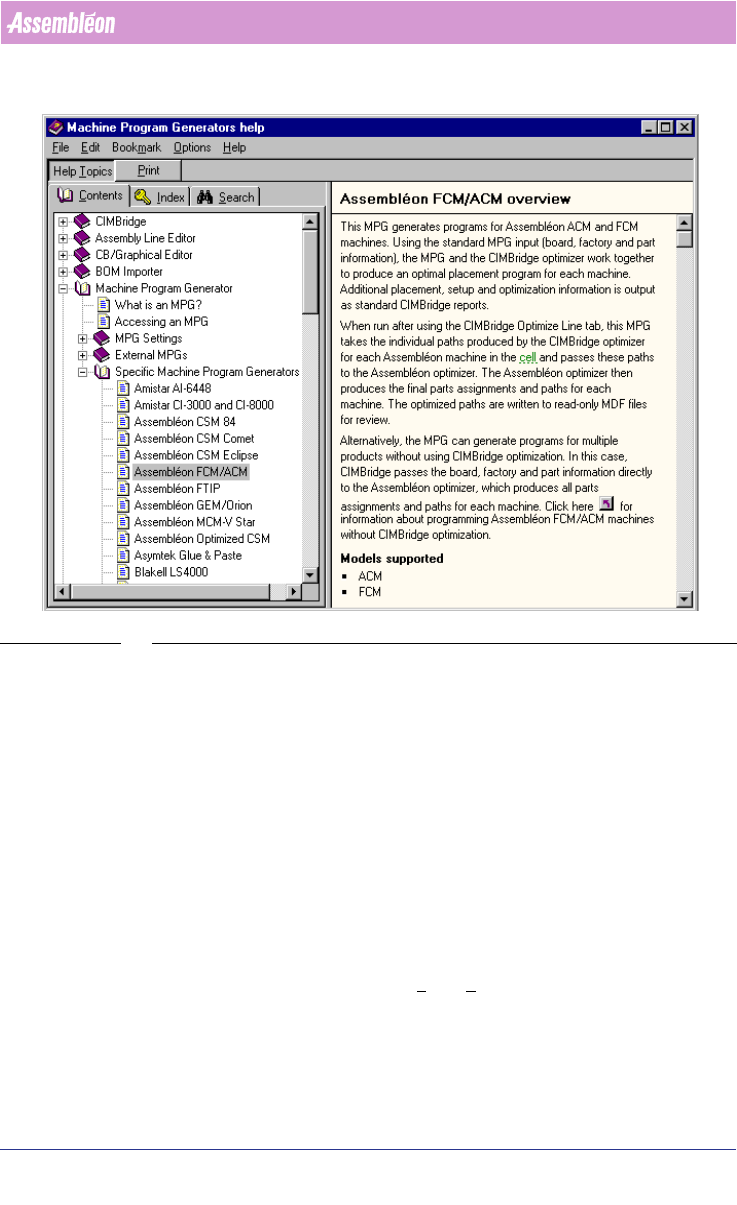
SCREEN 10 Online Help for Assembléon Optimizer
2.4 How to set preferences, project settings and create a
project
Before a calculation can be done, preferences (see 2.5 on page 18) and project
settings (see 2.6 on page 21) must be set. After these two steps, an already
created project can be opened or a new project must be created (see 2.7 on
page 23). The first two steps and the creation of a new project will be
discussed in this chapter.
2.5 Set Preferences
In principal, preferences are not project related. So the settings which are
made are going to be used for every project until they are changed. Pref
-
erences can be started by selecting File > Preferences... from the main menu.
In the next few paragraphs every setting will be discussed in more detail.
4022 591 98247 User Manual
05.07 PPS-Pro v8.2 19
PPS-Pro GUI
2.5.1 General
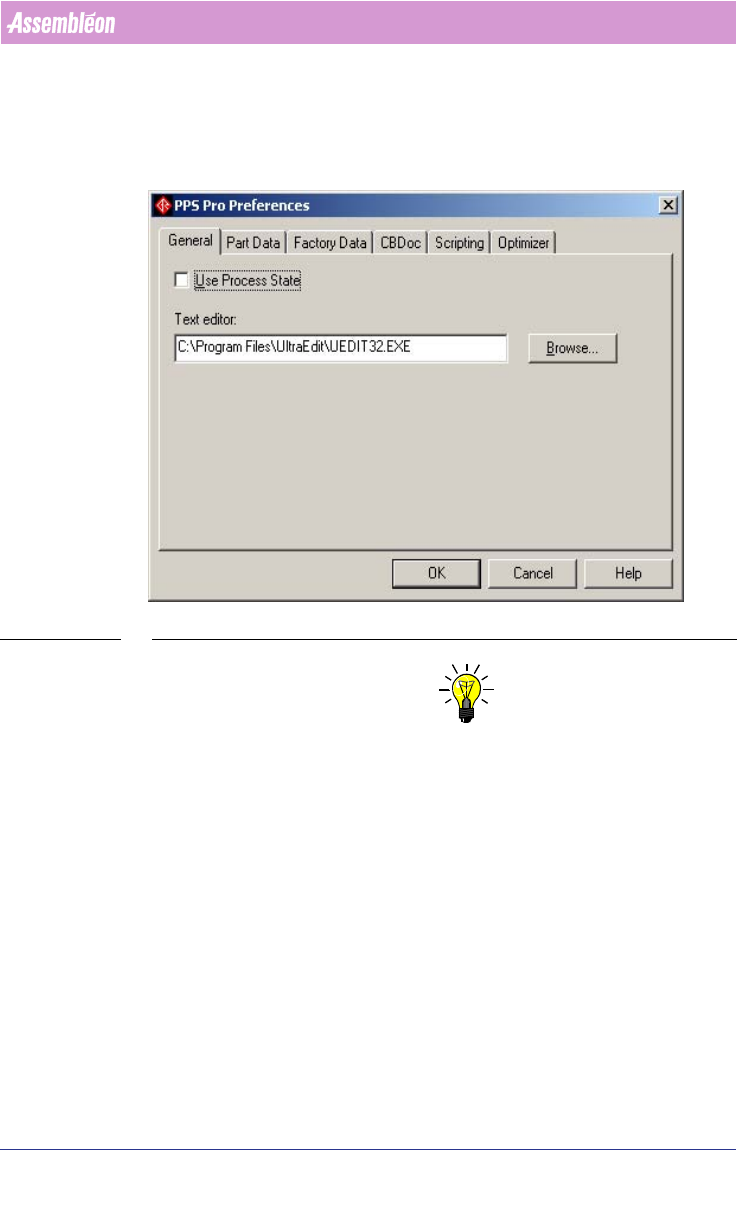
In this tab the default used text editor can be specified (see SCREEN 11 on
page 19). This editor will be launched when for example an action spec must
be viewed.
SCREEN 11 Preferences - General
NOTE: If AX machines are used or if XML related results files are open it is advised
to use an XML editor/viewer that can also handle text formats. XMLSpy is one
of those XML editors.
User Manual 4022 591 98247
20 PPS-Pro v8.2 05.07
PPS-Pro GUI
2.5.2 Part Data
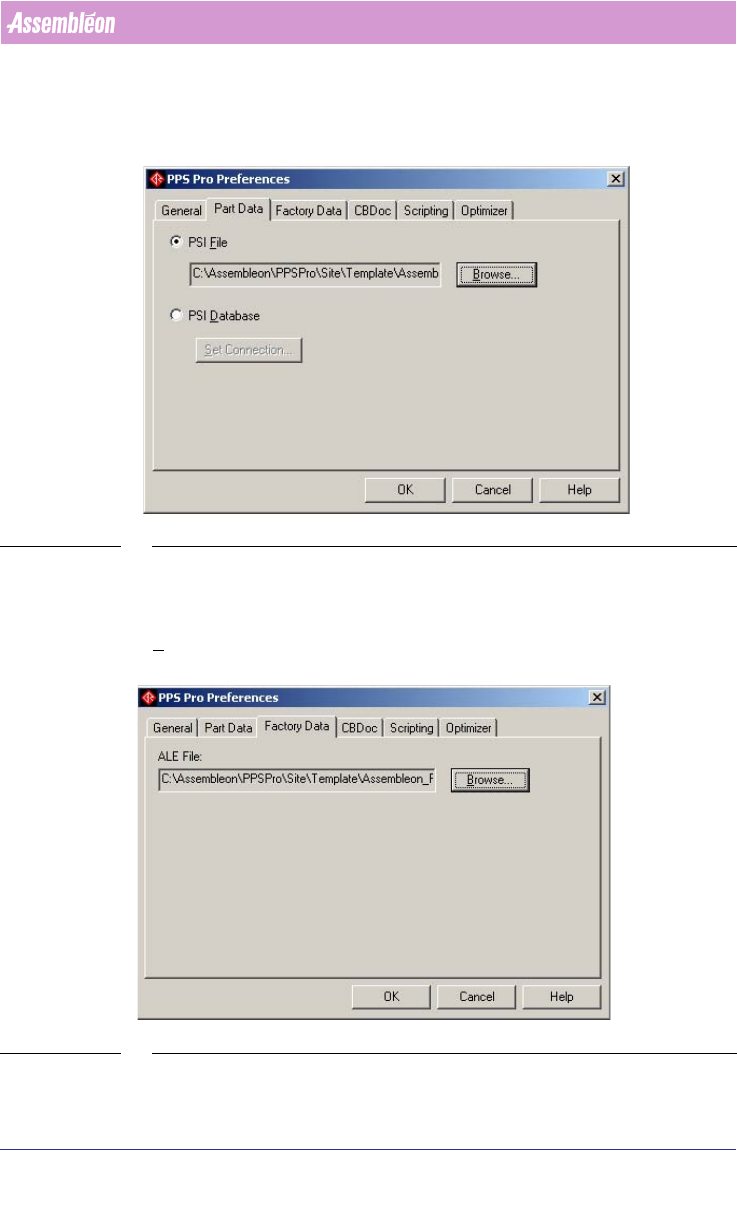
In this tab the psi file or psi database, both consist of a series of fields that
define each part or package, can be selected
(see SCREEN 12 on page 20).
SCREEN 12 Preferences - Part Data
2.5.3 Factory Data
In this tab the ALE file, which describes the factory, can be selected. Use the
Browse... button to select the right file (see SCREEN 13 on page 20).
SCREEN 13 Preferences - Factory Data