PPS Pro version 8.2 - 第40页
User Manual 4022 591 98247 36 PPS-Pro v8.2 05.07 PPS-Pr o GUI SCREEN 27 BOM Format - Step 3 - Delimited File Type 4. Step 4 of the BFW (see SCREEN 28 on pag e 37) In this step a data type can be assigned to ea ch column …
4022 591 98247 User Manual
05.07 PPS-Pro v8.2 35
PPS-Pro GUI
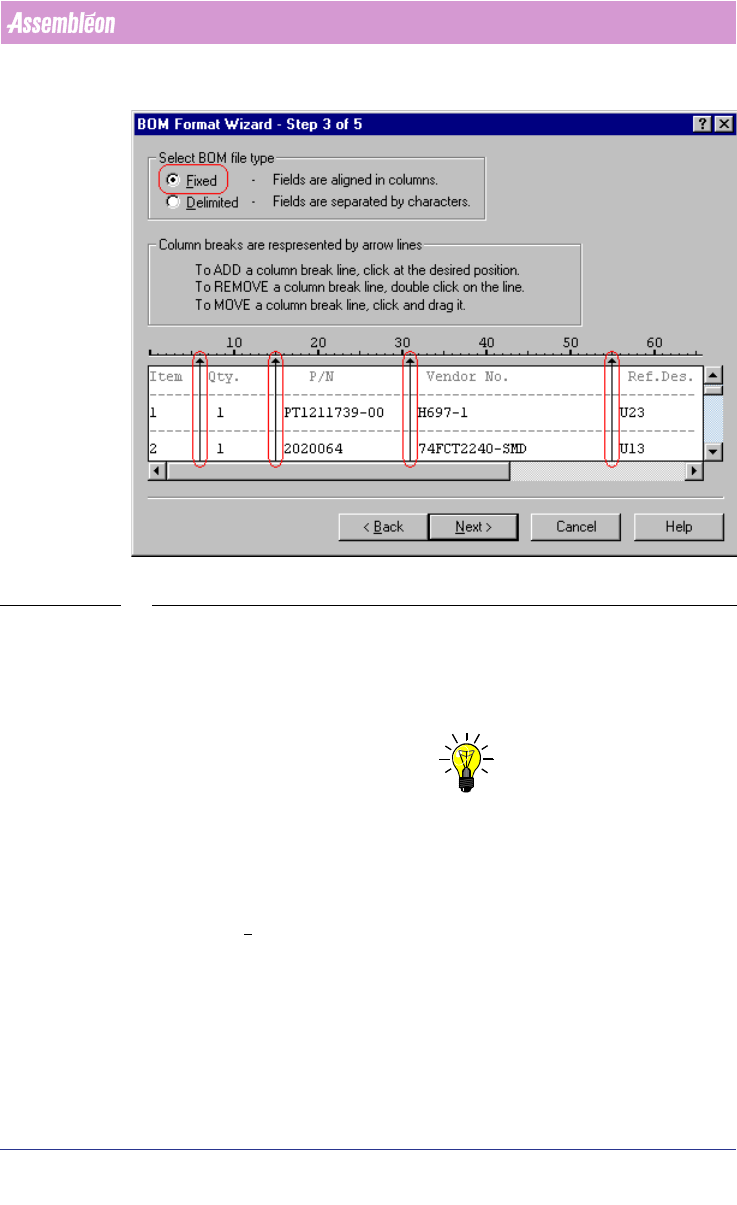
SCREEN 26 BOM Format- Step 3 - Fixed File Type
Delimited: Select or enter the used delimiter.
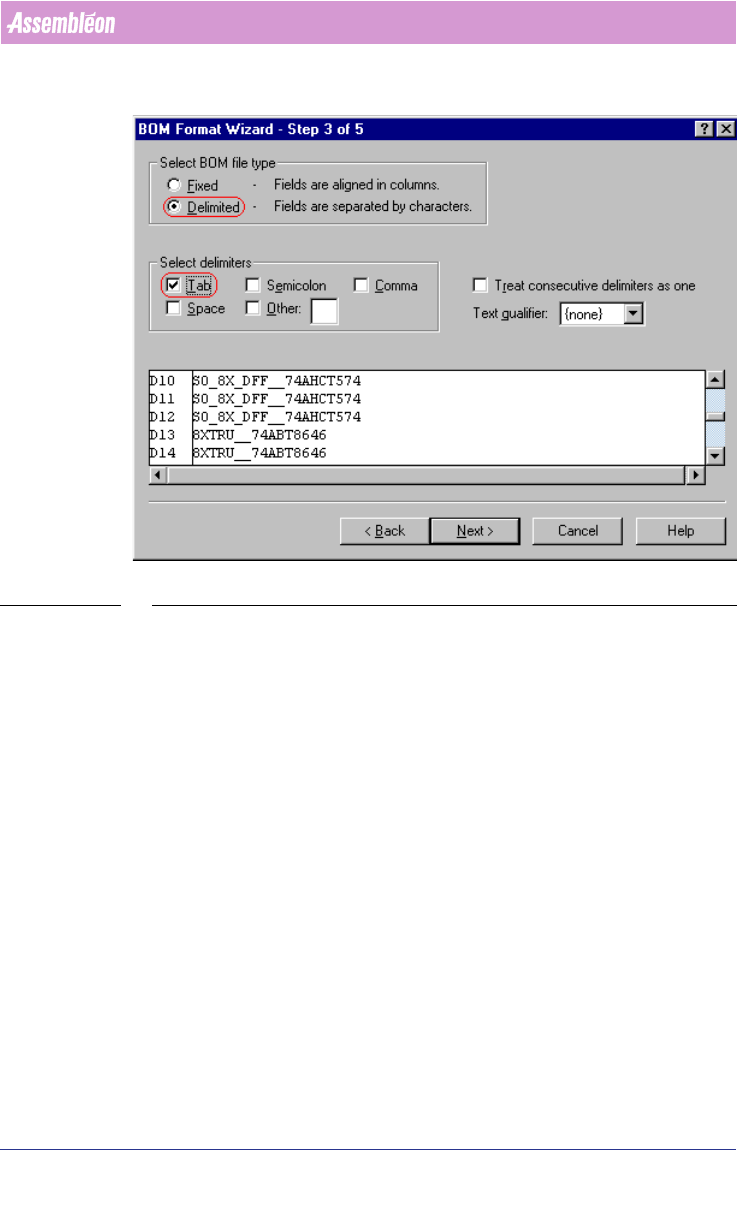
• Select delimiters frame: Click the check box(es) of the character(s)
that separate the data fields. The resulting lines are displayed in the
preview at the bottom of the screen.
NOTE: If your reference designators occupy more than one line, do not use Spaces
as your delimiter character.
• Treat consecutive delimiters as one checkbox: If this box is checked, it
tells the importer to create only one break if it encounters two or
more delimiter characters in a row.
• Text qualifier combobox: If a single or double quote is selected, it tells
the importer to ignore any delimiter character found within a single
quote (') or within double quotes (").
User Manual 4022 591 98247
36 PPS-Pro v8.2 05.07
PPS-Pro GUI
SCREEN 27 BOM Format - Step 3 - Delimited File Type
4. Step 4 of the BFW (see SCREEN 28 on page 37)
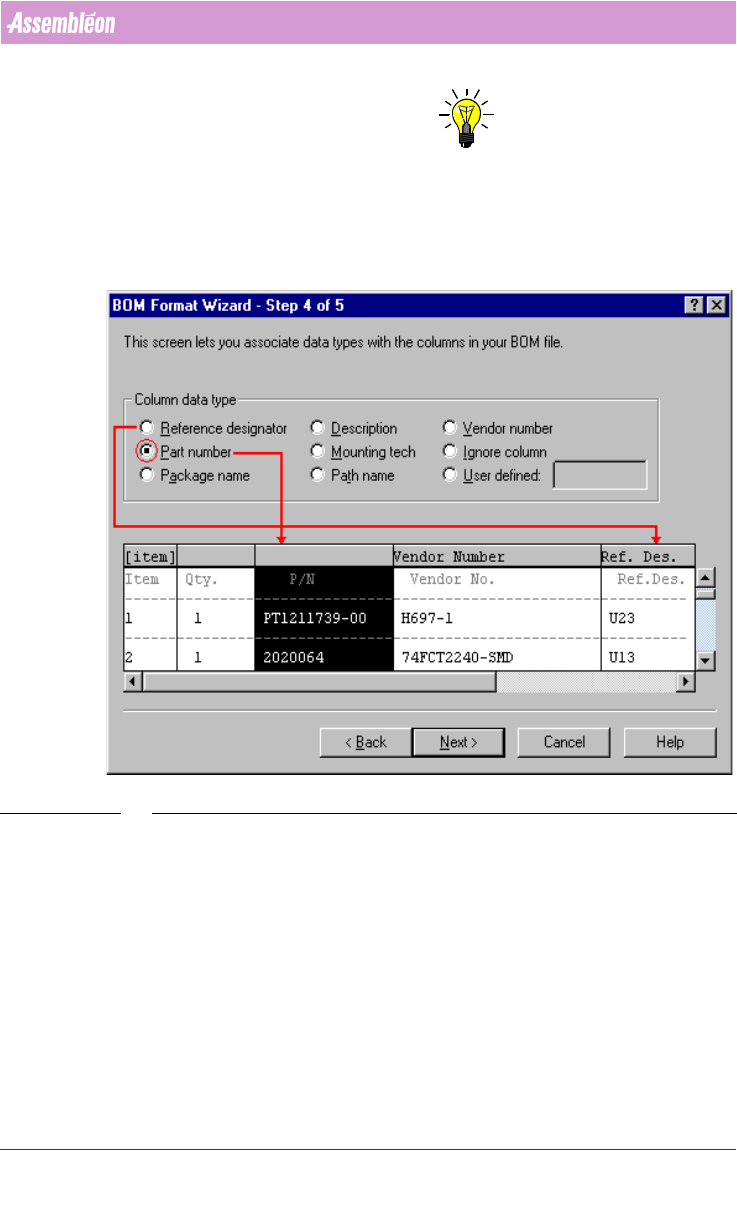
In this step a data type can be assigned to each column.
■ Click a column in the preview window at the bottom of the screen.
■ Select a ‘Column data type’ from the Column data type frame to describe
the selected column.
■ Repeat for each column that you want to import. If a column is ignored, it
will not be imported.
4022 591 98247 User Manual
05.07 PPS-Pro v8.2 37
PPS-Pro GUI
NOTE: The Reference designator column and one other data type must be identified
to proceed with step 5. A data type can only be assigned to one column,
except Ignore column and User defined.
Each data type updates the corresponding field of the MDF-file.
SCREEN 28 BOM Format - Step 4
5. Step 5 of the BFW (see SCREEN 29 on page 38)
The format of the reference designators in the BOM-file is specified in this
step.
■ Designator format combobox: Select Explicit, Abbreviated, or Terse to
describe how the reference designators are defined. The area on the right
side of the screen displays an example of the selected format with the
defined range and separator characters, as well as an explicit list of the
reference designators used in the example.
■ Range chars textfield: Enter the character used in the BOM file that
signifies a range of reference designators. A dash (-) is the default
character.