PPS Pro version 8.2 - 第61页
4022 591 98 247 User Manual 05.07 PPS-Pro v8.2 57 PPS-Pro GUI SCREEN 35 Badm ark Grouping 2.20 Area Badmark s (A-Series) With this functionality the concept of Master ba dmarks (Multiple Le vel) is also supported for AX …
User Manual 4022 591 98247
56 PPS-Pro v8.2 05.07
PPS-Pro GUI
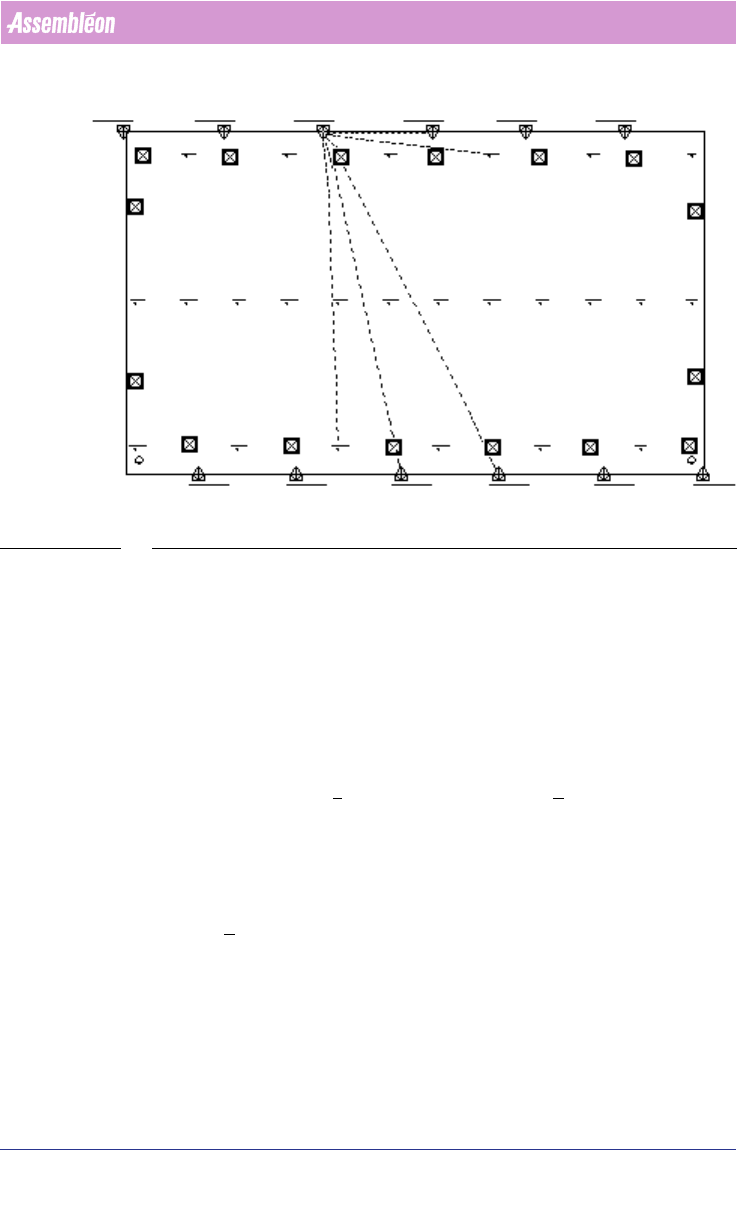
SCREEN 34 Fiducial with Arrangement
4. De-select (Ctrl d) and repeat step 2 and step 3 until all groups have been
created.
2.19 Set Badmark Grouping
The following paragraph describes how to set the badmark grouping using the
MDF editor. This is to set the badmark on panel level so that any number of
circuits can be set to one badmark by grouping.
To set the badmark grouping, follow the steps explained below:
1. In MDF editor, click File > Group Mode. Now the Groups menu bar can be
viewed.
2. For example, select three step-and-repeat symbols and one panel badmark
by clicking on the corresponding symbol in MDF. Notice the color of the
selected symbols turns to purple. Take care that the panel badmark must
belong to the circuits that relate to the step-and-repeat symbols.
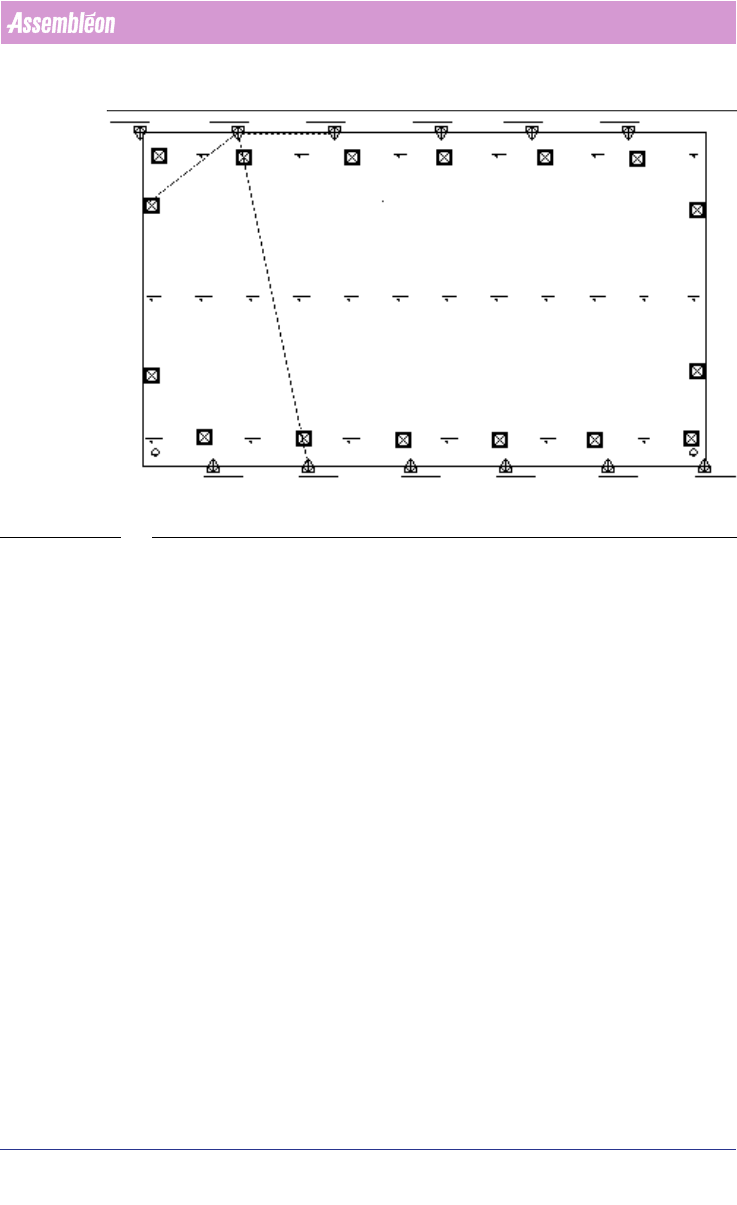
3. Click Groups > Create New Group. Now a badmark group is created by
setting three step-and-repeat with one panel badmark. Badmark grouping
is shown with green dotted line connecting step-and-repeats and panel
badmark symbols
(see SCREEN 35 on page 57).
4. De-select (Ctrl d) and repeat the step 2 and step 3 until all groups have
been created.
4022 591 98247 User Manual
05.07 PPS-Pro v8.2 57
PPS-Pro GUI
SCREEN 35 Badmark Grouping
2.20 Area Badmarks (A-Series)
With this functionality the concept of Master badmarks (Multiple Level) is
also supported for AX software version 1.11 or later.
2.20.1 Area badmark support on A-Series machines
This feature is always used in combination with badmark groups. There are
three types of badmarks available:
1. circuit badmarks
2. area badmarks
3. panel badmarks
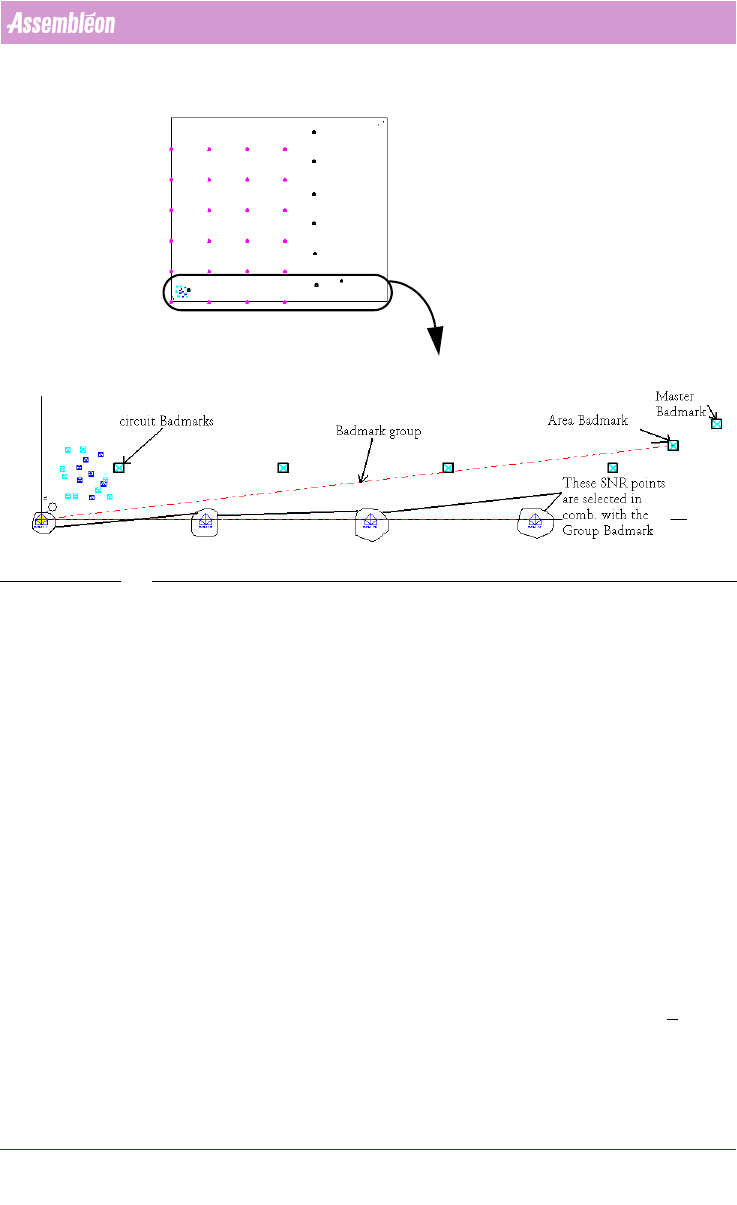
The following picture shows a PCB that contains these three types. On this
PCB groups are used to relate circuit badmarks to area badmarks.
User Manual 4022 591 98247
58 PPS-Pro v8.2 05.07
PPS-Pro GUI
SCREEN 36 Specify an Area badmark
The Area badmarks are manually entered with the MDF editor as panel
badmarks but they must be named as follows:
<name>@<panel_badmark_name>
The Area badmarks can be used to make badmark processing fast, a Badmark
is only read if a higher level badmark is found ‘bad’, on a good PCB only the
highest level badmarks are read, at the moment the system determines that
these are OK it is allowed to place components on the underlying circuits. If
this is not the case then the machine will inspect the lower level badmarks, to
find out on which circuit(s) no parts have to be placed.
2.21 Common grouping functions in the MDF editor
These functions are available when grouping mode is active.
2.21.1 Add to Group
This function can be applied to both fiducial arrangement and badmark
groups. To add a fiducial/ step-and-repeat/ panel badmark etc. items, select
the group (dotted line) and the item to be added to the group. Click
Groups >
Add To Group. Now the selected part is added to the group.
entire PCB
This part is
shown in detail