PPS Pro version 8.2 - 第79页
4022 591 98 247 User Manual 05.07 PPS-Pro v8.2 75 PPS-Pro GUI } Nest: { Position: "2" Tool: "L5" Tool: "L4" } Nest: { Position: "3" Tool: "L3" Tool: "L2" Tool: …
User Manual 4022 591 98247
74 PPS-Pro v8.2 05.07
PPS-Pro GUI
2.29.2 Pre-assignment of Nozzles
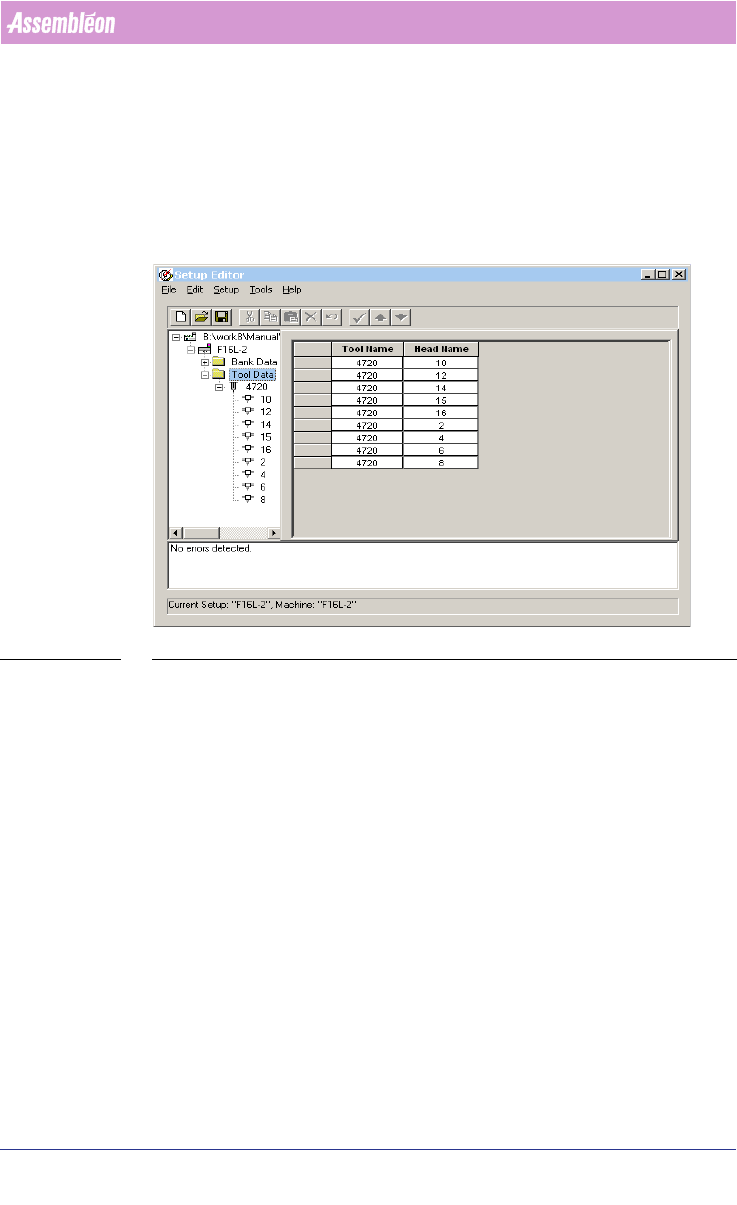
2.29.2.1 For FCM
Pre-assignments of nozzles for FCMs can be done in .con files. The nozzle
specifications in the .con file override the specifications in the ALE file
(see
2.30 "Use the Setup editor" on page 76).
SCREEN 51 example FCM nozzle pre-assignment
2.29.2.2 Nozzle Pre-assignment in TEU of AX
This feature is only allowed if the AX machine has machine software version
1.21 or later. With older AX machine software it is advised to keep the current
toolbit assignments which have been specified as defaults in older ALE files.
With machine software 1.21 and onwards it is allowed to leave the TEU empty.
In the CON file it is possible to pre-assign toolbits to the TEU, it is also allowed
to assign more than one special toolbit to a TEU. For AX machines with
component vision it is not allowed to have nozzle pre-assignments in the ALE
file, otherwise the RTB cannot be used anymore.
example:
Version: CIMBridge 3.4 Setup File
Configuration: "M_AX_5_20" {
Nest: {
Position: "1"
Tool: "L5"
Tool: "L4"

4022 591 98247 User Manual
05.07 PPS-Pro v8.2 75
PPS-Pro GUI
}
Nest: {
Position: "2"
Tool: "L5"
Tool: "L4"
}
Nest: {
Position: "3"
Tool: "L3"
Tool: "L2"
Tool: "L3"
Tool: "L4"
Tool: "L5"
Tool: "L6"
Tool: "L7"
Tool: "SL001"
}....
AX Toolbits that are pre-assigned are always copied to the output. Customers
with machine software 1.21 Note: each TEU should at least contain one of: L2,
L3, L4 or L5 for calibration purposes, this will seldom be a point of extra
attention.
2.29.2.3 Pre assignment limitations on Powerline
It is possible to force the Powerline optimizer/generator to do no duplication
of feeders which are already pre-assigned. Only parts which are not yet
assigned may be added to the setup during optimization. To be able to use
this option, an environment variable must be specified. To specify this
variable take these steps: Go to Start >
Settings > Control Panel > System
and choose the Environment tab. Enter the following name in the
Variable
textfield: ‘LINE_PREASSIGNED_PICK_LIM’. The value of this variable must be
set to “YES” to use the above described functionality. Else specify “NO”.
NOTE: After changing this variable setting, PPS-Pro must be restarted.
2.29.2.4 Pre assignment limitations on A-Series
It is possible to force the A-Series optimizer/generator to do no duplication of
feeders which are already pre-assigned. Only parts which are not yet assigned
to may be added to the setup during optimization. To be able to use this
option, an ALE setting must be done for A-Series machines. The attribute
User Manual 4022 591 98247
76 PPS-Pro v8.2 05.07
PPS-Pro GUI
‘DoNotDuplicatePreAssignment’ (Refer to the manual ‘Description ALE-file
12NC 4022 591 98715) is used.
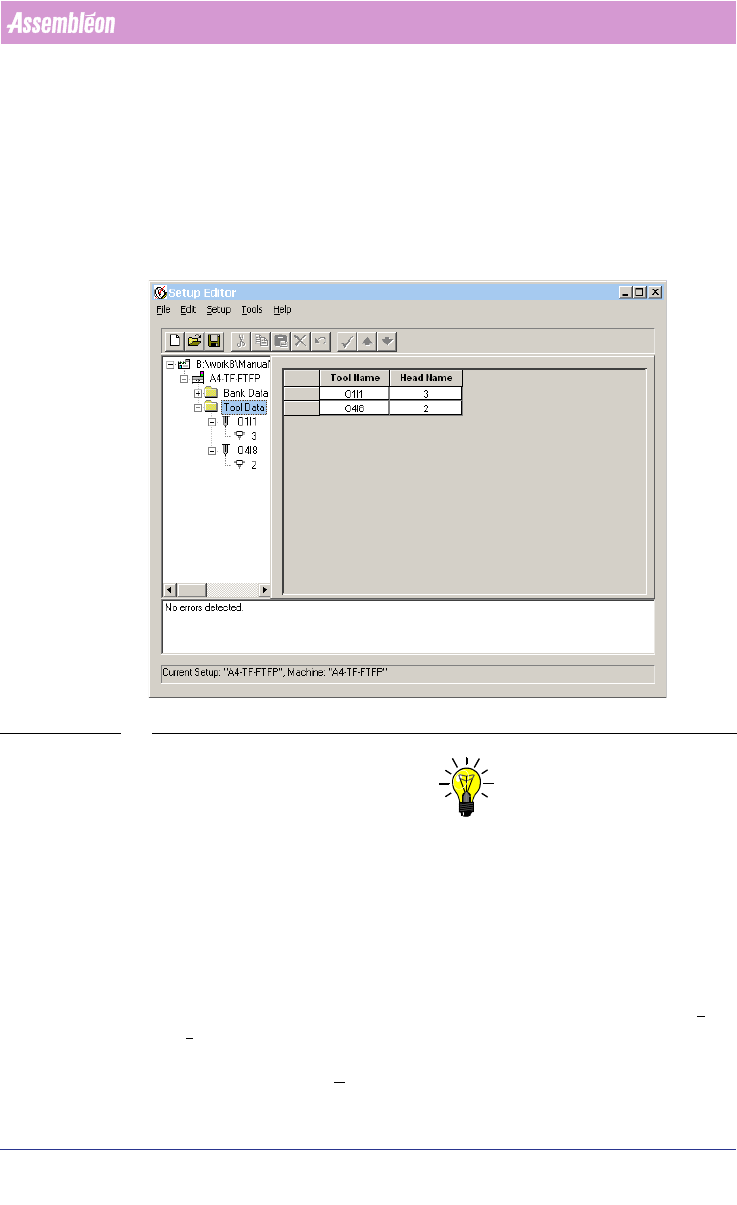
2.29.2.5 For ACM without TEU
For ACMs without TEU nozzle pre-assignments can be achieved in the .con file.
Below is an example of a part of a .con file that contains nozzle information
(see 2.30 "Use the Setup editor" on page 76).
SCREEN 52 example ACM nozzle pre-assignment
NOTE: For ACMs with TEU, nozzle pre-assignments are not possible by means of .con
files. To pre assign nozzles to heads on ACM with TEU the ALE file must be
modified as described Refer to manual: “Description ALE-file 12nc 4022 591
98715”
2.30 Use the Setup editor
The ‘Setup Editor’ can be used to create, edit and validate a setup file. The
‘Setup Editor’
(see SCREEN 53 on page 77) can be started by pressing the Tools
> Setup Editor... from the main PPS menu. A detailed explanation of creating
editing and validating setup files is available via the Help of the ‘Setup Editor’.
This is available via the
Help item of the main menu.