TR7500_Series_Software_ch_v4-6.pdf - 第252页
Test Resear ch Inc. 238 TR 7700 S II User Guid e – Softwar e 檢測完成所顯示的畫面,以及丟給 RS 的條碼內容,均為不會做分割處理。
Test Research Inc.
TR7500 Series User Guide–Software 237
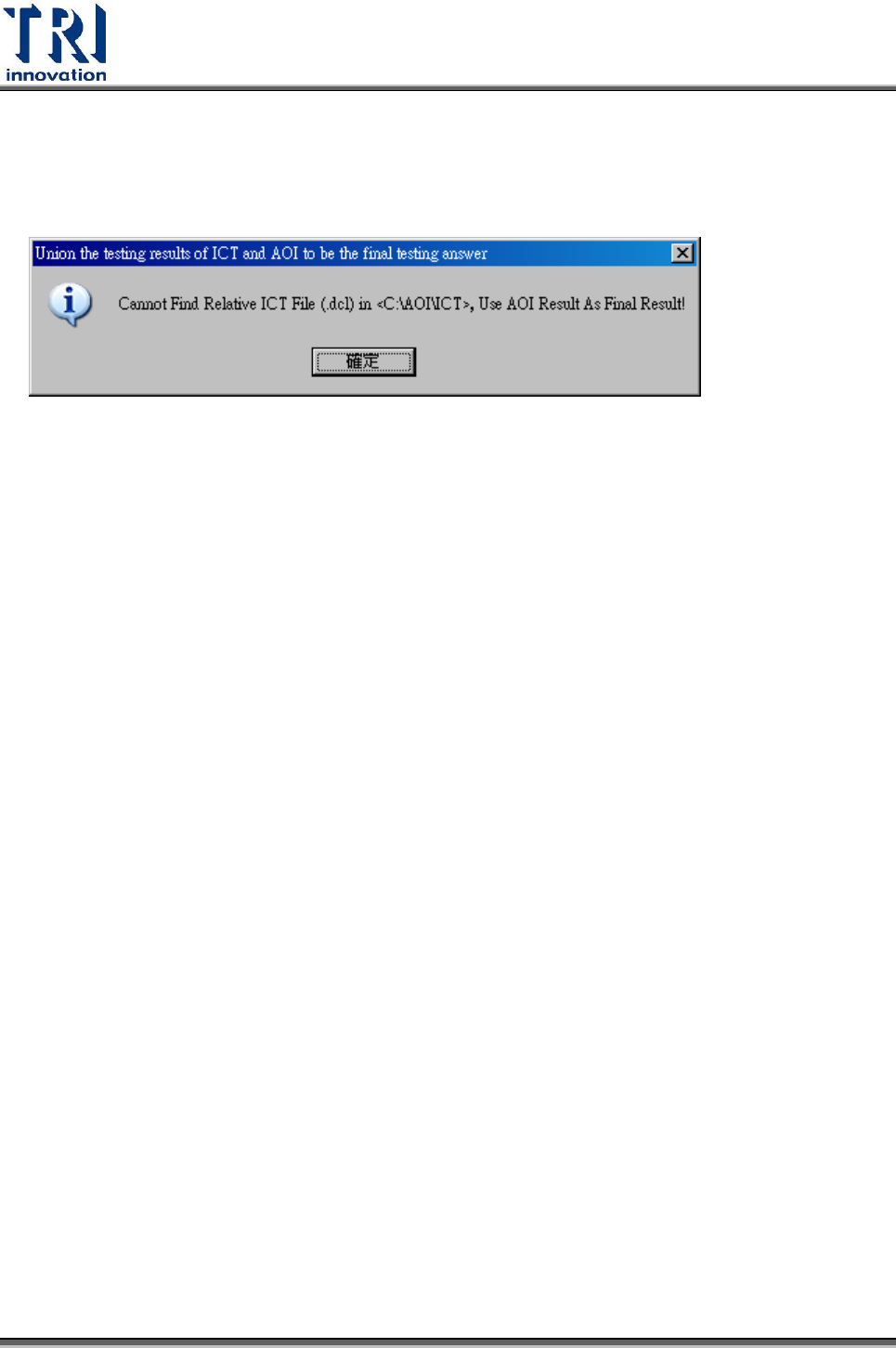
1. 啟動[Utilities/ Union ICT Result As AOI Result]
2. 在檢測完成後,確認 ICT 資料夾(預設為[C:\\AOI\\ICT),若找不到該條碼的相關
[*.dcl]檔案,就會顯示下列警示訊息,以 AOI 檢測的結果為依據。
3.7.41 將條碼檔案輸出給 ICT
1. TRAOI 版本: Ver 3.6 2009/5/12 以後的版本
AOI 將條碼輸出到檔案[barcode.barcode],供 ICT 讀取,ICT 會負責刪除該檔案。
[barcode.barcode]內容第一行為檢測結果 PASS 或 FAIL,接下來的行數為 AOI 所讀
到的條碼,如果是多個條碼,則會用[\r\n]做分隔。
客戶可以選擇 <分隔字元 Separator> 和 <條碼索引 Token Index>取得希望的條碼
舉例說明:
條碼為 SNUPCB090226118,P544150-001-99,V1007752,1T006,9D0918,Q20
分隔字元為逗號 (,),條碼索引為 1,則[barcode.barcode]所輸出的為
SNUPCB090226118。
分隔字元為逗號 (,),條碼索引為 3,則 barcode.barcode 所輸出的為 V1007752。
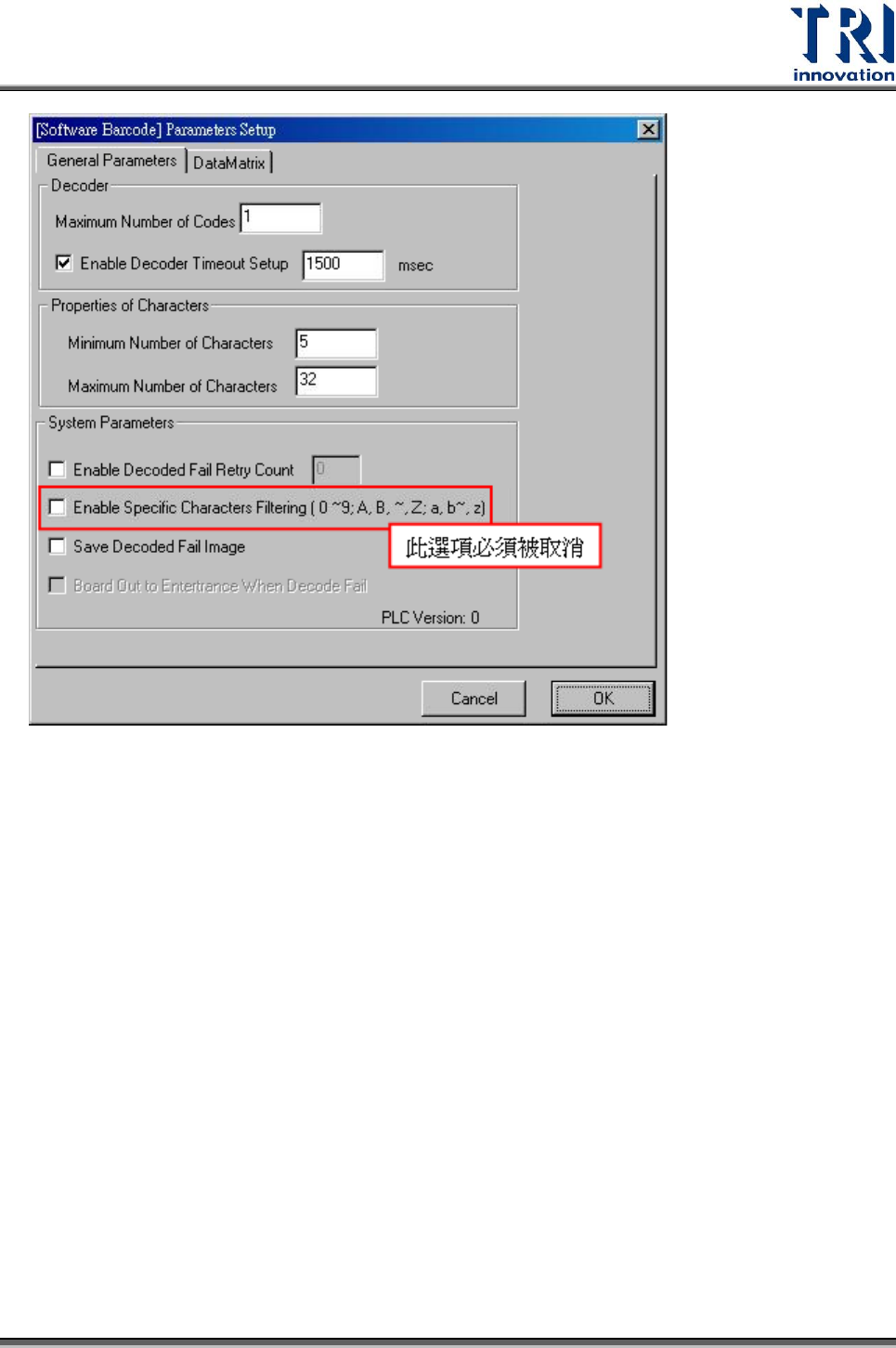
軟體條碼設定
Test Research Inc.
238 TR7700 SII User Guide–Software
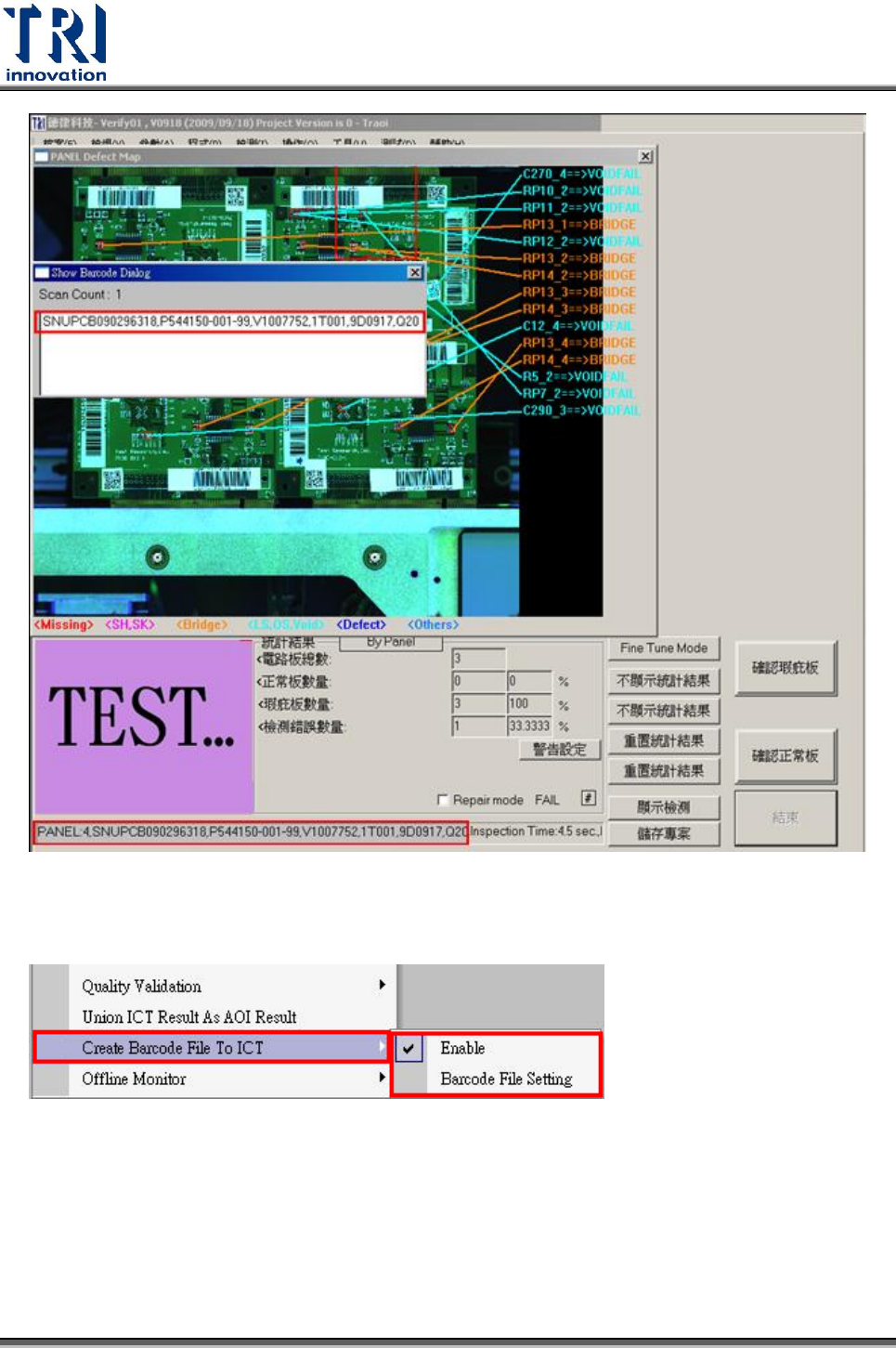
檢測完成所顯示的畫面,以及丟給 RS 的條碼內容,均為不會做分割處理。
Test Research Inc.
TR7500 Series User Guide–Software 239
使用說明
Step1. 啟動 [Utilities/ Create Barcode File To ICT]
Step2. 啟動 [Utilities/ Barcode File Setting] 設定 Barcode 檔
(barcode.barcode)。