JANETS使用说明书.pdf - 第26页
JaNets 使用说明书 2 安装 2-3 (3) 确认同意使用协议画面。 请选择[ I accept the terms in the license agreement (同意) ] ,点击「 Next 」 。 (4) 选择[ Complete (完全) ] ,点击「 Next 」 。 ※ 选择[ Custom ]后,会移动到选择要安装的驱动程序的画面。 请务必选择[ Complete ] 。
JaNets 使用说明书 2 安装
2-2
2-1-3-2 安装 SafeNet Sentinel Protection Installer 7.6.3
没有安装保护模块的驱动程序时,需要安装该驱动程序。
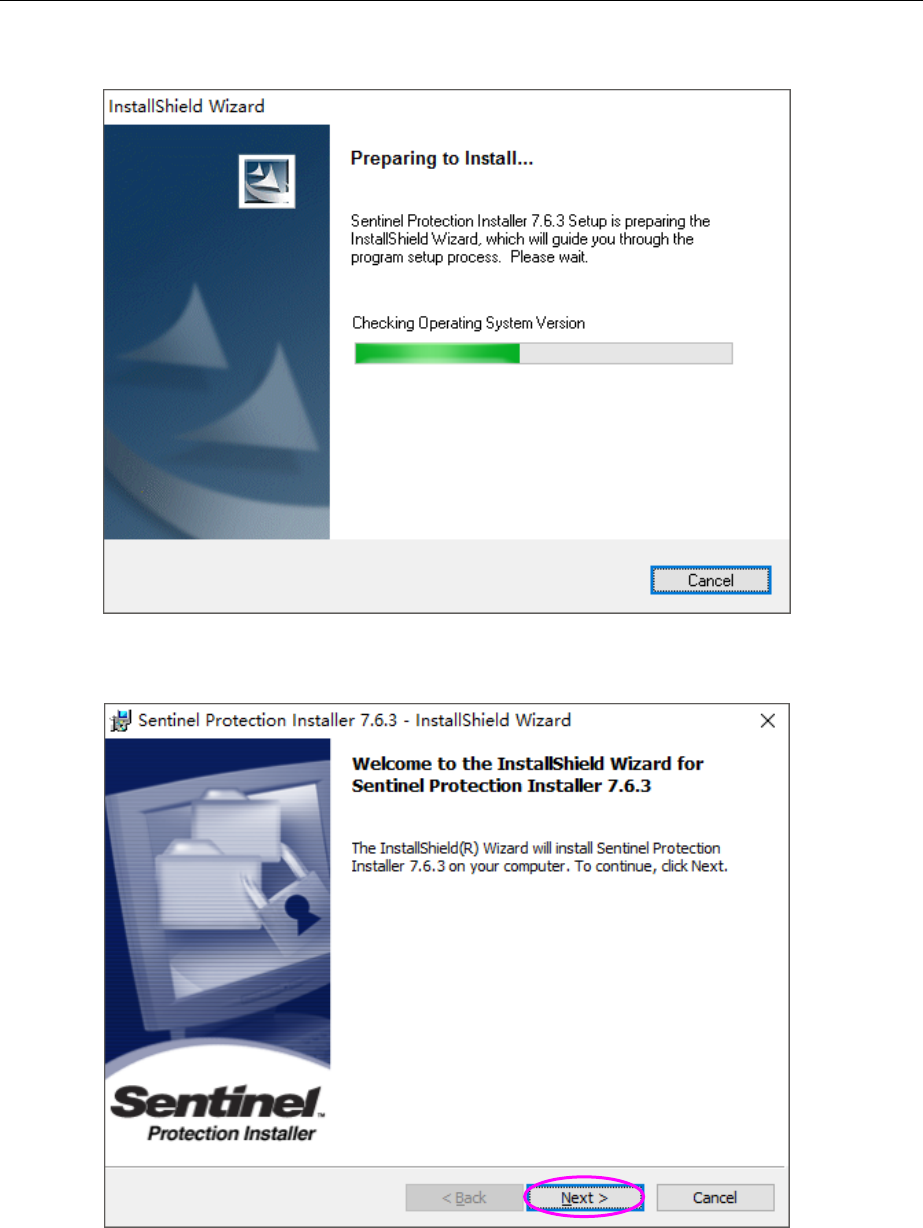
(1) 正在启动安装程序。
(2) 显示安装初始画面时,请点击「Next」。
JaNets 使用说明书 2 安装
2-3
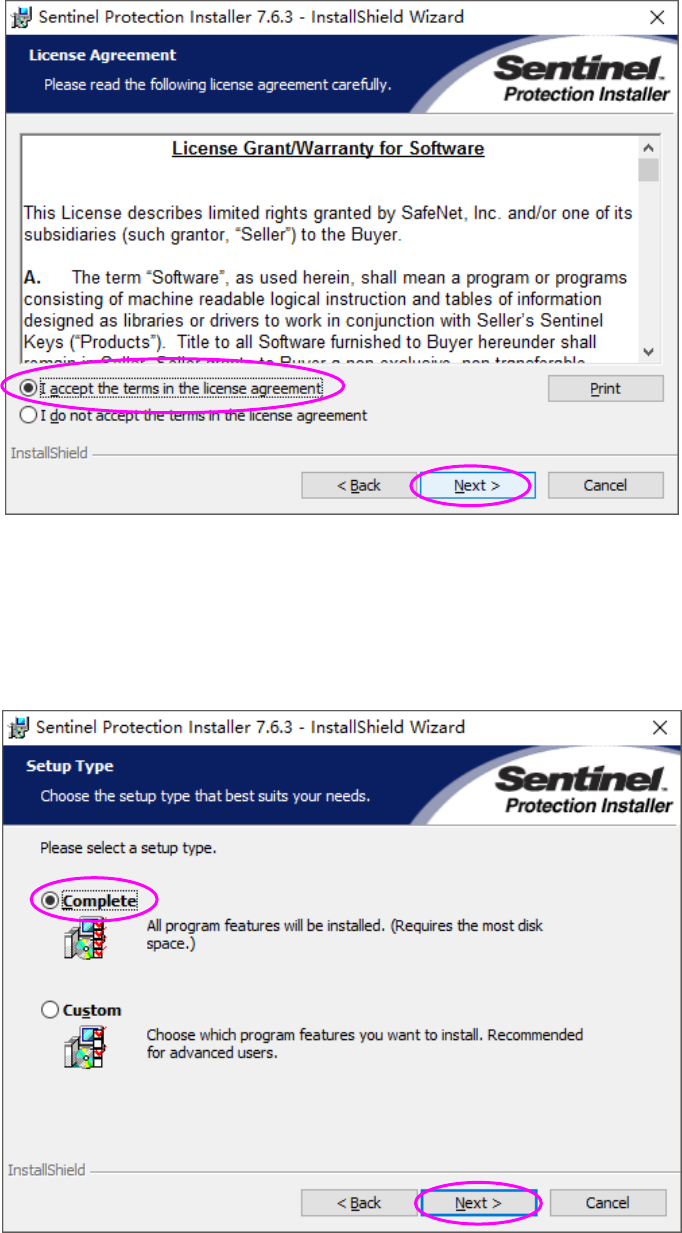
(3) 确认同意使用协议画面。
请选择[I accept the terms in the license agreement(同意)],点击「Next」。
(4) 选择[Complete(完全)],点击「Next」。
※ 选择[Custom]后,会移动到选择要安装的驱动程序的画面。
请务必选择[Complete]。
JaNets 使用说明书 2 安装
2-4
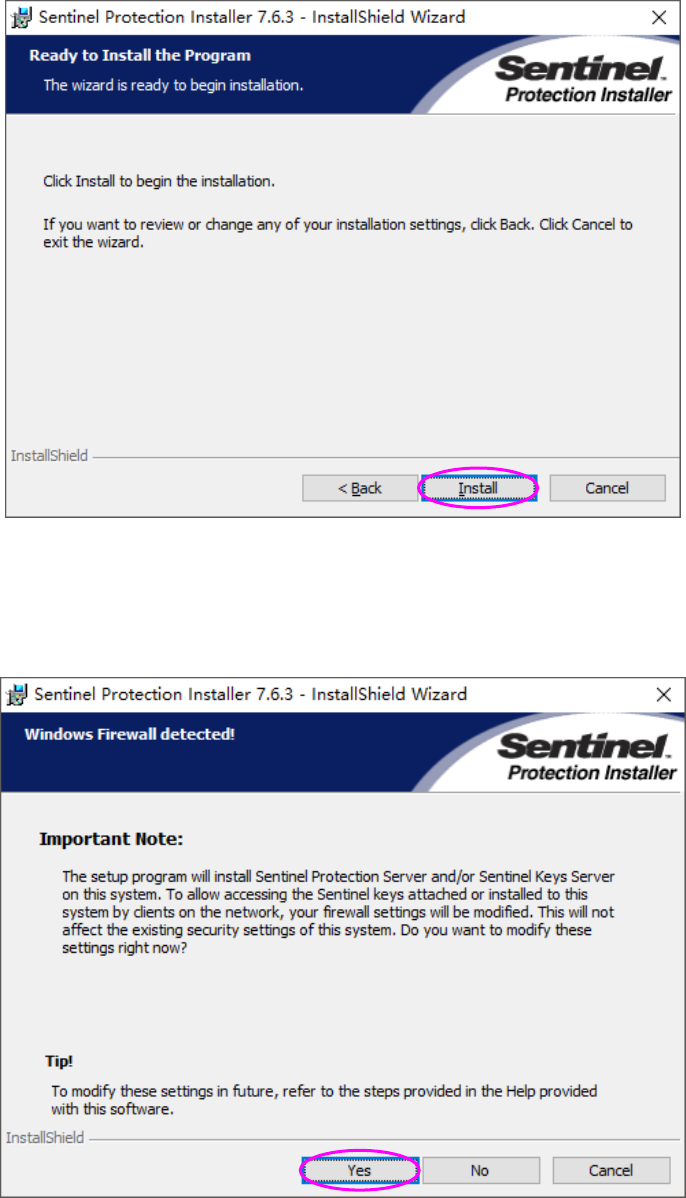
(5) 请点击「Install」。
(6) 请按「Yes」按钮。开始安装。
※ 显示修改保护模块驱动程序用的防火墙的设置画面。
请务必选择[Yes]。