00197465-01_SM_CP20-A-M_EN.pdf - 第43页
3 Service Work Conveyor 3.12 Replacing the Z Drive [03058631-xx] Service Manual SIPLACE C&P20, C&P20A, C&P20M 43 Preparation ► Remove the head fro m the machine. For removal and installation details of the pl…
3 Service Work Conveyor
3.12 Replacing the Z Drive [03058631-xx]
42 Service Manual SIPLACE C&P20, C&P20A, C&P20M
3.12
3.12 Replacing the Z Drive [03058631-xx]
Replacing the Z Drive [03058631-xx]
Parts, equipment and tools
▪ Z drive complete C&P20A [03058631Sxx] (for C&P20, C&P20A and C&P20M)
▪ Magnet removal plate C&P20A [03078491-xx]
▪ Torque screwdriver 100-500 Ncm [03078400-xx]
▪ Extension/straight TX20 [03073256-xx]
▪ Tools for removing the head, if needed (see also the service manual for your machine)
Overview
NOTICE
Intermediate distributor board
The package from FS05 contains the intermediate distributor board [03002942-10] in addition.
Also this board has to be exchanged, if required (s.u.)
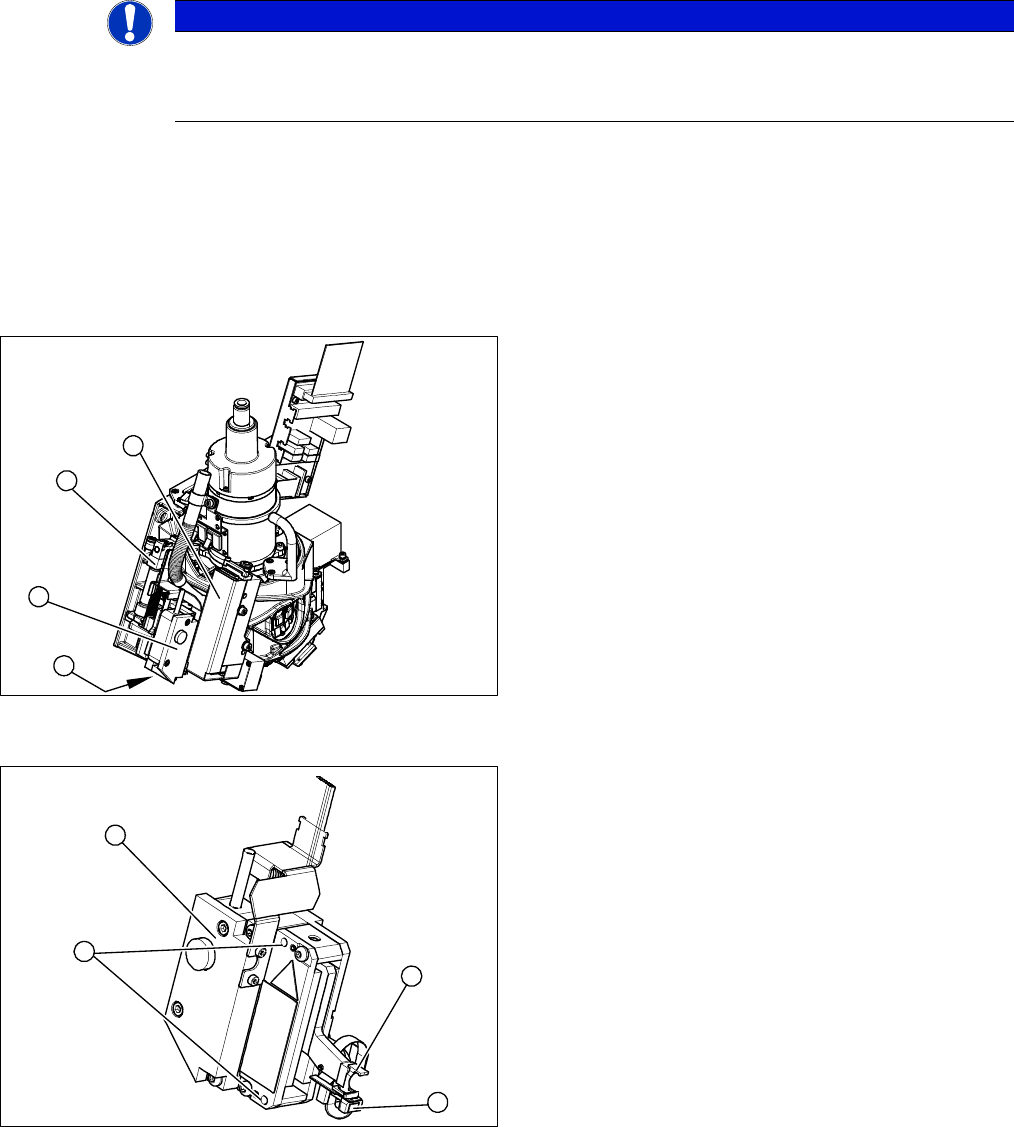
Overview of C&P20A head
1. Pressure control valve
2. Return unit
3. Z axis
4. Z axis drive cover
Overview of Z drive
1. Complete Z drive
2. 2 x fastening screws
3. Light barrier Z drive down
4. Snap jaws
1
3
2
4
1
4
3
2
3 Service Work Conveyor
3.12 Replacing the Z Drive [03058631-xx]
Service Manual SIPLACE C&P20, C&P20A, C&P20M 43
Preparation
► Remove the head from the machine. For removal and installation details of the placement head, read
the service manual for your machine.
Removal/installation
NOTICE
Also the intermediate distributor board has to be exchanged, if required
Z drives from FS05 are using the connector X6 with another shape.
► If a Z drive FS < 05 is replaced with a Z drive FS >= 05, also the intermediate distributor
board must be replaced.
See section "3.9 Replacing the intermediate distributor board [03002942-xx] on the
C&P20A head" [ ➙ 30]
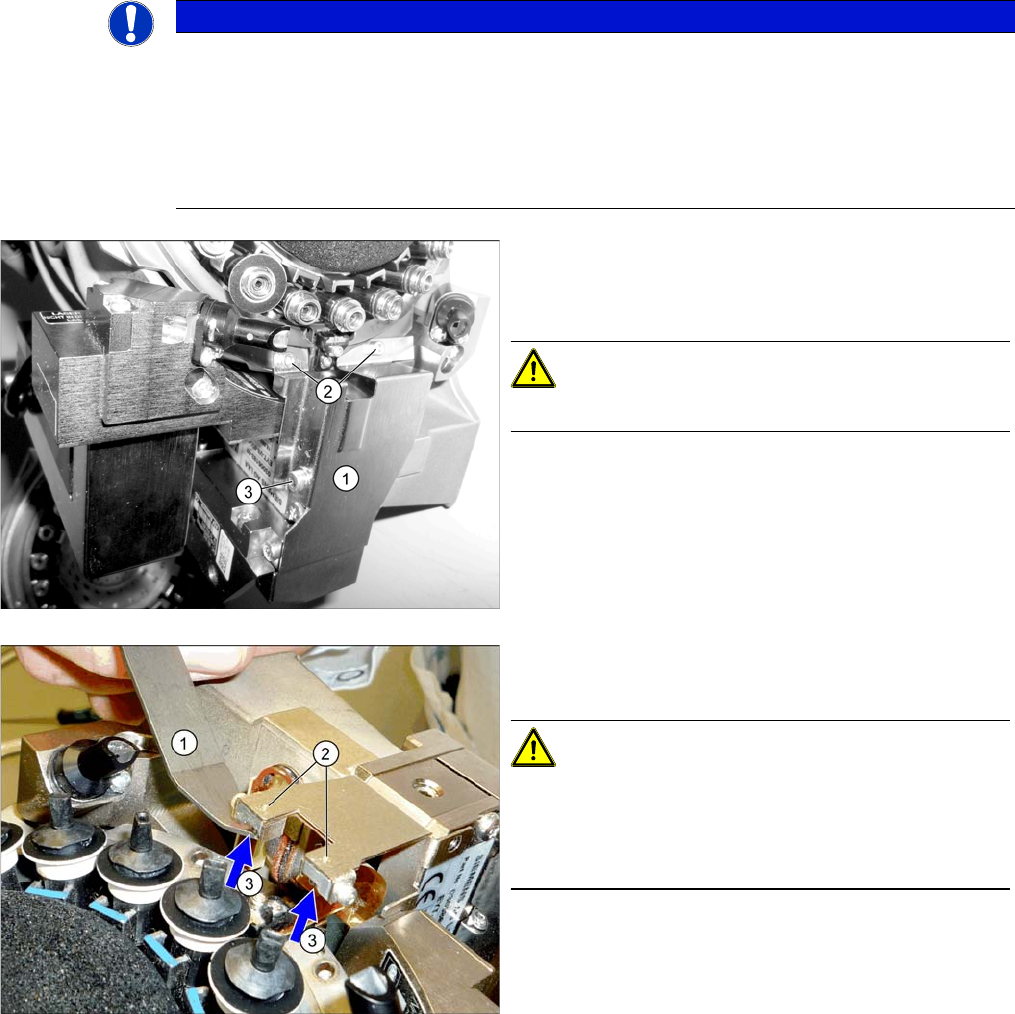
► Dismantle the cover plate (1) over the Z axis. Loosen
the screws at (2) and (3). Carefully remove the cover
plate.
CAUTION!
Take care not to damage the component sensor prisms.
► Use the magnet removal plate (1) to remove the two
magnets (3).
CAUTION!
If the magnets are stuck in place, you can press these out
from above (2) with a pointed object. If you damage the
foil while removing the magnets, you will need to also re
-
place the foil.
3 Service Work Conveyor
3.12 Replacing the Z Drive [03058631-xx]
44 Service Manual SIPLACE C&P20, C&P20A, C&P20M
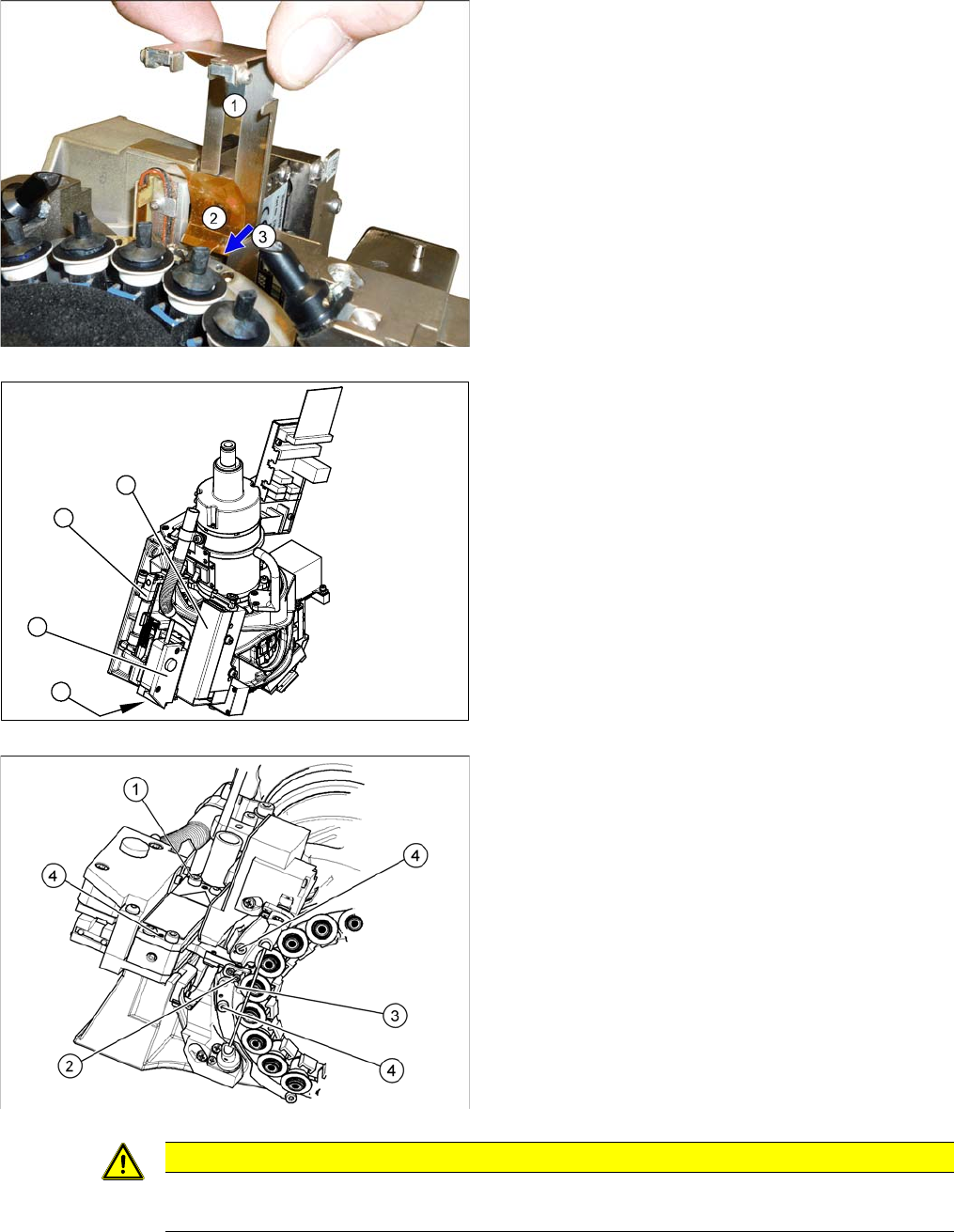
► Pull out the plate (1).
► Loosen the screw (3) fastening the foil (2) and then
remove the foil.
► Remove the pressure control valve (1). This gives
you access to the Z drive.
► Loosen the two screws fastening the return unit (2)
and unplug the electrical supply at the solenoid valve
and the hose at the compressed air connection.
► Remove the complete return unit (2).
► Remove the nozzles and dead indexing plates from
two neighboring segments. This makes it easier to
unthread the Z drive.
► Loosen the screw (1) fastening the Z drive.
► Rotate the star into its central position.
► Move the Z drive downwards and unthread the snap
jaws (2) from the ball bearings (3) of the DP drive.
1
3
2
4
CAUTION
Check how the cables are run!
Make sure that you do not touch or damage the flex cable.