00197465-01_SM_CP20-A-M_EN.pdf - 第59页
5 Settings 5.4.4 Determining the Zero Po int Correction Value for the Star and Z Axis from SW705.04 5.4 Zero Point Correction for the Star and Z Axis Service Manual SIPLACE C&P20, C&P20A, C&P20M 59 ► Select t…
5 Settings
5.4 Zero Point Correction for the Star and Z Axis 5.4.4 Determining the Zero Point Correction Value for the Star and Z Axis from
58 Service Manual SIPLACE C&P20, C&P20A, C&P20M
5.4.4
5.4.4 Determining the Zero Point Correction Value for the Star and Z Axis from SW705.04
Determining the Zero Point Correction Value for the Star and Z Axis from SW705.04
The menu for determining the zero point correction value is only accessible with the service password
(customer)!
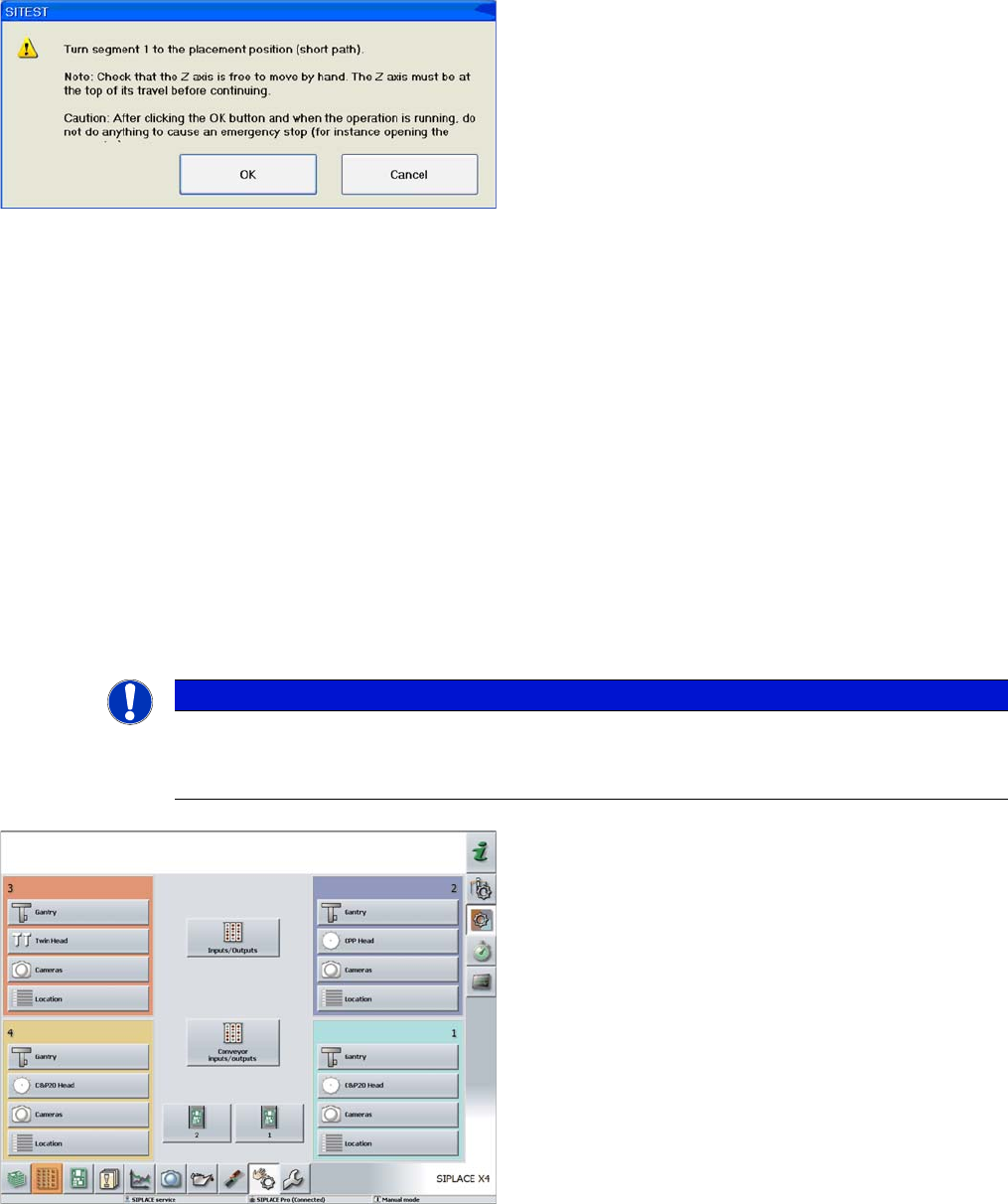
Turning segment 1 manually into the placement position
► Switch the Z axis off at the axis card.
► Rotate the star with segment 1 by the shortest route,
into the placement position.
► Open the cover.
► Rotate the star until segment 6 can be seen through
the service opening. Segment 1 is then in the pick
and place position.
► Move segment 1 downwards with the help of the re
-
turn unit.
► When the segment is moved out (Z axis down), check
that the segment ball bearing is in the center of the
jaws.
► Close the cover.
► Press the Start button on the machine.
► Click on OK on your screen.
The calibration process will begin and the new Z axis and
star axis zero point correction values will be stored in the
Achs_ver.ma and on the head EPROM.
NOTICE
Calibrate Z axis and star axis zero points
The function Calibrate zero point correction should be carried out after service work to the
C&P20 head. (e.g. when replacing the Z axis or component sensor)
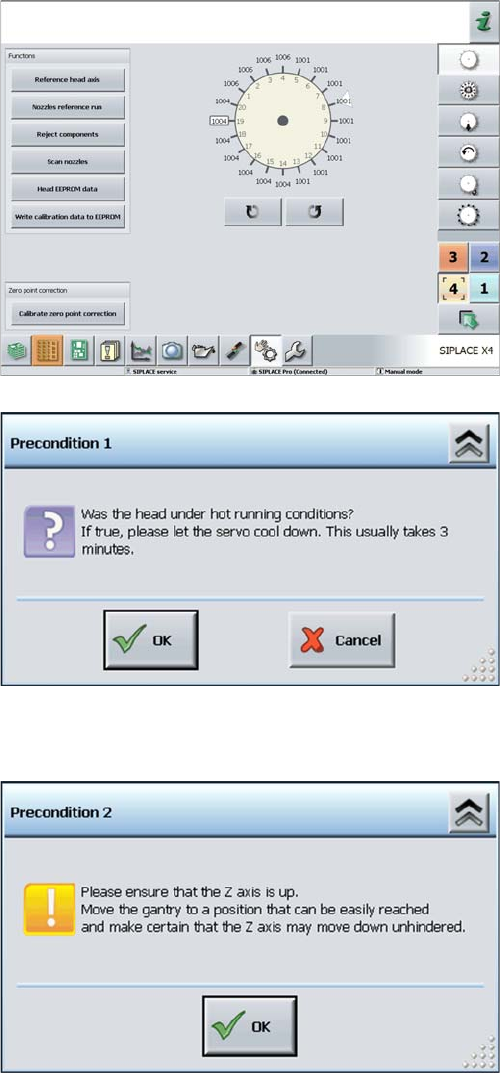
► Log in as "Service (customer)".
► Click on the Check sensors and functions button.
5 Settings
5.4.4 Determining the Zero Point Correction Value for the Star and Z Axis from SW705.04 5.4 Zero Point Correction for the Star and Z Axis
Service Manual SIPLACE C&P20, C&P20A, C&P20M 59
► Select the relevant head.
► Click on the Calibrate Z axis and star axis zero points
button.
Calibrating the Z axis and star axis zero point correction
values
► You may need to wait 3 minutes, until the head has
cooled down.
► Acknowledge the question shown with OK.
Z axis up request for confirmation
► Check the position of the Z axis and click on OK.
5 Settings
5.4 Zero Point Correction for the Star and Z Axis 5.4.4 Determining the Zero Point Correction Value for the Star and Z Axis from
60 Service Manual SIPLACE C&P20, C&P20A, C&P20M
Troubleshooting - calibration of zero point correction
If calibration was not successful:
1. Check the Z axis path.
The max. and min. travel of the Z axis (C&P20) is 34000 digits and -200 digits.
2. Error message: FM 19127 – Values calculated for the zero point correction exceed the tolerance lim
-
its.
This means that the angle of the Z axis is outside the threshold values.
Solution: Use the setting gauge to set the jaws on the C&P20 head.
Turning segment 1 manually into the placement position
► Rotate the star with segment 1 by the shortest route,
into the placement position.
► Open the cover.
► Rotate the star until segment 6 can be seen through
the service opening. Segment 1 is then in the pick
and place position.
► Move segment 1 downwards with the help of the re
-
turn unit.
► When the segment is moved out (Z axis down), check
that the segment ball bearing is in the center of the
jaws.
► Close the cover.
► Press the Start button on the machine.
► Click on OK on your screen.
The calibration process will begin and the new Z axis and
star axis zero point correction values will be calculated.
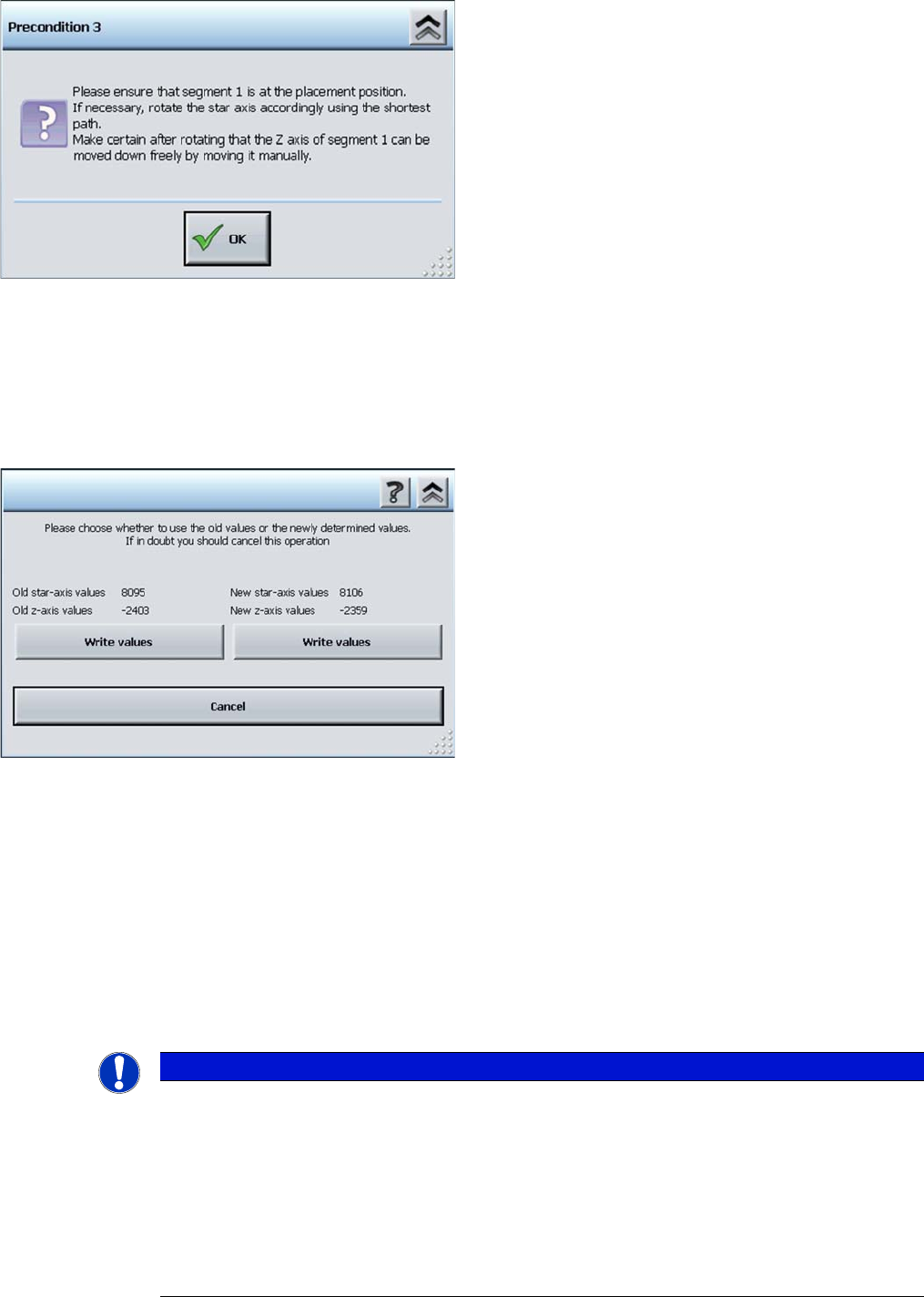
Display showing old and new values
► If the new values are plausible, click on the right-hand
button Write values under the new values.
NOTICE
Other solutions
If the jaws have already been set, proceed as follows:
► Dismantle the placement head as described above and fit the setting gauge, without loos
-
ening the screw fastening the jaws beforehand.
► Use the 0.01 mm feeler gauge to check whether the jaws are really placed against the con
-
tact surfaces 2a and 2b. If this is the case, loosen the screw fastening the jaws and place
two 0.01 mm feeler gauges between the jaws and contact surface 2a, so that they are just
clamped in between the jaws and the setting gauge.