4OM-1003-007.pdf - 第144页
0305-001 1-78 AIL01ETRP 1.4 Maintenance Method (22) Press the [ALL] button (entitled "ZERO"). In two seconds, press the [ENABLE] button on the operation panel. Press the [F1] and [F2] buttons (entitled "FE…
0305-001 1-77 AIL01ETRP
1.4 Maintenance Method
(18) Unlock the [EMERGENCY STOP] switch and press the [RESET]
button.
Press the [POWER ON] button to power the machine.
Press the [Next] button.
(19) Press the [ALL] button (entitled "ZERO"). In two seconds, press
the [ENABLE] button on the operation panel.
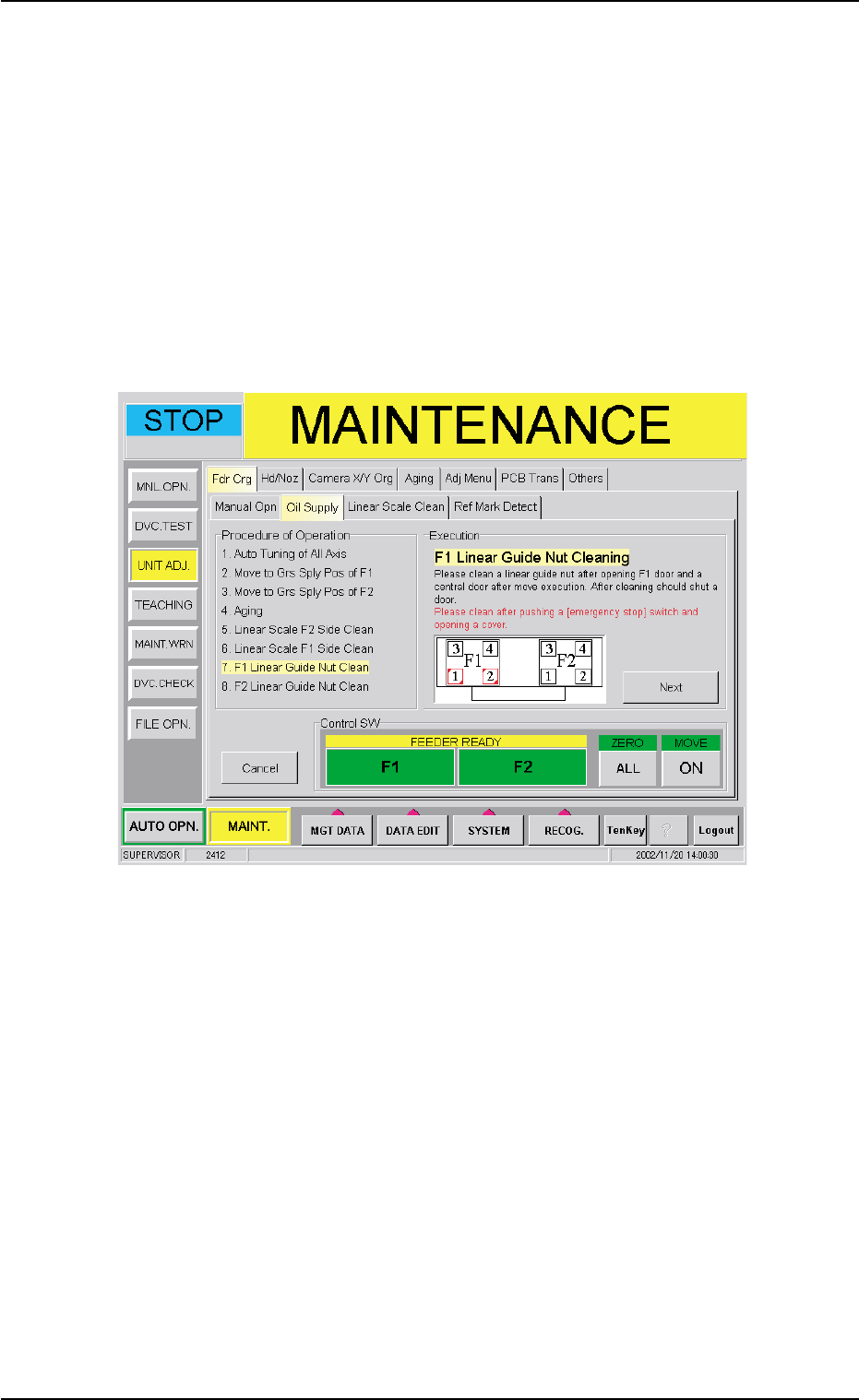
Press the [F1] and [F2] buttons (entitled "FEEDER READY").
When the [ENABLE] button on the operation panel is pressed in
two seconds after the [ON] button (entitled "MOVE"), the following
sheet appears.
Fig. 4A85-9
(20) Press the [EMERGENCY STOP] switch and open the F1 and cen-
tral doors.
Clean the nuts for the F1 linear guide.
After the cleaning, close the F1 and central doors.
(21) Unlock the [EMERGENCY STOP] switch and press the [RESET]
button.
Press the [POWER ON] button to power the machine.
Press the [Next] button.
0305-001 1-78 AIL01ETRP
1.4 Maintenance Method
(22) Press the [ALL] button (entitled "ZERO"). In two seconds, press
the [ENABLE] button on the operation panel.
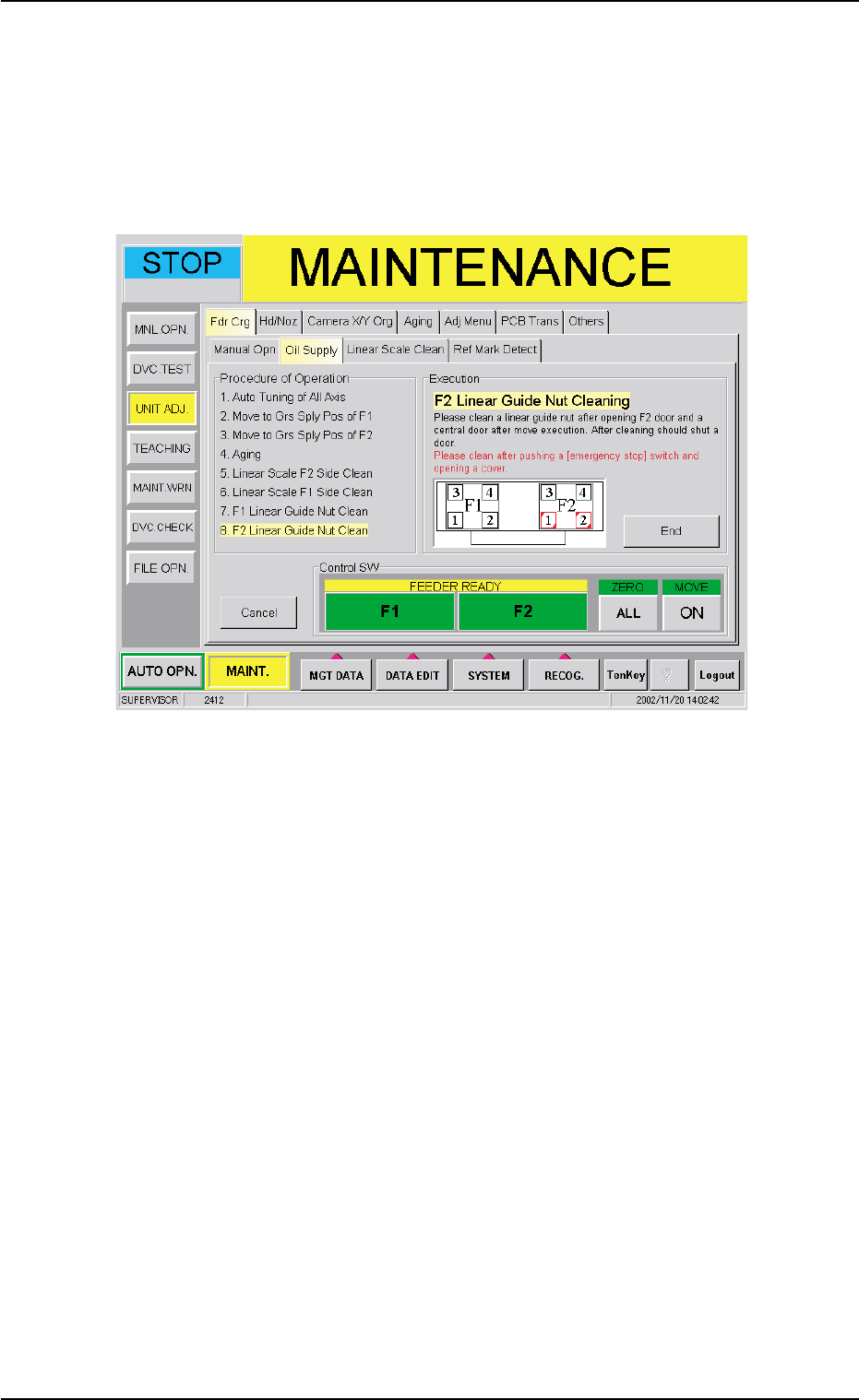
Press the [F1] and [F2] buttons (entitled "FEEDER READY").
When the [ENABLE] button on the operation panel is pressed in
two seconds after the [ON] button (entitled "MOVE"), the following
sheet appears.
Fig. 4A85-10
(23) Press the [EMERGENCY STOP] switch and open the F2 and cen-
tral doors.
Clean the nuts for the F2 linear guide.
After the cleaning, close the F2 and central doors.
(24) Unlock the [EMERGENCY STOP] switch and press the [RESET]
button.
Press the [POWER ON] button to power the machine.
Press the [ALL] button (entitled "ZERO"). In two seconds, press
the [ENABLE] button on the operation panel.
Press the [End] button. Now, the work is completed.
0305-001 1-79 AIL01ETRP
1.4 Maintenance Method
(25) Confirm whether the reference mark on the linear scale can be
detected or not.
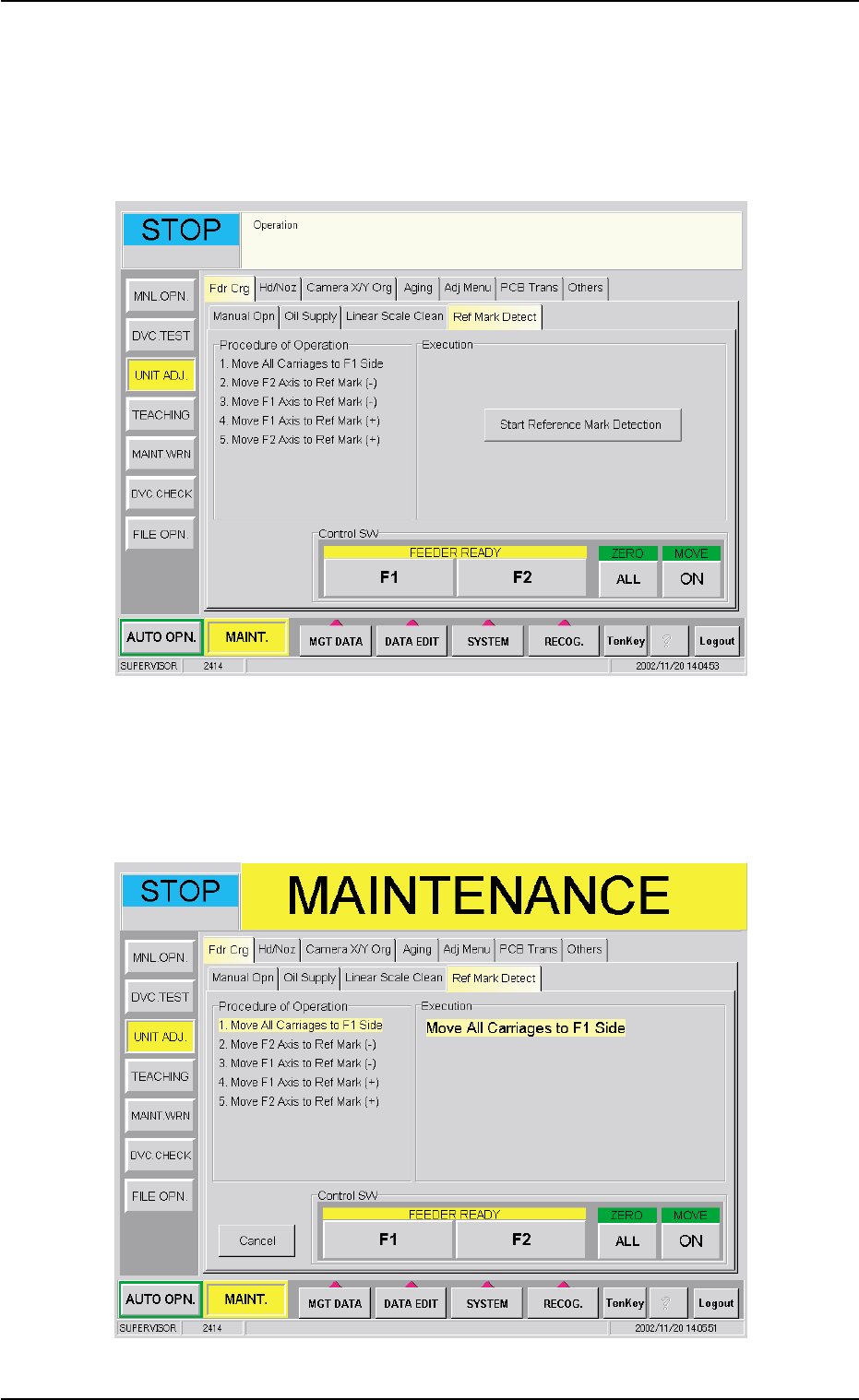
(25-1) When the "Ref Mark Detect" tab is pressed in the "Fdr Crg"
tab sheet, the following tab sheet appears.
Fig. 4A85-11 "Ref Mark Detect" Tab Sheet
(25-2) When the [Start Reference Mark Detection] button is pressed
in the "Ref Mark Detect" tab sheet, the following sheet ap-
pears.
Fig. 4A85-12