SM411F_Service Manual.pdf - 第139页
Softwar e Module No Constant Name Classification Va l u e Unit Description Dump 29 Debug SUPPORT_IDLE_DUMP_ALL Use 0 Determine whether to use the Dump All fun ction when pressing the ‘RESET’ button in the Idle mode. 0: N…

Software
Module
No
Constant Name Classification
Value
Unit Description
76
FORCE_CONTROL_HEIGHT Use 500 um
The Z-axis height at which the force control function begins to be
applied. It is based on the placement height.
Only those values within -1000 ~ 6000 are applicable.
Specipic
Function
86
Factory
TWIN_SERVO_SKEW_DIST Use 200 um Allowable skew error of Y1/Y2.
84
USE_FAST_PICK_UP Use 1 Const 0: Not use the Fast PickUp function, 1: Use the Fast PickUp function.
95
Factory
PICK_TEACH_XY_METHOD Use 0 const
Set the Pick-Up Position XY Offset compensation function during the
automatic placement.
Here, in order to apply the compensated offset, the Debug Constant #31
(TAPE_PICK_OFFSET_WEIGHT) must be set to 1.
0: Not used.
1: Perform compensation when the ‘part retry out’ error occurs.
2: Perform compensation immediately before the part retry out count to
be set. If it is still no good, stop the machine.
3: Perform compensation always before picking up the part (applicable
for fine parts less than 0402 part size ).
31
TAPE_PICK_OFFSET_WEIGHT Use 0
The function that determines whether to apply the offset obtained at the
designated pick-up position of the tape feeder.
0: It is not applied.
1: It is applied.
45
SUPPORT_HALF_PICK_UP Use 1 0 , 1
Determine whether to allow support of the Half Pick Up function.
0: Not use.
1: Use.
55
Debug
SUPPORT_VIRTUAL_PICK Use 1 0 , 1
Determine whether to allow support of the Virtual Pick (Push).
0: Not use.
1: Use.
65
POCKET_TEACH_LIGHT_OUT Use 5 const
Set the outer illumination value of the fiducial camera that is used to
perform the pocket teaching during automatic placement.
Pick Up
66
Debug
POCKET_TEACH_LIGHT_IN Use 0 const
Set the inner illumination value of the fiducial camera that is used to
perform the pocket teaching during automatic placement.

Software
Module
No
Constant Name Classification
Value
Unit Description
Dump 29
Debug SUPPORT_IDLE_DUMP_ALL Use 0
Determine whether to use the Dump All function when pressing the
‘RESET’ button in the Idle mode.
0: Not use (Use the Dump All function of the MMI).
1: Use.
Software
Chapter 2. PC
2.1. PC Specifications
Single Board Computer : HICORE-I9451VLG
CPU Intel Pentium™ 4 3.4E
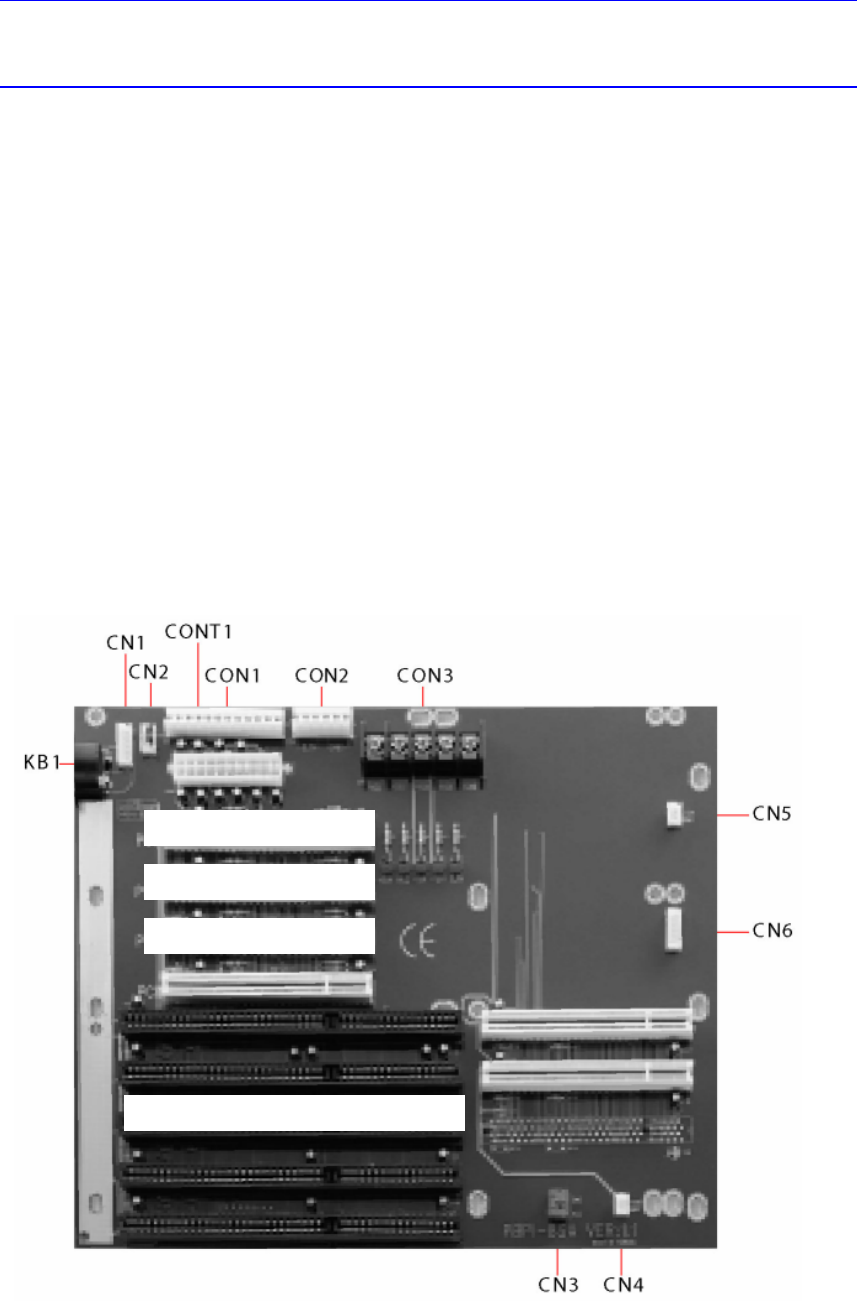
Back Plane : PBPI-8SA
Memory: 512M ( DDR 256M PC3200*2 )
As the memory, 2 sets of 256M modules must be used to utilize the dual
channel.
HDD: 80Gbyte and greater (Use an existing commercialized model)
CD-ROM, HDD Rack (Absolute Mobile Dock)
OS : Windows XP Embedded
2.2. Hardware/ Device Driver Installation Method
2.2.1. Backplane/ Mono Camera Board/ DP-RAM/ SBC
2.2.1.1. PBPI-6SA backplane setup
N
exte
y
e Ima
g
e Grabe
r
PCI IO Board
(
DRAM
)
Sin
g
le Board Com
p
uter
(
SBC
)
N
exte
y
e Ima
g
e Grabe
r