SM411F_Service Manual.pdf - 第154页
Electric Device 8. T urn on the main switch of the machine to check if the machine operates properly . PC R A CK 구 성 PC 부 BOA RD 순 서 NEX TEY E IMA GE GAR BBE R #1, #2 PCI IO BOA RD SBC BOA RD VME RAC K부 BOA RD 순 서 M31 00…
Electric Device
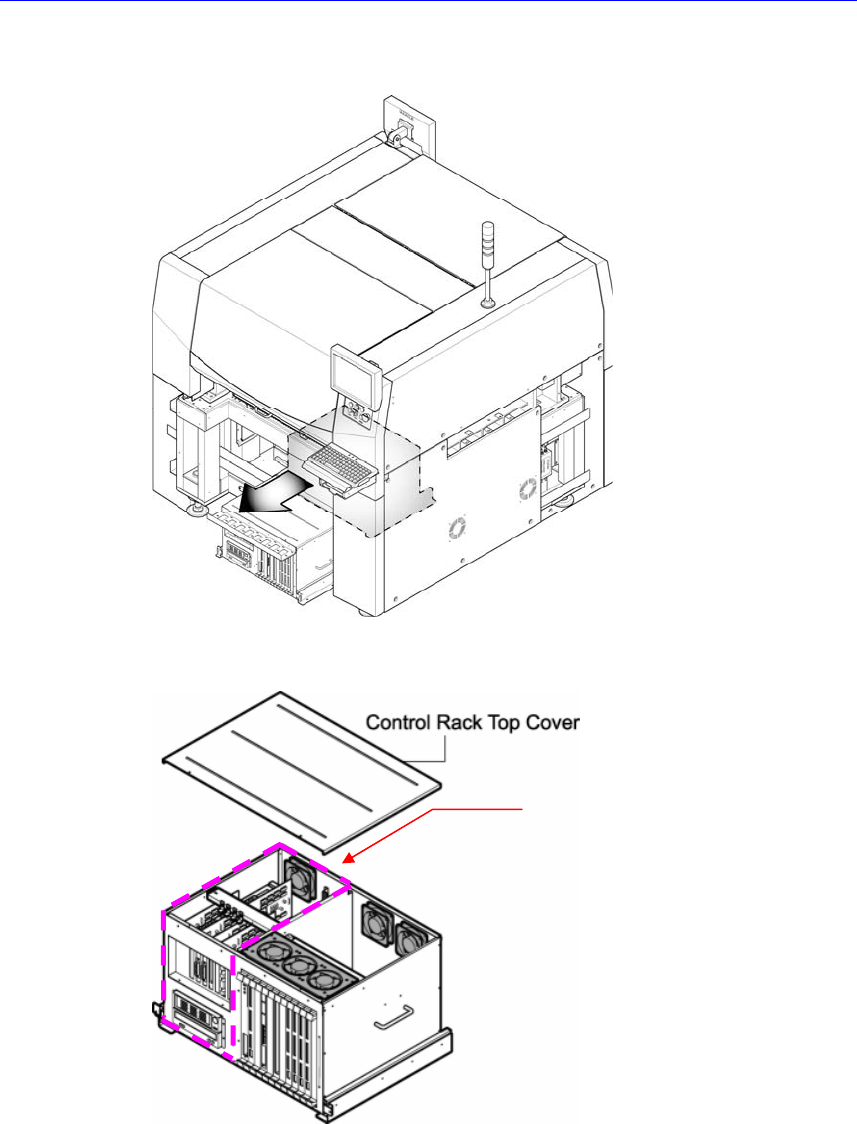
3. Pull the control rack assembly holding its handle.
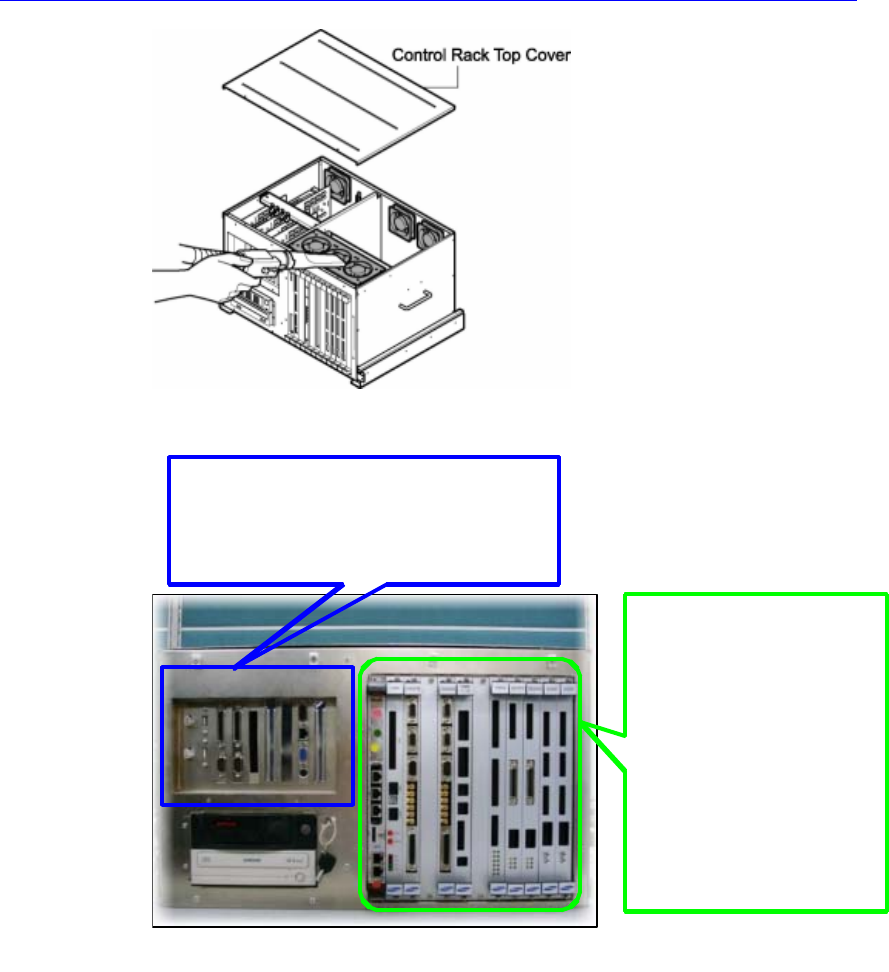
4. Remove the top cover of the control rack assembly.
5. If there is a cable connected to the board to be replaced, disconnect it.
6. Replace the board.
7. Clean the inside of the control rack assembly with a vacuum cleaner and
assemble it in the reverse order of disassembling.
PC Unit
Electric Device
8. Turn on the main switch of the machine to check if the machine operates
properly.
PC RACK 구성
PC 부 BOARD 순서
NEXTEYE IMAGE GARBBER #1,#2
PCI IO BOARD
SBC BOARD
VME RACK부 BOARD 순서
M3100 BOARD
CAN MASTER BOARD
VISION IF BOARD
VME IO BOARD
TWIN SERVO BOARD
X7043 SEDES BOARD
X7043 STEP CON. BOARD
MVME3100 BOARD
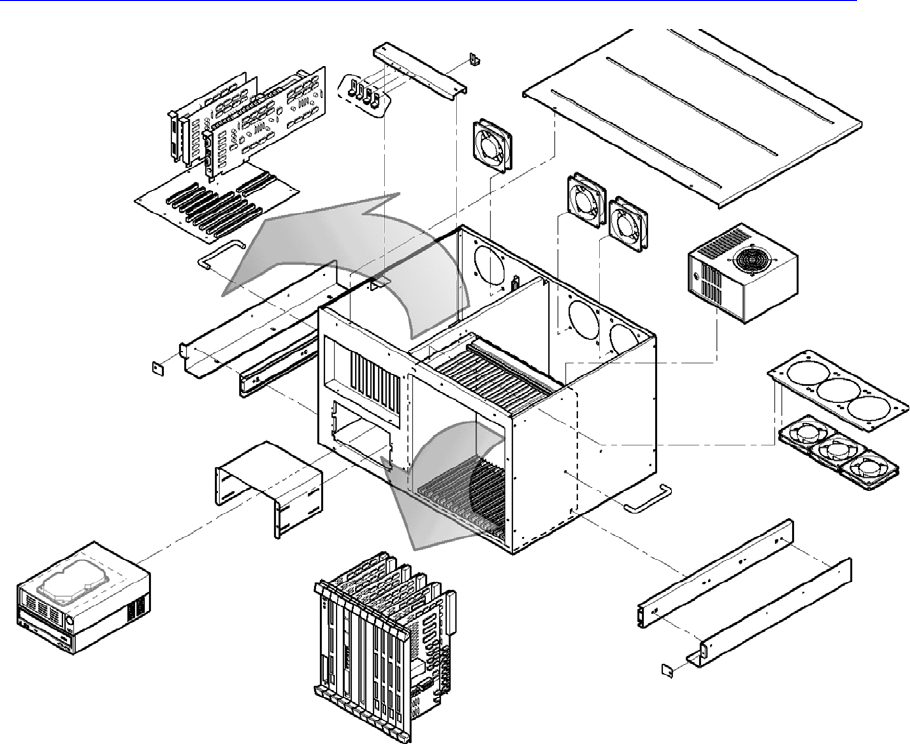
PC RACK CONFIGURATION
PC BOARD LIST
VME RACK BOARD LIST
Electric Device
PC RACK CONFIGURATION