SM411F_Service Manual.pdf - 第167页
Electric Device 3. In order to disconnect the side illumination board connector at the head side , unscrew the fixing sc rews (M2. 5 – 4 se ts) by usi ng a wrench t o remove the head top c over . 4. Disconnect the cable …
Electric Device
3.4.3. Head Module Board Replacement Procedure
CAN Head Illumination Board/ CAN Head I/O Board
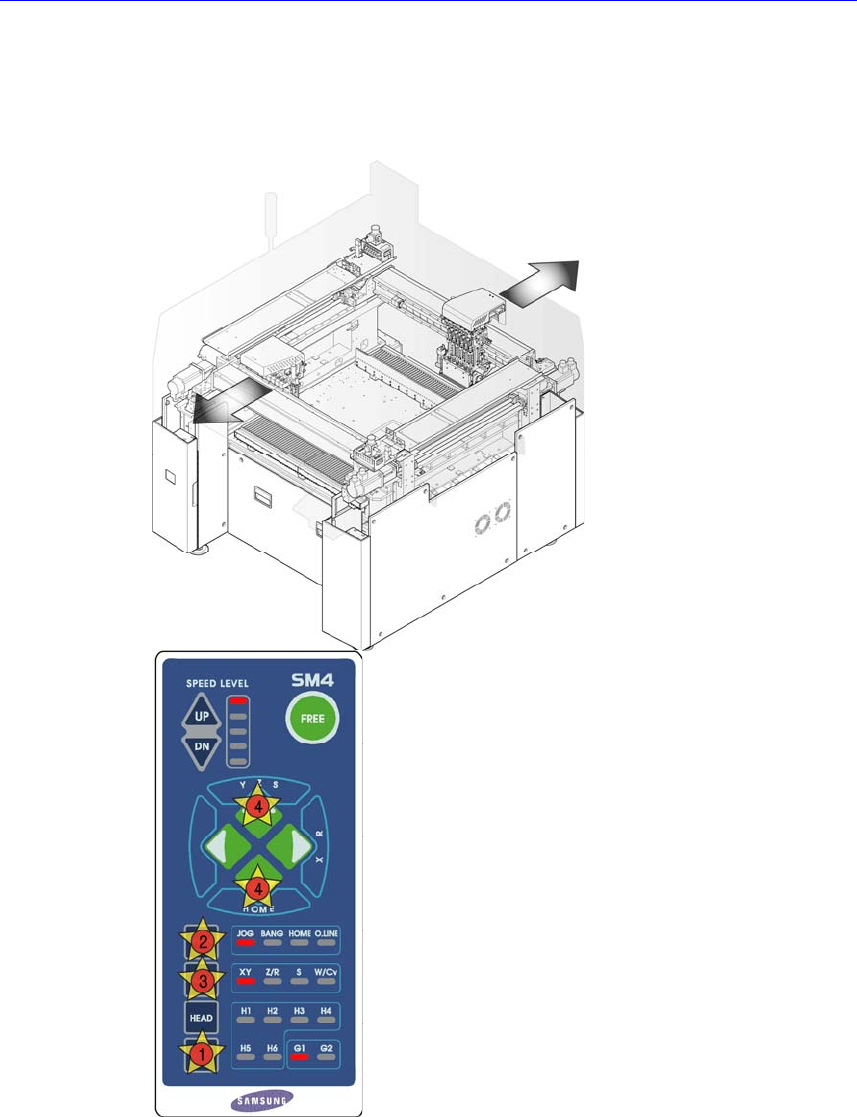
1. Manipulate the teaching box to move the head assembly to both ends as much
as possible.
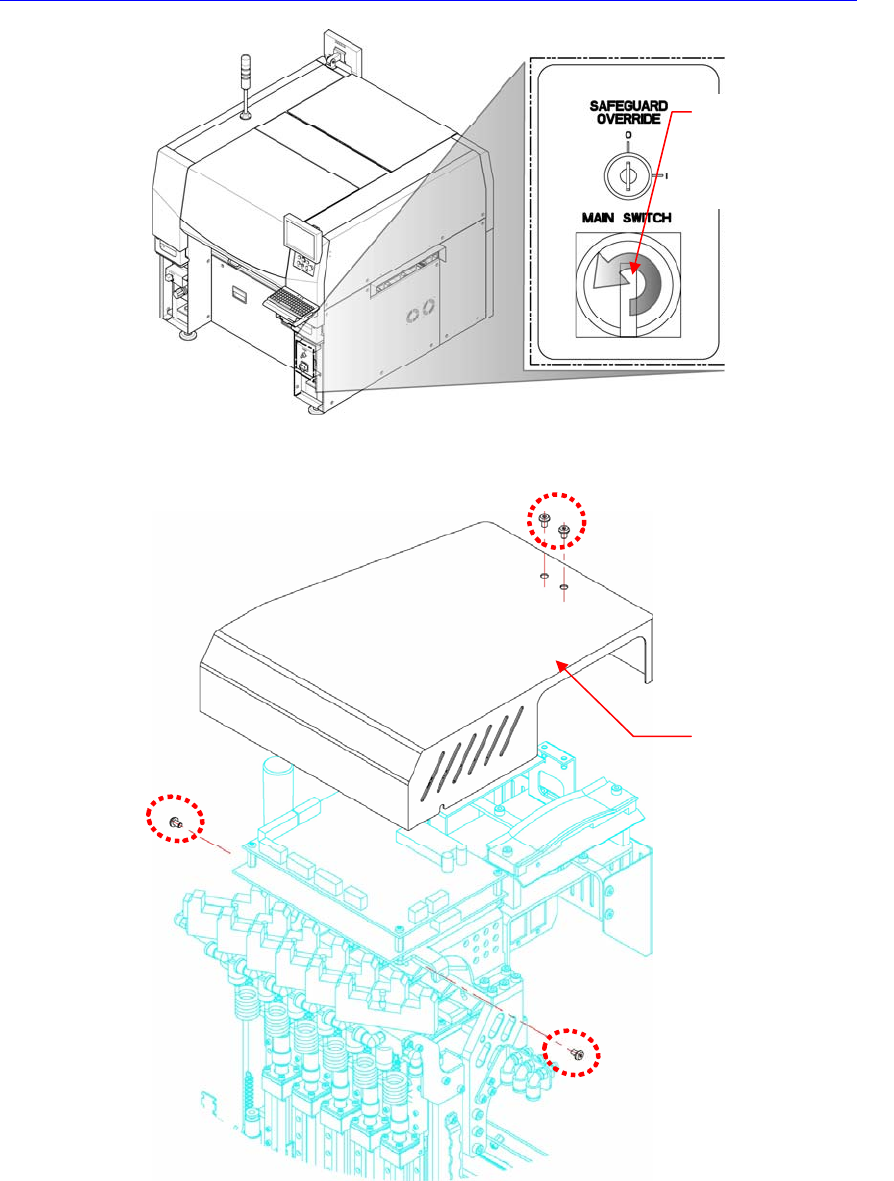
2. Turn Off the PC in normal way. Then turn off the main switch on the front side
of the machine.
Electric Device
3.
In order to disconnect the side illumination board connector at the head side, unscrew
the fixing screws (M2.5 – 4 sets) by using a wrench to remove the head top cover.
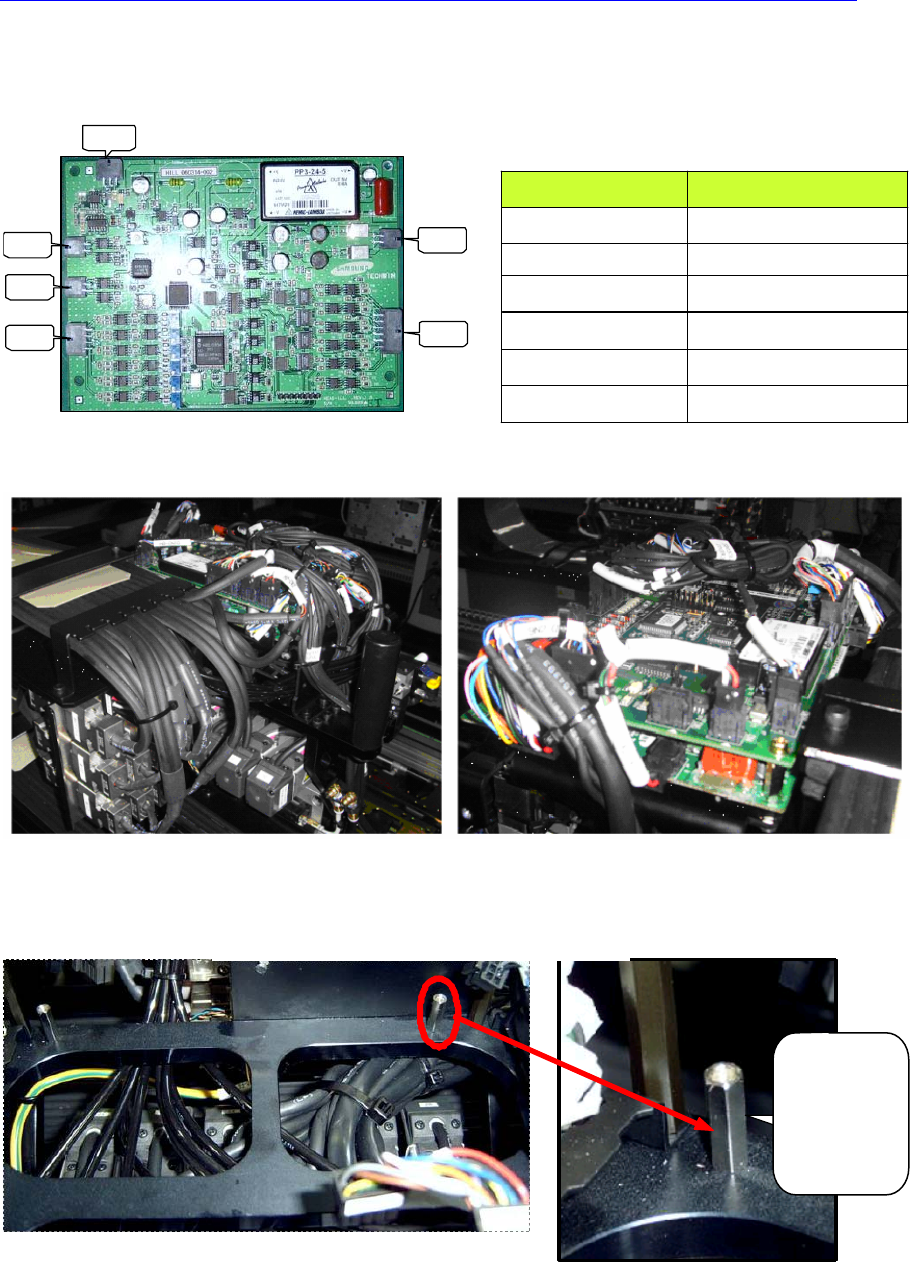
4. Disconnect the cable connected to the board to be replaced.
5. Remove the support of the board to be replaced by using the spanner.
6. The assembling is performed in the reverse order of disassembling.
7. When the ‘Head Illumination Board’ was removed, ensure to perform the fly
camera related light mapping by referring to “
오류
!
참조
원본을
찾을
수
없습니다
.
오류
!
참조
원본을
찾을
수
없습니다
. (page
오류
!
책갈피
Direction in which the
main switch is turned
off (counterclockwise)
Head Top Cover
Electric Device
가
정의되어
있지
않습니다
.) “after turning on the main switch on the front
side of the machine.
CN1
CN3
CN2
CN4
CN5
CN6
HEAD ILL BOARD 상대편 조립위치
CN1 HEAD IO BD CN4
CN2 HEAD IO BD CN2
CN3 FLY OUTER LED BD
CN4 FID OUTTER BD
CN5 FID INNER BD
CN6
HEAD SIDE ILL
HEAD I/O BD SUPPORT 조립
HEAD I/O
BD 아래쪽
20mm
SUPPORT
사용할 것
좌측면 배선 우측면 배선
COUNTERPART ASS’Y
HEAD ILL BOARD RIGHT SIDE WIRING BASED ON
FRONT SIDE
HEAD ILL BOARD LEFT SIDE WIRING BASED ON FRONT
SIDE
HEAD I/O BOARD SUPPORT ASSEMBLING
Use 20mm
support
(Bottom Side
of Head I/O
Board)