SM411F_Service Manual.pdf - 第171页
Electric Device 3. Remove the air tube connected to the board. 4. Unscrew the board fixing screws using the screw driver to remove it. 5. After replacing the board, connect the ai r tube and assemble it in the reverse or…
Electric Device
Vacuum Sensor Board
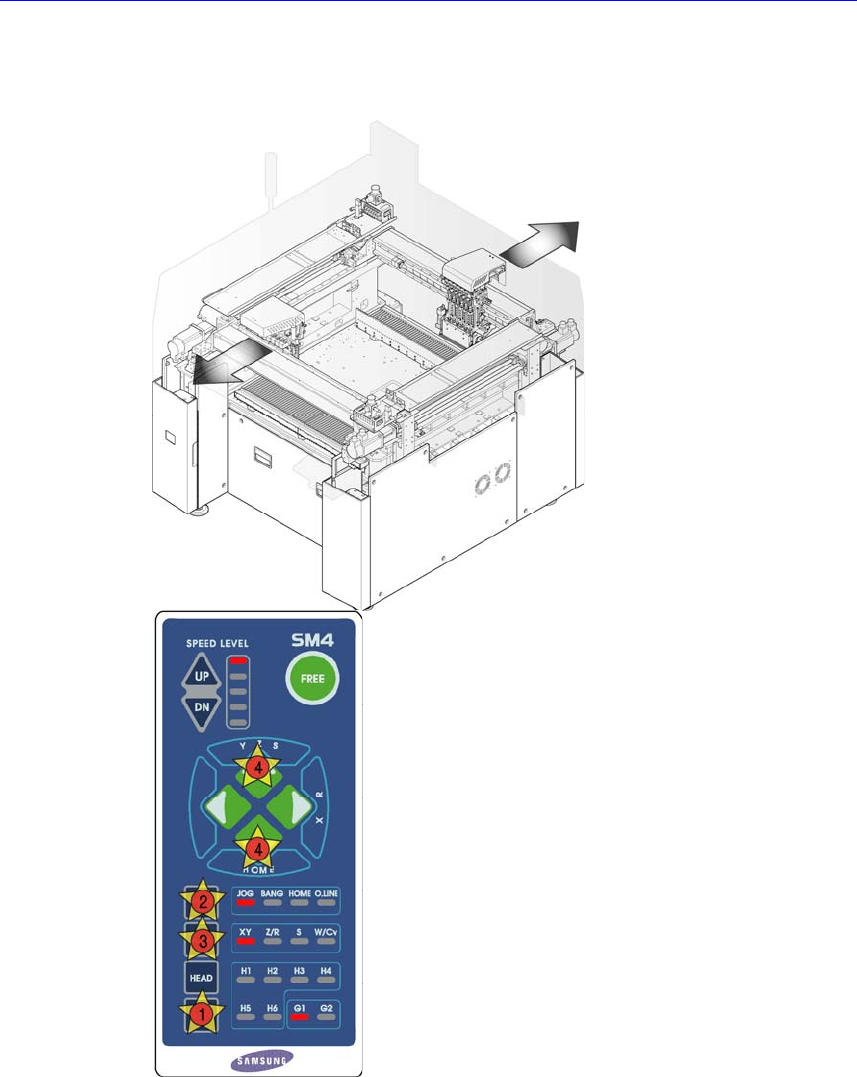
1. Manipulate the teaching box to move the head assembly to both ends as much
as possible.
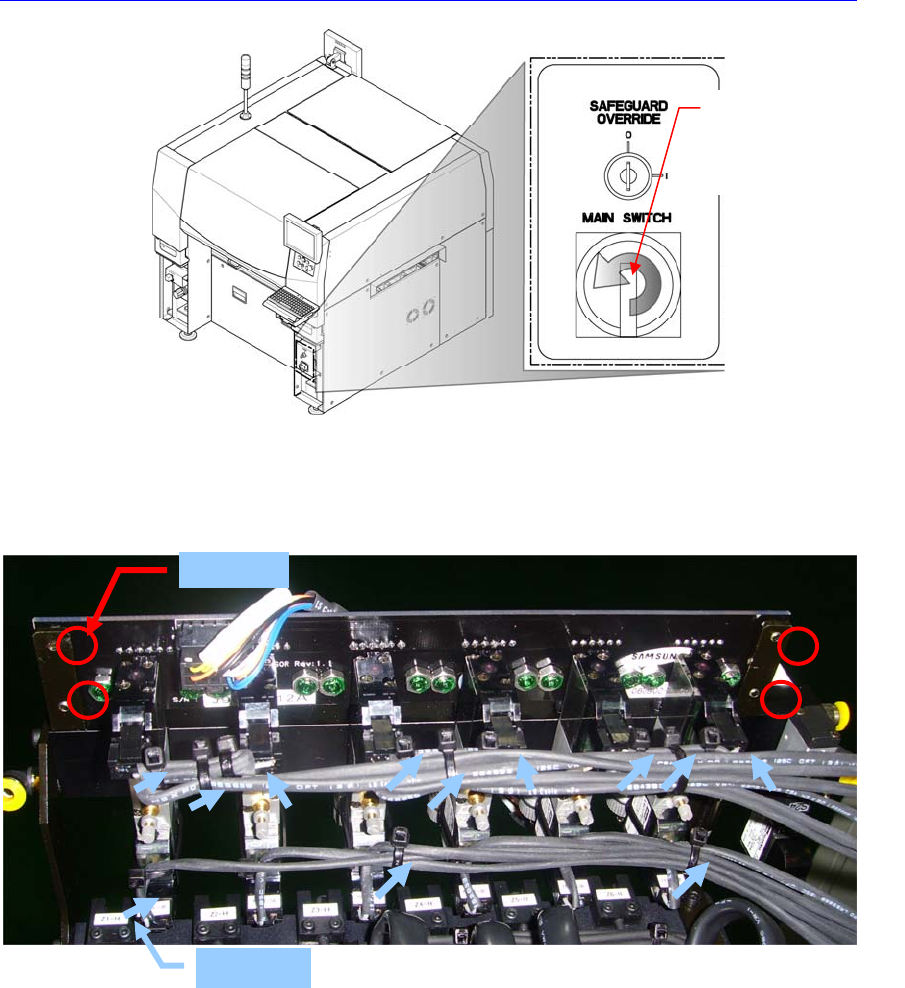
2. Turn Off the PC in normal way. Then turn off the main switch in the front side
of the machine and then close the air valve.
Electric Device
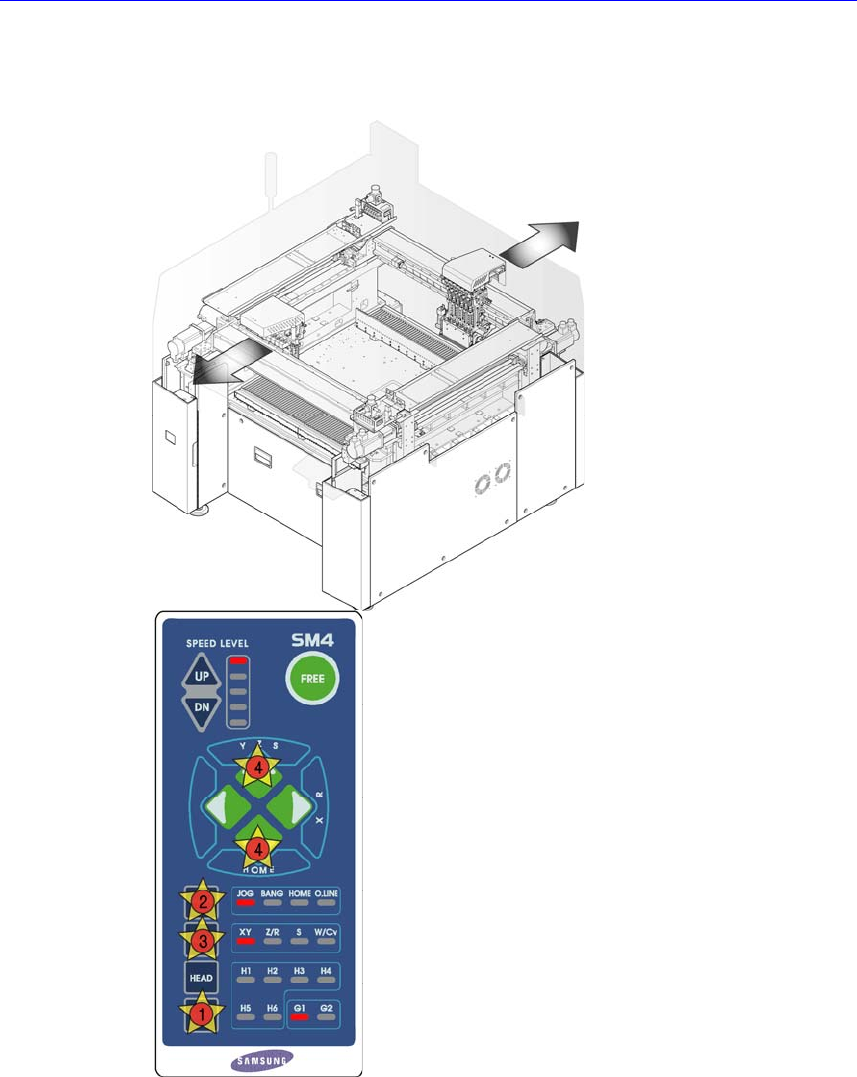
3. Remove the air tube connected to the board.
4. Unscrew the board fixing screws using the screw driver to remove it.
5. After replacing the board, connect the air tube and assemble it in the reverse
order of disassembling.
6. Turn on the main switch on the front side of the machine and set the head
vacuum by referring to “
오류
!
참조
원본을
찾을
수
없습니다
.
오류
!
참
조
원본을
찾을
수
없습니다
.”.
When tying the vacuum & blow cables and solenoids, tie them so that interference
with the pneumatic air controls can be avoided.
Direction in which the
main switch is turned
off (counterclockwise)
TIE WORK
Fixing Bolt
Electric Device
Camera I/O Board
1. Manipulate the teaching box to move the head assembly to both ends as much
as possible.
2. Turn Off the PC in normal way. Then turn off the main switch on the front side
of the machine.