SM411F_Service Manual.pdf - 第210页
SW & Control Part Chapter 1. Sof tware █ SM400 S/W file structure Path Contents C:₩SmartSM SmartSM) - DBEditor.exe : mdb(DB) edit file - ErrorMsg.mdb : Error Code and its message Database file - Range.mdb : Item별 Min…
SW & Control Part
Chapter 1. Software
█ SM400 S/W file structure
Path Contents
C:₩SmartSM
SmartSM)
- DBEditor.exe: mdb(DB) edit file
- ErrorMsg.mdb: Error Code and its
message Database file
- Range.mdb: Item별 Min/Max/Default
Value
Database file
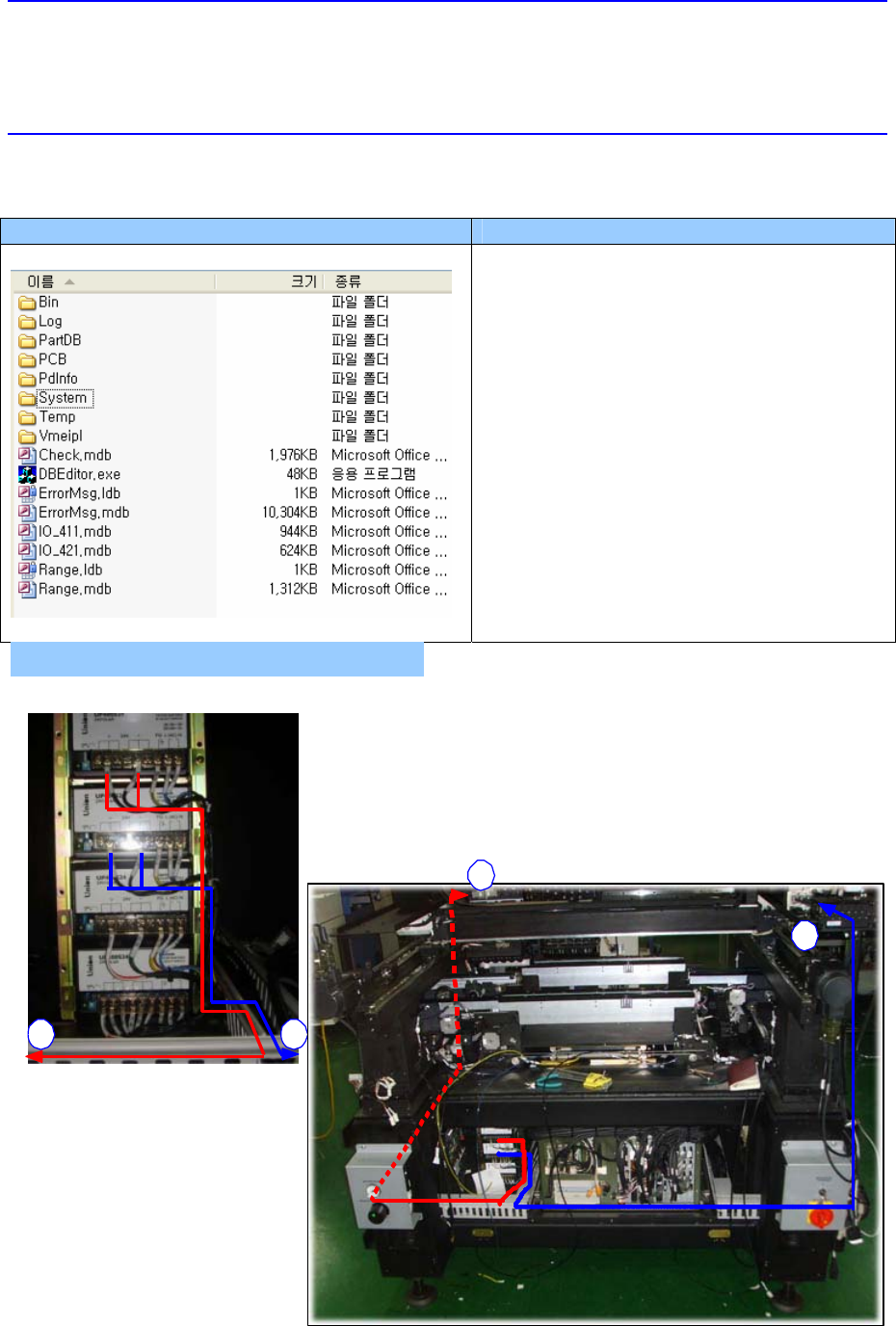
전면 DC POWER SUPPLY 배선
2 1
a
b
FRONT DC POWER SUPPLY WIRING
SW & Control Part
Chapter 1. Software
█ SM400 S/W file structure
Path Contents
C:₩SmartSM
SmartSM)
- DBEditor.exe: mdb(DB) edit file
- ErrorMsg.mdb: Error Code and its
message Database file
- Range.mdb: Item별 Min/Max/Default
Value
Database file
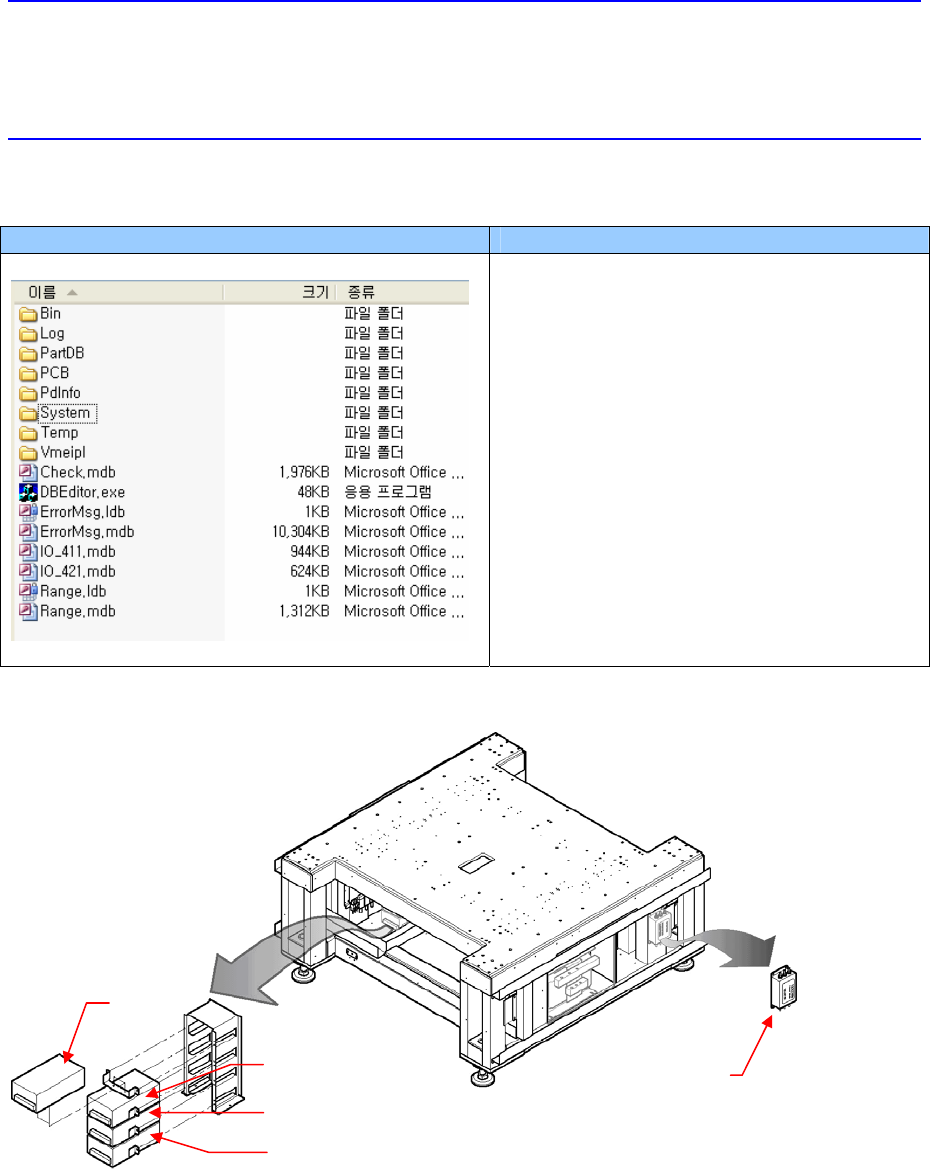
7. Remove the power supply and replace it with a new one.
8. The assembling is performed in the reverse order of disassembling.
Noise Filter
PS#1
PS#2
PS#3
PS#4
SW & Control Part
Chapter 1. Software
█ SM400 S/W file structure
Path Contents
C:₩SmartSM
SmartSM)
- DBEditor.exe: mdb(DB) edit file
- ErrorMsg.mdb: Error Code and its
message Database file
- Range.mdb: Item별 Min/Max/Default
Value
Database file
4.3.2. Noise Filter
When serious short circuit occurred in the machine
When significant noise occurs due to switching of the loaded machine itself, that is
when voltage or current wave form is not clear but is distorted
4.3.2.1. Required tools
Screw driver with “+” shaped tip and screw driver with “-” shaped tip
T Wrench or Hex Wrench
4.3.2.2. Noise filter replacement procedure
1. Turn Off the PC in normal way. Then turn off the main switch on the front side of the
machine.