SM411F_Service Manual.pdf - 第213页
SW & Control Part Chapter 1. Sof tware █ SM400 S/W file structure Path Contents C:₩SmartSM SmartSM) - DBEditor.exe : mdb(DB) edit file - ErrorMsg.mdb : Error Code and its message Database file - Range.mdb : Item별 Min…
SW & Control Part
Chapter 1. Software
█ SM400 S/W file structure
Path Contents
C:₩SmartSM
SmartSM)
- DBEditor.exe: mdb(DB) edit file
- ErrorMsg.mdb: Error Code and its
message Database file
- Range.mdb: Item별 Min/Max/Default
Value
Database file
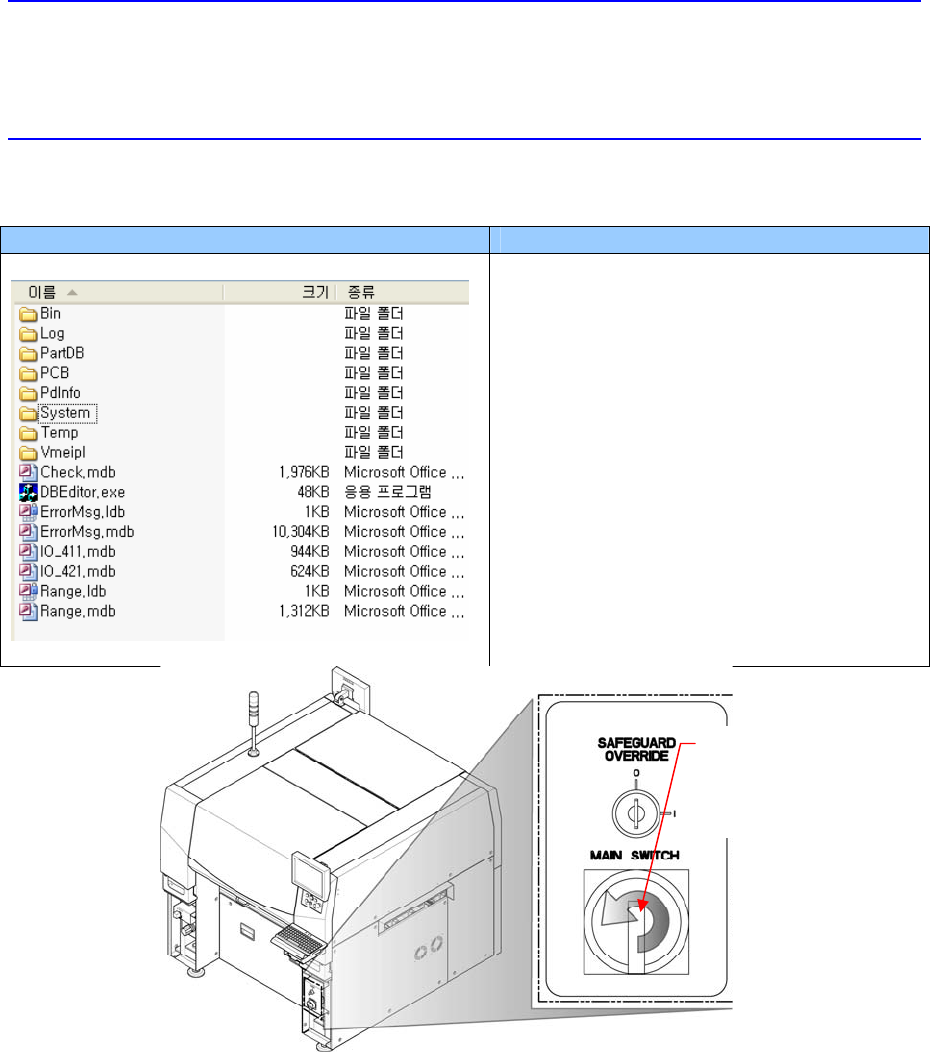
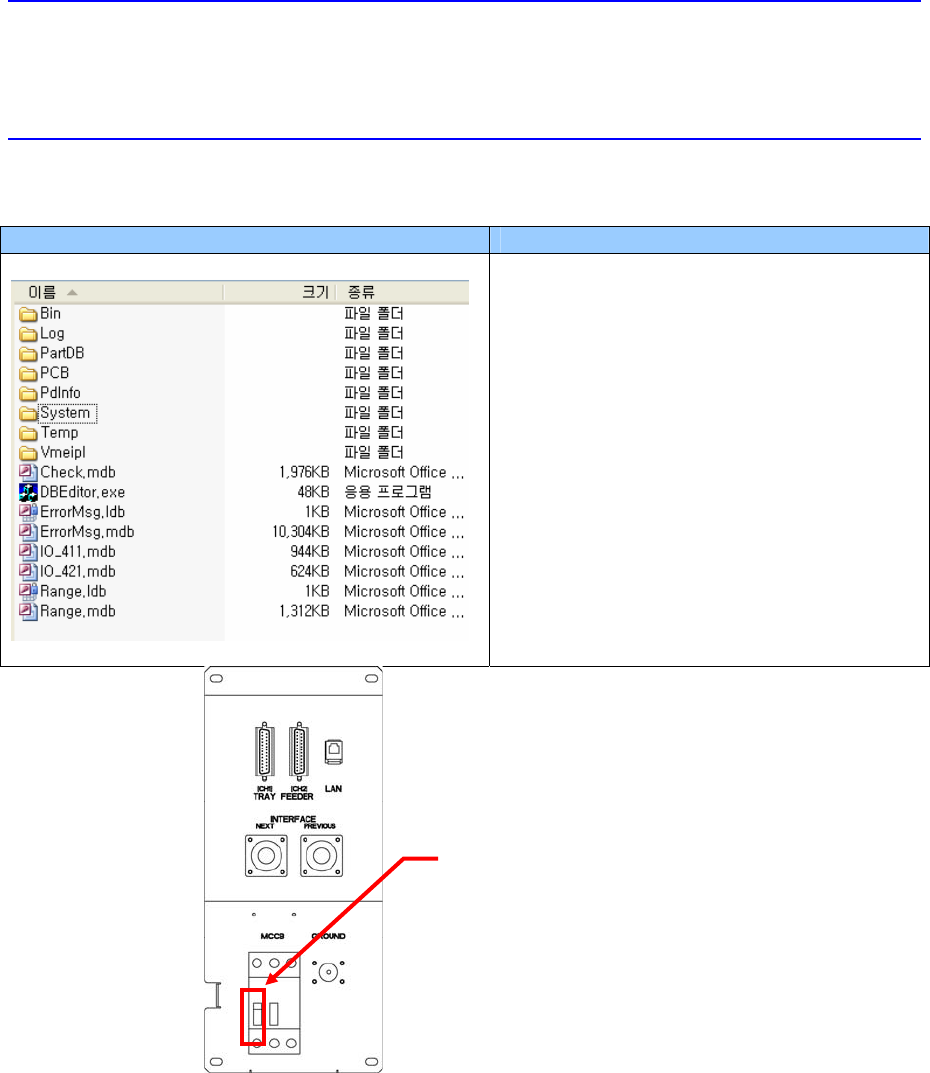
2. Turn off the power completely by turning off the MCB on the rear side of the
machine.
Direction in which the
main switch is turned
off (counterclockwise)
SW & Control Part
Chapter 1. Software
█ SM400 S/W file structure
Path Contents
C:₩SmartSM
SmartSM)
- DBEditor.exe: mdb(DB) edit file
- ErrorMsg.mdb: Error Code and its
message Database file
- Range.mdb: Item별 Min/Max/Default
Value
Database file
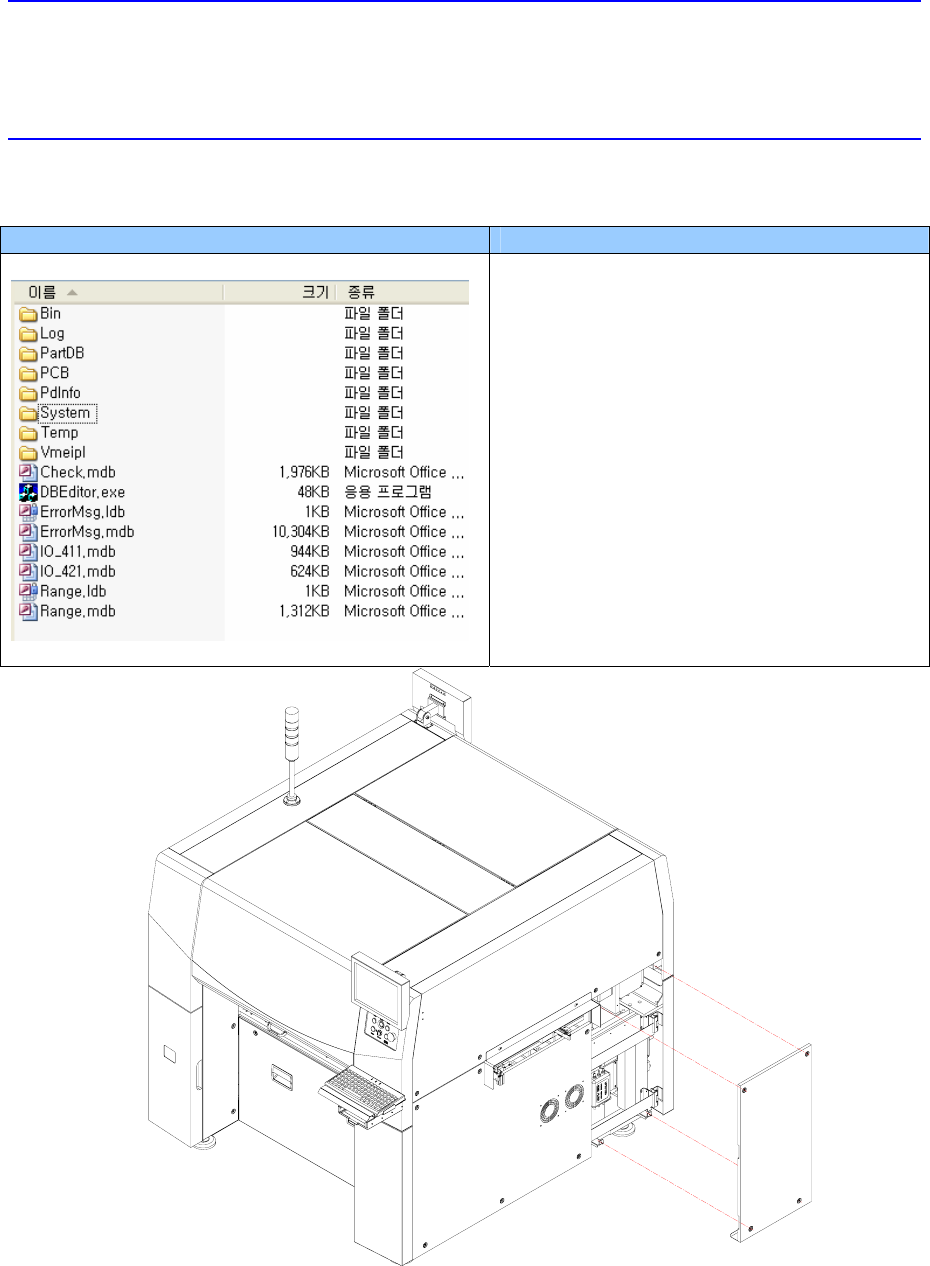
3. Unscrew the bolts (4 sets) of the cover at the right side of the machine by using a
screw driver with a ‘+’ shaped tip and remove the cover.
OFF
Main Circuit Breaker
SW & Control Part
Chapter 1. Software
█ SM400 S/W file structure
Path Contents
C:₩SmartSM
SmartSM)
- DBEditor.exe: mdb(DB) edit file
- ErrorMsg.mdb: Error Code and its
message Database file
- Range.mdb: Item별 Min/Max/Default
Value
Database file
4. Disconnect the cable connected to the noise filter.