SM411F_Service Manual.pdf - 第224页
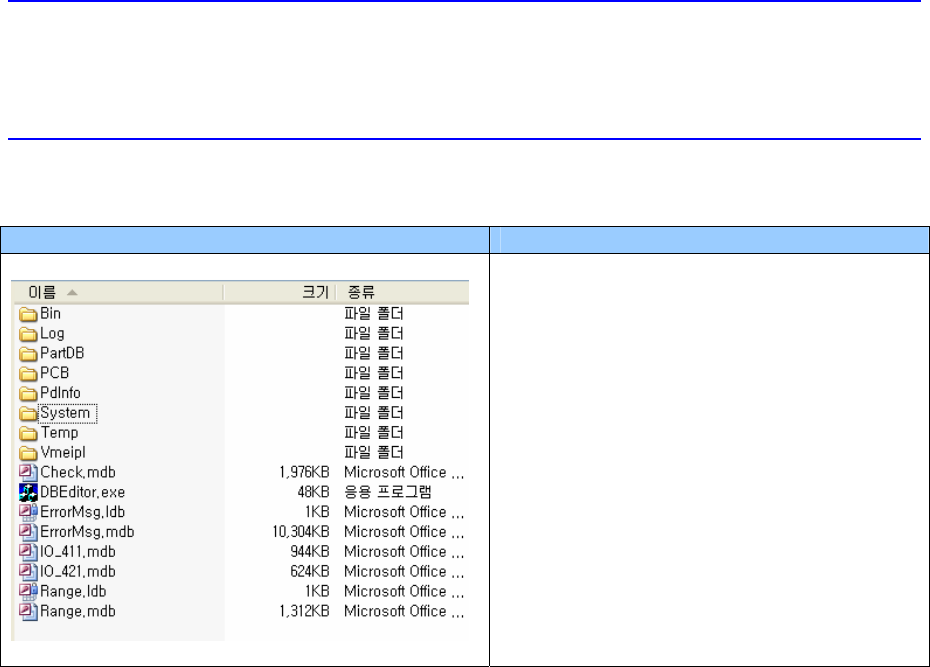
SW & Control Part Chapter 1. Sof tware █ SM400 S/W file structure Path Contents C:₩SmartSM SmartSM) - DBEditor.exe : mdb(DB) edit file - ErrorMsg.mdb : Error Code and its message Database file - Range.mdb : Item별 Min…
SW & Control Part
Chapter 1. Software
█ SM400 S/W file structure
Path Contents
C:₩SmartSM
SmartSM)
- DBEditor.exe: mdb(DB) edit file
- ErrorMsg.mdb: Error Code and its
message Database file
- Range.mdb: Item별 Min/Max/Default
Value
Database file
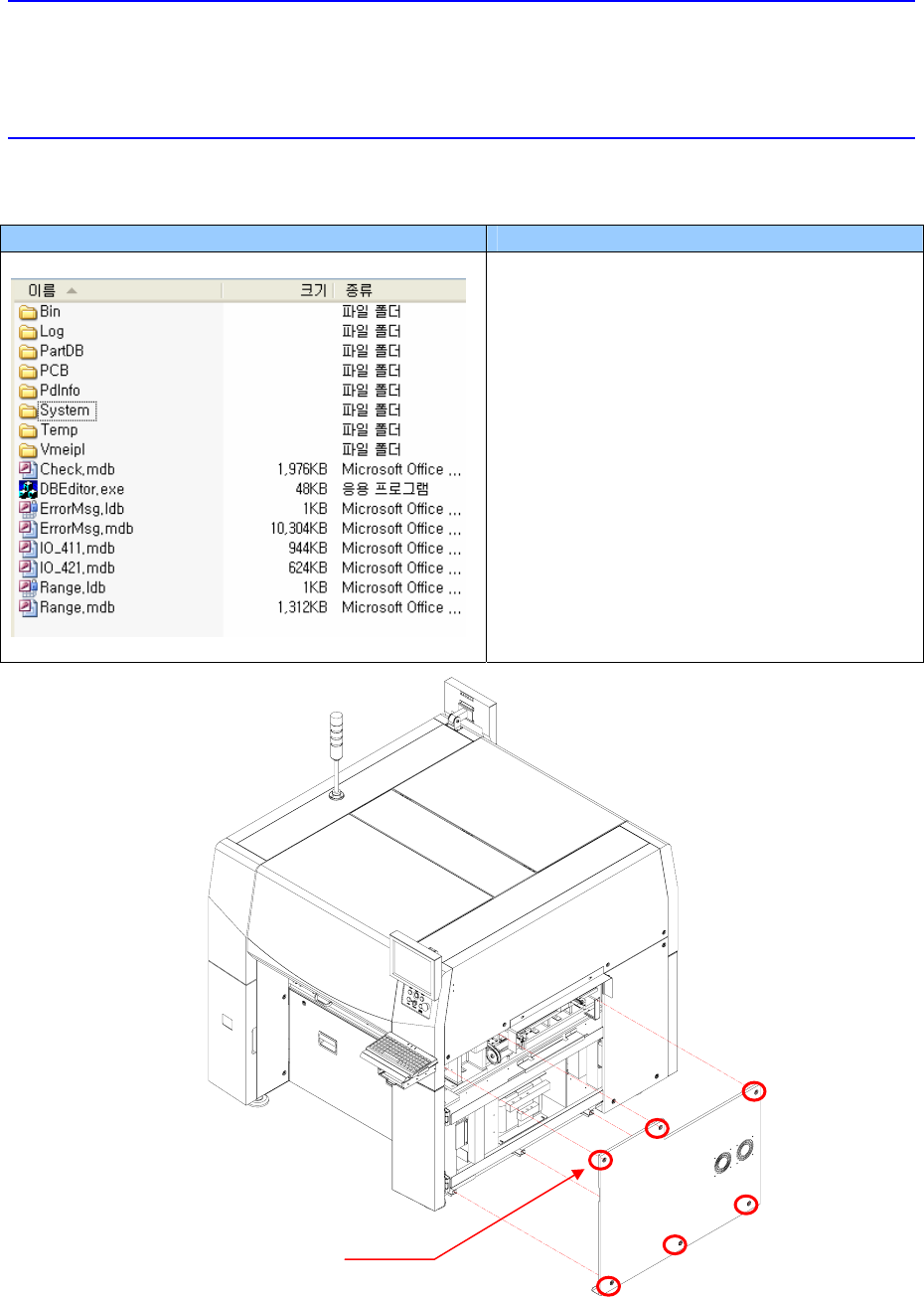
3. Remove the side cover of the machine using the “+” shape tipped screw driver.
SW & Control Part
Chapter 1. Software
█ SM400 S/W file structure
Path Contents
C:₩SmartSM
SmartSM)
- DBEditor.exe: mdb(DB) edit file
- ErrorMsg.mdb: Error Code and its
message Database file
- Range.mdb: Item별 Min/Max/Default
Value
Database file
Cover Bolt location
SW & Control Part
Chapter 1. Software
█ SM400 S/W file structure
Path Contents
C:₩SmartSM
SmartSM)
- DBEditor.exe: mdb(DB) edit file
- ErrorMsg.mdb: Error Code and its
message Database file
- Range.mdb: Item별 Min/Max/Default
Value
Database file
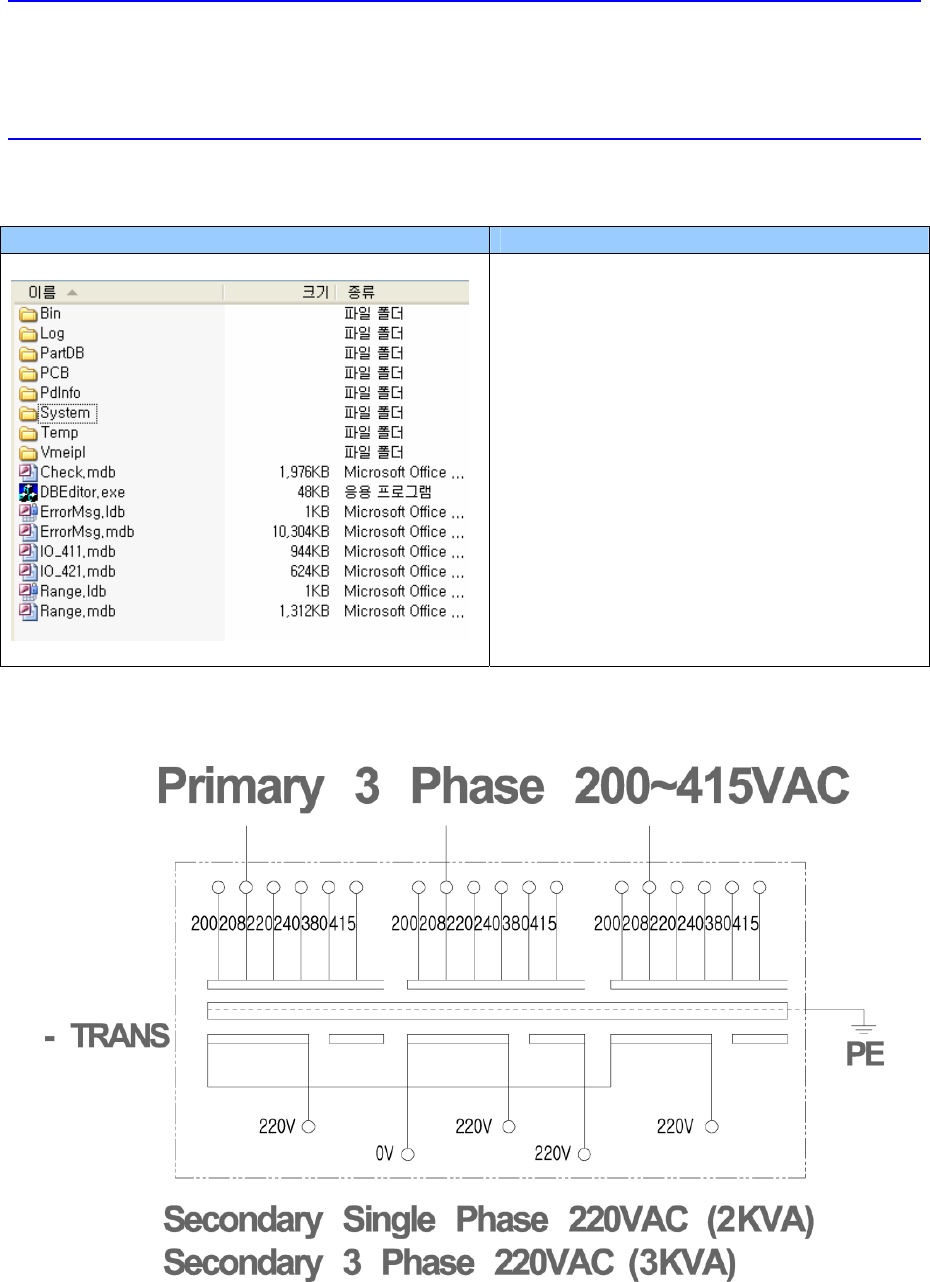
4. Change the input power supply by referring to the following figure.