SM411F_Service Manual.pdf - 第229页
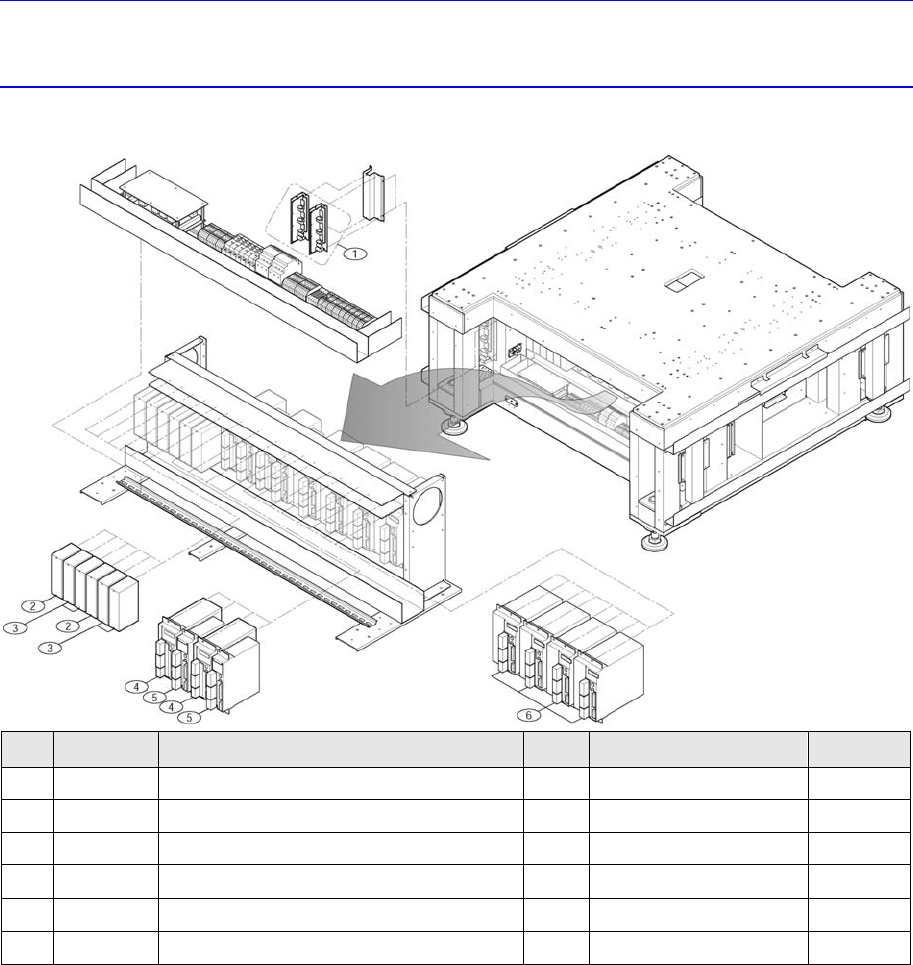
Softwar e Chapter 5. Motor Driver 5.1. Required Material s for Motor Driver NO. P ART NO. P ART N AME Q’TY TYPE REMARK 1 J3152016A STEPPING MOTOR DRIVER 2 KR-55MF-2Z-3Z 2 J3153059A SERVO MOTOR DRIVER-PB 2 PB1D003P101 3 J…

Software
Software
Chapter 5. Motor Driver
5.1. Required Materials for Motor Driver
NO. PART NO. PART NAME Q’TY
TYPE REMARK
1 J3152016A
STEPPING MOTOR DRIVER
2
KR-55MF-2Z-3Z
2 J3153059A
SERVO MOTOR DRIVER-PB
2
PB1D003P101
3 J3153060A
SERVO MOTOR DRIVER-PB
4
PB1D002P101
4 J3153056A
SERVO MOTOR DRIVER(750W)
2
MCDDT3520
5 J3153054A
SM_DRIVER_50W
2
MADDT1205
6 J3153057A
SERVO MOTOR DRIVER(1KW)
4
MDDDT5540
5.2. Servo Motor Driver
5.2.1. Servo Motor Alarm Code
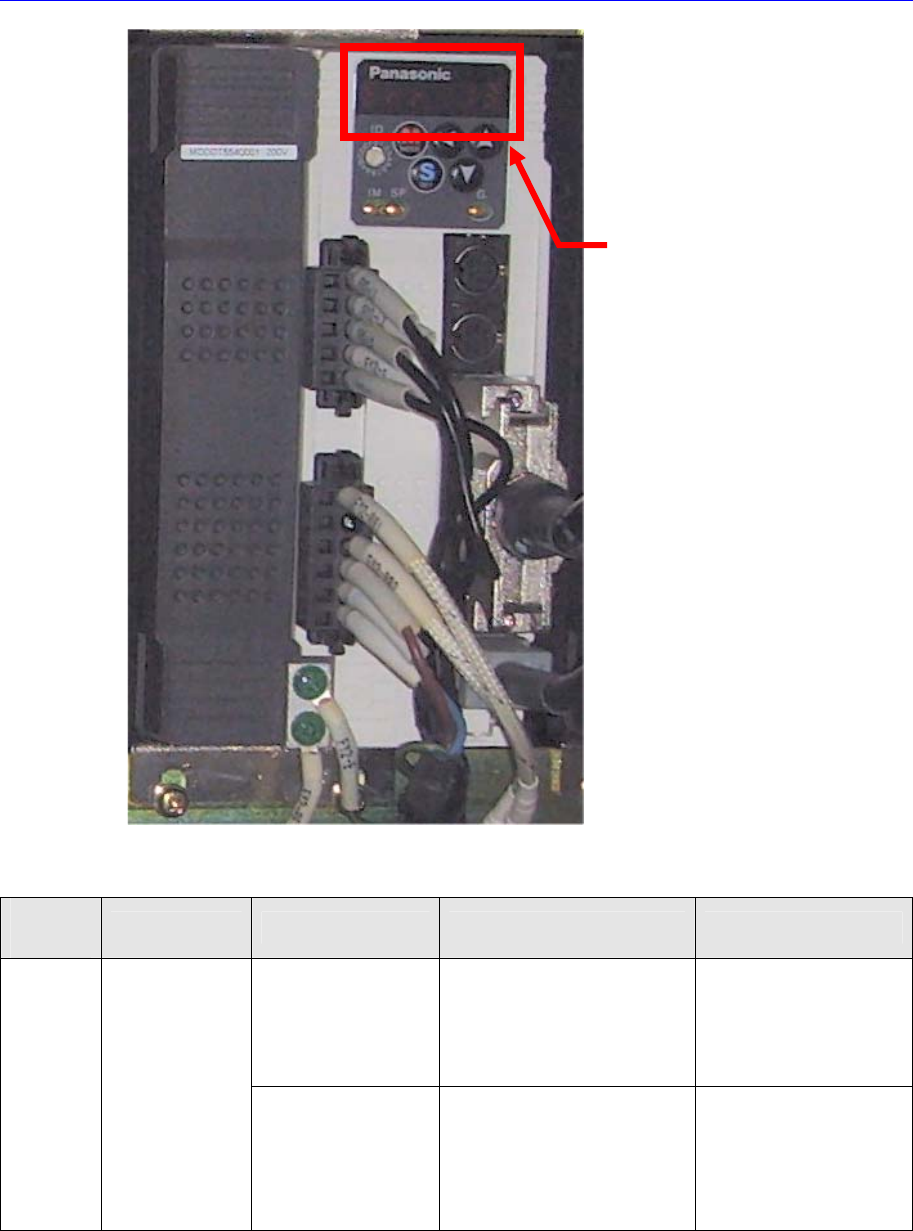
When an error occurs, the 7 segment LEDs of the motor drive will flicker. As well, the
corresponding alarm code is generated. It is of “Err **” form and the “**” will express the
corresponding alarm code.
In this case, take measures against the corresponding alarm code referring to the
following table.
Software
Table 5-1. Servo Motor Alarm Code
Alarm
Code No.
Alarm Contents Operating Condition
Causes Measures
After supplying the
control power
Low voltage of the control
power at the r - t terminal
y Servo-Amp. damaged
Measure the control
power input voltage
through the r - t terminal
and check
y Servo-Amp. Change
11
Servo-amp.
Control power,
low voltage alarm
After main power is
turned on and
the “Ready to
Operate” signal is
On
y Instantaneous voltage drop
of the control power
y Servo-Amp. damaged
y r - t terminal voltage
measuring and check
y Check the capacity of
the Power Supply
y Servo-Amp. Change
Alarm Code No.