SM411F_Service Manual.pdf - 第239页
Softwar e 5.2.5.3. Software execution 1. Execute the panaterm software. 2. If the panaterm software is excuted, th e following dialog box appears. Select <Communicate with Amplifier directly connected with RS232> o…
Software
Caution
When the parts are supplied for maintenance, the standard
parameters are downloaded in the driver.
Basically, the types of the parameters of the servo motor are classified as follows:
Classification by axis: X, Y, Z (1, 3, 5 / 2, 4, 6 ), Swing, Width (C/V)
5. Turn off the power supply to the machine again.
6. Disconnect the cable connected to the driver that needs to be replaced.
7. Replace the defective motor driver.
8. The assembling is performed in the reverse order of disassembling.
9. Check if the machine works properly after turning it on.
Warning
The adjustment of the parameters for the servo motor is
not permitted in whatever case except when the driver
parameter is distributed as Service Information.
5.2.5. Parameter Download/Upload Procedure
5.2.5.1. Required tools
Spanner
“+” shape tipped screw driver, “-” shape tipped screw driver
T Wrench or Hex Wrench
Motor Driver Data Cable (P-Motor): Interface Cable
Software
Panaterm Software (panaterm version 3.70.0 )
5.2.5.2. The connection between panasonic driver and computer
1. Turn off the motor power by pressing the ‘EMG’ switch at the front operation panel
of the machine. Before pressing the ‘EMG’ switch, the power of machine or motor
driver should be on.
2. Remove the lower cover at the rear of the machine by using a screw driver.
3. Prepare note book installed with Panaterm Software. (PC in machine can be used)
4. Connect exclusive interface cable with computer (RS232 Port).
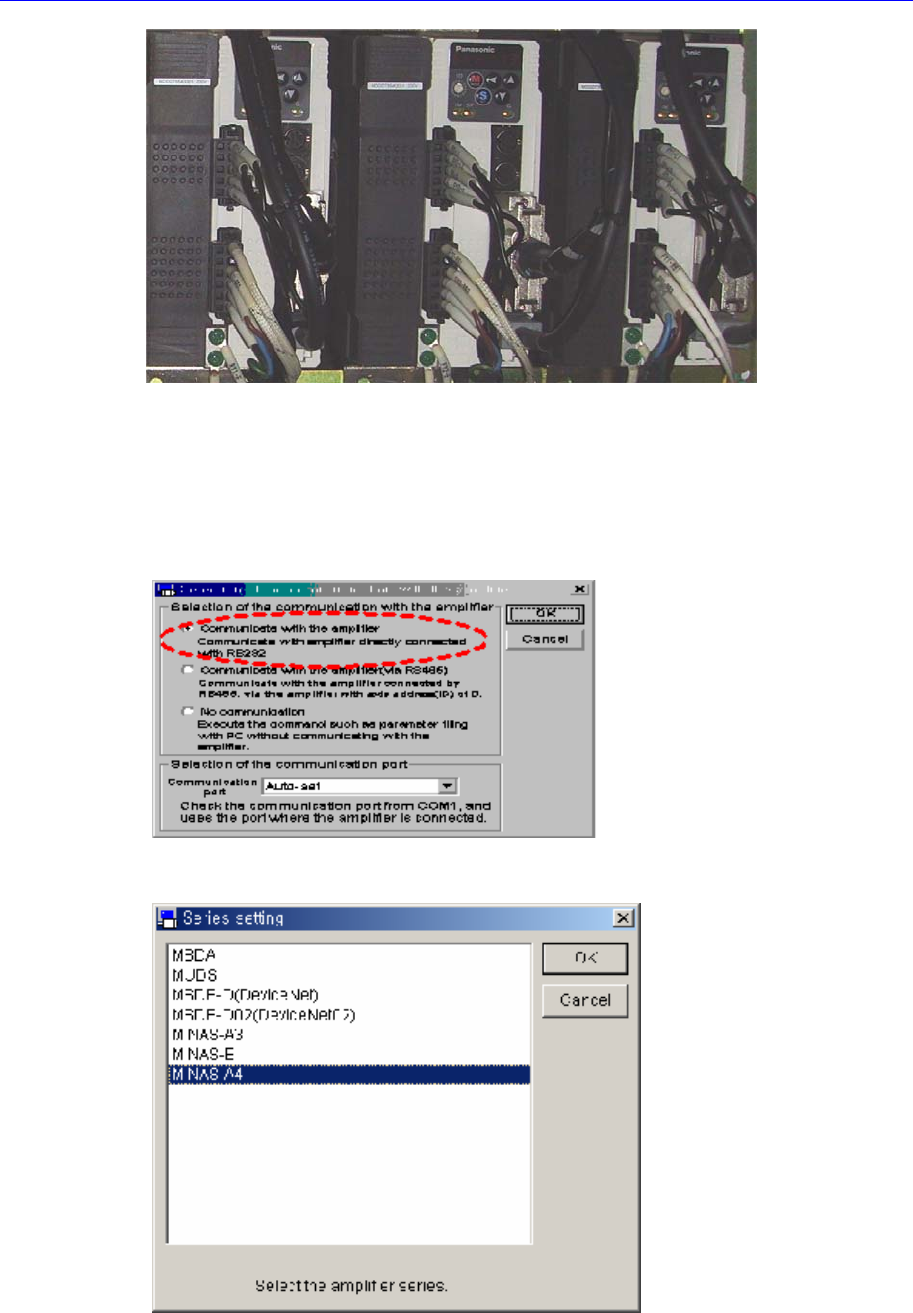
5. Connect the cable to the corresponding port of the corresponding driver.
Software
5.2.5.3. Software execution
1. Execute the panaterm software.
2. If the panaterm software is excuted, the following dialog box appears. Select
<Communicate with Amplifier directly connected with RS232> option button in the
this dialog box and click <OK> button.
3. If the ‘Series Setting’ dialog box appears, select ‘MINAS-A4’ in the list box and click
<OK> button.
4. If the massage, “Detect the Amplifier at COM#. Do you connect?”, appears, click
<Yes> button.
Software
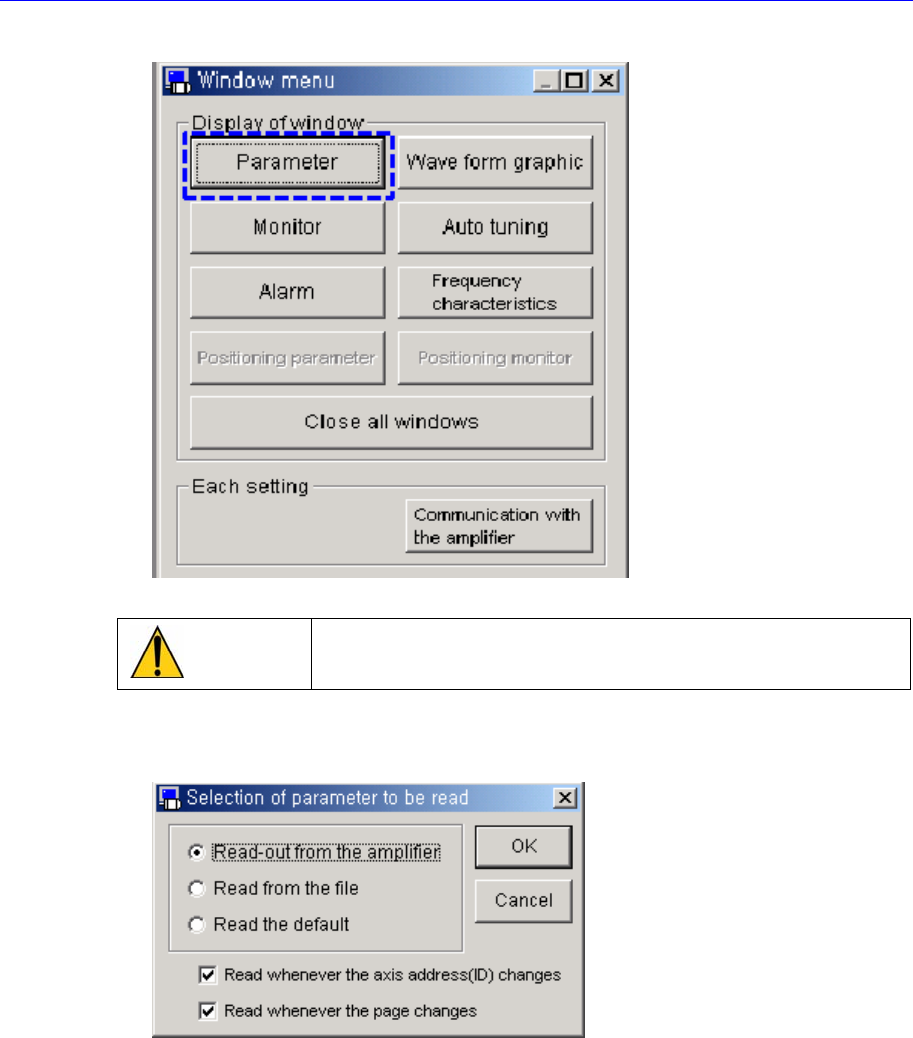
5. Click <Parameter> button in the ‘Window meun’ dialog box.
Caution
Do not click any button in the ‘Window menu’ dialog box.
6. Select <Read-out from the amplifier> option button in the ‘Selection of parameter to
be read’ dialog box and click <OK> button.
7. The following screen shows the connection to the driver is normal.
.