SM411F_Service Manual.pdf - 第70页
manually , set the time. 8. Click the <Update> button.
<Manual> check box
Move the gantry to the designated position by using the teaching box and
perform the gantry mapping manually.
1.2.7.1. Procedure
The gantry mapping method is as follows.
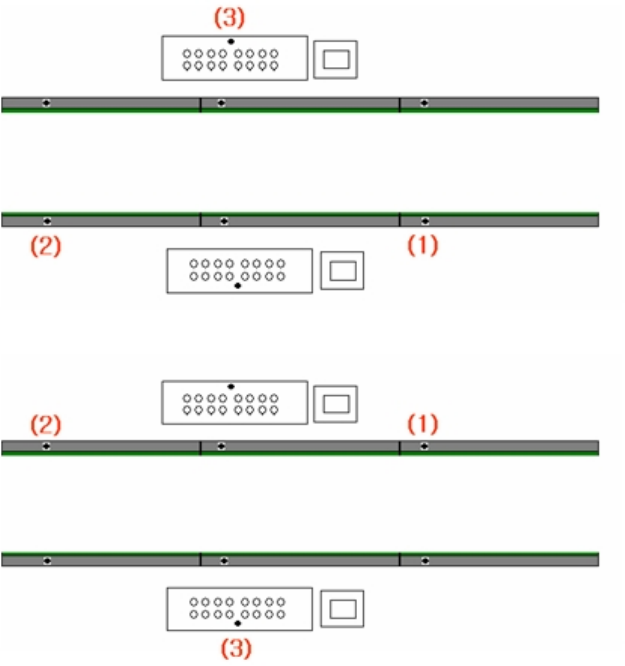
1. Referring to the following figure, perform teaching of the position of fiducial
mark 3 located on the upper surface of the conveyor.
2. Click the <Move> button to move the fiducial camera to the designated
position.
3. Adjust the position of the fiducial camera by using the teaching box so that the
center of the cross hair displayed in the SMVision window matches with the
center of the fiducial mark that was already set on the conveyor.
4. Click the <Get> button to reflect the current coordinate.
5. Identically teach fiducial marks #1 and #3 in order as shown in the above
figure.
6. Once the teaching of the fiducial marks at three points for Gantry 1F is
completed, the teaching of the fiducial marks at three points for Gantry 1R is
performed. The teaching is performed in the same manner for Gantry 1F.
7. If the teaching is completed properly, check the "Enable Thermal Mapping"
and set the Mapping Time Mode. When selecting the Mapping Time Mode
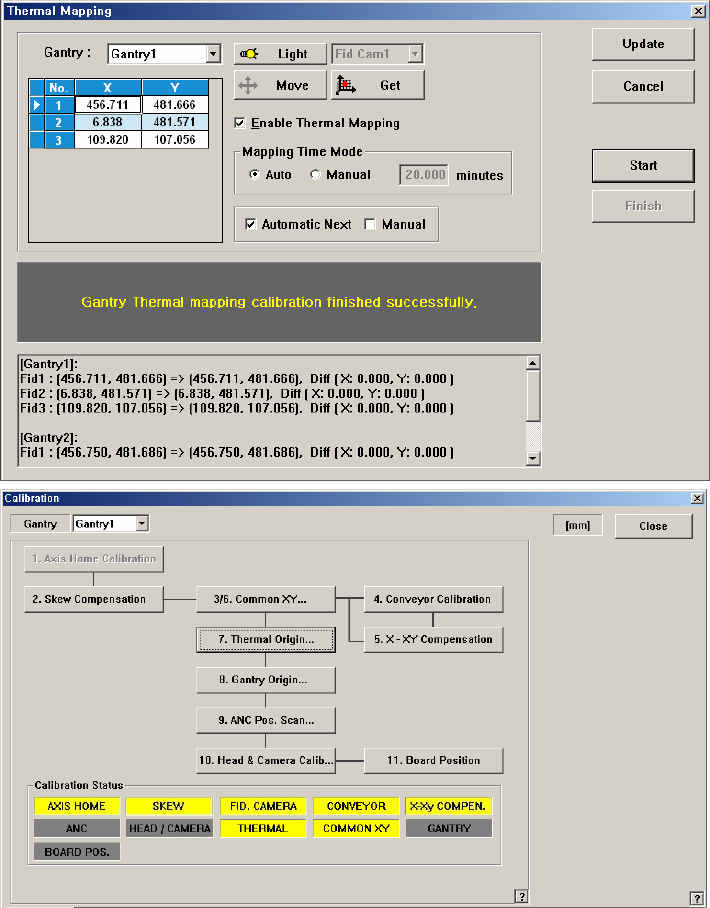
manually, set the time.
8. Click the <Update> button.
1.2.8. Gantry Mapping
Calibrate the positions of the fiducial marks that become the reference for the
gantry mapping in order to compensate the relative coordinate system between the
front gantry and rear gantry.
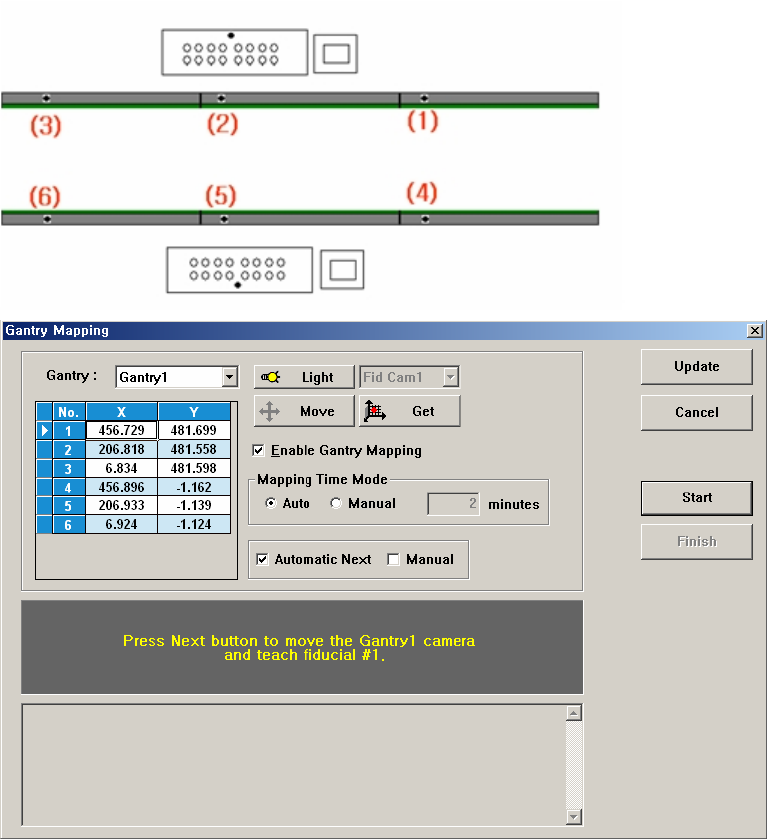
To carry out Calibration, 6 Fiducial Marks on the transport rail must be taught. The
order of teaching should be as follows; fiducial marks on the fixed rail must be
taught first and For teaching fiducial on the same rail, fiducial Mark must be taught
according to the order from the right to the left.
Figure 3-7. ”Calibration Wizard- Gantry Mapping” dialogbox
<Gantry> combo box
Select the Gantry for performing Gantry Mapping.
<Move> button
Move the fiducial camera of the corresponding gantry to the position of the
fiducial mark selected from the Grid group.
<Get> button
Apply the coordinate value of the current position as the selected fiducial mark