SM411F_Service Manual.pdf - 第71页
1.2.8. Gantry Mapping Calibrate the positions of the fiducial ma rks that become the reference for the gantry mapping in order to com pensate th e relative coordinate system between the front gantry and rear gantry . T o…
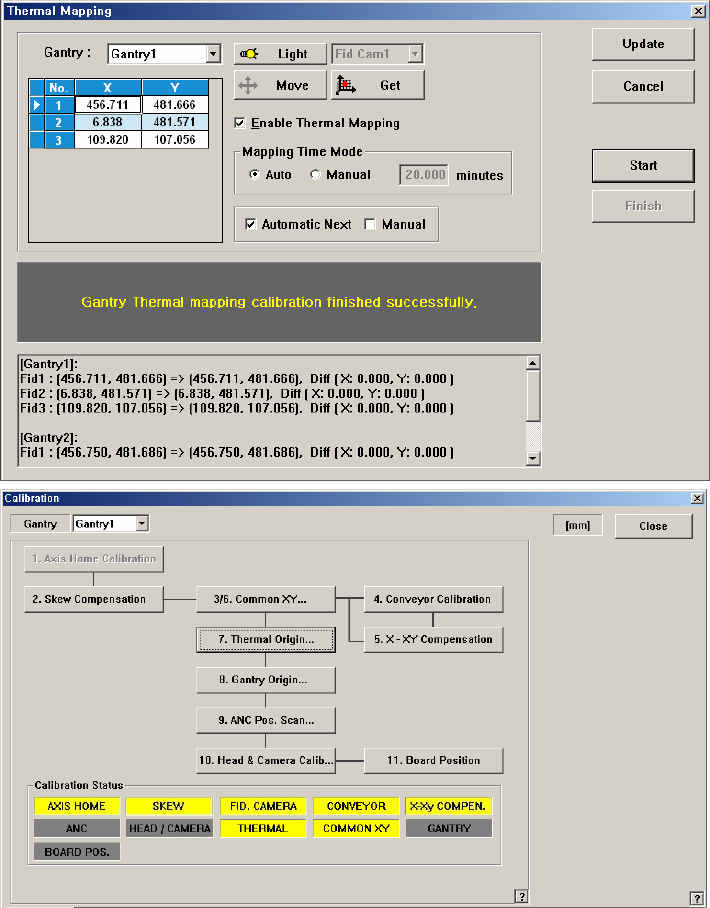
manually, set the time.
8. Click the <Update> button.
1.2.8. Gantry Mapping
Calibrate the positions of the fiducial marks that become the reference for the
gantry mapping in order to compensate the relative coordinate system between the
front gantry and rear gantry.
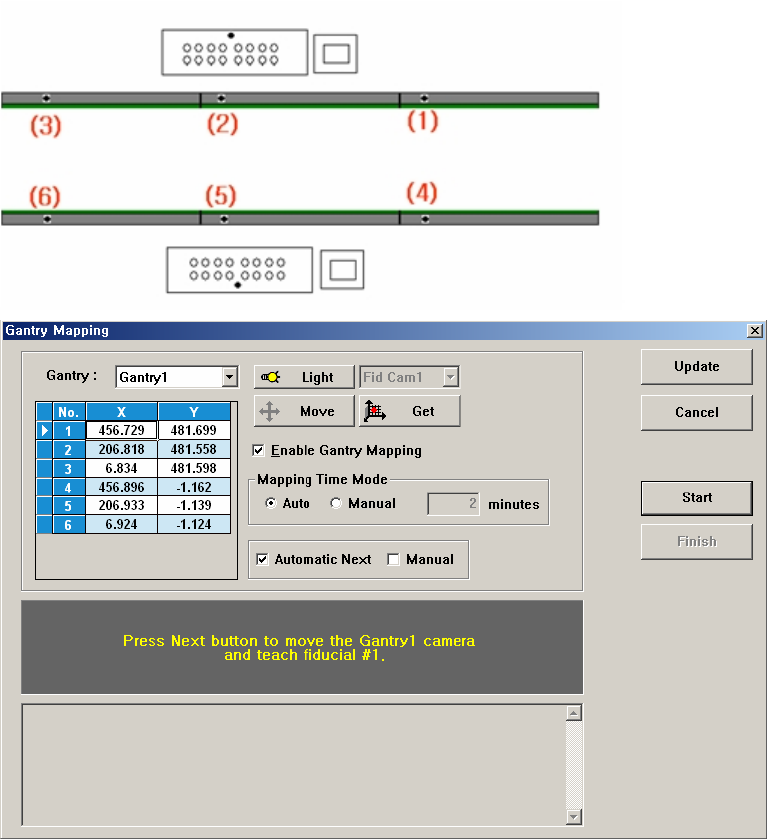
To carry out Calibration, 6 Fiducial Marks on the transport rail must be taught. The
order of teaching should be as follows; fiducial marks on the fixed rail must be
taught first and For teaching fiducial on the same rail, fiducial Mark must be taught
according to the order from the right to the left.
Figure 3-7. ”Calibration Wizard- Gantry Mapping” dialogbox
<Gantry> combo box
Select the Gantry for performing Gantry Mapping.
<Move> button
Move the fiducial camera of the corresponding gantry to the position of the
fiducial mark selected from the Grid group.
<Get> button
Apply the coordinate value of the current position as the selected fiducial mark
position.
<Enable Gantry Mapping> check box
Decides whether to carry out Gantry Mapping. When all the fiducials on the
transport rail are taught for Calibration, it will be checked automatically. To
disable the “Gantry Mapping”, remove the check from the check box.
<Mapping Time Mode> group
Set the cycle by which the mapping is performed.
Auto: Carries out automatic calibration for Gantry Mapping at preset
intervals.
Manual: Carries out calibration for Gantry Mapping at the intervals
entered in the edit box below.
<Automatic Next> checkbox
Automatically aligns the coordinates of gantries by using the designated
Fiducial Mark.
<Manual> checkbox
Move the gantry to the designated position by using the teaching box and
perform the gantry mapping manually.