2OM-1075-002.pdf - 第133页
AHB01ESPP 2 .3 "State" T ab The corresponding tab sheet displays the number of processed P .C.B.’s and the management data. • • • • • Sheet Layout When the "State" tab is pressed in the "AUTO OPN…
AHB01ESPP
*1
*2
2.2 "Message" Tab
This tab sheet displays the unit Nos., the step Nos., the feeder Nos., the
nozzle Nos., the nozzle IDs, etc., (related to the picked and placed com-
ponents) in the pattern program.
••
••
• Sheet Layout
When the machine is started or the "Message" tab is pressed in the
"AUTO OPN." window (submenu), the following tab sheet appears in-
side the window.
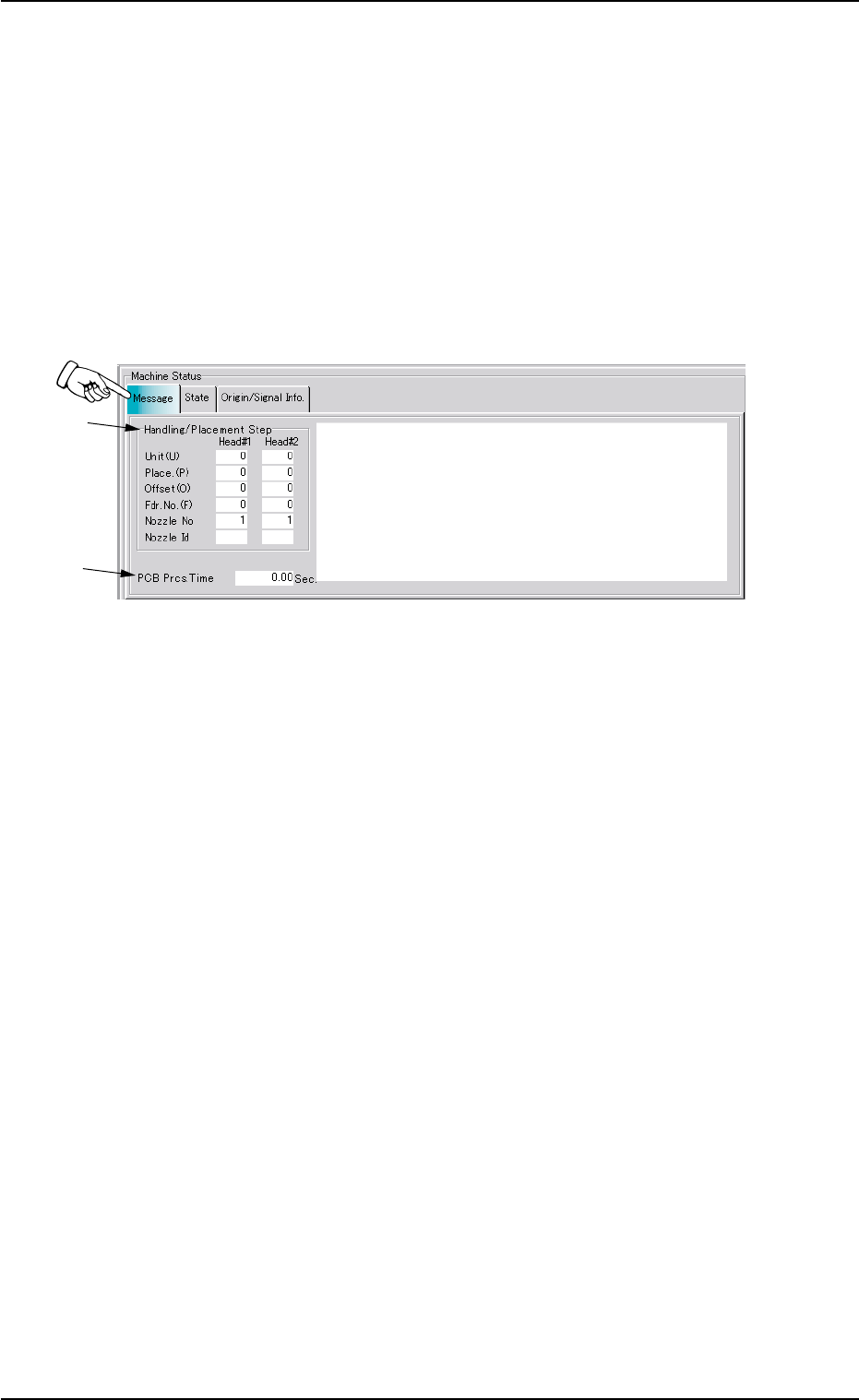
Fig. 2E4 "Message" Tab Sheet
••
••
• Sheet Composition
*1 Handling/Placement Step
As for the picked or placed components, the following information
will be displayed.
Unit (U) : Unit Nos. of Pattern Program
Place. (P) : Step Nos. of Placement Data (P)
Offset (O) : Step Nos. of Placement Data (O)
Fdr. No. (F) : Nos. of Selected Feeders
Nozzle No : Nos. of Selected Nozzles
Nozzle Id : Types of Selected Nozzles
*2 PCB Prcs. Time
Displayed in the text box is the time (seconds) required to finish one
P.C.B. excluding the P.C.B. in the middle of process.
This is the total time from the P.C.B. transfer start until the X/Y beam
is zeroed after the final component placement.
2.2 "Message" Tab
01 12-002 5-7
AHB01ESPP
2.3 "State" Tab
The corresponding tab sheet displays the number of processed P.C.B.’s
and the management data.
••
••
• Sheet Layout
When the "State" tab is pressed in the "AUTO OPN." window (submenu),
the following tab sheet appears inside the window.
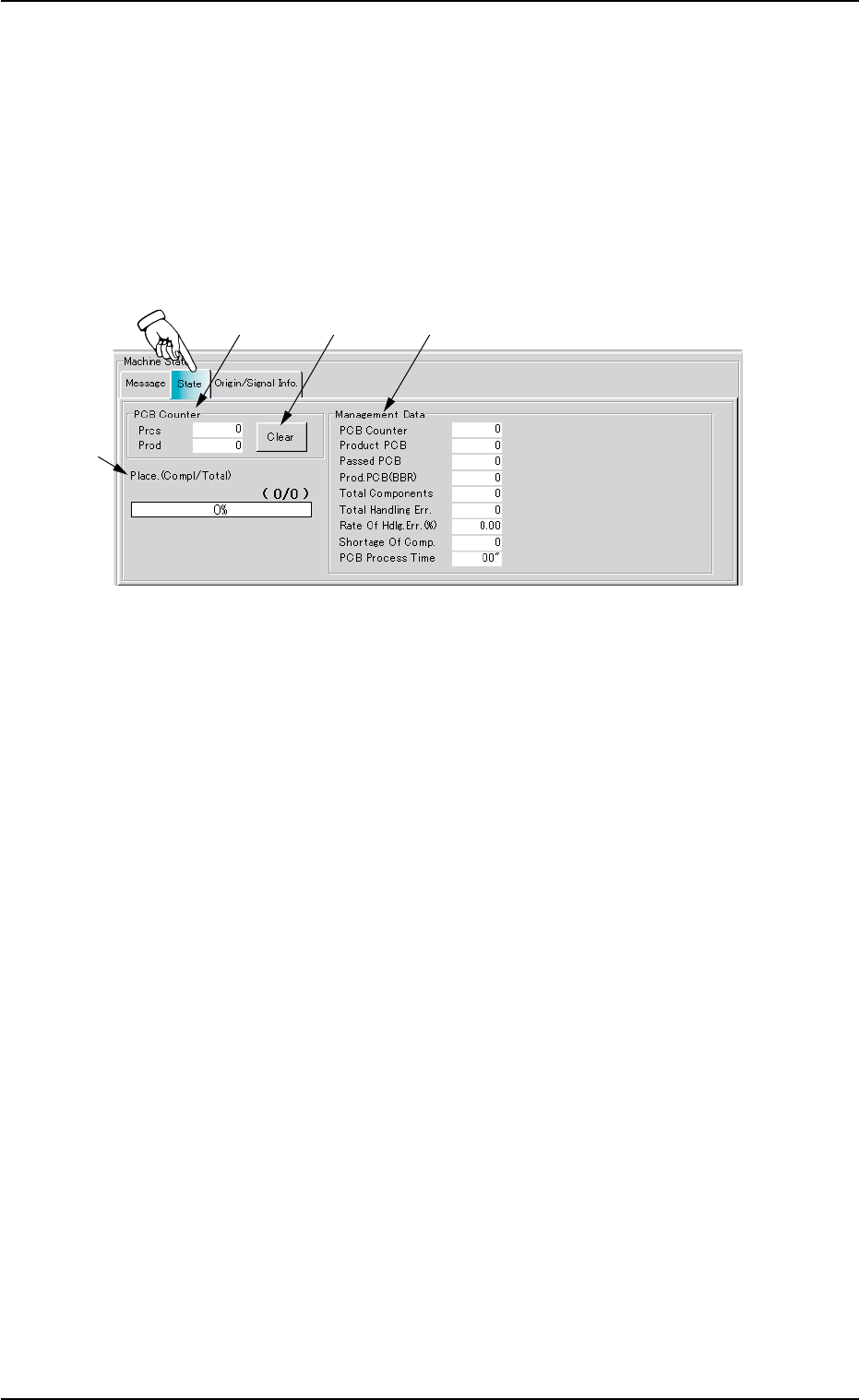
Fig. 2E5 "State" Tab Sheet
••
••
• Sheet Composition
*1 PCB Counter
Displayed in the "Prcs" and "Prod" text boxes are the number of
processed P.C.B.’s (single and unit board).
Prcs : Displayed is the number of all processed P.C.B.’s.
Prod : Displayed is the number of all processed P.C.B.’s (single
boards converted as unit ones.)
*2 [Clear] Button
Pressing this button clears the number of processed P.C.B.’s to "0"
(zero).
*3 Place. (Compl/Total)
The fraction and the percentages are displayed, representing the
current state of component placement.
2.3 "State" Tab
*1
*2 *4
*3
01 12-002 5-8

AHB01ESPP
*4 Management Data
Displayed is the following management data related to the current
program (model).
PCB Counter : Displayed is the number of processed
P.C.B.’s (single P.C.B.’s).
Product PCB : Displayed is the number of processed unit
P.C.B.’s.
Passed PCB : Displayed is the number of passed
P.C.B.’s without component placement.
Prod. PCB (BBR) : Displayed is the number of Unit P.C.B’s
(BBR).
Total Components : Displayed is the number of picked com-
ponents.
Total Handling Err : Displayed is the total number of pick er-
ror-caused components.
Rate Of Hdlg. Err (%) : Displayed is the percentage of total han-
dling errors per total number of picked
components.
Shortage Of Comp. : Displayed is the number of component
shortage errors.
PCB Process Time : Displayed is the time required to finish one
P.C.B. excluding the P.C.B. in the middle
of process.
This is the total time from the P.C.B. trans-
fer start until the X/Y beam is zeroed after
the final component placement.
01 12-002 5-9
2.3 "State" Tab