2OM-1075-002.pdf - 第165页
AHB01ESPP 5 . 2 "Comp Carriage Dt Edit" T a b The corresponding tab sheet enables the operator to easily change the component carriage data in the current pattern program. • Sheet Layout When the "Comp Car…
AHB01ESPP
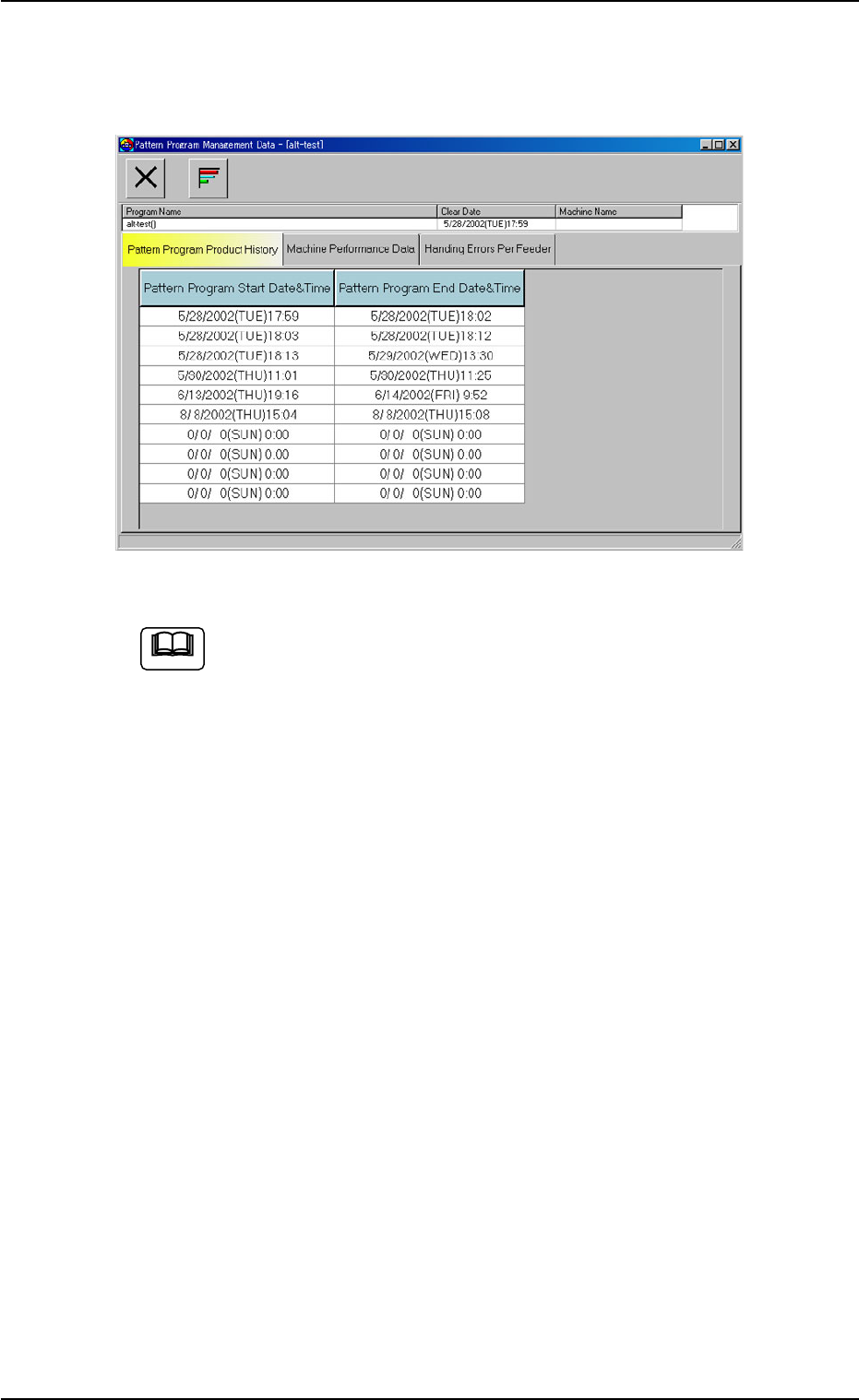
*2 [Patt Prgm Mgt] Button
When this button is pressed, the "Pattern Program Management
Data" window for the current pattern program data opens.
Fig. 2E19 "Pattern Program Management Data" Window
Refer to "Section 4 Management Data" in "Vol. 3" for how to edit
the pattern program management data.
5.1 "Current Dt" Tab
0308-003 5-25-4
Note
AHB01ESPP
5.2 "Comp Carriage Dt Edit" Tab
The corresponding tab sheet enables the operator to easily change the
component carriage data in the current pattern program.
• Sheet Layout
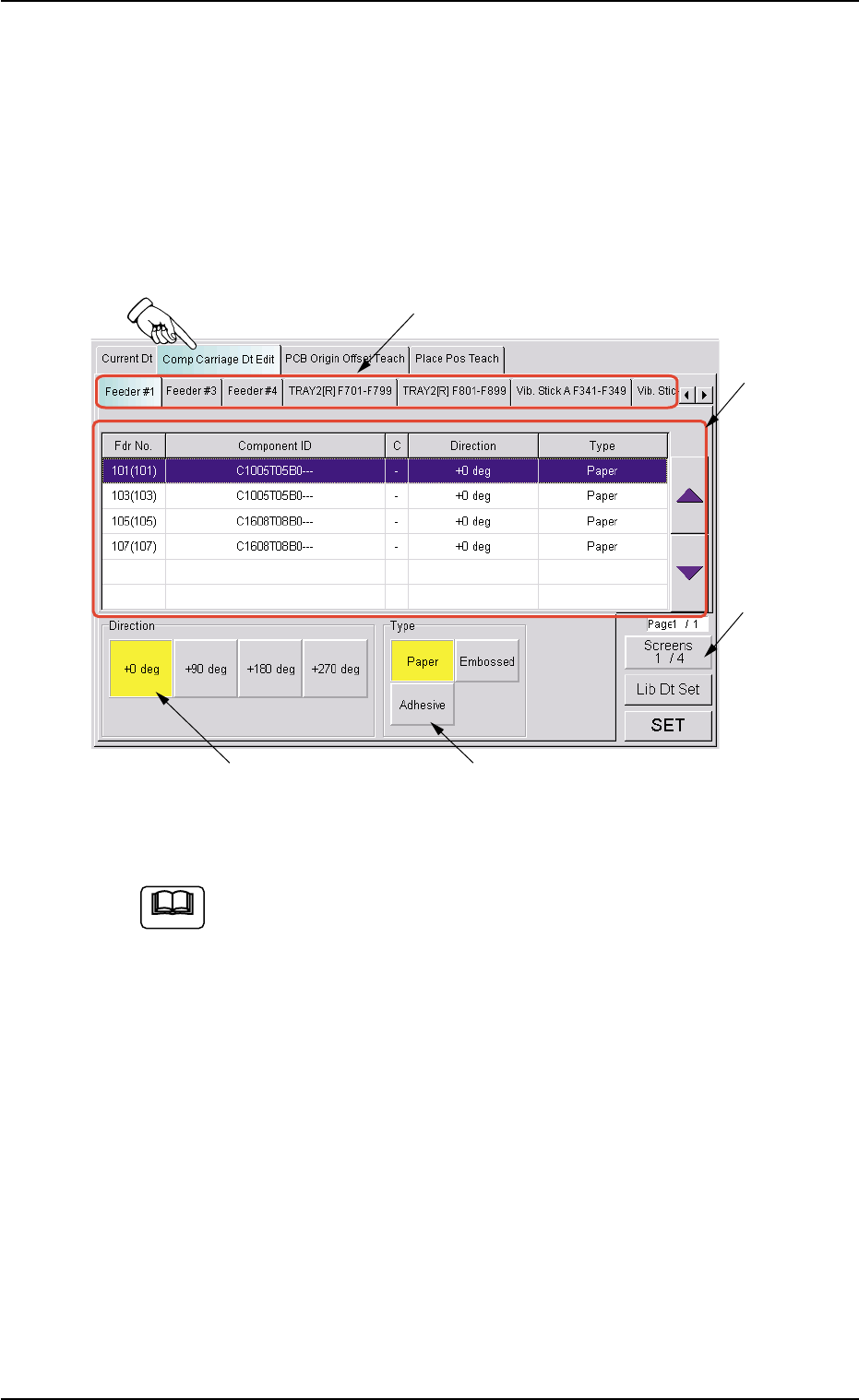
When the "Comp Carriage Dt Edit" tab is pressed in the "RECOVERY"
window, the following tab sheet appears.
Fig. 2E20 "Comp Carriage Dt Edit" Tab Sheet (1/4)
The contents of the tab sheet differs, depending on which model
(current pattern program) is used.
• Sheet Composition
*1 Tabs and Tab Sheets
The "Comp Carriage Dt Edit" tab sheet is provided with the follow-
ing 7 tabs. When a tab is pressed, the corresponding tab sheet
appears.
The contents of each tab sheet are almost the same.
0308-003 5-25-5
5.2 "Comp Carriage Dt Edit" Tab
*1
*4 *5
*2
*3
Note
AHB01ESPP
Table 2E4
Tabs Description
Feeder #1 The corresponding tab sheet enables the operator to change the
component carriage data for the components allocated on Feeder
Base #1.
Feeder #3 The corresponding tab sheet enables the operator to change the
component carriage data for the components allocated on Feeder
Base #3.
Feeder #4 The corresponding tab sheet enables the operator to change the
component carriage data for the components allocated on Feeder
Base #4.
TRAY2[R] F701-F799 This is an optional function.
Refer to the instruction manual of the multi-layer tray feeders for
details.
TRAY2[R] F801-F899 This is an optional function.
Refer to the instruction manual of the multi-layer tray feeders for
details.
Vib. Stick A F341-F349 The corresponding tab sheet enables the operator to change the
component carriage data for the components allocated on FB #4
VIB Feeder #3.
Vib. Stick A F361-F369 The corresponding tab sheet enables the operator to change the
component carriage data for the components allocated on FB #3
VIB Feeder #1.
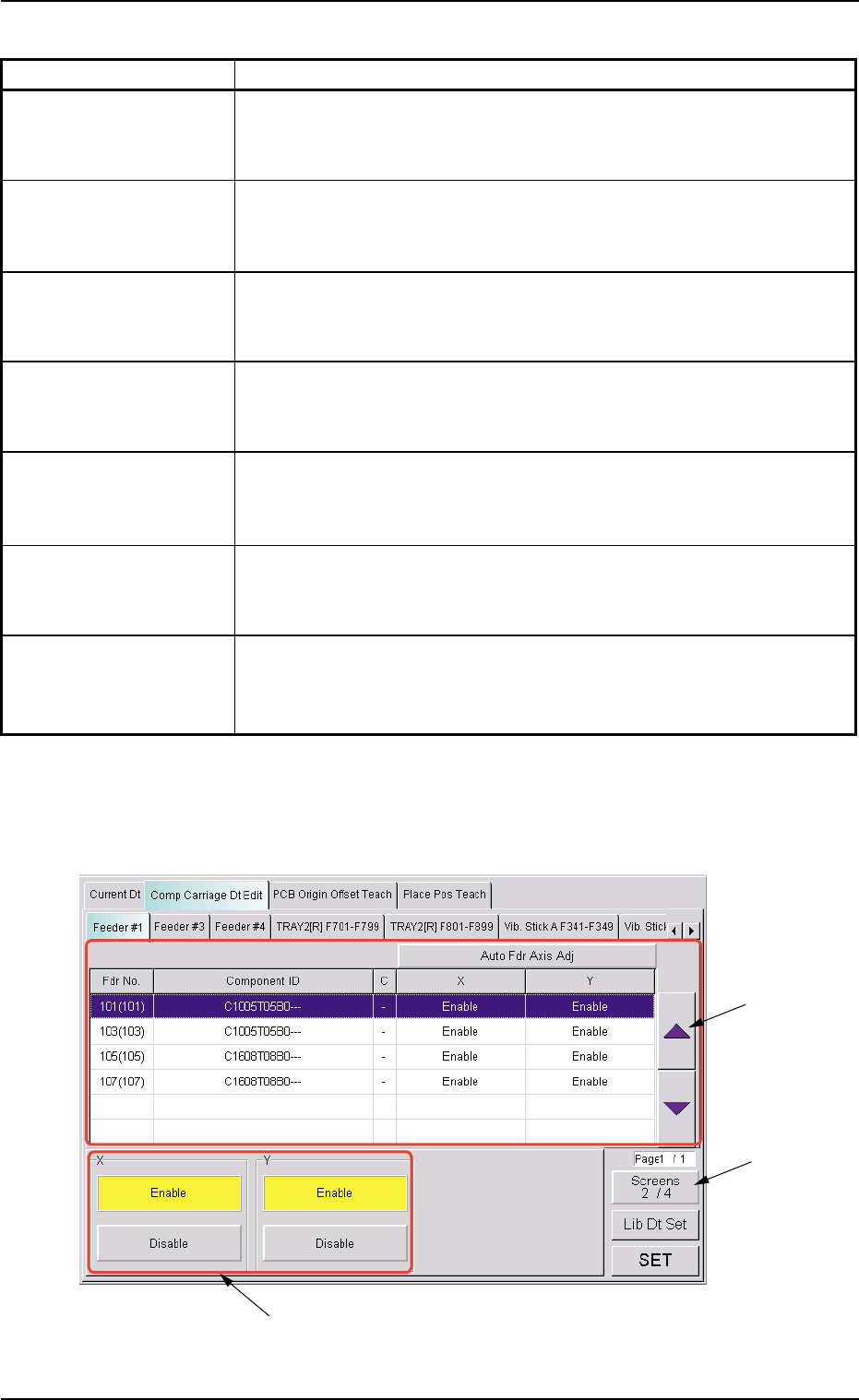
*2 [Screens 1/4] Button
When this button is pressed, different titles appear in each tab sheet.
See Figs. 2E21 to 2E23.
Fig. 2E21 "Comp Carriage Dt Edit" Tab Sheet (2/4)
5.2 "Comp Carriage Dt Edit" Tab
0308-003 5-25-6
*2
*3
*6