2OM-1075-002.pdf - 第188页
AHB01ESPP 6. "RECALL" Window (Submenu) This window enables the operator to recall the device errors and ma- chine information that occurred or was issued in the past. • Window Layout When the [RECALL] button on…
AHB01ESPP
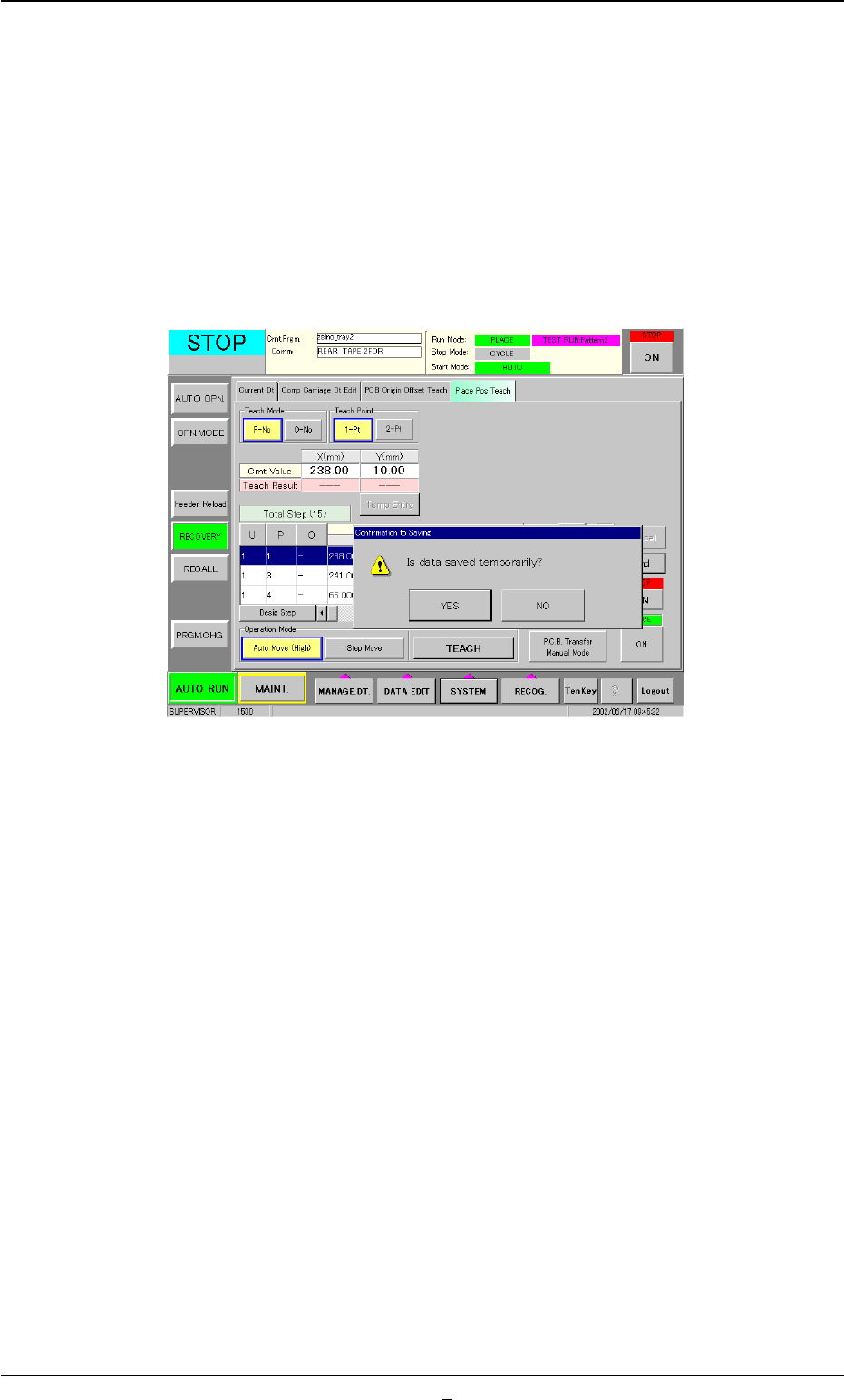
(11) To formally (not temporarily) register the new placement coordi-
nates, press the [End] button (*11).
The "Confirmation to Saving" dialog box appears.
To replace the current pattern program data with the new
one (Save)
When the [YES] button is selected in the "Confirmation to Sav-
ing" dialog box, the pattern program data is replaced with the
temporarily saved one.
Fig. 2E23-11 "Confirmation to Saving" Dialog Box
To keep the current pattern program data unchanged
(Save As)
When the [NO] button is selected in the "Confirmation to Sav-
ing" dialog box, the "Input File Name" dialog box opens.
Enter a new file name and press the [Set] button.
The temporarily saved pattern program data is saved in a new
file having the newly entered name.
To discard the taught data (Cancellation of All Taught Data)
Press the [NO] button in the "Confirmation to Saving" dialog
box.
0308-002 5-25-27
5.4 "Place Pos Teach" Tab
AHB01ESPP
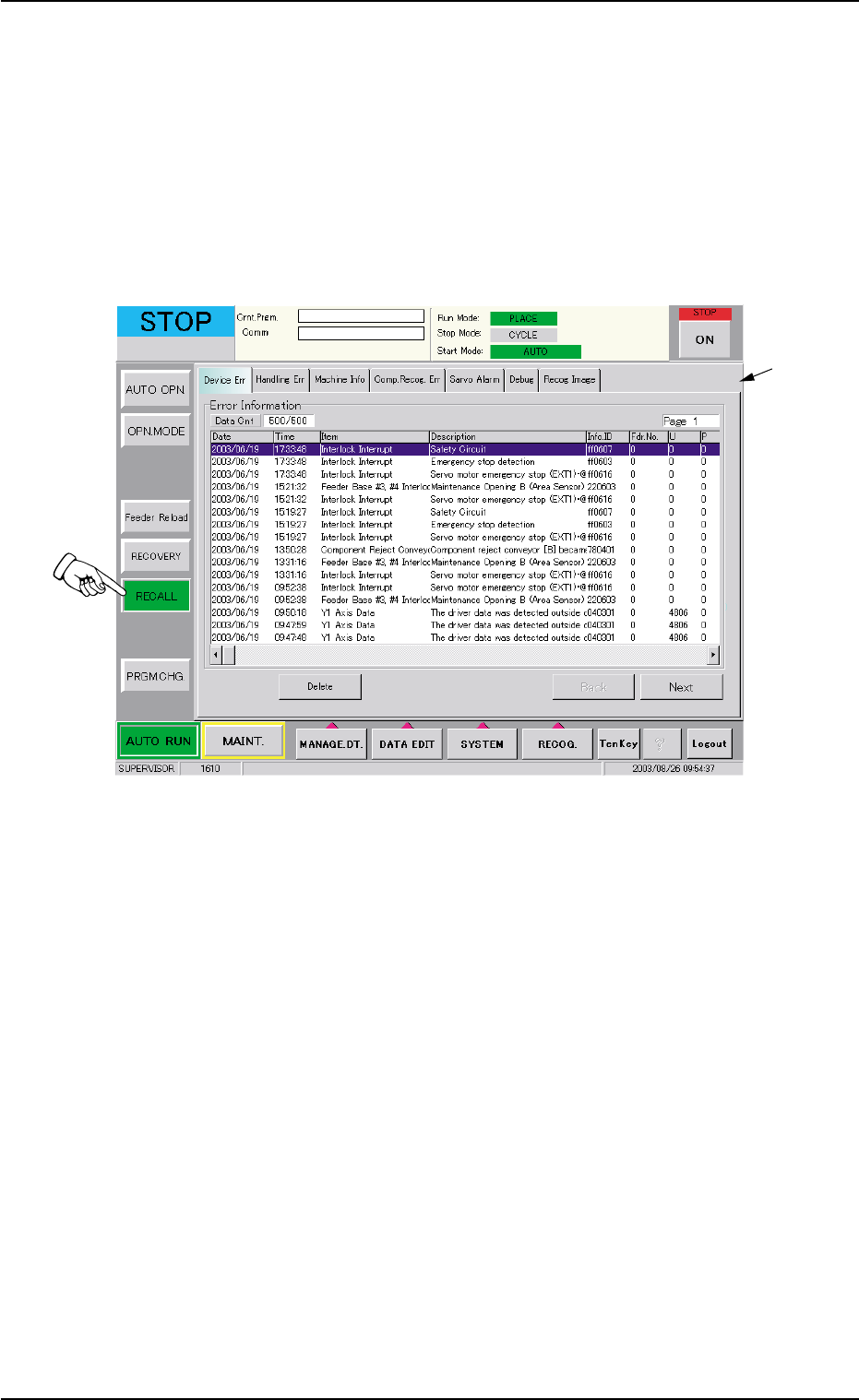
6. "RECALL" Window (Submenu)
This window enables the operator to recall the device errors and ma-
chine information that occurred or was issued in the past.
• Window Layout
When the [RECALL] button on the submenu bar is pressed, the follow-
ing window (submenu) opens.
Fig. 2E24 "RECALL" Window (Submenu)
0308-004 5-26
6. "RECALL" Window (Submenu)
*1
AHB01ESPP
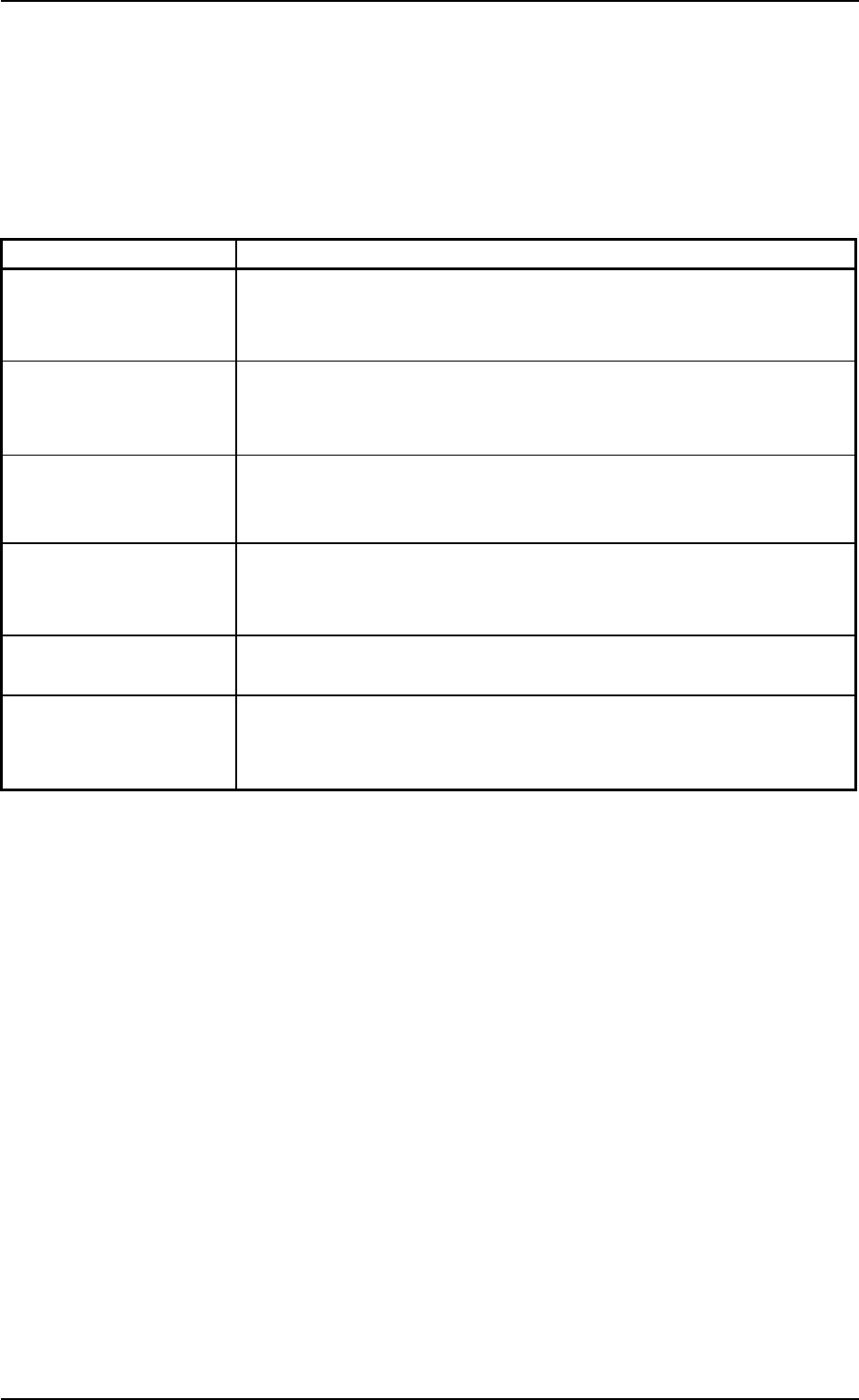
• Window Composition
*1 Tabs and Tab Sheets
The "RECALL" window is provided with the following 6 tabs. When
a tab is pressed, the corresponding tab sheet appears inside the
window.
Table 2E7
Tabs Description
Device Err The corresponding tab sheet enables the operator to check the date
& time of error occurrence, error items, error description, informa-
tion IDs, and user names.
Handling Err The corresponding tab sheet enables the operator to check the er-
ror-caused feeder Nos., the date & time, information IDs, and error
description.
Machine Info The corresponding tab sheet enables the operator to check the date
& time of message issuance, device status, information IDs, the con-
tents of message, and user names.
Comp. Recog. Err The corresponding tab sheet enables the operator to check the date
& time of component recognition error occurrence, information IDs,
and error description.
Servo Alarm The corresponding tab sheet enables the operator to recall the hys-
teresis of errors for individual types of servo alarm.
Recog. Image The corresponding tab sheet enables the operator to save the recog-
nized images of component recognition errors on a floppy disk (in-
serted into the drive on the service panel).
0308-004 5-27
6. "RECALL" Window (Submenu)