2OM-1075-002.pdf - 第224页
AHB01ESPP 8. Running-In Operation After the machine has been stopped for a long period of time, perform a running-in operation for approx. 30 minutes to smoothly start up the machine. Operation Procedure (1) Select the r…
AHB01ESPP
7.4 "Feeder Unit Set Status" Tab
The corresponding tab sheet enables the operator to confirm the re-
quired feeders and check if the correct feeders are actually installed on
the feeder bases.
••
••
• Sheet Layout
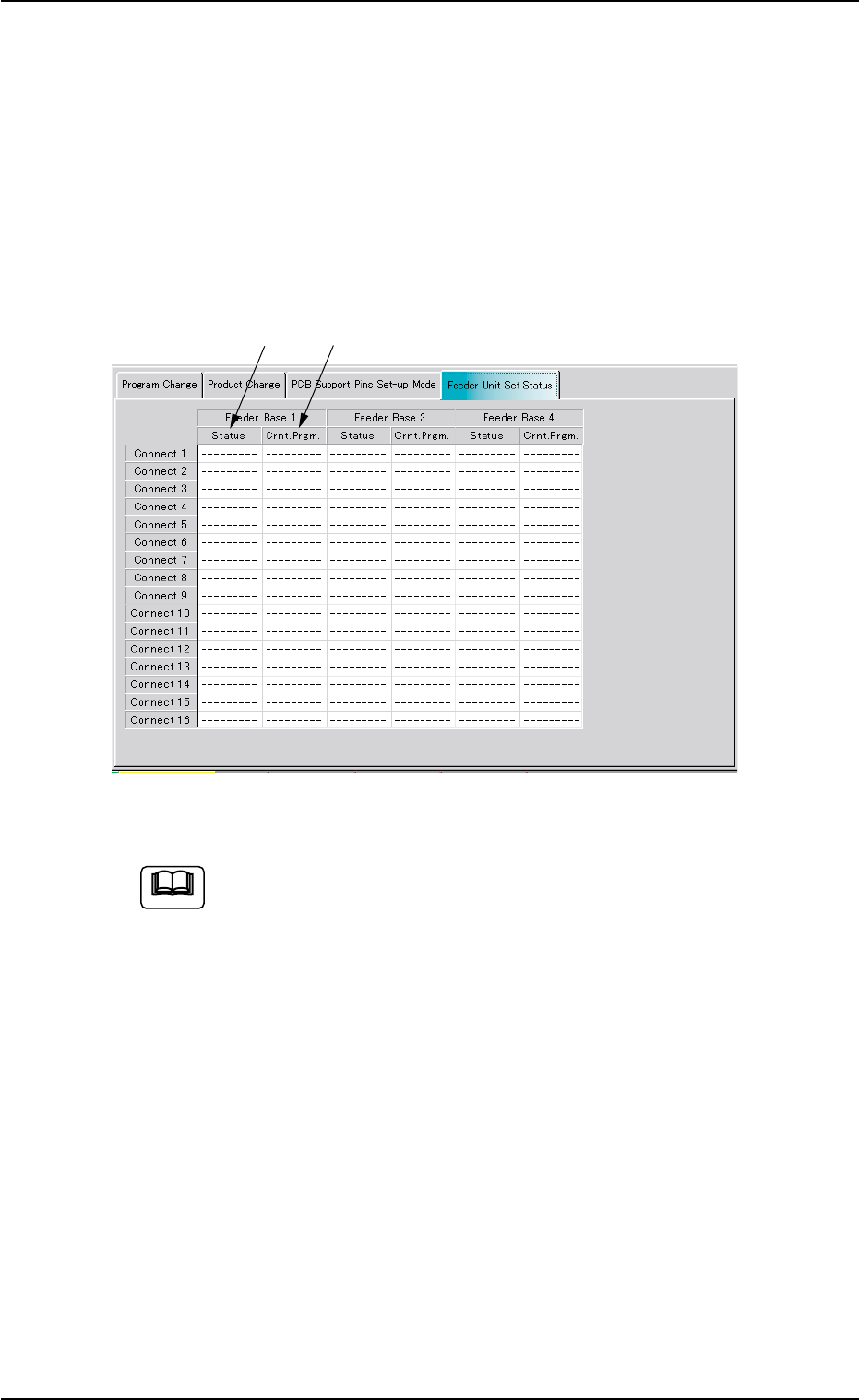
When the "Feeder Unit Set Status" tab is pressed in the "PRGM. CHG."
window (submenu), the following tab sheet appears.
Fig. 2E48 "Feeder Unit Set Status" Tab Sheet
The tab sheet may look different, depending on which options
are selected.
••
••
• Sheet Composition
*1 Crnt. Prgm.
Displayed are the types of the feeders specified in the placement
feeder location data.
*2 Status
Displayed are the types of the actually installed feeders.
7.4 "Feeder Unit Set Status" Tab
Note
0206-002 5-57
*1
*2
AHB01ESPP
8. Running-In Operation
After the machine has been stopped for a long period of time, perform a
running-in operation for approx. 30 minutes to smoothly start up the
machine.
Operation Procedure
(1) Select the required pattern program and perform the program and
product change operations.
Refer to "7. "PRGM. CHG." Window (Submenu)" in "Section 5"
for the program and product change operations.
Observe the following to prevent any deficiency
in the running-in operation.
• Do not set any P.C.B. to be produced on the ma-
chine.
• The feeders can be installed on the feeder bases.
However, it should be noted that the settings of the
test run (described hereinafter) must be correctly
made.
8. Running-In Operation
Note
0308-002 5-58
CAUTION
AHB01ESPP
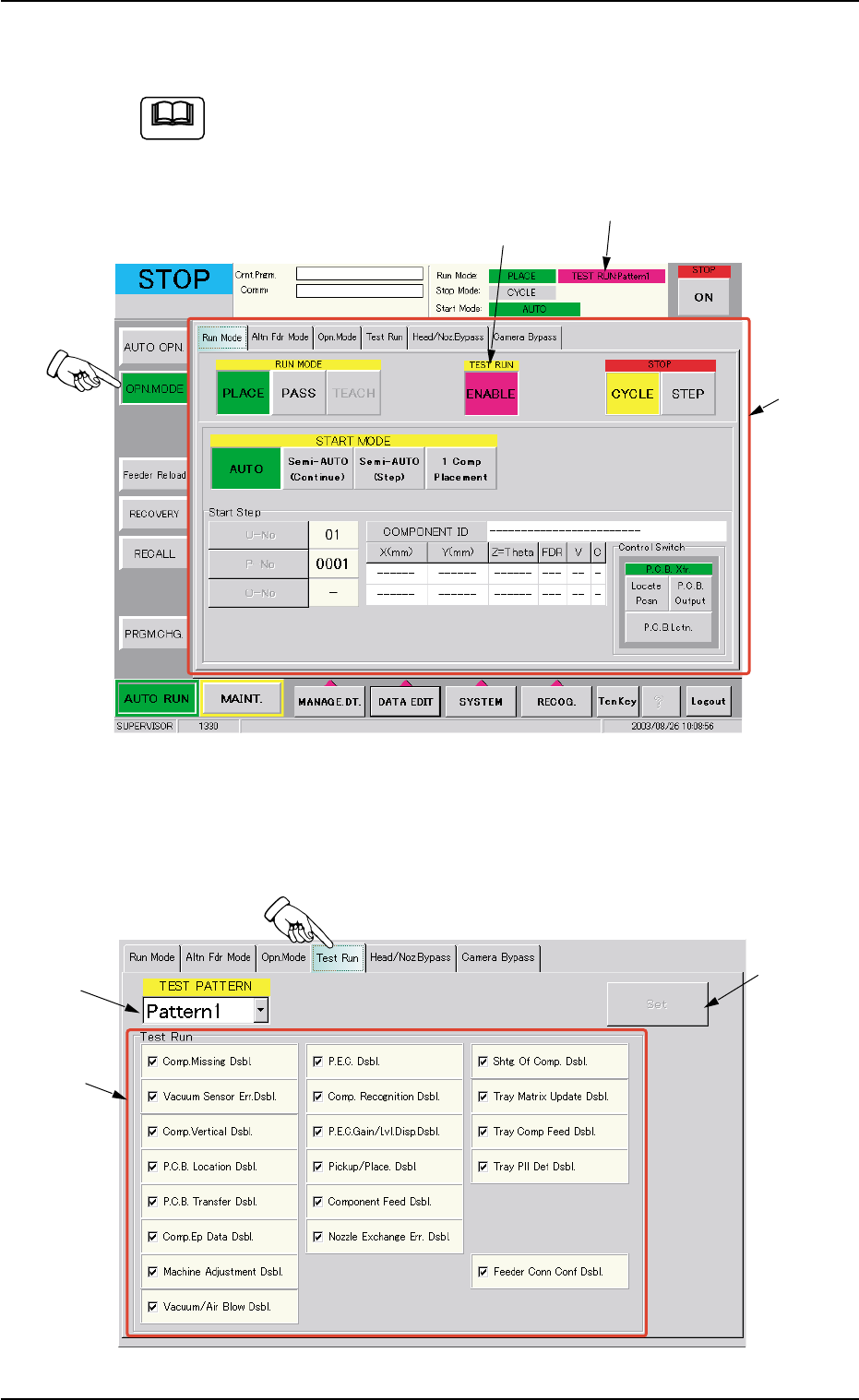
(2) Press the [ENABLE] button (entitled "TEST RUN") in the "Run Mode"
tab sheet ("OPN. MODE" Submenu Window).
Refer to "3. "OPN. MODE" Window (Submenu)" in "Section 5"
for the detailed information on the "OPN. MODE" window
(submenu).
Fig. 2E49 "Run Mode" Tab Sheet
(3) Press the "Test Run" tab in the "OPN. MODE" window (submenu).
The "Test Run" tab sheet appears inside the window.
Fig. 2E50 "Test Run" Tab Sheet
Note
*1
[ENABLE] Button
TEST RUN
8. Running-In Operation
*3
*1
*2
0308-003 5-59