2OM-1075-002.pdf - 第257页
AHB01ESPP • Designated Position (1) When the [Designated Position] button is pressed in the tab sheet (Fig. 2F18), the following sheet appears. Fig. 2F19 (2) When the [(X) Dir] button is pressed, the "(X) Dir" …
AHB01ESPP
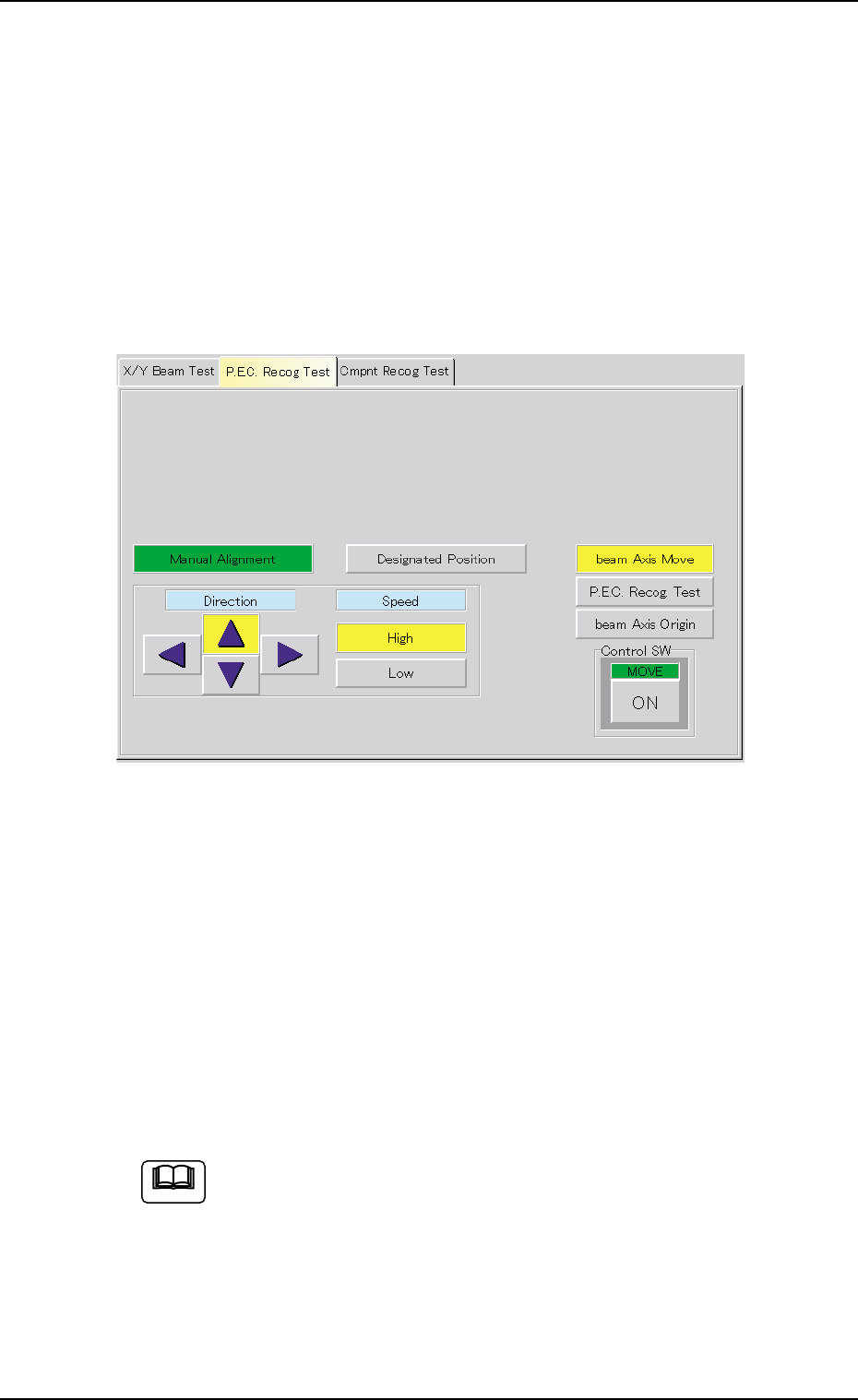
There are two X/Y beam movement functions - "Manual Alignment" and
"Designated Position". When "Manual Alignment" is selected, it is pos-
sible to move the X/Y beam through manual alignment operation while
observing the recognized image. "Designated Position" makes it pos-
sible to move the X/Y beam to the designated position by using numeri-
cal values.
• Manual Alignment
(1) When the [beam Axis Move] button is pressed, the following sheet
appears.
Fig. 2F18
(2) Press the [High] or the [Low] button to specify the speed of the X/Y
beam movement.
The direction of the X/Y beam movement must also be specified by
pressing one of the "Direction" buttons (Up, Right, Down, and Left
Arrows).
(3) Press the [ENABLE] button on the operation panel in two seconds
after the [ON] button (entitled "MOVE") to move the X/Y beam to the
recognition test position (Fig. 2F18).
When the [ENABLE] button on the operation panel is pressed in
2 seconds after the manual alignment operation is performed
and the [P.E.C. Recog. Test] and [ON] (entitled "MOVE") but-
tons are pressed, a P.E.C. recognition test is made and the
"P.E.C. Recog Test" tab sheet resumes.
0308-004 6-24
Note
3.2 "P.E.C. Recog Test" Tab
AHB01ESPP
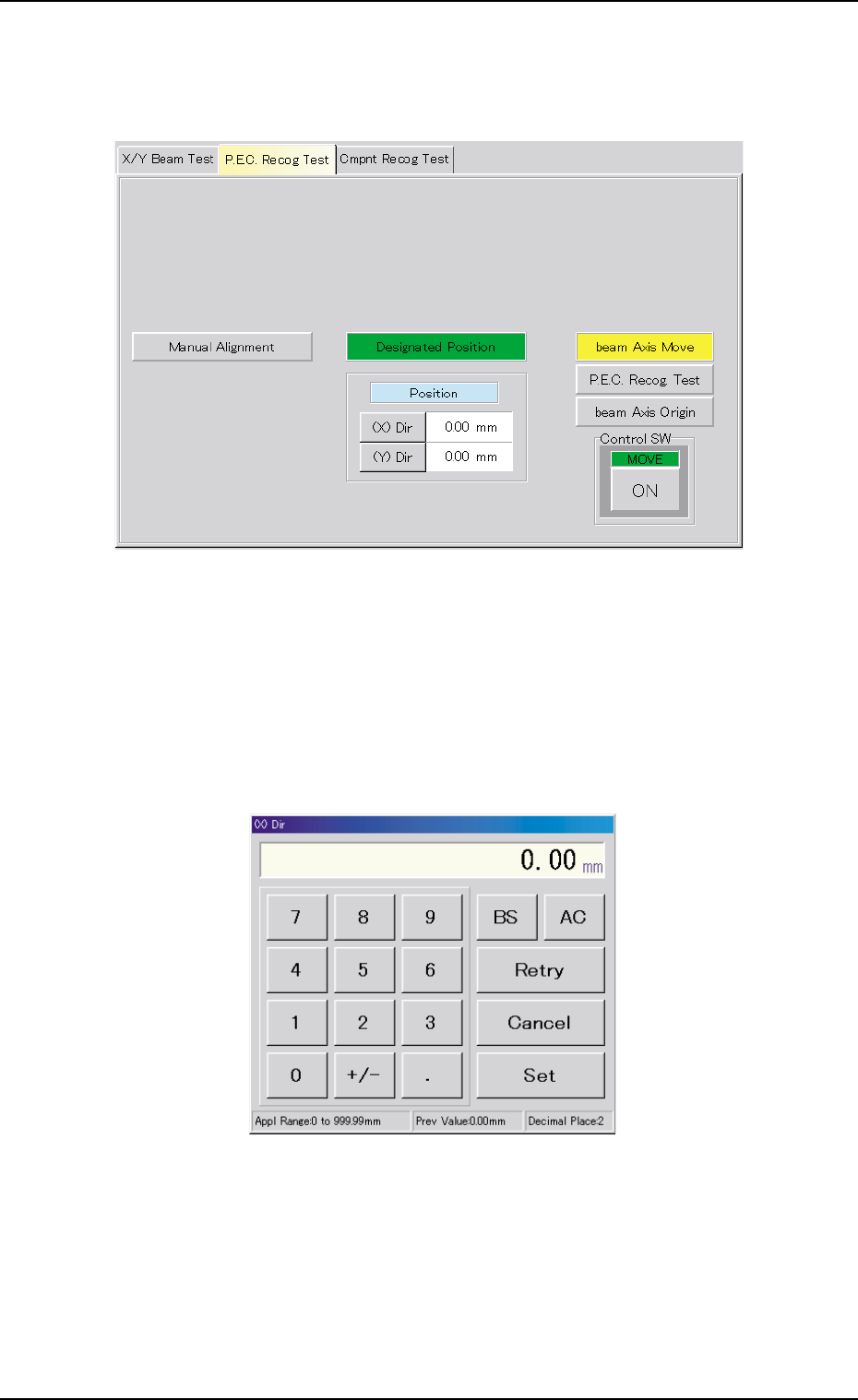
• Designated Position
(1) When the [Designated Position] button is pressed in the tab sheet
(Fig. 2F18), the following sheet appears.
Fig. 2F19
(2) When the [(X) Dir] button is pressed, the "(X) Dir" edit window opens.
Enter a parameter (designated position) in the X direction to desig-
nate the target position of the X/Y beam movement in this edit win-
dow.
Follow the same procedure to enter a parameter in the Y direction.
Fig. 2F20
0206-003 6-25
3.2 "P.E.C. Recog Test" Tab

AHB01ESPP
(3) When the [ENABLE] button on the operation panel is pressed in 2
seconds after the [ON] button (entitled "MOVE"), the X/Y beam
moves to the designated position.
When the [ENABLE] button on the operation panel is pressed in
2 seconds after the movement to the designated position and
the [P.E.C. recog. Test] and [ON] (entitled "MOVE") buttons are
pressed, a P.E.C. recognition test is made and the "P.E.C. Recog
Test" tab sheet resumes.
• P.E.C. Recognition Test
(1) Press the [P.E.C. Recog Test] button and the [ON] button (entitled
"MOVE"). After that, press the [ENABLE] button on the operation
panel in 2 seconds. The P.E.C. recognition test is conducted.
When the [Enable] button under "Set Mark" is selected and the rec-
ognition test is completed successfully, the X/Y beam moves until
the fiducial mark is located at the center of the recognition monitor.
When the test fails, a recognition error message is issued.
Note: Try to shift the fiducial mark to various places by moving the
X/Y beam and perform the recognition tests.
(2) To end the P.E.C. recognition test, press the [beam Axis Origin] but-
ton and the [ON] button (entitled "MOVE"). After that, press the [EN-
ABLE] button on the operation panel in 2 seconds. The X/Y beam
returns to its origin.
The "P.E.C. Recog Test" tab sheet resumed.
0206-003 6-26
Note
3.2 "P.E.C. Recog Test" Tab