2OM-1075-002.pdf - 第263页
AHB01ESPP [Move T o Recog Sta] Button When the [ENABLE] button on the operation panel is pressed in 2 seconds after this button is selected and the [ON] button (*1 1 entitled "MOVE") is pressed, the head (speci…

AHB01ESPP
*4 [Test ID] Button
This button enables the operator to specify the component ID to be
tested.
When this button is pressed, the "Test ID Set" sheet appears.
*5 [Fdr. No.] Button
This button enables the operator to specify the feeder that should
be loaded with the component to be tested.
When this button is pressed, the "Fdr. No." sheet appears.
After the feeder is specified, the head which can be se-
lected is limited.
*6 Nozzle
Displayed is the type of the nozzle specified by using the [Test ID]
button.
*7 "Mode" Group Box
The following buttons are provided in this group box.
[Pick from Fdr (Mnl)] Button
Use this button to attach a component manually.
When the [ENABLE] button on the operation panel is pressed
in 2 seconds after this button is selected and the [ON] button
(*11 entitled "MOVE") is pressed, the head (specified in "*2")
moves to the feeder No. position (specified in "*5") and the
vacuum valve is turned "ON".
[Pick from Fdr (Auto)] Button
Use this button to remove a component automatically.
When the [ENABLE] button on the operation panel is pressed
in 2 seconds after this button is selected and the [ON] button
(*11 entitled "MOVE") is pressed, the head (specified in "*2")
moves to the feeder No. position (specified in "*5") and takes
out the component.
[Move to Recog Sta & Recog (Full Auto)] Button
When the [ENABLE] button on the operation panel is pressed
in 2 seconds after this button is selected and the [ON] button
(*11 entitled "MOVE") is pressed, the head (specified in "*2")
moves to the component recognition camera position (speci-
fied in "*3") and a component recognition test is performed.
0206-003 6-30
Note
3.3 "Cmpnt Recog Test" Tab
AHB01ESPP
[Move To Recog Sta] Button
When the [ENABLE] button on the operation panel is pressed in
2 seconds after this button is selected and the [ON] button (*11
entitled "MOVE") is pressed, the head (specified in "*2") moves
the component recognition camera position (specified in "*3").
[Comp Recog (Manual)] Button
When this button is pressed, the "Comp Recog (Manual)" sheet
appears, enabling the operator to perform a component recog-
nition operation, the camera X/Y movement, the rotational move-
ment, etc.
[Hysteresis Test] Button
When pressed, the "Hysteresis Test" tab sheet appears,
making it possible to perform a hysteresis test.
[Comp. Collection] Button
Components are collected (discharged) and the X/Y beam is
zeroed.
Components are discharged to the nearest component storage
box or the recycle conveyor (option).
After components are collected completely, press the [Vac
Pick-Up On/Off] button (*10) to turn off the vacuum valve.
While the vacuum valve is kept "ON", the previous sheet
will not resume.
*8 "Result of Recog Test" Group Box
Displayed are the results of a component recognition test.
*9 [Carrier Move] Button
This button enables the operator to determine whether or not the
components should be fed from the feeder or the supply operation
for the multi-layer tray feeder should be performed.
When this button is pressed, the "Carrier Move" sheet appears.
*10 [Recog Angle] Button
Set the angle at which a component should be recognized.
When this button is pressed, the "Recog Angle" sheet appears.
*11 "Vac Valve" Group Box
The [Vac Pick-Up On/Off] button can be used to turn on or off the
vacuum valve for the nozzles.
Note
0308-004 6-31
3.3 "Cmpnt Recog Test" Tab
AHB01ESPP
*12 "Control SW" Group Box
When the [ENABLE] button on the operation panel is pressed in 2
seconds after one of the buttons in the "Mode" group box (*7) is
selected and the [ON] button (entitled "MOVE") is pressed, the func-
tion corresponding to the selected button is implemented.
*13 [Return] Button
When this button is pressed, the "Component Recog. Test" sheet
closes and the "Cmpnt Recog Test" tab sheet (Fig. 2F21) resumes.
• Common Operations for Component Recognition Test
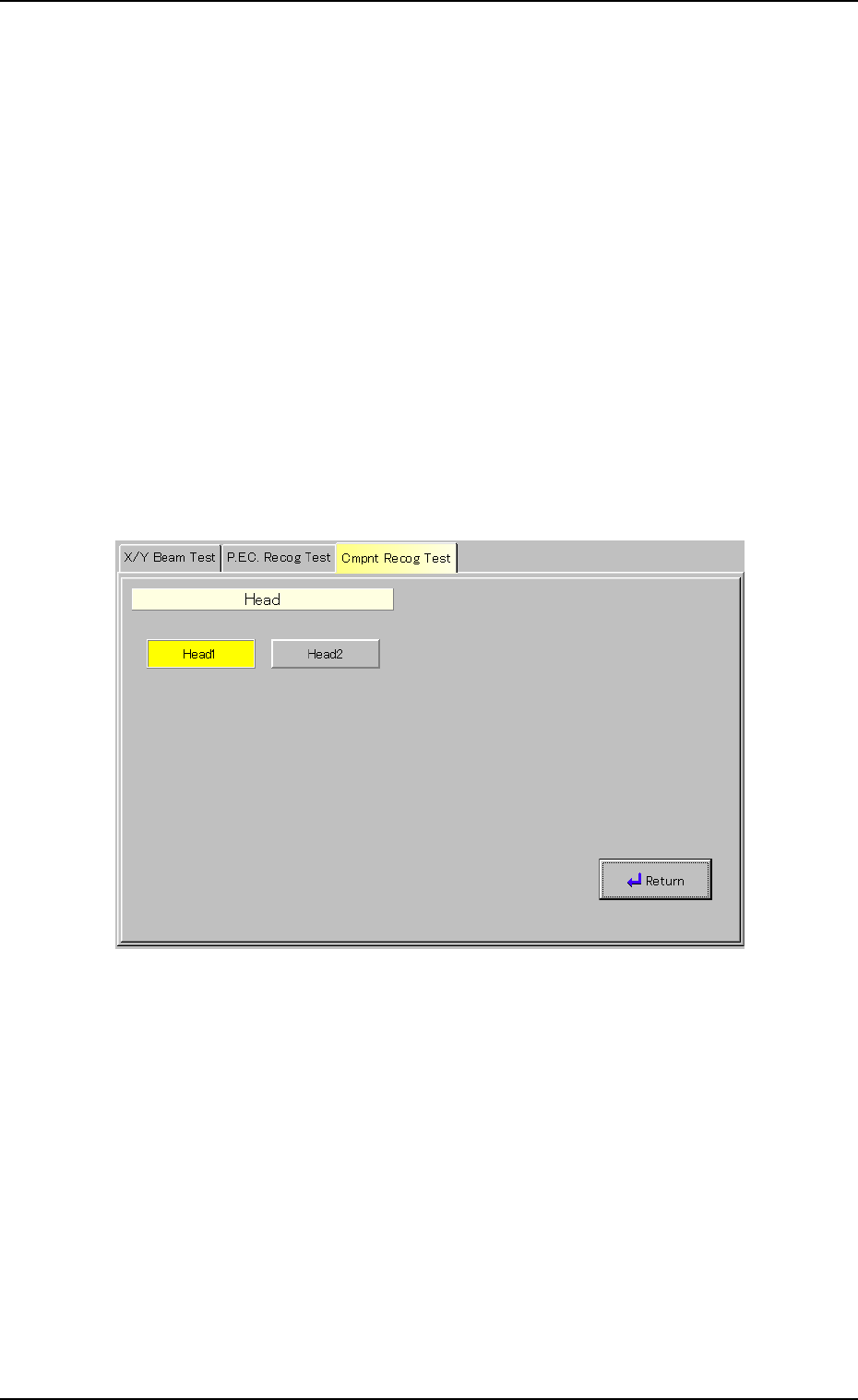
(1) Selection of Object Head for Component Recognition Test
When the [Head Select.] button (*2) is pressed in the "Component
Recog. Test" sheet (Fig. 2F22), the following sheet appears.
Fig. 2F23 "Head" Sheet
Select the [Head1] or the [Head2] button to select the No. 1 or the
No. 2 head and press the [Return] button.
0308-004 6-32
3.3 "Cmpnt Recog Test" Tab