2OM-1075-002.pdf - 第265页
AHB01ESPP (2) Selection of Component Recognition Camera for Image Cap- ture When the [Camera] button (*3) is pressed in the "Component Recog. T est" sheet (Fig. 2F22), the following sheet appears. Fig. 2F24 &qu…
AHB01ESPP
*12 "Control SW" Group Box
When the [ENABLE] button on the operation panel is pressed in 2
seconds after one of the buttons in the "Mode" group box (*7) is
selected and the [ON] button (entitled "MOVE") is pressed, the func-
tion corresponding to the selected button is implemented.
*13 [Return] Button
When this button is pressed, the "Component Recog. Test" sheet
closes and the "Cmpnt Recog Test" tab sheet (Fig. 2F21) resumes.
• Common Operations for Component Recognition Test
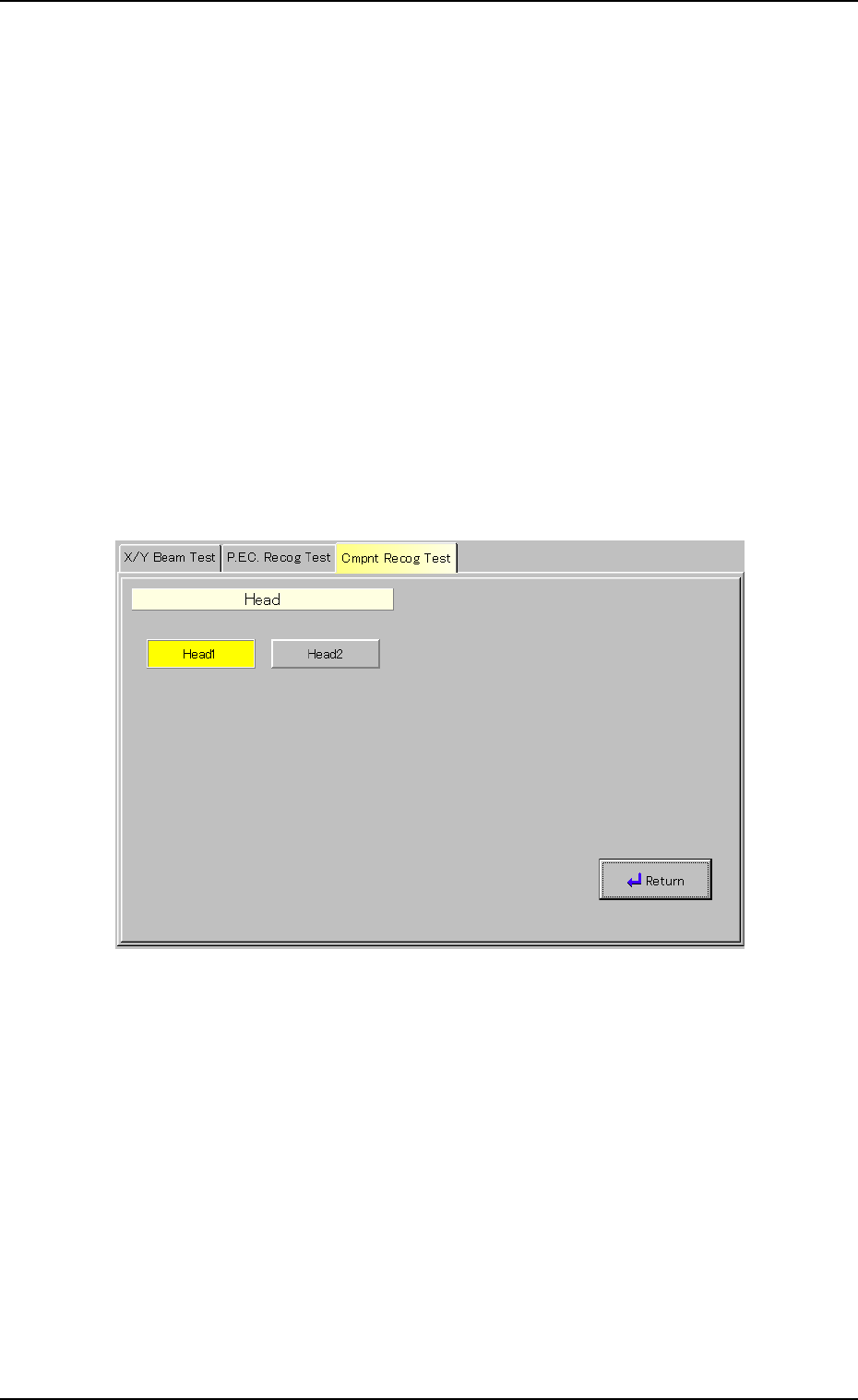
(1) Selection of Object Head for Component Recognition Test
When the [Head Select.] button (*2) is pressed in the "Component
Recog. Test" sheet (Fig. 2F22), the following sheet appears.
Fig. 2F23 "Head" Sheet
Select the [Head1] or the [Head2] button to select the No. 1 or the
No. 2 head and press the [Return] button.
0308-004 6-32
3.3 "Cmpnt Recog Test" Tab
AHB01ESPP
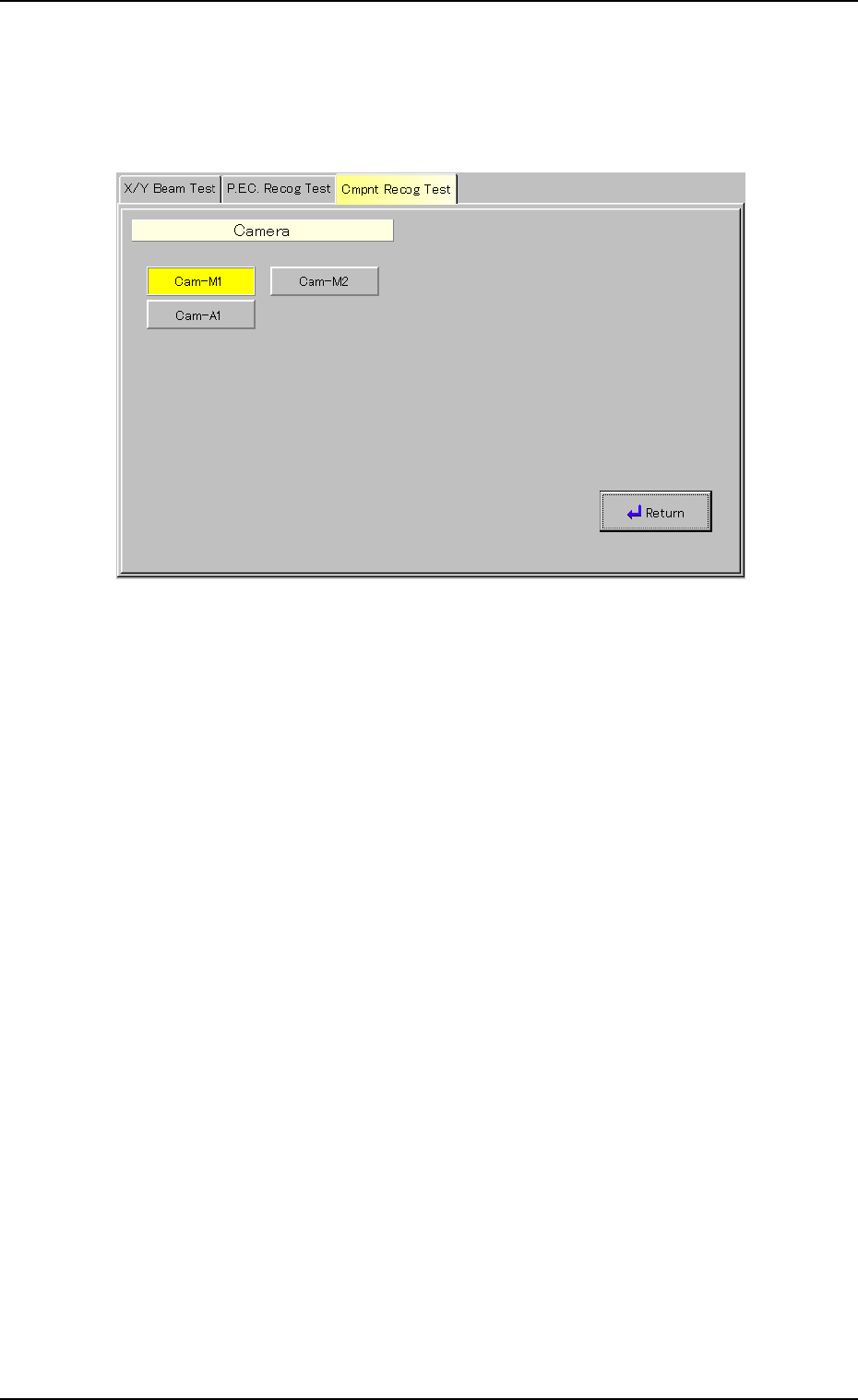
(2) Selection of Component Recognition Camera for Image Cap-
ture
When the [Camera] button (*3) is pressed in the "Component Recog.
Test" sheet (Fig. 2F22), the following sheet appears.
Fig. 2F24 "Camera" Sheet
Select one of the buttons to specify the required head and press the
[Return] button.
0206-003 6-33
3.3 "Cmpnt Recog Test" Tab
AHB01ESPP
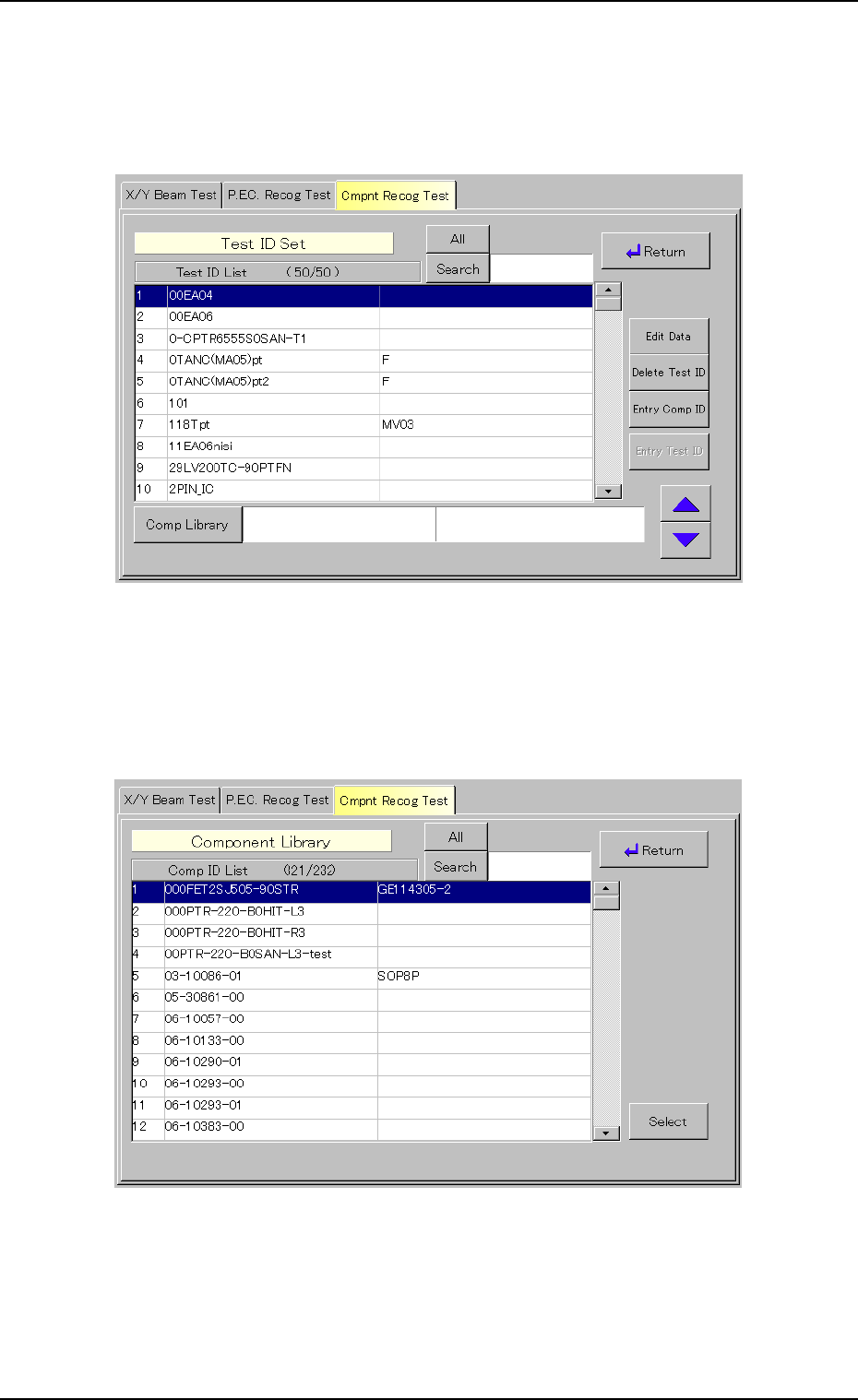
(3) Setting of Tested Component ID
(3-1) When the [Test ID] button (*4) is pressed in the "Component
Recog. Test" sheet (Fig. 2F22), the following "Test ID Set"
sheet appears.
Fig. 2F25 "Test ID Set" Sheet
(3-2) When the [Comp Library] button is pressed, the following
"Component Library" sheet appears for component ID selec-
tions.
Fig. 2F26 "Component Library" Selection Sheet
0308-004 6-34
3.3 "Cmpnt Recog Test" Tab