2OM-1075-002.pdf - 第283页
AHB01ESPP 3.3.5 Beam Axis Origin This window enables the operator to move the X/Y beam to its origin. • • • • • Window Layout When the [beam Axis Origin] button is pressed in the "Cmpnt Recog T est" tab sheet, …
AHB01ESPP
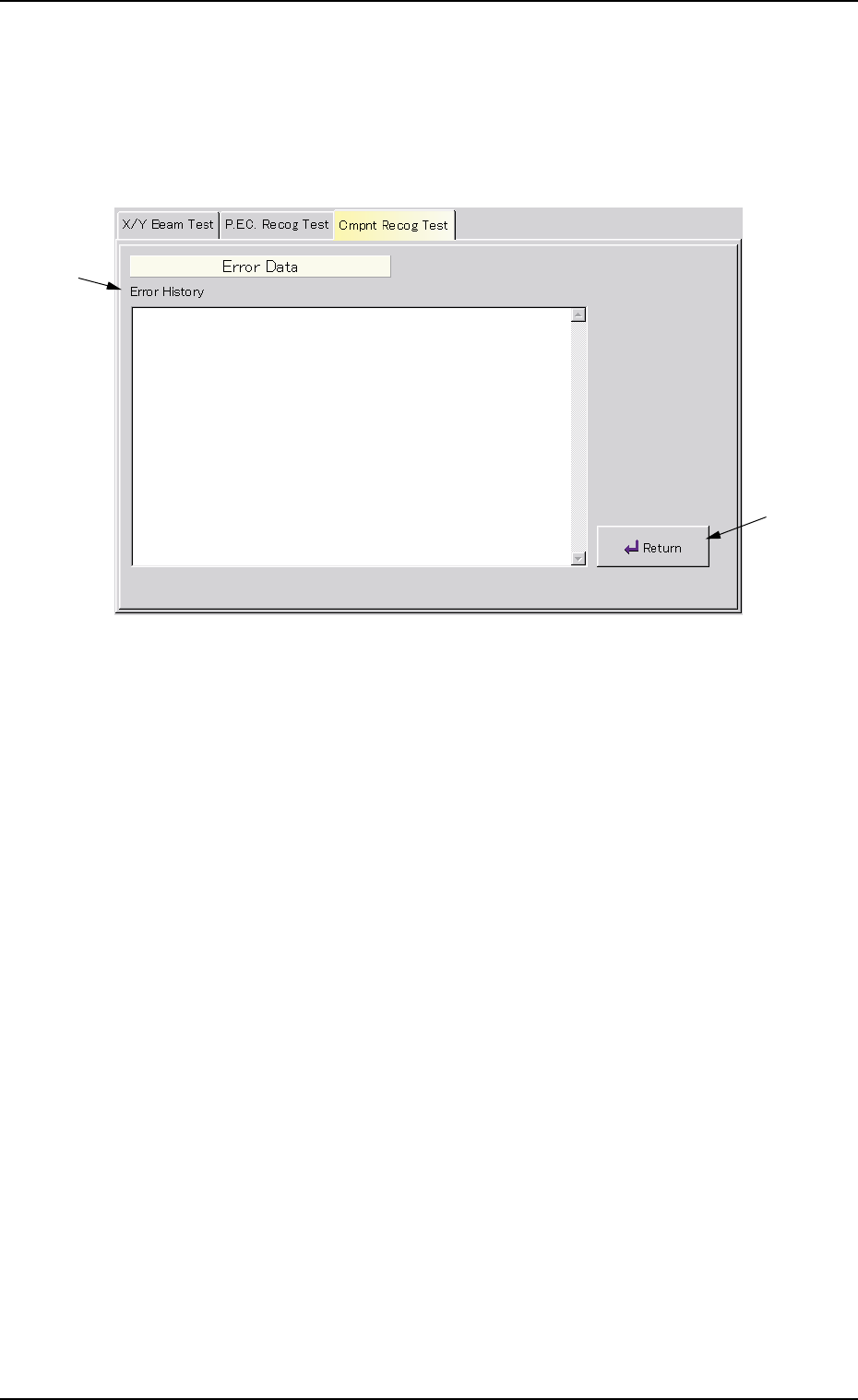
3.3.4 Display of Detailed Error Data
• Window Layout
When the [Error Data] button is pressed in the "Cmpnt Recog Test" tab
sheet, the following "Error Data" window appears.
Fig. 2F39 "Error Data" Window
• Window Composition
*1 Error History
Displayed are the details of errors.
*2 [Return] Button
When this button is pressed, the "Cmpnt Recog Test" tab sheet
resumes.
0206-003 6-50
3.3 "Cmpnt Recog Test" Tab
*1
*2
AHB01ESPP
3.3.5 Beam Axis Origin
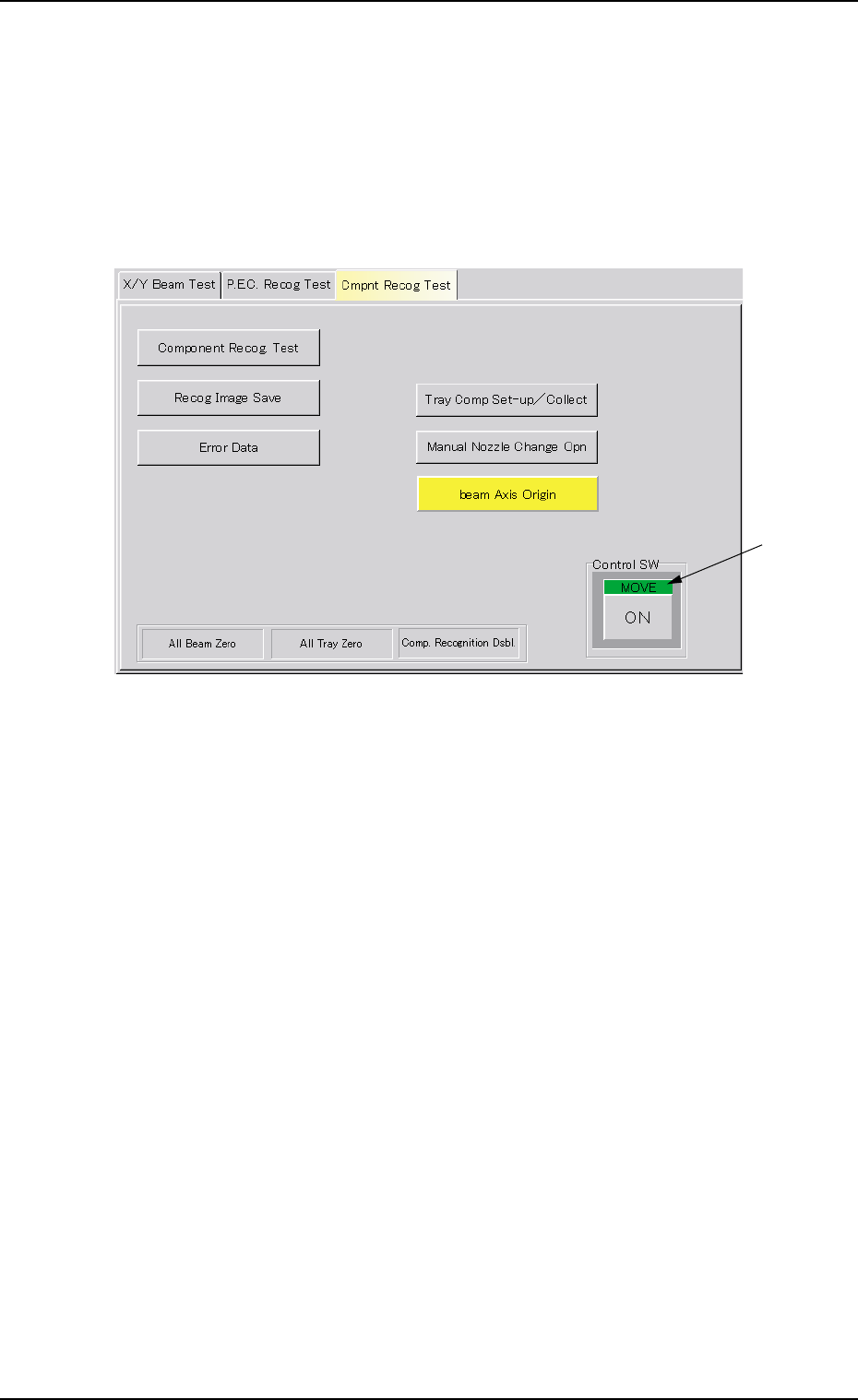
This window enables the operator to move the X/Y beam to its origin.
••
••
• Window Layout
When the [beam Axis Origin] button is pressed in the "Cmpnt Recog
Test" tab sheet, the following window appears.
Fig. 2F40 "beam Axis Origin" Window
••
••
• Window Composition
*1 "Control SW" Group Box
When the [ENABLE] button on the operation panel is pressed in 2
seconds after the [ON] button (entitled "MOVE"), the X/Y beam
moves to its origin.
0308-004 6-51
3.3 "Cmpnt Recog Test" Tab
*1
AHB01ESPP
*1
4. "UNIT ADJ." Window (Submenu)
• Window Layout
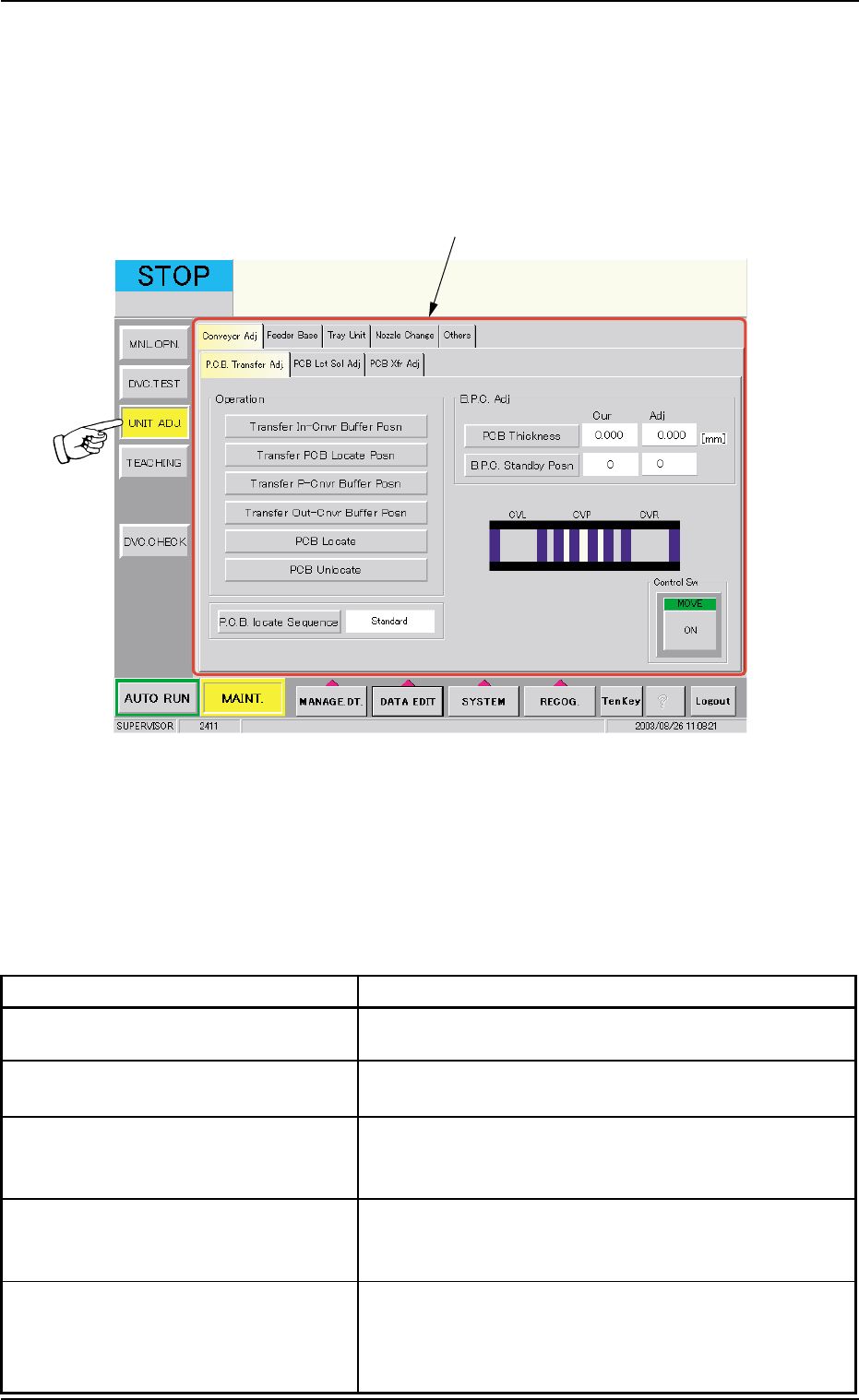
When the [UNIT ADJ.] button on the submenu bar is pressed, the fol-
lowing window opens. (Operation Sequence: [MAINT.] Button Æ [UNIT
ADJ.] Button on Submenu Bar Æ "UNIT ADJ." Window).
Fig. 2F41 "UNIT ADJ." Window (Submenu)
• Window Composition
*1 Tabs and Tab Sheets
The "UNIT ADJ." window (submenu) is provided with the following 5
tabs. When a tab is pressed, the corresponding tab sheet appears
inside the window.
Table 2F5
Tabs Description
Conveyor Adj The corresponding tab sheet enables the operator to
activate the conveyor motors.
Feeder Base The corresponding tab sheet enables the operator to
conduct a performance test of the feeder bases.
Tray Unit This is an optional function.
Refer to the instruction manual of the multi-layer tray
feeders for details.
Nozzle Change The corresponding tab sheet enables the operator to
open or close the nozzle stockers, attach the vacuum
nozzles, and perform a cycle of storage operation.
Others The corresponding tab sheet enables the operator to
perform the other adjustment operations. The tab sheet
makes it possible to adjust the touch screen and up-
date the nozzle type data.
4. "UNIT ADJ." Window (Submenu)
0308-004 6-52