2OM-1075-002.pdf - 第309页
AHB01ESPP 5. "TEACHING" Window (Submenu) • Window Layout When the [TEACHING] button on the submenu bar of the "MAINT ." win- dow is pressed, the following window (submenu) opens. Fig. 2F56 "TEACH…
AHB01ESPP
0308-004 6-76
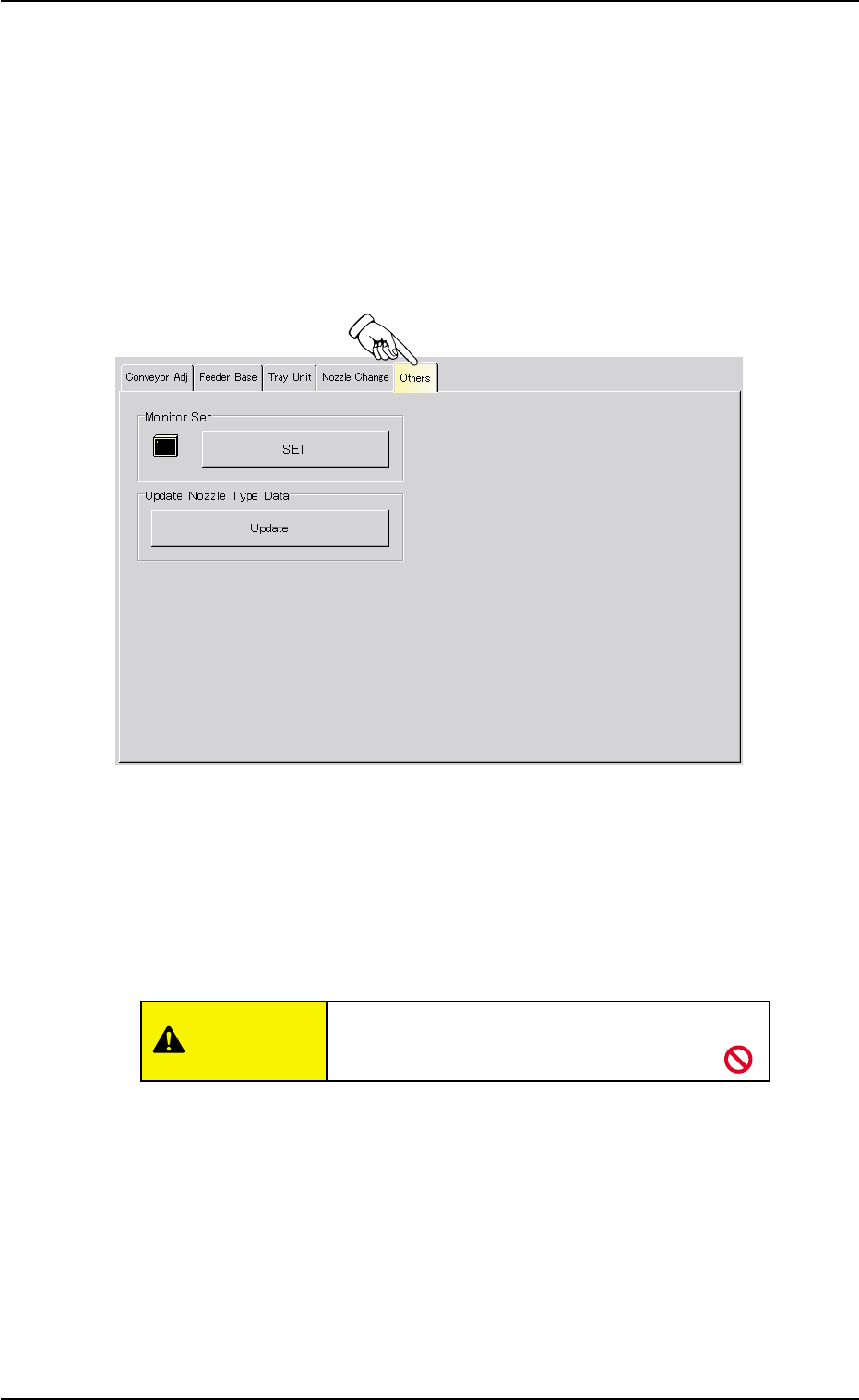
4.4 "Others" Tab
4.4 "Others" Tab
The corresponding tab sheet enables the operator to adjust the other
devices. The tab sheet makes it possible to adjust the touch screen and
update the nozzle type data.
• Sheet Layout
When the "Conveyor Adj" tab is pressed in the "UNIT ADJ." window
(submenu), the following tab sheet appears.
Fig. 2F55-1 "Others" Tab Sheet
• Sheet Composition
*1 "Monitor Set" Group Box
The touch screen can be adjusted.
When the [SET] button is pressed, the window for adjustment opens.
Do not press any buttons other than [Calibra-
tion] and [Exit] buttons.
• Adjustment Procedure
(1) Press the [Calibration] button.
(2) Press the marked area on the screen.
(3) After the adjustment, press the [Exit] button. The window for
adjustment closes.
*2 "Update Nozzle Type Data" Group Box
The nozzle type data registered as standard one is loaded onto the
machine.
CAUTION
AHB01ESPP
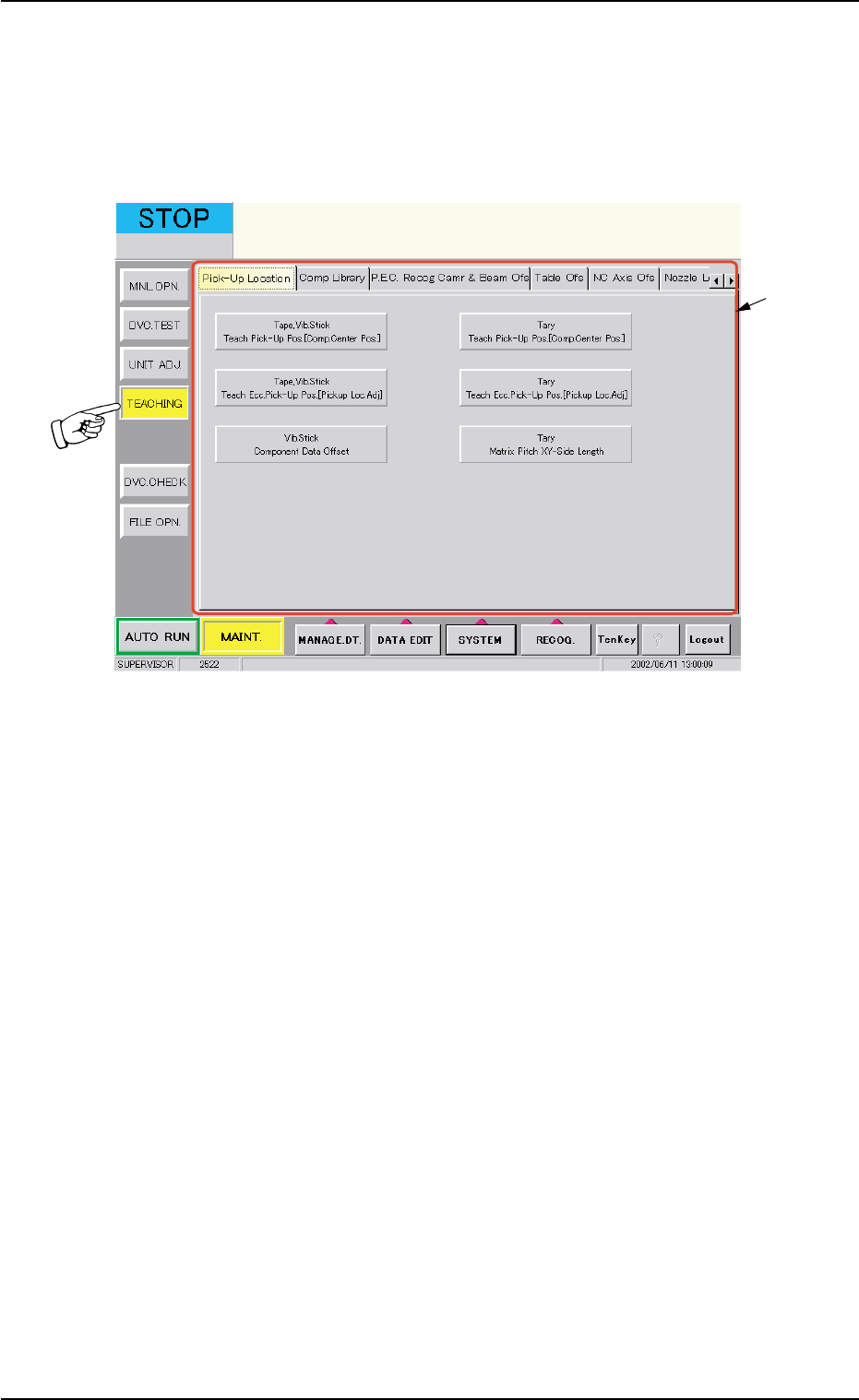
5. "TEACHING" Window (Submenu)
• Window Layout
When the [TEACHING] button on the submenu bar of the "MAINT." win-
dow is pressed, the following window (submenu) opens.
Fig. 2F56 "TEACHING" Window (Submenu)
• Window Composition
*1 Tabs
The "TEACHING" window is provided with the following 23 tabs.
When a tab is pressed, the corresponding tab sheet appears inside
the window.
5. "TEACHING" Window (Submenu)
0308-004 6-77
*1
AHB01ESPP
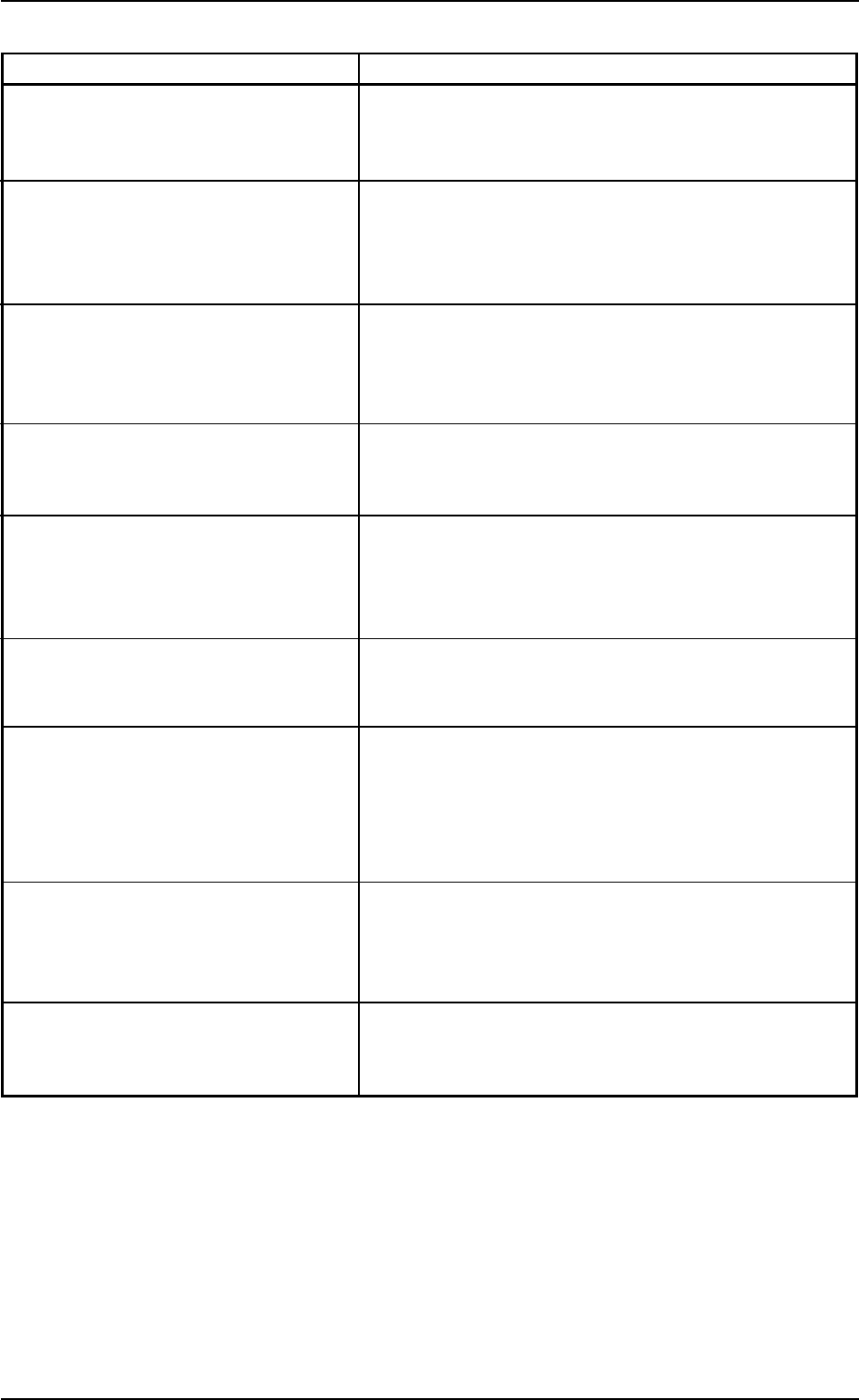
Table 2F7
Tabs Description
Pick-Up Location The corresponding tab sheet enables the operator to
teach the component pick-up location of each feeder
through the manual alignment operation.
Comp Library The corresponding tab sheet enables the operator to
automatically or manually create the component
library data and modify the created data through the
teaching operation.
P.E.C. Recog Camr & Beam Ofs The corresponding tab enables the operator to perform
the teaching operation on the magnification offset of the
P.E.C. recognition camera and the X/Y beam offset data.
(Prepared only for service personnel)
Table Ofs The corresponding tab sheet enables the operator to
perform the teaching operation on the table offset data.
(Prepared only for service personnel)
NC Axis Ofs The corresponding tab sheet enables the operator to
perform the teaching operation on the NC-axis offset
data.
(Prepared only for service personnel)
Nozzle Level Ofs The corresponding tab sheet enables the operator to
perform a teaching operation on the nozzle level off-
sets. (Prepared only for service personnel)
Cmpnt Fxd Camr Mag The corresponding tab sheet enables the operator to
perform the teaching operation on the magnification
offset of the component recognition camera (fixed cam-
era).
(Prepared only for service personnel)
Cmpnt Recog Fxd Camr Ofs The corresponding tab sheet enables the operator to
perform the teaching operation on the offset data of
the component recognition camera (fixed). (Prepared
only for service personnel)
Head Center Ofs The corresponding tab sheet enables the operator to
perform the teaching operation on the head center off-
set data.
5. "TEACHING" Window (Submenu)
0308-003 6-78