2OM-1075-002.pdf - 第348页
AHB01ESPP 5.2.3 Component Library T eaching Procedure Shown below is the component library data teaching sequence. The numbers in ( ) show the item Nos. to be referred to. Fig. 2F82 5.2 Library T eaching Note 0308-004 6-…
AHB01ESPP
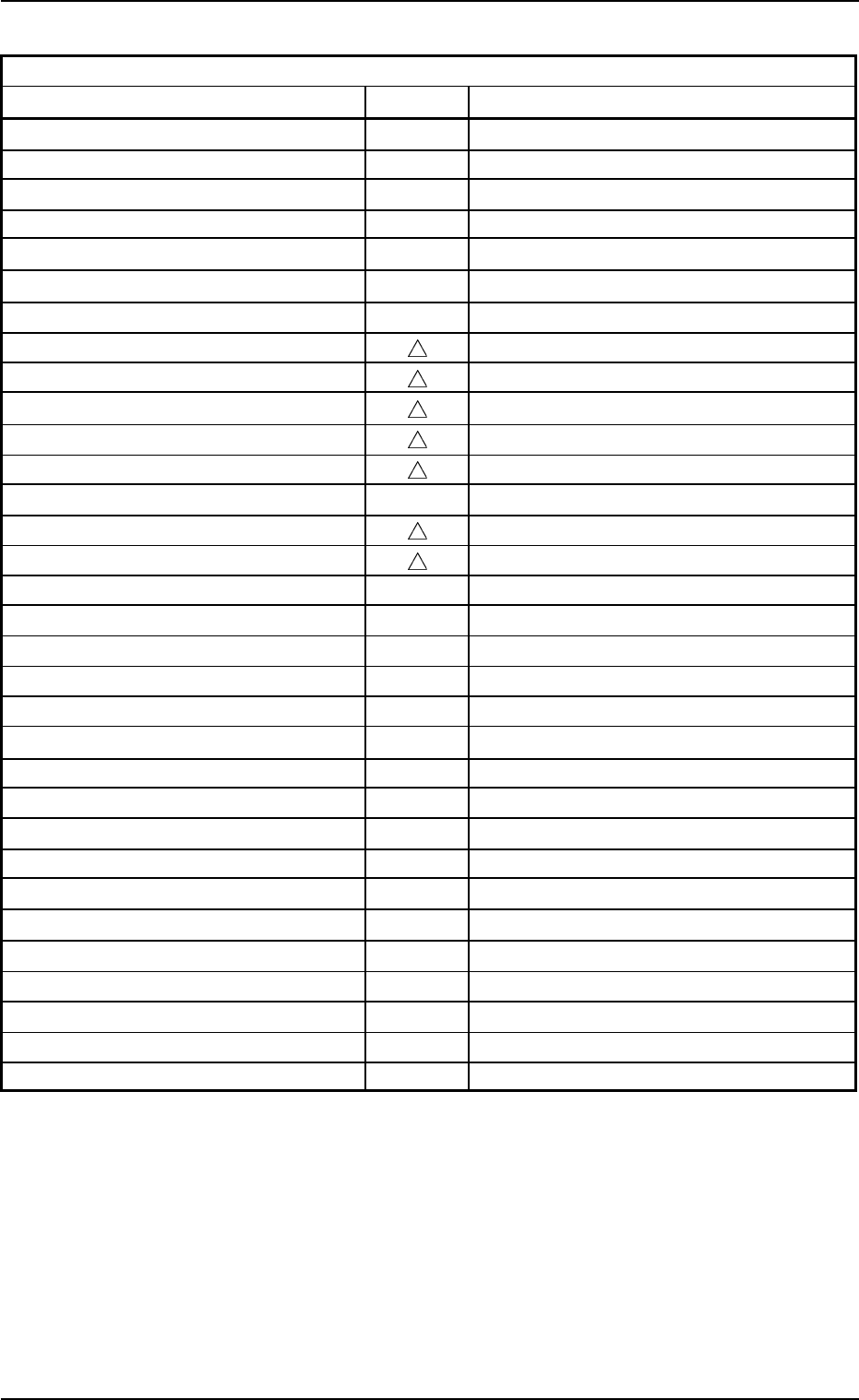
Table 2F14
Recognition-Related Parameters
Data Items Teaching Remarks
(Lighting Pattern Data)
Lighting pattern
z
Back ltg
z
Front ltg (Up)
z
Front ltg (Mid)
z
Front ltg (Dn)
z
(Polarity Determination Data)
Polarity detn
Inspection method
Inspection pos X [mm], Y [mm]
Inspection Range
Inspection Range Image
(Upper/Lower Surface Detection Data)
Upper/Lower surface detn
Cmpnt-Mounted surf image
(Body Determination Data)
Component Size Determination
z
Mold Size Tolerance
z
Outward Length
z
Outward Length Tolerance
z
(Lead Determination Data)
Lead width detn
z
Lead width tol [mm]
z
Lead posn (Latl dir) detn
z
Lead posn (Latl dir) tol [mm]
z
Lead posn (Long dir) detn
z
Lead posn (Long dir) tol [mm]
z
(Electrode Determination Data)
Electd pos detn
z
Electd pos tol [mm]
z
Electrode width detn
z
Electrode width detn tolerance
z
0206-003 6-115
5.2 Library Teaching
AHB01ESPP
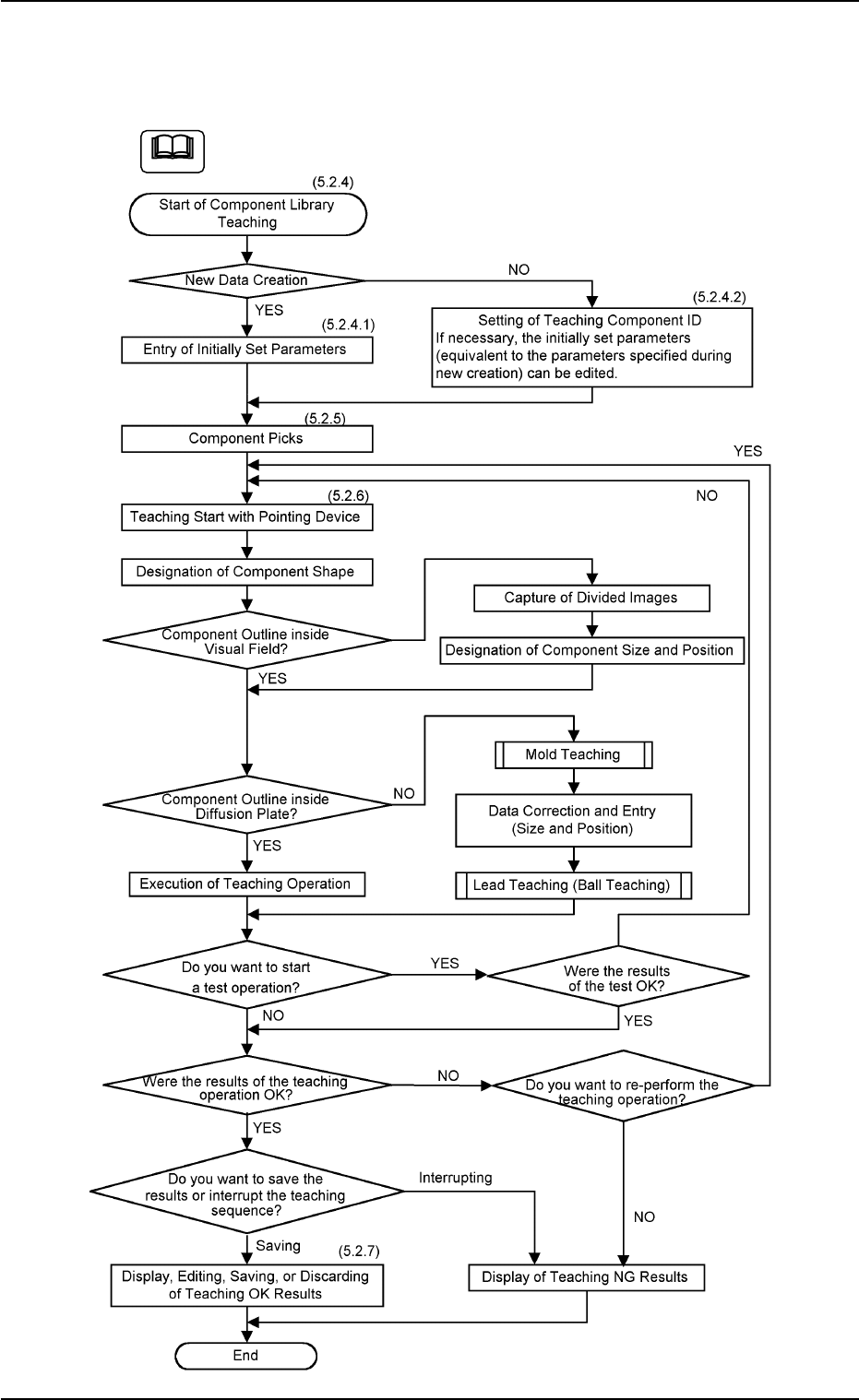
5.2.3 Component Library Teaching Procedure
Shown below is the component library data teaching sequence.
The numbers in ( ) show the item Nos. to be referred to.
Fig. 2F82
5.2 Library Teaching
Note
0308-004 6-116
AHB01ESPP
5.2.4 "Comp Library" Tab
••
••
• Sheet Layout
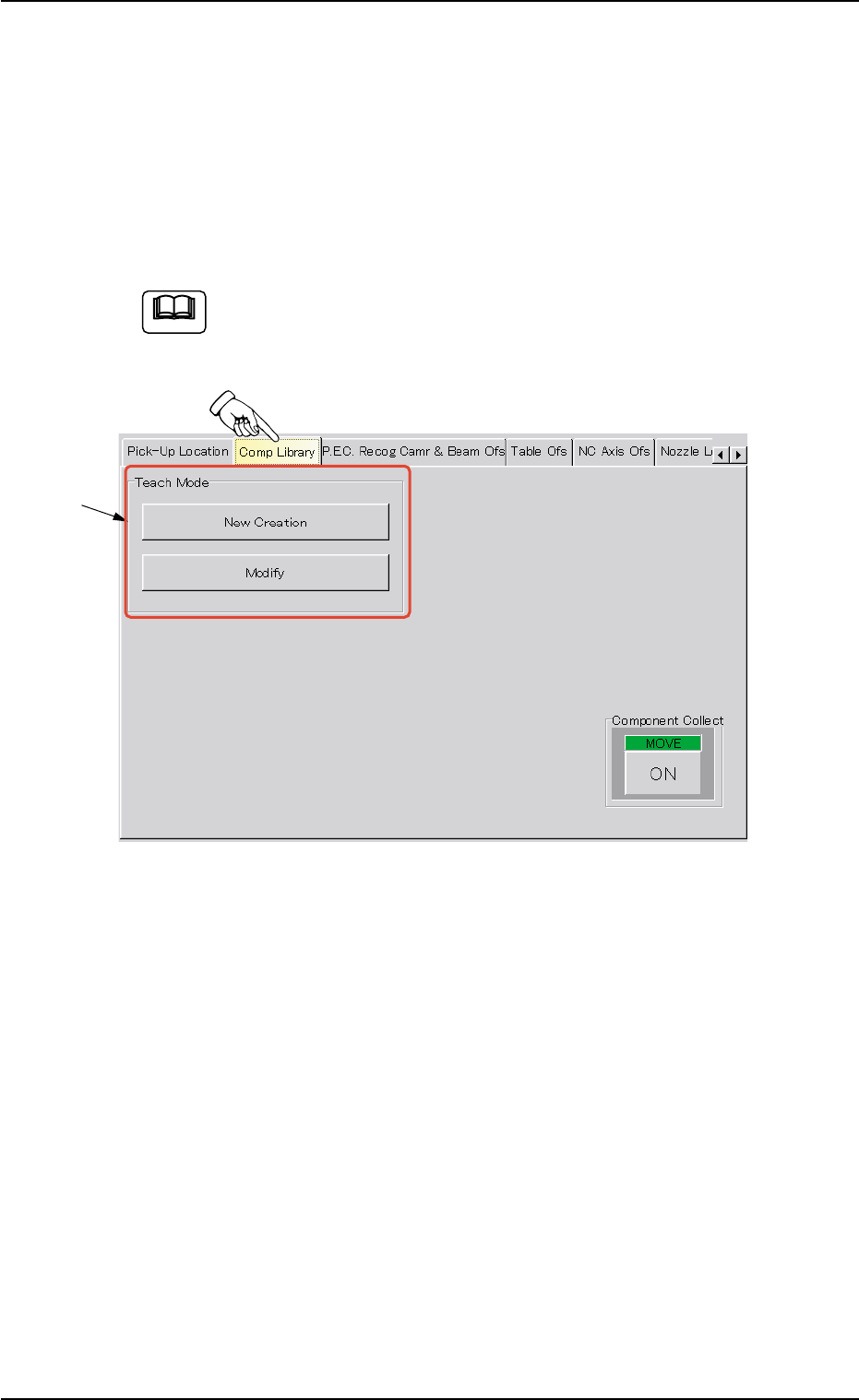
When the "Comp Library" tab is pressed in the "TEACHING" window
(submenu), the following tab sheet appears. (Operation Sequence:
[MAINT.] Button Æ [TEACHING] Button on Submenu Bar Æ "Comp Li-
brary" Tab)
The following tab sheet cannot be opened when the machine is
in the "RUN"or the "PAUSE" mode, or the preparations for rec-
ognition are not completed.
Fig. 2F83 "Comp Library" Tab Sheet
••
••
• Sheet Composition
*1 "Teach Mode" Group Box
[New Creation] Button
When pressed, this button makes it possible to create new compo-
nent library data.
When the [New Creation] button is pressed, "Set Initial Data (New)"
sheet appears.
[Modify] Button
When pressed, this button makes it possible to modify the test li-
brary data.
When the [Modify] button is pressed, the "Test ID Set" sheet ap-
pears.
5.2 Library Teaching
Note
0206-003 6-117
*1