2OM-1075-002.pdf - 第350页
AHB01ESPP 5.2.4.1 "Set Initial Data (New)" Sheet • • • • • Sheet Layout When the [New Creation] button is pressed in the "Comp Library" tab sheet, the following sheet appears. Fig. 2F84 Operation Proc…
AHB01ESPP
5.2.4 "Comp Library" Tab
••
••
• Sheet Layout
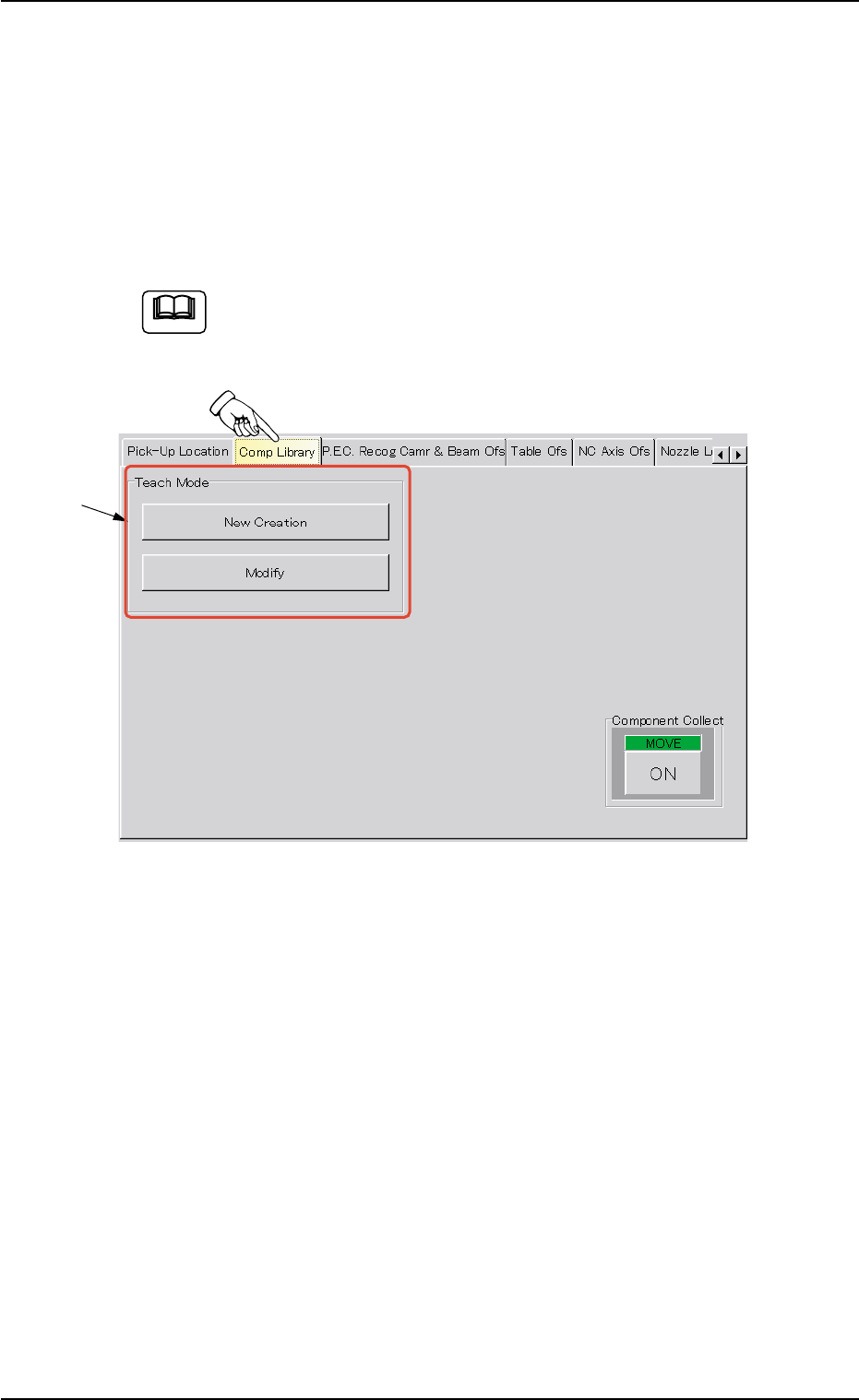
When the "Comp Library" tab is pressed in the "TEACHING" window
(submenu), the following tab sheet appears. (Operation Sequence:
[MAINT.] Button Æ [TEACHING] Button on Submenu Bar Æ "Comp Li-
brary" Tab)
The following tab sheet cannot be opened when the machine is
in the "RUN"or the "PAUSE" mode, or the preparations for rec-
ognition are not completed.
Fig. 2F83 "Comp Library" Tab Sheet
••
••
• Sheet Composition
*1 "Teach Mode" Group Box
[New Creation] Button
When pressed, this button makes it possible to create new compo-
nent library data.
When the [New Creation] button is pressed, "Set Initial Data (New)"
sheet appears.
[Modify] Button
When pressed, this button makes it possible to modify the test li-
brary data.
When the [Modify] button is pressed, the "Test ID Set" sheet ap-
pears.
5.2 Library Teaching
Note
0206-003 6-117
*1
AHB01ESPP
5.2.4.1 "Set Initial Data (New)" Sheet
••
••
• Sheet Layout
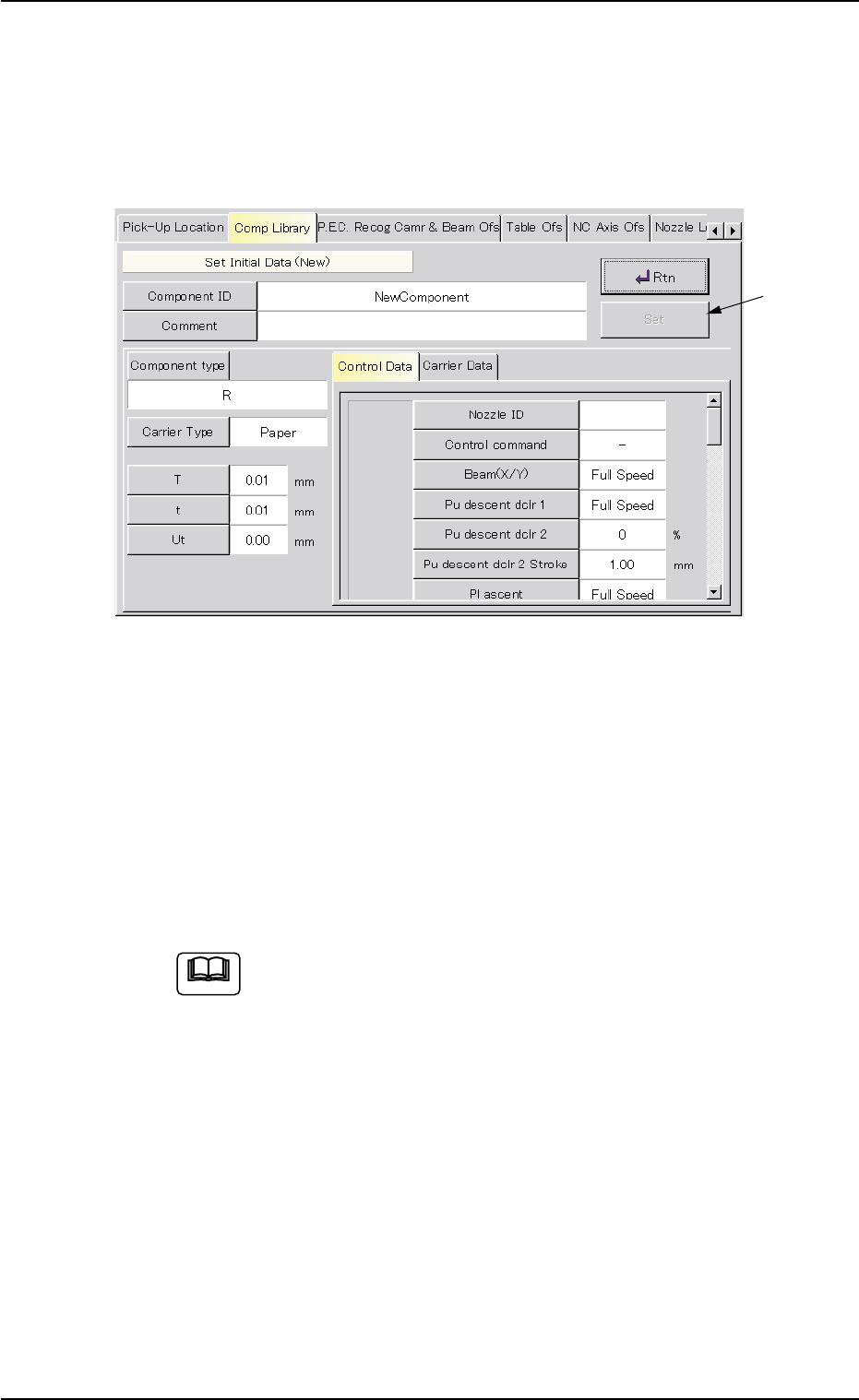
When the [New Creation] button is pressed in the "Comp Library" tab
sheet, the following sheet appears.
Fig. 2F84
Operation Procedure
(1) Press the [Component ID] button.
The "Component ID" window opens.
(2) Enter a component ID and press the [Set] button.
Also, enter a comment if necessary.
(3) Set the initial parameters and press the [Rtn] button.
When a component is attached by hand, it is not necessary
to enter any parameters in the "Tape width [mm]", "Tape
feed pitch [mm]", "Pickup level [mm]", and "Placement level
[mm]" text boxes and any speed data for "Selected nozzle
#1" and "Selected nozzle #2" in the "Component Library"
window.
These parameters can be edited after a teaching operation
is completed.
(4) Press the [Set] button after the initial parameter settings are com-
pleted and verified.
The "Teach Library (New)" sheet appears. Refer to "5.2.5 "Teach
Library (New)" Sheet" for details.
5.2 Library Teaching
Note
0206-003 6-118
[Set] Button
AHB01ESPP
5.2.4.2 "Test ID Set" Sheet
••
••
• Sheet Layout
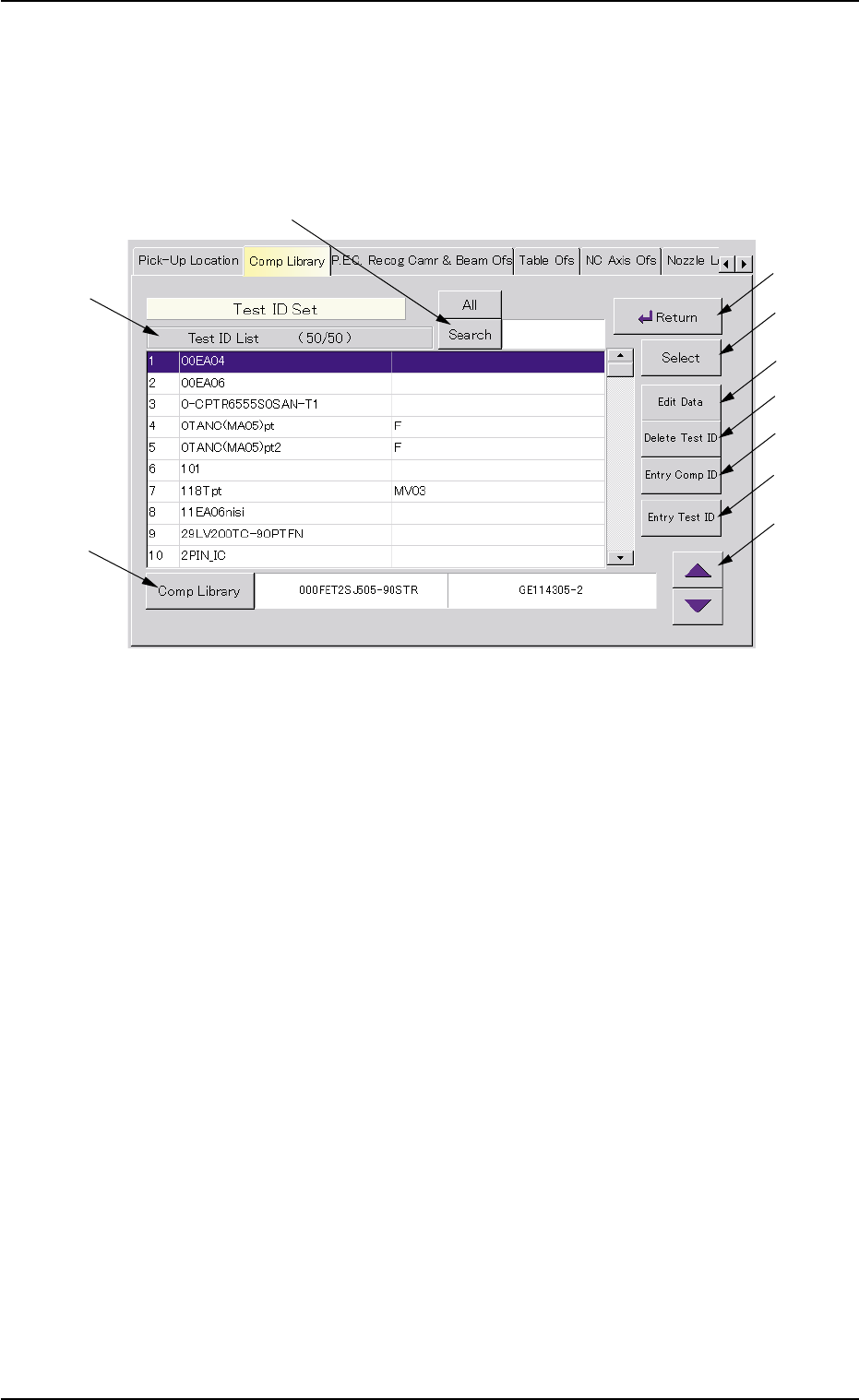
When the [Modify] button is pressed in the "Comp Library" tab sheet, the
following sheet appears.
Fig. 2F85
••
••
• Sheet Composition
*1 [All] and [Search] Buttons
When the [Search] button is pressed, this button makes it possible
to search a test ID among the registered ones.
When the [All] button is pressed, all test IDs appear.
*2 Test ID List
Listed are the registered test IDs.
*3 [Comp Library] Button
When pressed, this button makes it possible to register a compo-
nent ID (selected from the "Test ID List (XXXX)" list box) as a test ID.
*4 [Return] Button
When this button is pressed, the "Comp Library" tab sheet appears.
*5 [Select] Button
When pressed, this button makes it possible to select the data to be
taught from the "Test ID List (XXXX)" list box.
5.2 Library Teaching
0308-004 6-119
*1
*2
*3
*4
*5
*6
*7
*8
*9
*10