2OM-1075-002.pdf - 第369页
AHB01ESPP Operation Procedure (1) Press the [Component Collection] button. (2) Press the [ON] button (entitled "MOVE"). In 2 seconds, press the [ENABLE] button on the operation panel. Components are discharged …
AHB01ESPP
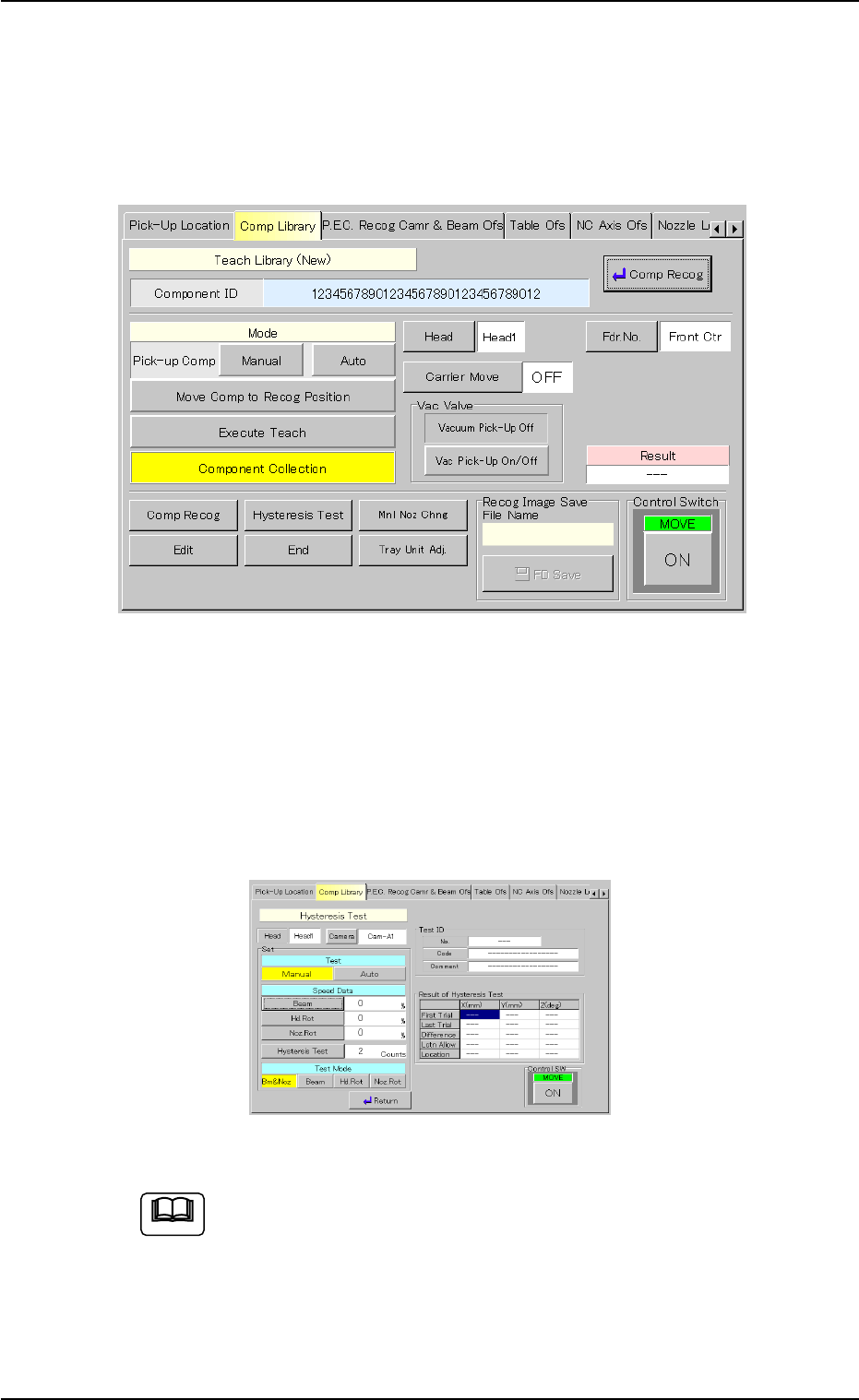
5.2.7 "End of Teaching Operation" Sheet
When the teaching and component recognition test operations are com-
pleted, the "Recognition" window closes.
The following sheet automatically resumes.
Fig. 2F104-9 "End of Teaching Operation" Sheet
When the results of the teaching operation are saved and they must be
recognized, press the [Edit] button to start up the editor.
To make the component recognition test again, select the [Comp Recog]
button. As for the hysteresis test, select the [Hysteresis Test] button.
This window is equipped with the same functions as the component
recognition test.
Fig. 2F104-10 "Hysteresis Test" Sheet
Once a teaching operation is executed, using the "Recognition"
window, the taught contents are stored in the recognition
memory.
When an error occurs during the teaching operation or some-
thing is wrong in the output data, the saved contents (by press-
ing the [HD Save] button) can be used for the analysis on our
side. (Size: Approx. 870 kbytes).
5.2 Library Teaching
Note
0308-004 6-136
AHB01ESPP
Operation Procedure
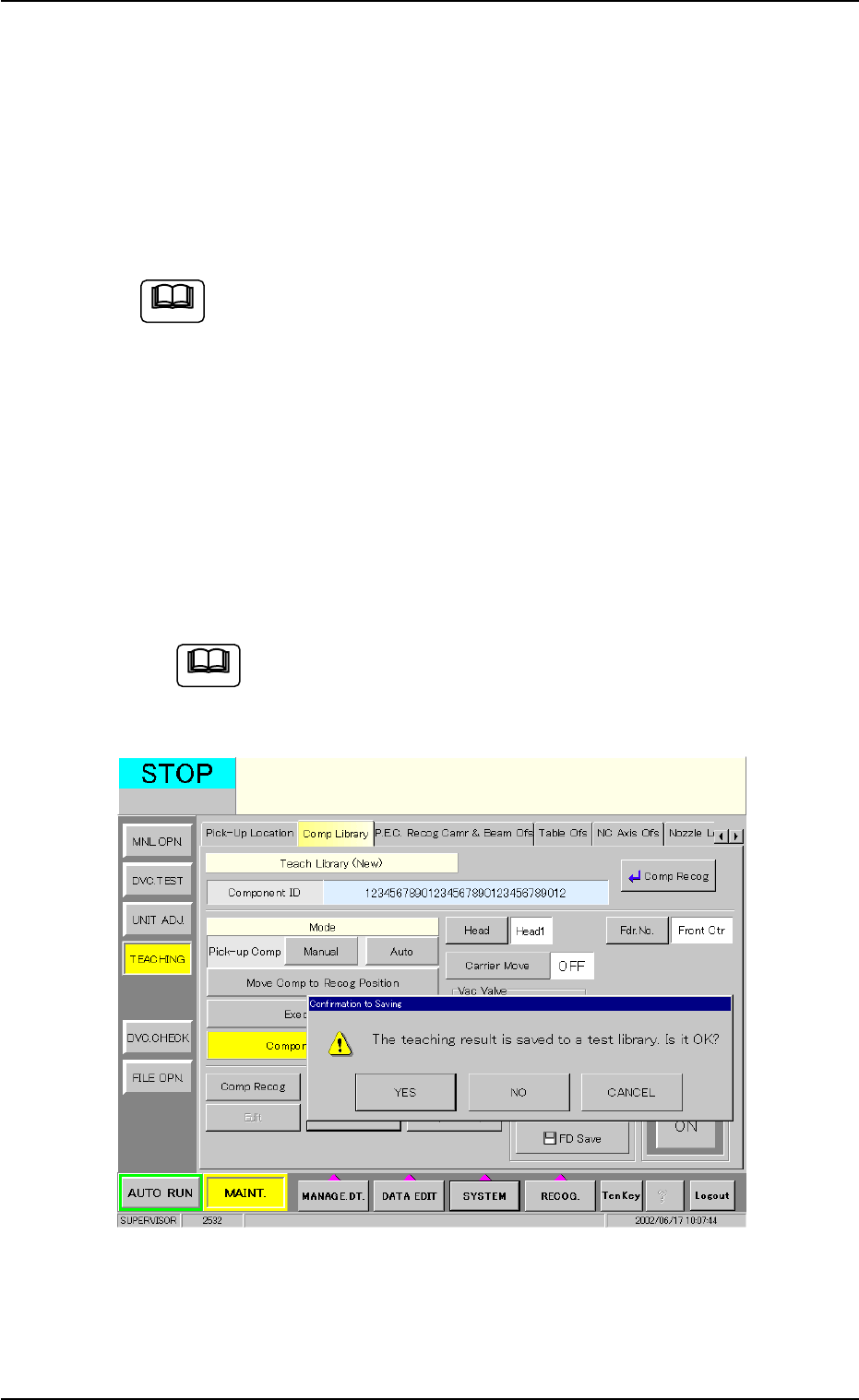
(1) Press the [Component Collection] button.
(2) Press the [ON] button (entitled "MOVE"). In 2 seconds, press the
[ENABLE] button on the operation panel.
Components are discharged to the component storage box or the
recycle conveyor (option).
When the recycle conveyor (option) is provided, components
are discharged to the conveyor.
Press the [Manual] button of the recycle conveyor to collect the
components.
(3) When the [End] button is pressed, a dialog box opens, asking the
operator to determine whether or not the results of the teaching op-
eration must be saved in the test library.
To save the results, press the [YES] button. When the [NO] button
is pressed, the results are discarded. Pressing the [CANCEL] but-
ton resumes the previous operation.
After verifying the data and making the other operations, be
sure to press the [Component Collection] button to collect
the components.
Fig. 2F104-11 "Confirmation to Saving" Dialog Box
0308-004 6-137
5.2 Library Teaching
Note
Note
AHB01ESPP
5.2.8 Helpful Hints for Parameter Verification
After a teaching operation is completed, press the [Table Disp] button to
verify the parameters.
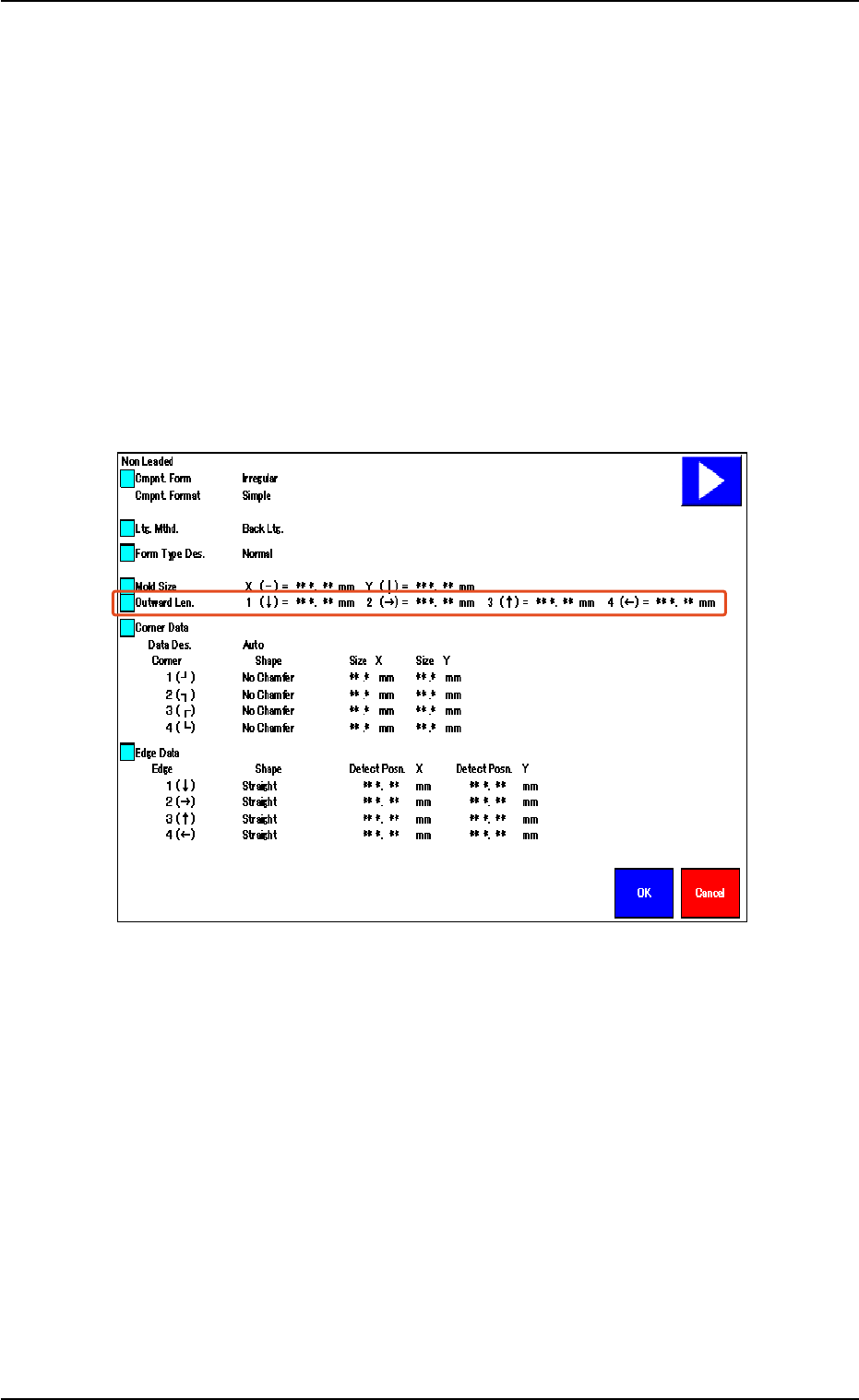
Special attention should be paid to the following items because the
amount of correction for component recognition is affected by them.
• When the shape of the leadless component is "Deform (Simple)",
verify the following.
Verify that the same values are obtained for "1 (È)" and "3 (Ç)" en-
titled "Outward Len." for the vertically symmetrical component.
Verify that the same values are obtained for "2 (Æ)" and "4 (Å)" en-
titled "Outward Len." for the horizontally symmetrical component.
Fig. 2F104-12
5.2 Library Teaching
0308-004 6-138