2OM-1075-002.pdf - 第457页
AHB01ESPP [SERVO P ACK] Button When this button is pressed, the following sheet appears. Fig. 2F143 "Machine Prgm. Info." T ab Sheet ([SERVO P ACK] Button Selected) (Provided with Multi-Layer T ray Feeder 2) Th…
AHB01ESPP
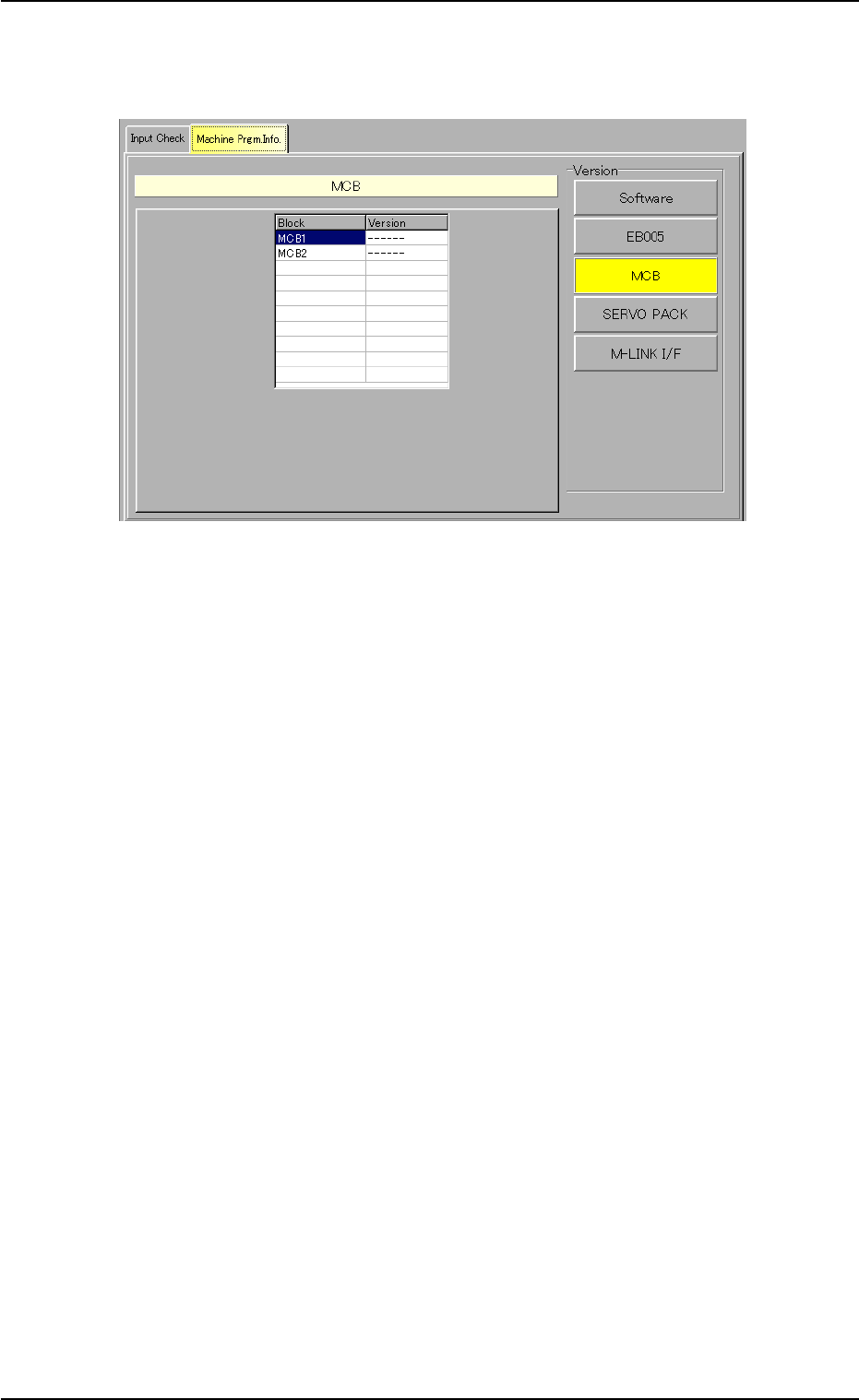
[MCB] Button
When this button is pressed, the following sheet appears.
Fig. 2F142 "Machine Prgm. Info." Tab Sheet
([MCB] Button Selected)
The information pane will show the software versions of Motor Con-
trols MCB1 and MCB2.
0206-003 6-218
7.2 "Machine Prgm. Info." Tab
AHB01ESPP
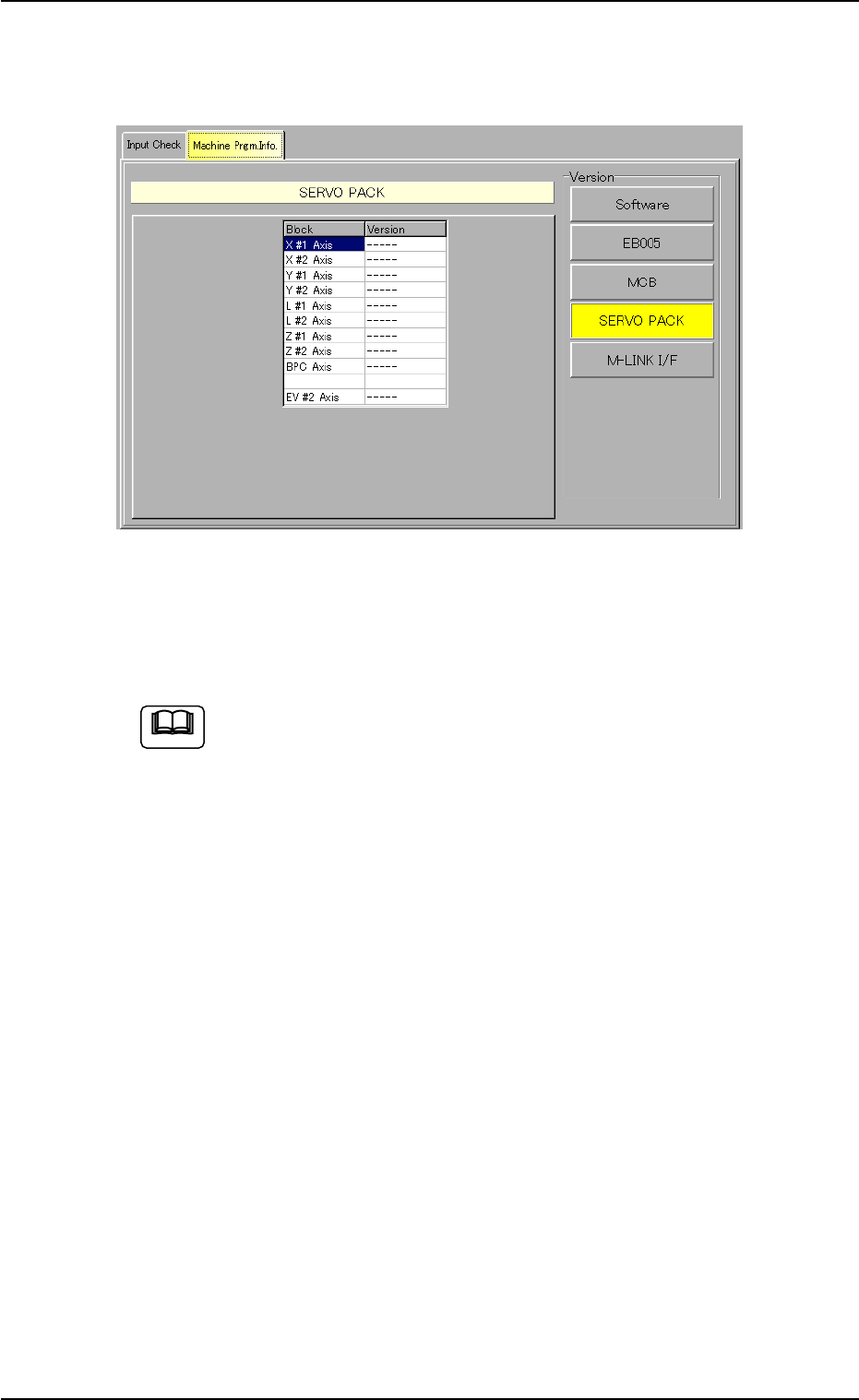
[SERVO PACK] Button
When this button is pressed, the following sheet appears.
Fig. 2F143 "Machine Prgm. Info." Tab Sheet
([SERVO PACK] Button Selected)
(Provided with Multi-Layer Tray Feeder 2)
The tab sheet may look different, depending on which options
are selected.
The information pane will show the software versions of the servo
packs in each block (X #1 Axis, X #2 Axis, Y #1 Axis, Y #2 Axis, L #1
Axis, L #2 Axis, Z #1 Axis, Z #2 Axis, BPC Axis and EV #2 Axis).
0206-003 6-219
7.2 "Machine Prgm. Info." Tab
Note
AHB01ESPP
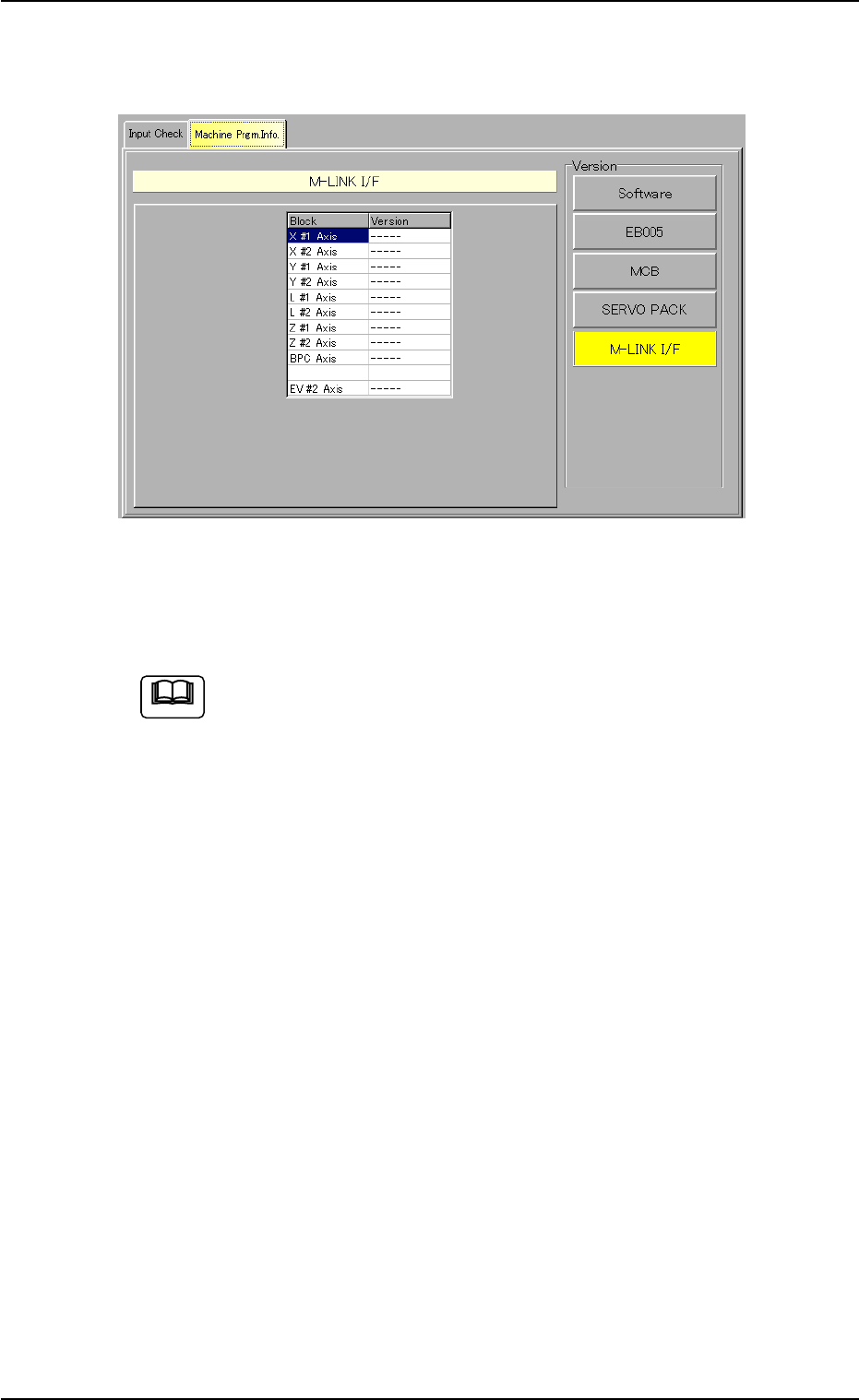
[M-LINK I/F] Button
When this button is pressed, the following sheet appears.
Fig. 2F144 "Machine Prgm. Info." Tab Sheet
([M-LINK I/F] Button Selected)
(Provided with Multi-Layer Tray Feeder 2)
The tab sheet may look different, depending on which options
are selected.
The information pane will show the software versions of the M-LINK
interfaces in each block (X #1 Axis, X #2 Axis, Y #1 Axis, Y #2 Axis,
L #1 Axis, L #2 Axis, Z #1 Axis, Z #2 Axis, BPC Axis and EV #2 Axis).
0206-003 6-220
7.2 "Machine Prgm. Info." Tab
Note