2OM-1075-002.pdf - 第458页
AHB01ESPP [M-LINK I/F] Button When this button is pressed, the following sheet appears. Fig. 2F144 "Machine Prgm. Info." T ab Sheet ([M-LINK I/F] Button Selected) (Provided with Multi-Layer T ray Feeder 2) The …
AHB01ESPP
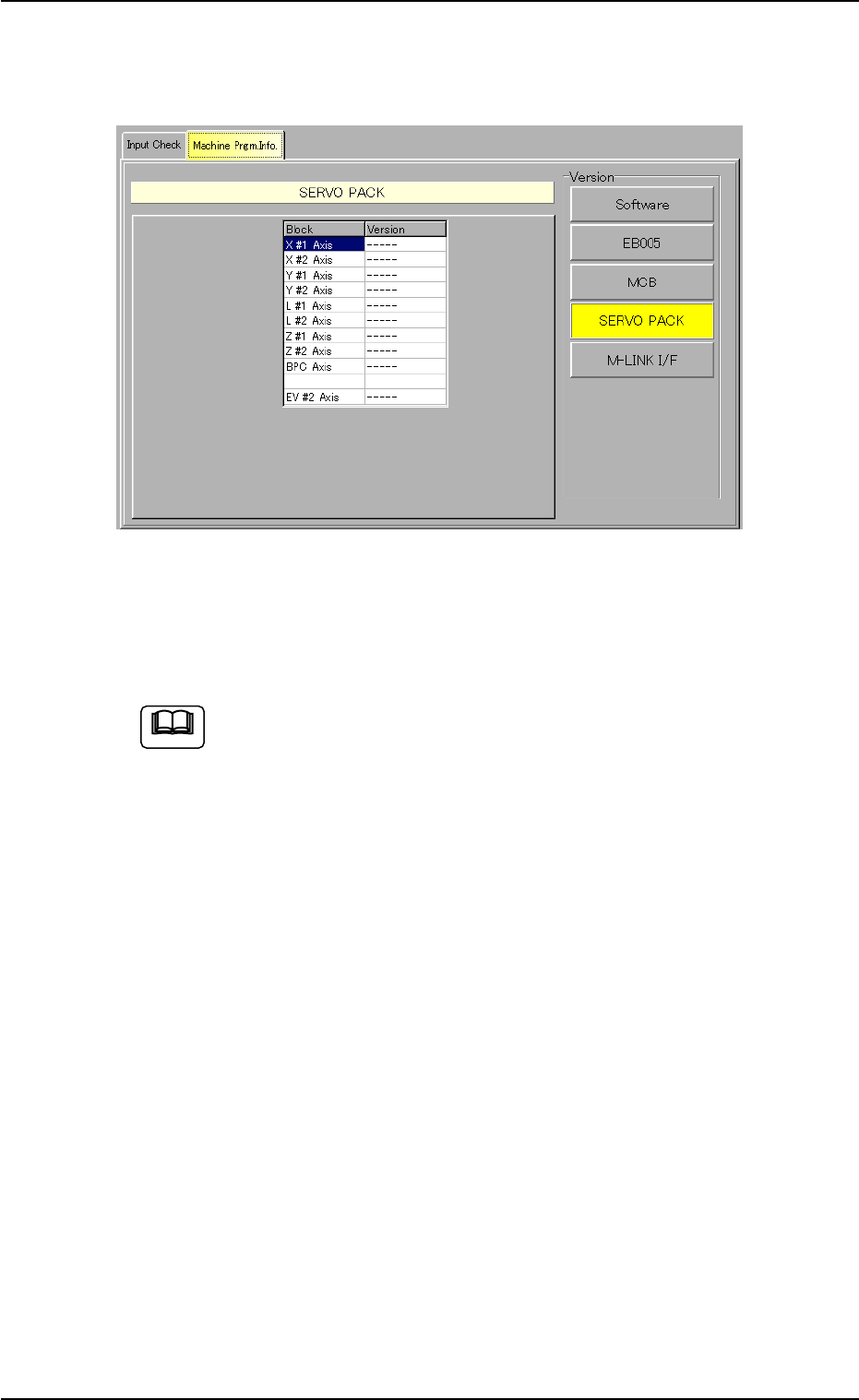
[SERVO PACK] Button
When this button is pressed, the following sheet appears.
Fig. 2F143 "Machine Prgm. Info." Tab Sheet
([SERVO PACK] Button Selected)
(Provided with Multi-Layer Tray Feeder 2)
The tab sheet may look different, depending on which options
are selected.
The information pane will show the software versions of the servo
packs in each block (X #1 Axis, X #2 Axis, Y #1 Axis, Y #2 Axis, L #1
Axis, L #2 Axis, Z #1 Axis, Z #2 Axis, BPC Axis and EV #2 Axis).
0206-003 6-219
7.2 "Machine Prgm. Info." Tab
Note
AHB01ESPP
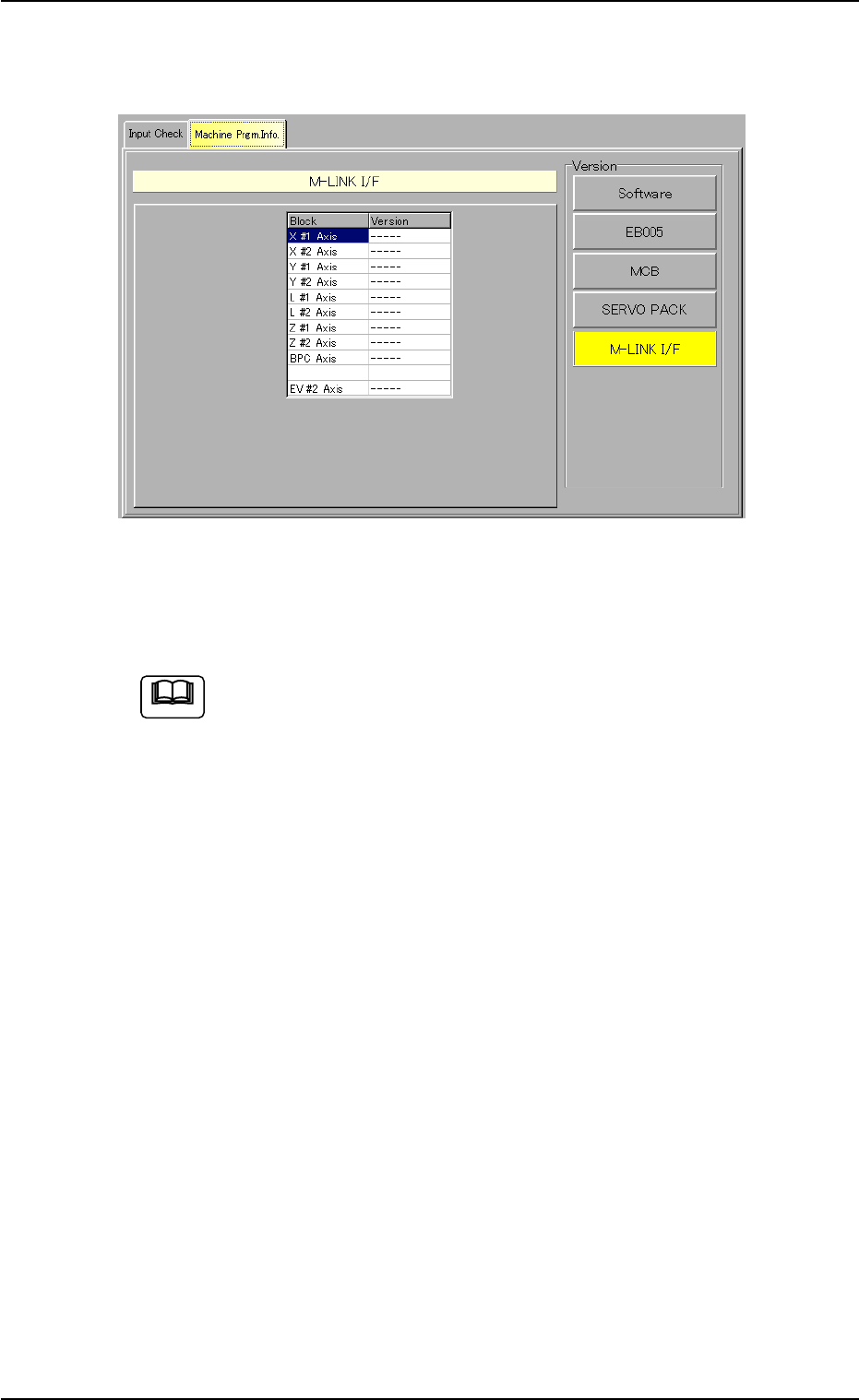
[M-LINK I/F] Button
When this button is pressed, the following sheet appears.
Fig. 2F144 "Machine Prgm. Info." Tab Sheet
([M-LINK I/F] Button Selected)
(Provided with Multi-Layer Tray Feeder 2)
The tab sheet may look different, depending on which options
are selected.
The information pane will show the software versions of the M-LINK
interfaces in each block (X #1 Axis, X #2 Axis, Y #1 Axis, Y #2 Axis,
L #1 Axis, L #2 Axis, Z #1 Axis, Z #2 Axis, BPC Axis and EV #2 Axis).
0206-003 6-220
7.2 "Machine Prgm. Info." Tab
Note
AHB01ESPP
8. "FILE OPN." Window (Submenu)
• Window Layout
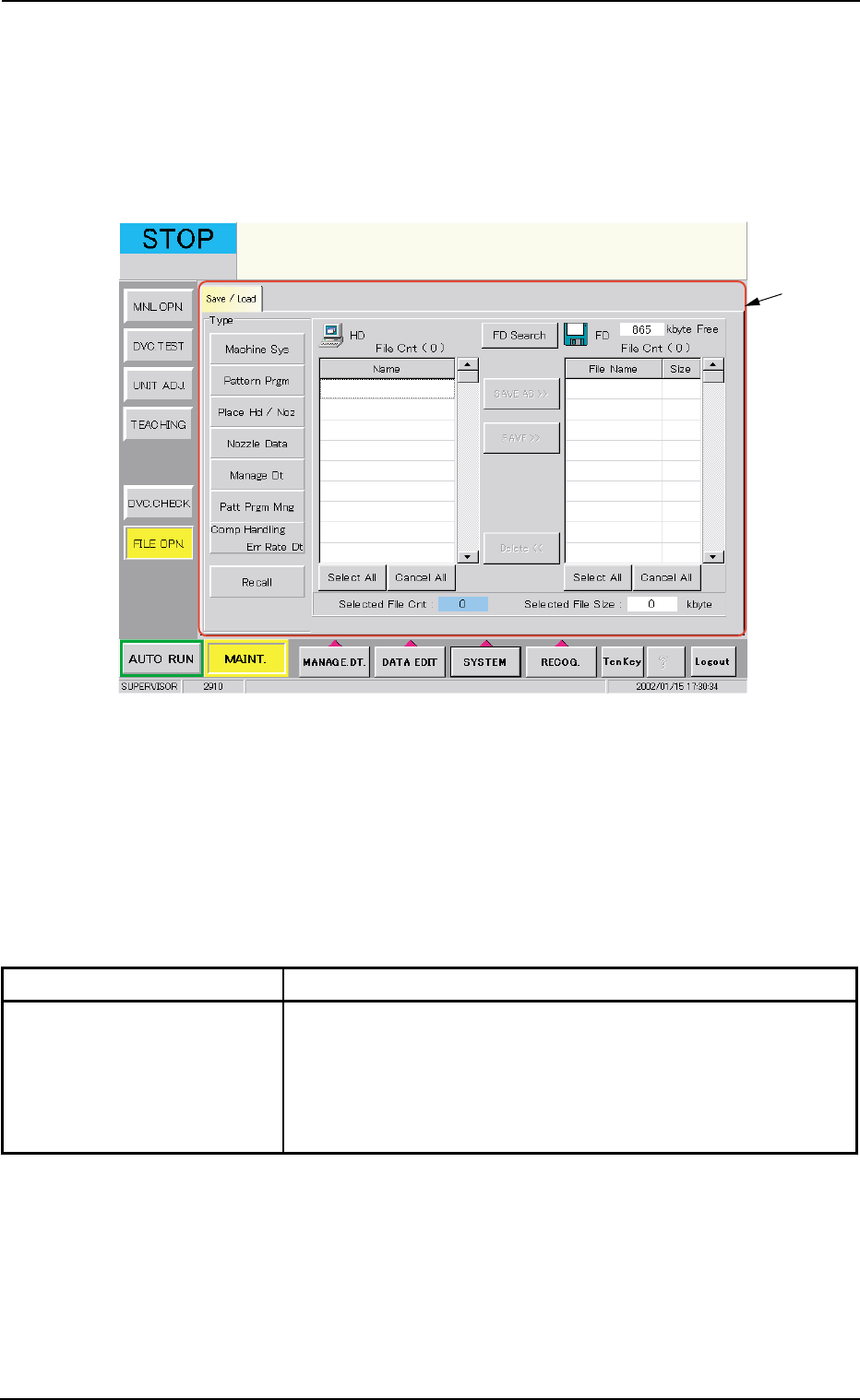
When the [FILE OPN.] button on the submenu bar is pressed in the
"MAINT." window, the following window (submenu) opens.
Fig. 2F145 "FILE OPN." Window (Submenu)
• Window Composition
*1 Tabs and Tab Sheets
The "FILE OPN." window (submenu) is provided with the following
tab sheet.
Table 2F24
Tab Description
Save/Load This tab sheet enables the operator to save the machine data
on a 3.5-inch floppy disk in the drive of the service panel or load
the required data from the floppy disks where the machine sys-
tem data, the pattern program data, the placement head/nozzle
data, the nozzle data, etc., are saved.
8. "FILE OPN." Window (Submenu)
0206-003 6-221
*1