2OM-1075-002.pdf - 第464页
AHB01ESPP (3) Select the data files to be saved on the floppy disk from the "List of Files on Hard Disk" pane. The selected lines of files turn sky blue. Fig. 2F148 Selection of Files Saved (4) Press the [SA VE…
AHB01ESPP
• How to select files or cancel the selection
The following describes how to select files from the list panes (Lists
of Files on Hard Disk and Floppy Disk) and cancel the selection.
When a line of listed data file is pressed, it turns sky blue, indicat-
ing that the file is selected.
When a line of the selected file is pressed, it turns white, indicat-
ing that the file is not selected.
When the [Select All] button is pressed, all listed files are selected
at a time.
When the [Cancel All] button is pressed, the selection of all listed
files is canceled.
• How to save the data files (stored in the hard disk of the ma-
chine) on a floppy disk
Save Operation
(1) Insert a 3.5-inch floppy disk (formatted) into the drive of the service
panel.
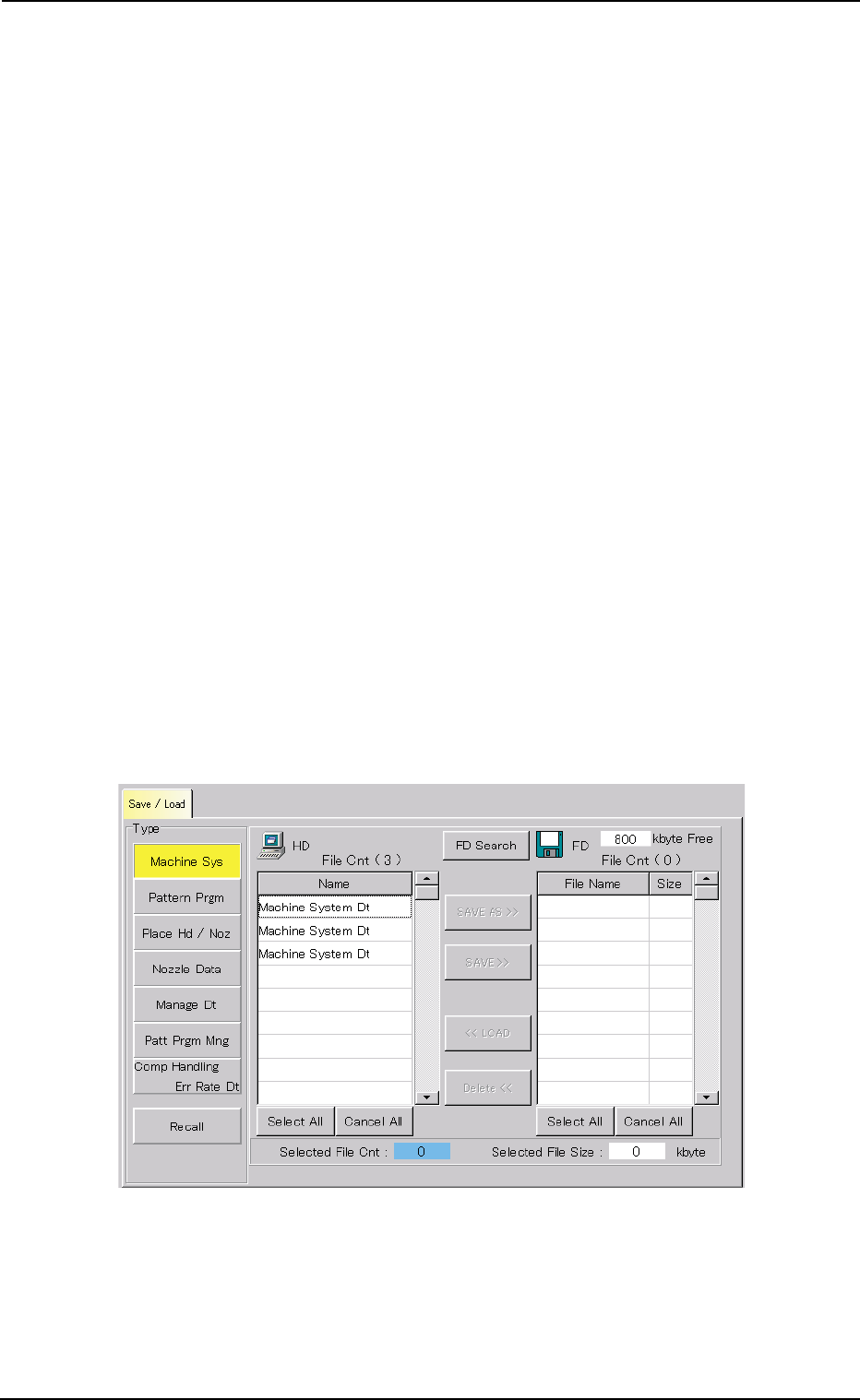
(2) Press the desired data type button to specify the type of the data to
be loaded.
The data files of the selected type (stored in the hard disk of the
machine) are displayed in the "List of Files on Hard Disk" pane.
Fig. 2F147 Selection of Data Type
0206-002 6-225
8.1 "Save / Load" Tab
AHB01ESPP
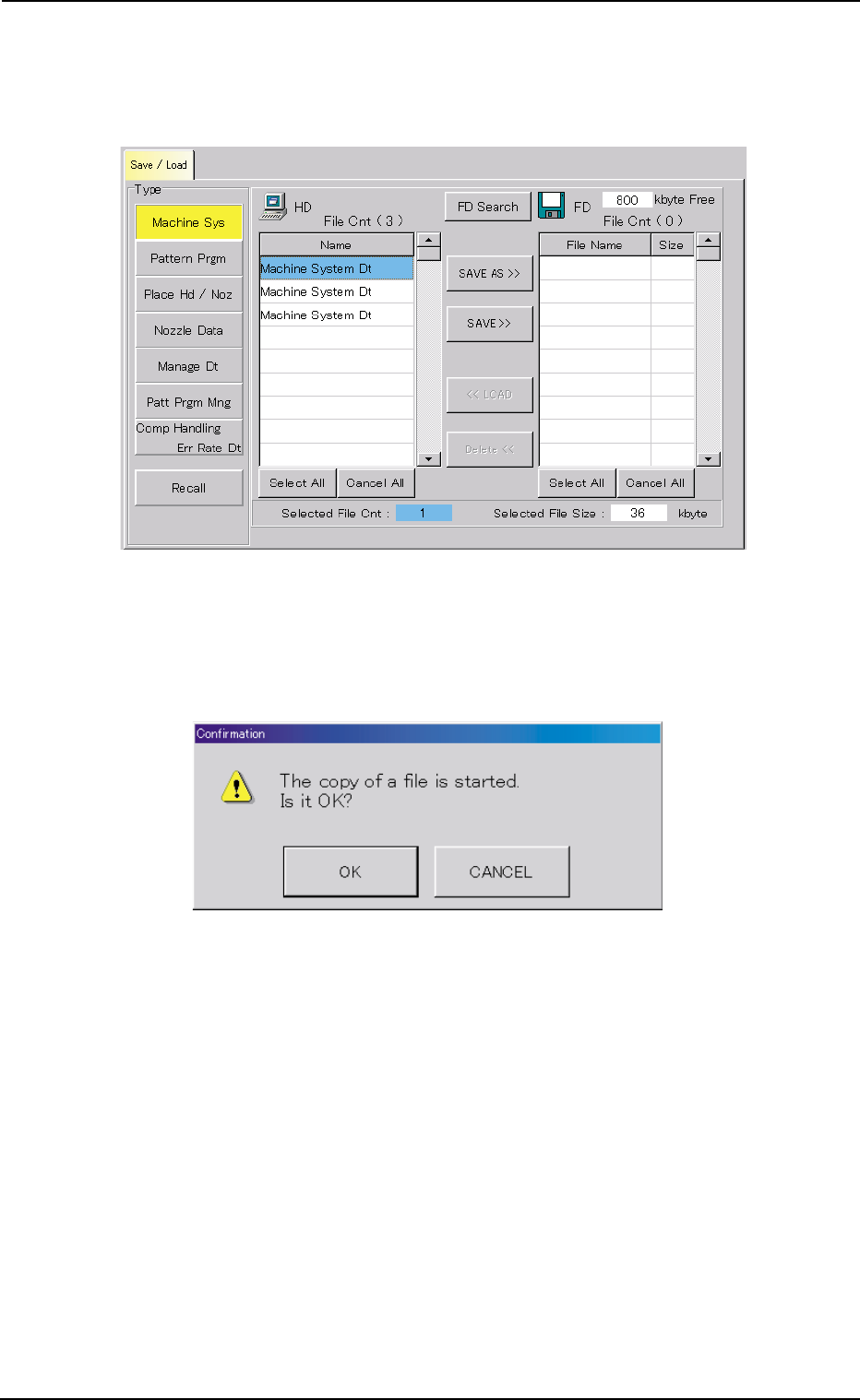
(3) Select the data files to be saved on the floppy disk from the "List of
Files on Hard Disk" pane.
The selected lines of files turn sky blue.
Fig. 2F148 Selection of Files Saved
(4) Press the [SAVE AS >>] button. The following "Confirmation" dialog
box opens.
Fig. 2F149 "Confirmation" Dialog Box for Confirmation to Data Saving
0206-002 6-226
8.1 "Save / Load" Tab
AHB01ESPP
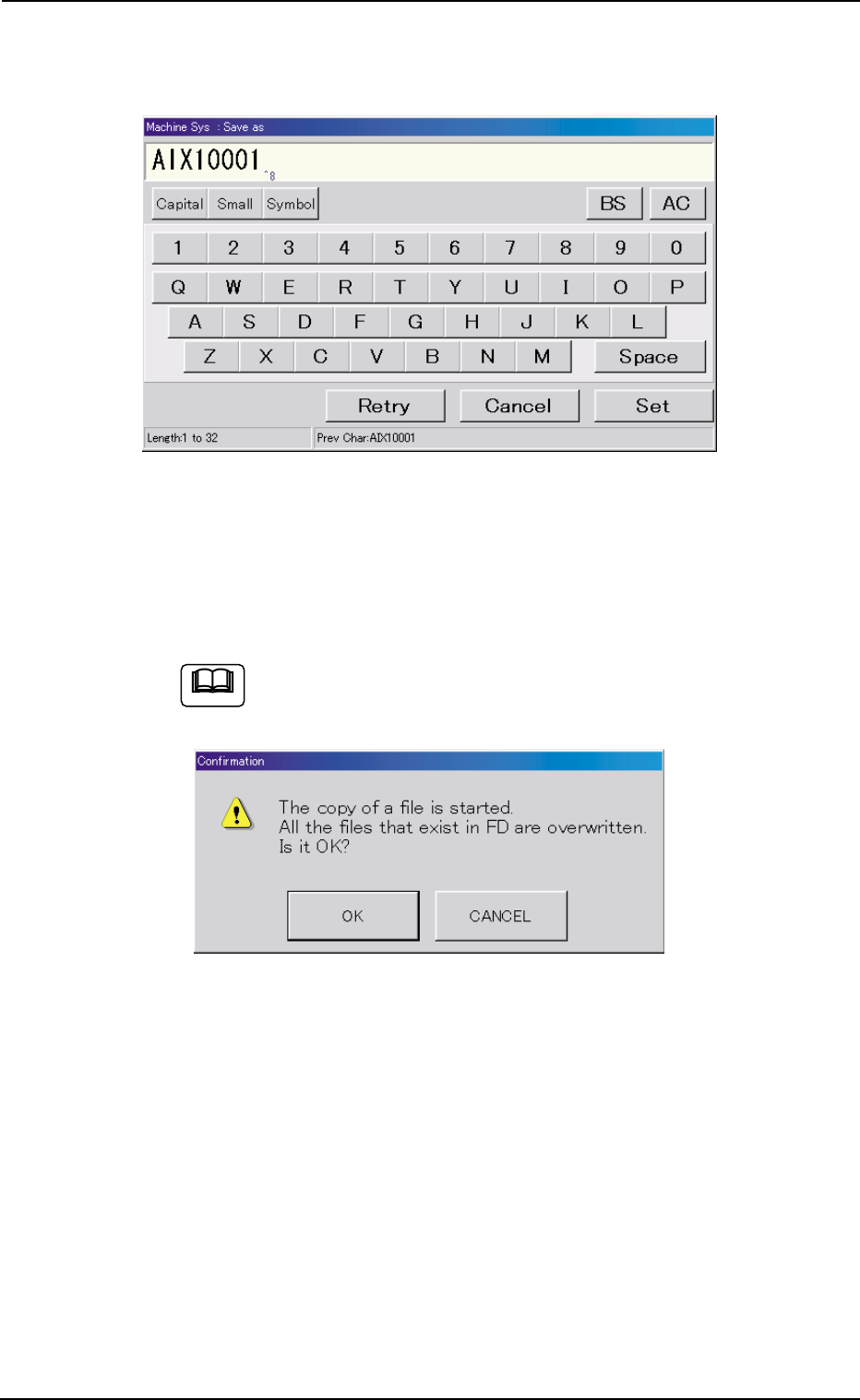
(5) Press the [OK] button.
"Machine Sys : Save as" edit window opens.
Fig. 2F150 "Machine Sys : Save as" Edit Window
(6) Enter a file name and press the [Set] button.
"Now Processing" message box appears, indicating that the data
saving is being processed.
When the [SAVE >>] button is pressed in Step (4), the fol-
lowing "Confirmation" dialog box opens.
Fig. 2F151 "Confirmation" Dialog Box for Confirmation to Overwriting
When the [OK] button is pressed, the file having the same name on
the floppy disk is replaced with the newly saved one.
Note
0206-002 6-227
8.1 "Save / Load" Tab