2OM-1075-002.pdf - 第95页
(2) Confirmation and Setting of Operation Mode Setting Press the [OPN. MODE] button on the submenu bar and open the "Opn. Mode" tab sheet. Confirm the setting of each function and specify parameters if necessar…
4. Confirmation of Component Placement
4.1 Setting of Operation Mode
Before starting the automatic operation, press the [OPN. MODE] button
on the submenu bar. The "OPN. MODE" window opens. Confirm and
specify the following items related to the operation mode for the produc-
tion model.
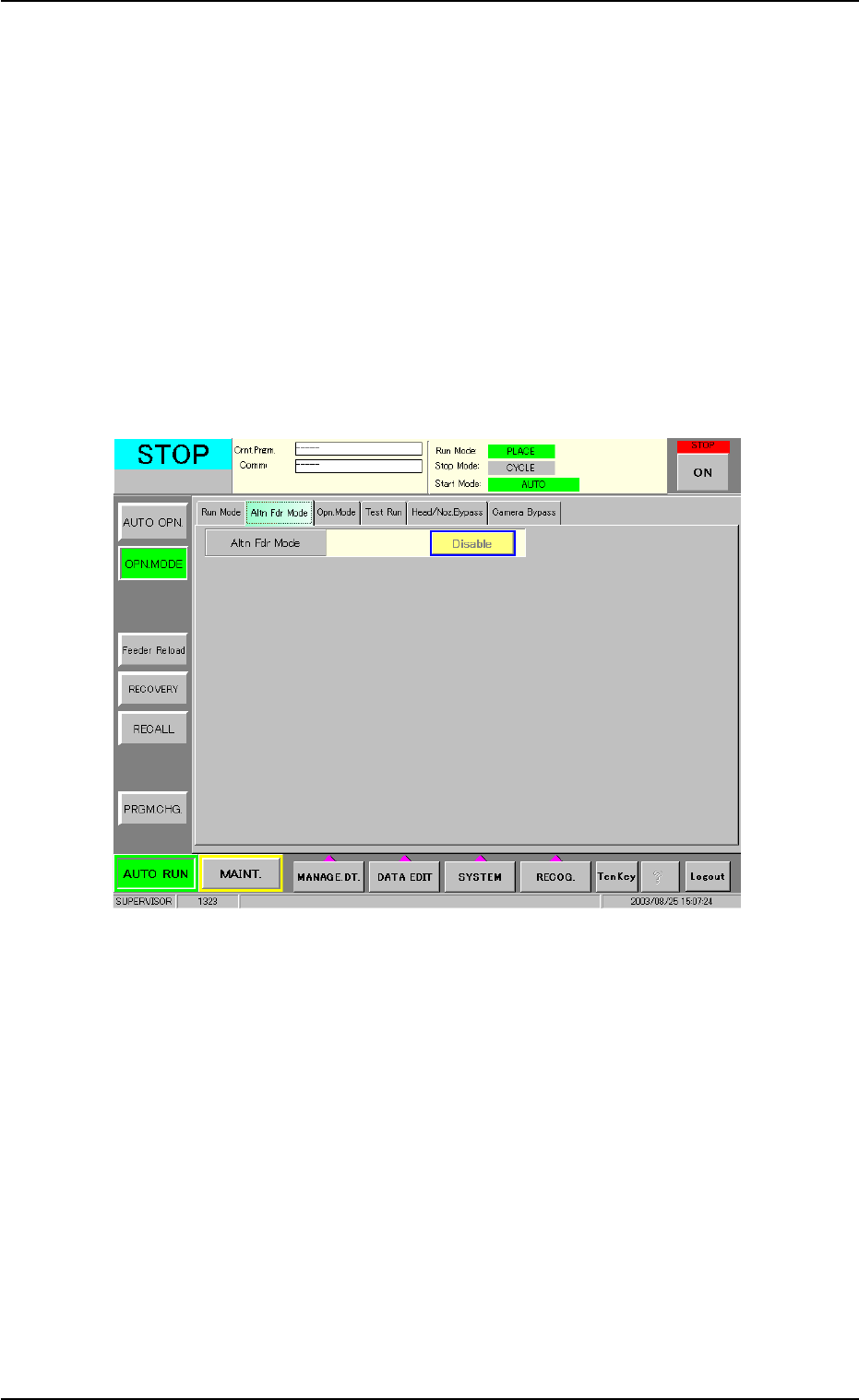
(1) Confirmation and Setting of Alternate Designation
Check the settings of the alternate function in the "Altn Fdr Mode"
tab sheet of the "OPN. MODE" submenu window.
Fig. 2C11 "Altn Fdr Mode" Tab Sheet
4. Confirmation of Component Placement
0308-004 3-17 AHB01ESPP
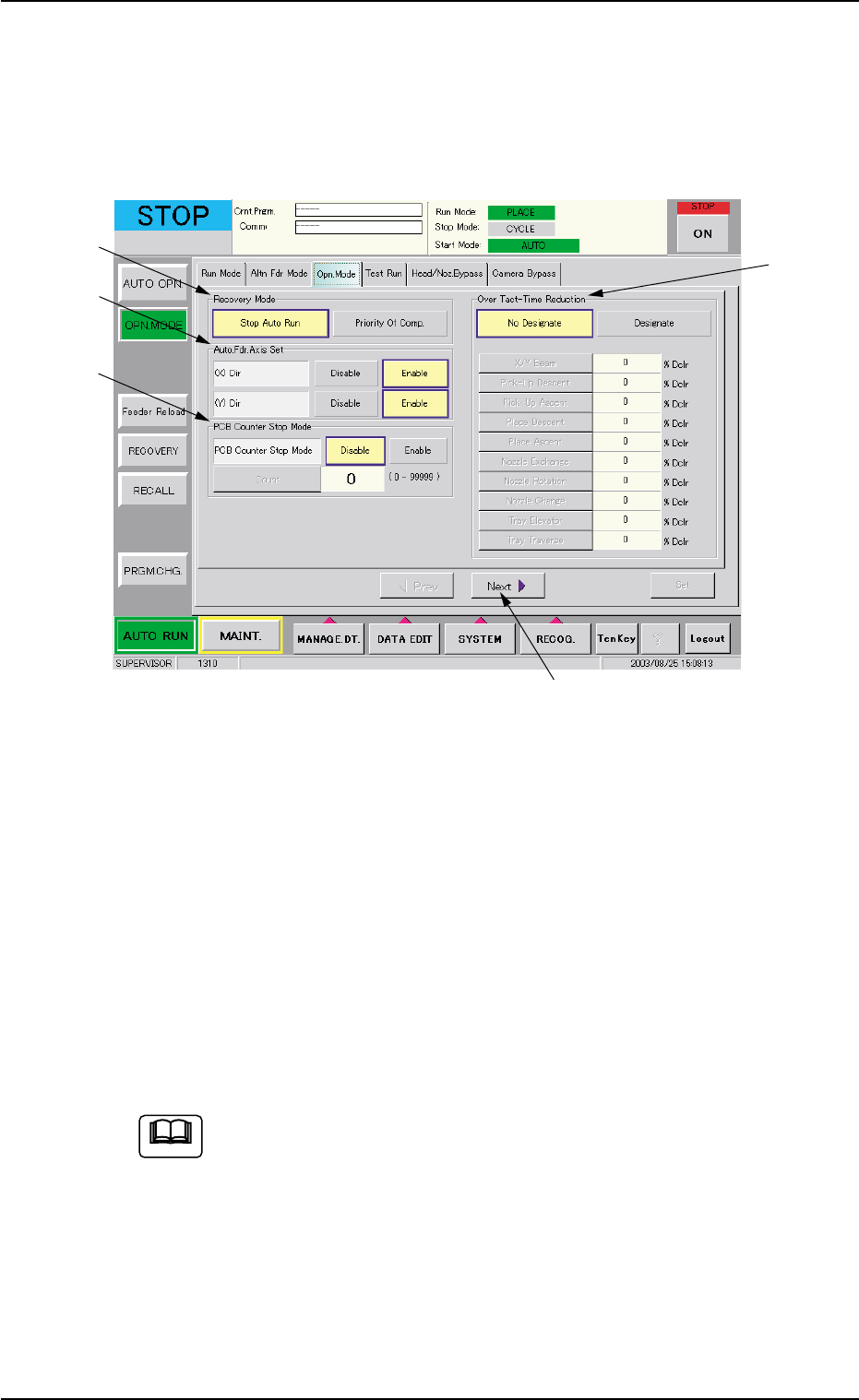
(2) Confirmation and Setting of Operation Mode Setting
Press the [OPN. MODE] button on the submenu bar and open the
"Opn. Mode" tab sheet. Confirm the setting of each function and
specify parameters if necessary.
When the [Next] button (*5) is pressed, the second page appears.
Fig. 2C12 "Opn. Mode" Tab Sheet (First Page)
Confirmation and Setting of Recovery Mode
Confirm or specify a parameter for "Recovery Mode" (*1).
Confirmation and Setting of Automatic Fdr. Axis Set
Confirm or specify a parameter for "Auto. Fdr. Axis Set" (*2).
Confirmation and Setting of PCB Counter Stop Mode
Confirm or specify a parameter for "PCB Counter Stop Mode" (*3).
Confirmation and Setting of Over Tact-Time Reduction
Confirm or specify a parameter for "Over Tact-Time Reduction" (*4).
Refer to "3.3 "Opn. Mode" Tab" in "Section 5" for details.
4. Confirmation of Component Placement
*5
*1
*2
*3
*4
0308-004 3-18 AHB01ESPP
Note
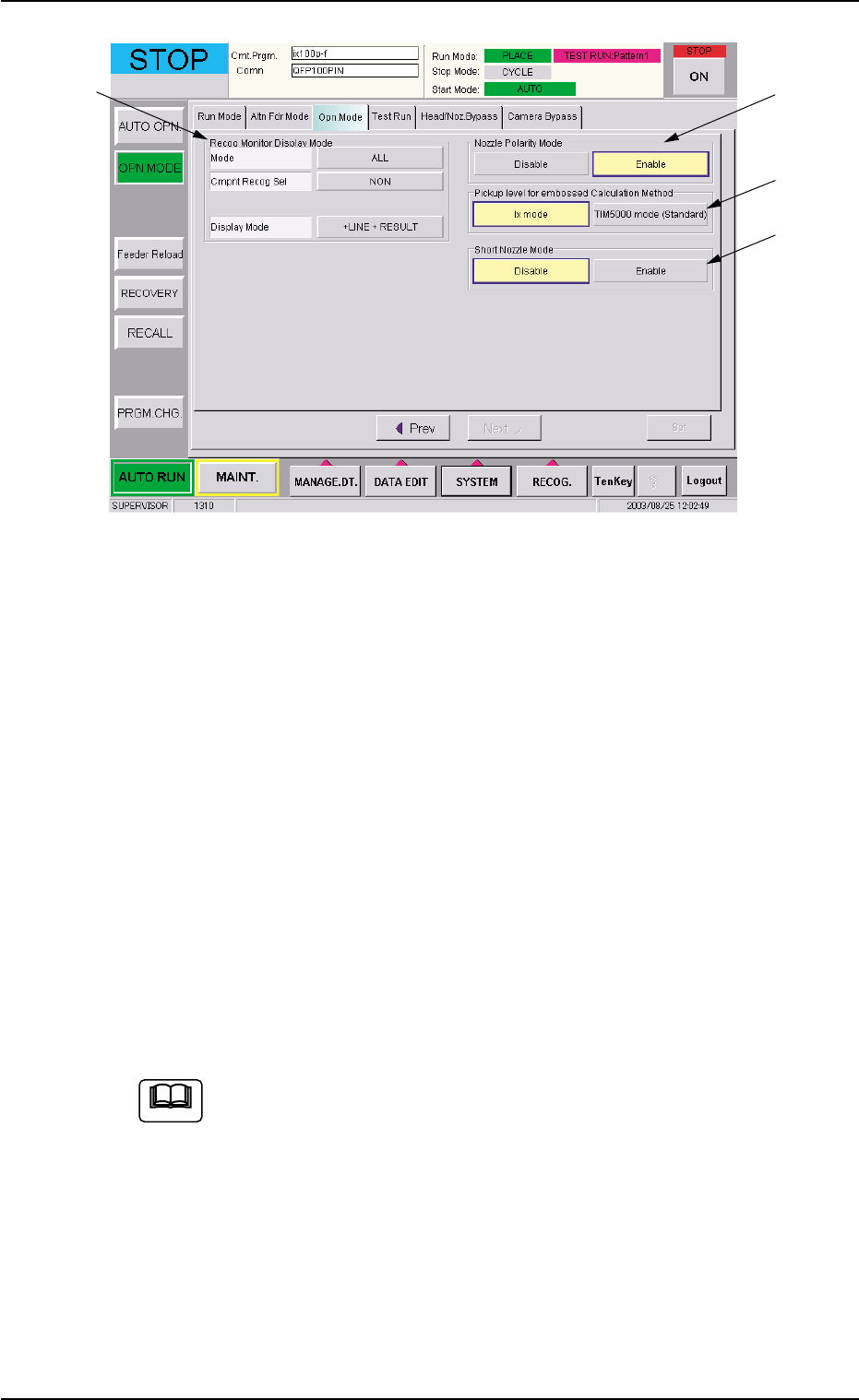
Fig. 2C13 "Opn. Mode" Tab Sheet (Second Page)
Confirmation and Setting of Recog Monitor Display Mode
Confirm or specify the parameters for "Recog Monitor Display Mode"
(*6).
Confirmation and Setting of Nozzle Polarity Mode
Confirm or specify the parameters for "Nozzle Polarity Mode" (*7).
Confirmation and Setting of Pickup level for embossed Cal-
culation Method
Confirm or specify the parameters for "Pickup level for embossed
Calculation Method" (*8).
Confirmation and Setting of Short Nozzle Mode
Confirm or specify the parameters for "Short Nozzle Mode" (*9).
Refer to "3.3 "Opn. Mode" Tab" in "Section 5" for details.
4.1 Setting of Operation Mode
*6
*7
*8
*9
0308-002 3-19 AHB01ESPP
Note