ePM 中文操作說明 - 第65页
Programmer ’ s Manual | 65 4.3.7. 工作區域 步驟 1: 在“Tools" 選單中點選 “Work Area". 步驟 2: 使用滑鼠圈選工作區域. 步驟 3: 在“Set Area" 選單中點選 “OK".
64 | Chapter 2. ePM-SPI
TM
3DSolderPasteInspectionSystem
Version 1.0
KOH YOUNG TECHNOLOGY. INC.
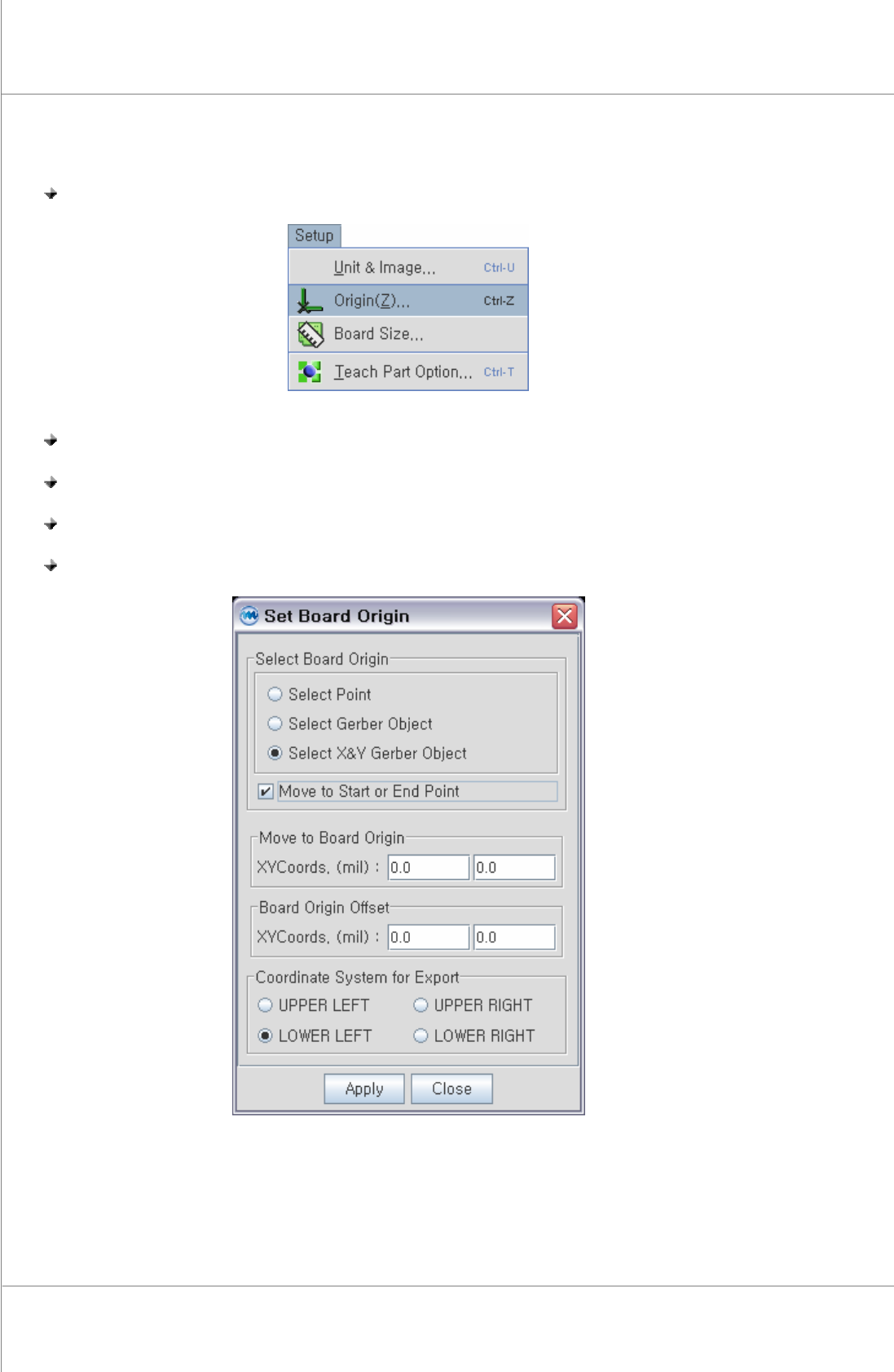
4.3.6. 基板原點
步驟 1: 在“Setup" 選單中點選“Origin".
步驟 2: 在“Set Board Origin" 選單中選擇“Select Board Origin"原點型式.
步驟 3: 在“Set Board Origin" 選單中選擇 “Coordinate System for Export"型式.
步驟 4: 點選原點位置..
步驟 5: 在“Set Board Origin" 選單中擊點 “Apply" .
Programmer’s Manual | 65
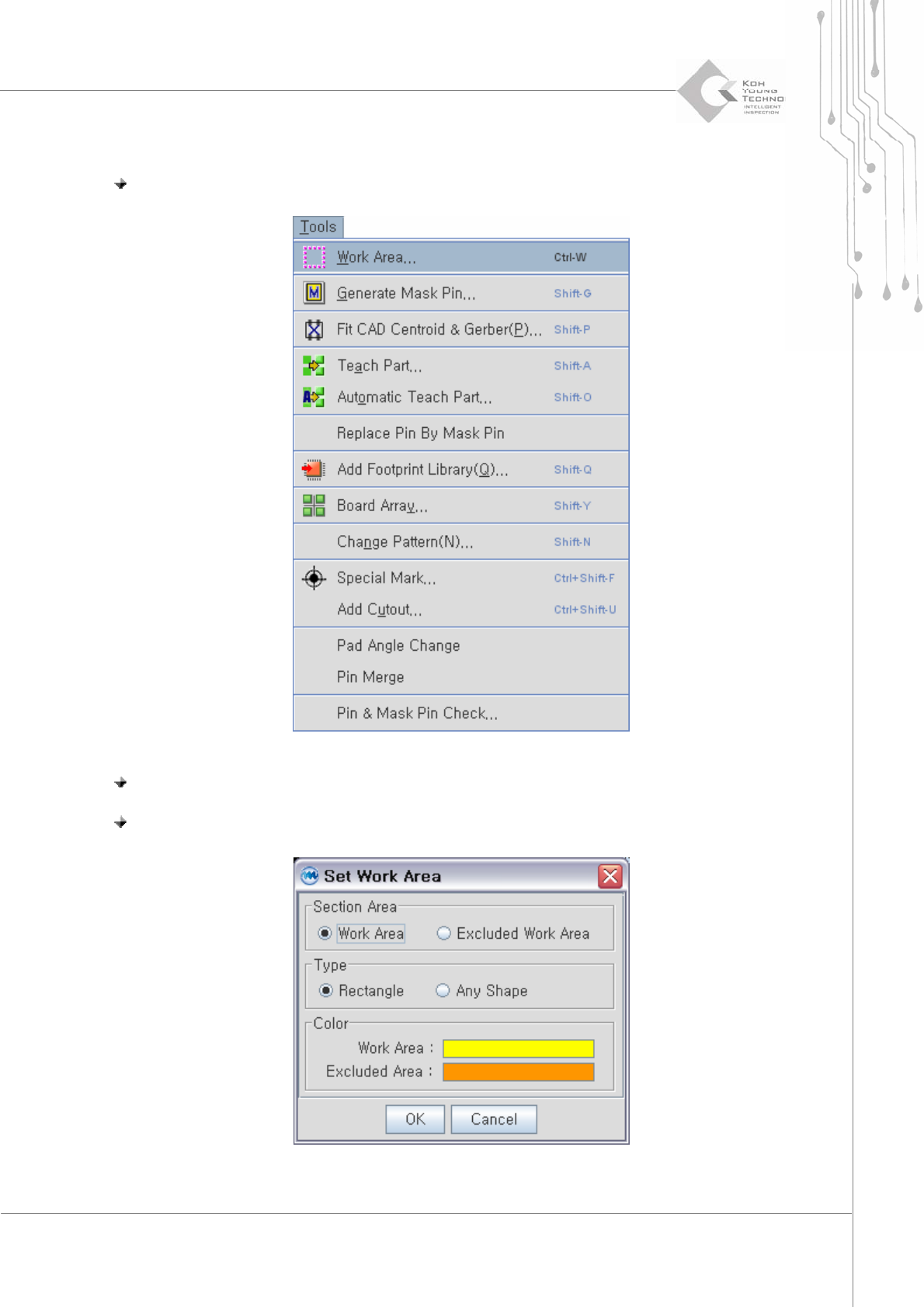
4.3.7. 工作區域
步驟 1: 在“Tools" 選單中點選 “Work Area".
步驟 2: 使用滑鼠圈選工作區域.
步驟 3: 在“Set Area" 選單中點選 “OK".
66 | Chapter 2. ePM-SPI
TM
3DSolderPasteInspectionSystem
Version 1.0
KOH YOUNG TECHNOLOGY. INC.
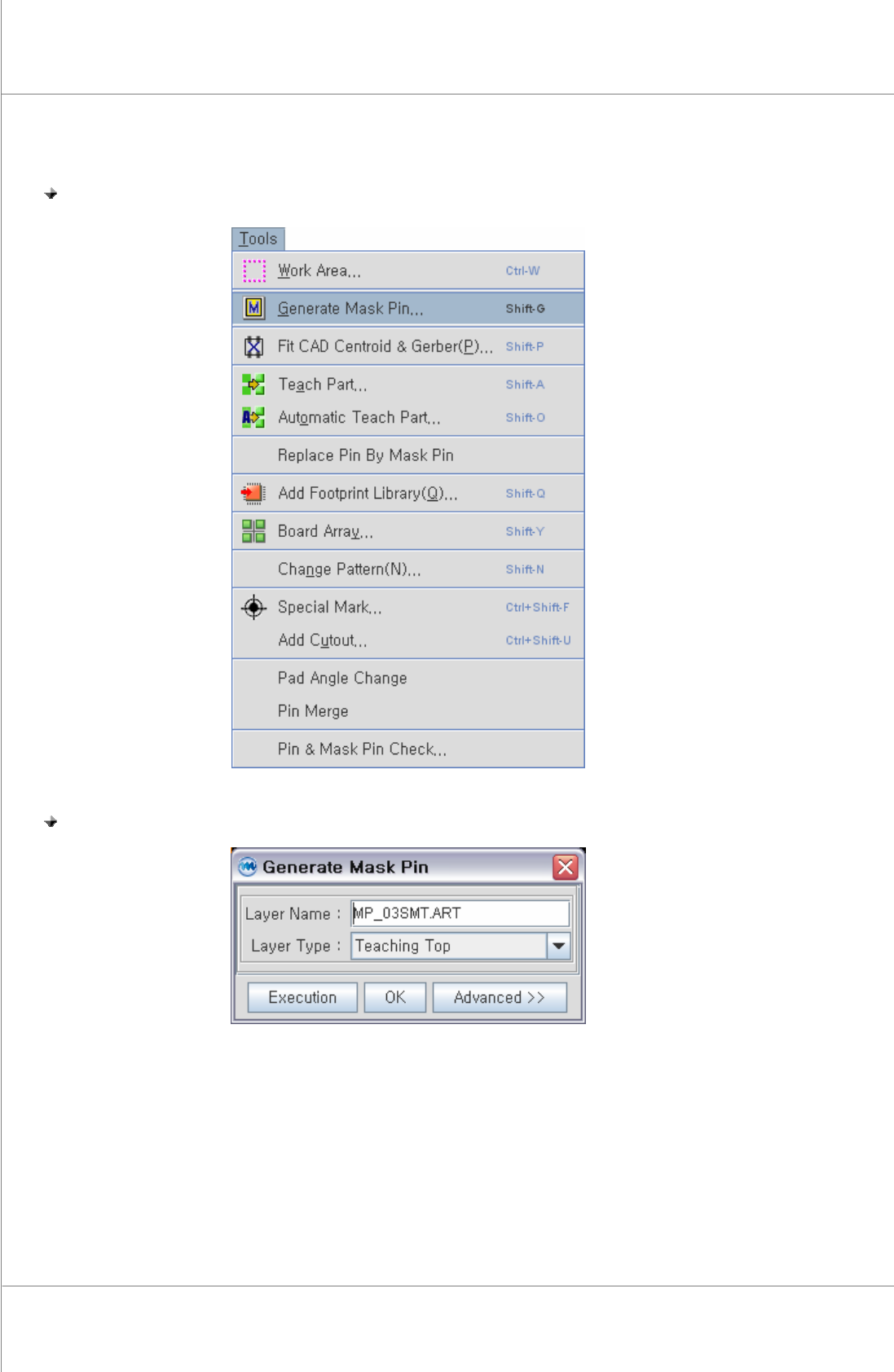
4.3.8. 產生 MASK PIN
步驟 1: 在“Tools"選單中點選 “Generate Mask Pin".
步驟 2: 在“Generate Mask Pin"選單中點選 “Execution".