ePM 中文操作說明 - 第68页
68 | Chapter 2. ePM-SPI TM 3D Solder Paste Inspec tion System V ersion 1.0 K OH Y OUNG T ECHNOLOGY . I NC .
Programmer’s Manual | 67
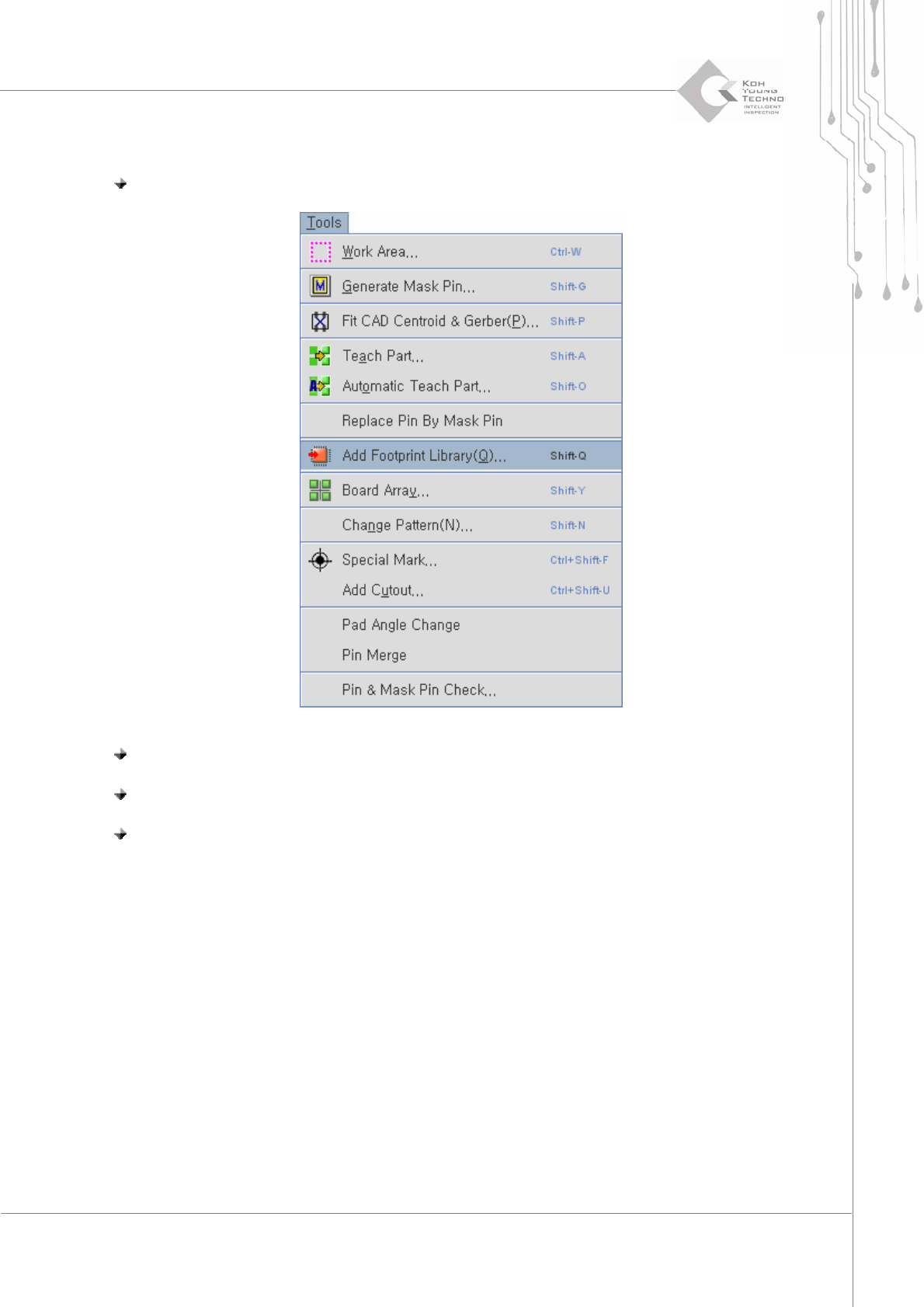
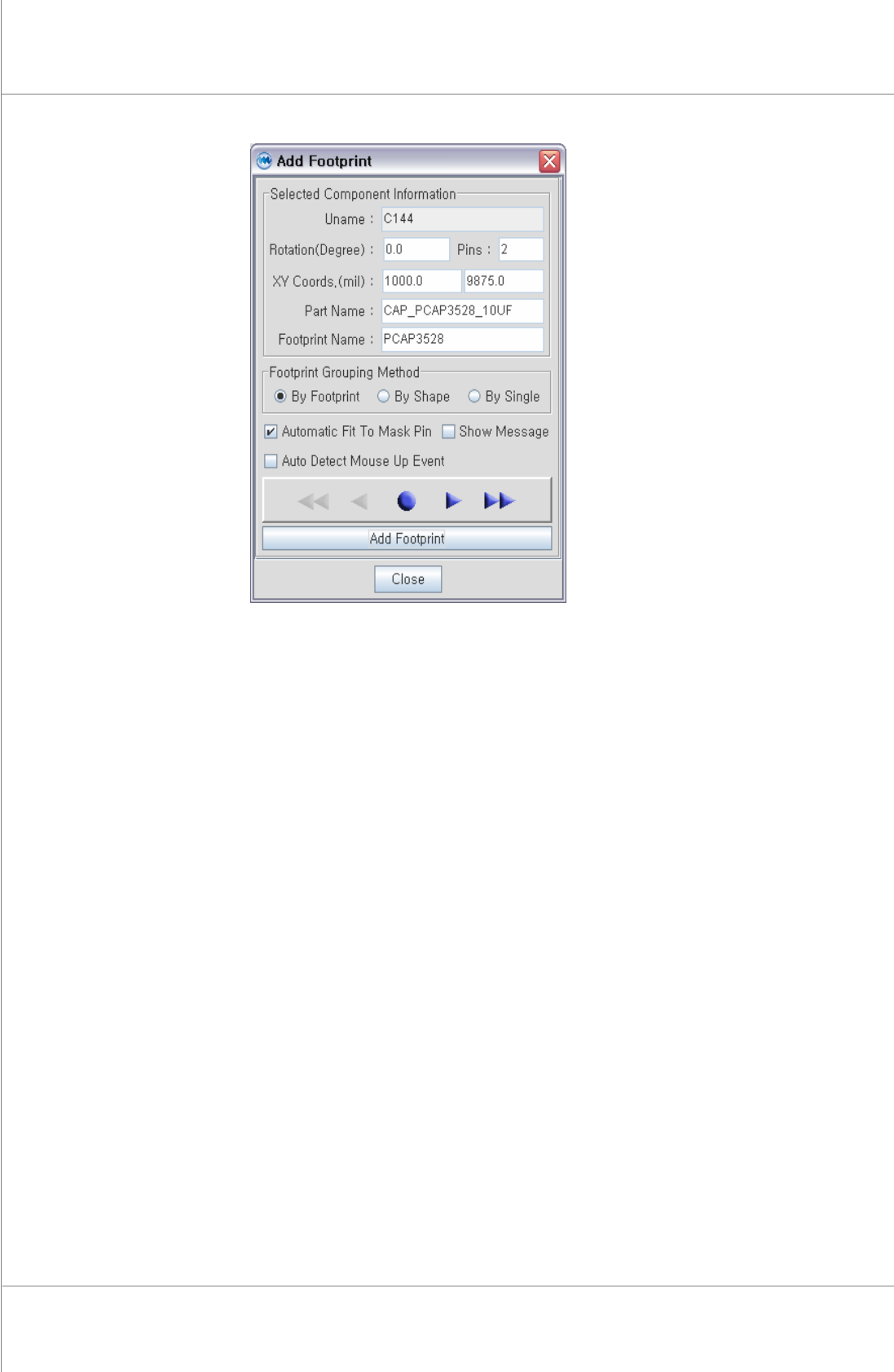
4.3.9. 產生元件外觀
步驟 1: 在“Tools"選單中點選“Add Footprint Library".
步驟 2: 在“Add Footprint"選單中選擇“Footprint Grouping Method"型式.
步驟 3: 使用滑鼠圈選圖檔中零件外觀.
步驟 4: 在“Add Footprint" 選單中按下 “Add Footprint".
68 | Chapter 2. ePM-SPI
TM
3DSolderPasteInspectionSystem
Version 1.0
KOH YOUNG TECHNOLOGY. INC.
Programmer’s Manual | 69
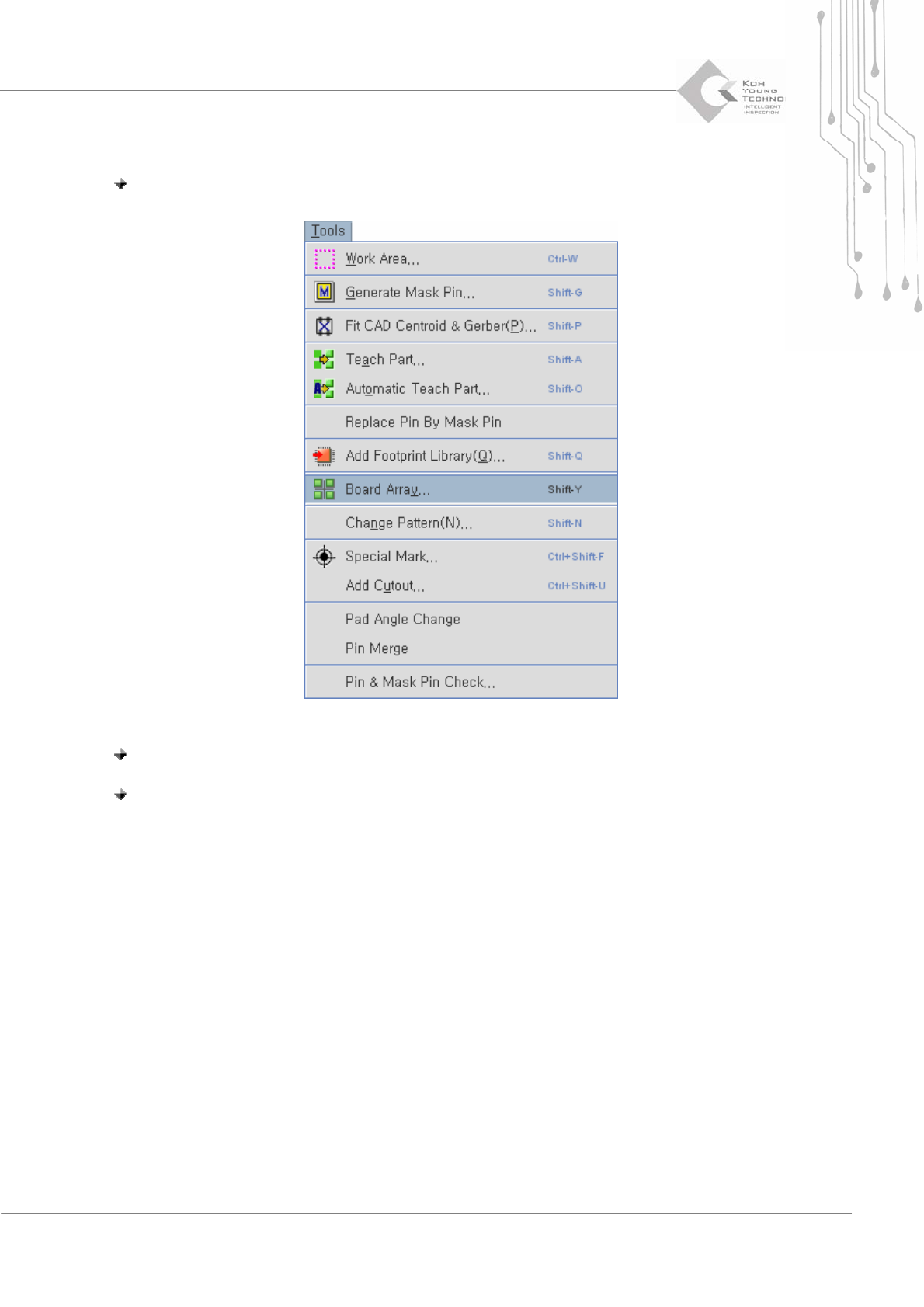
4.3.10. 連版 (選配)
步驟 1: 在“Tools"選單中點選 “Board Array".
步驟 2: 在“Board Array"選單中點選 “Auto Add"
步驟 3: 圈選工作視窗中可供連版辨識的機板部位