00198045-01_OM_BulkFeeder_X_EN.pdf - 第19页
SIPLACE BulkFeede r X / Operating Ma nual 05/2017 Edition 19 4.2 Setti ngs in SIPLACE Pro The SIPLACE B ulkFeeder X can be con figured togeth er with SIPLACE Pro. NOTICE Detailed inform ation on how to work with SIPLACE …
SIPLACE BulkFeeder X / Operating Manual 05/2017 Edition
18
4 Configuration
This chapter gives an overview of how the SIPLACE BulkFeeder X is integrated in the system and
configured in the SIPLACE software.
The SIPLACE BulkFeeder X is set up on an X table like an X-Feeder and communicates with the
station via an X-FCU. However, the SIPLACE BulkFeeder X uses two EDIF interfaces, one for the
feeder software and one for the Vision software that run on two different processors. A GigE
interface and the internal Feeder Camera are used for recording and transmitting images.
4.1 Settings in ASM Setup Center
The SIPLACE BulkFeeder X can be configured together with ASM Setup Center.
Fill level monitoring of the SIPLACE BulkFeeder X is exclusively performed by ASM Setup Center.
Please refer to the ASM Setup Center User Guide, item no [00198049-xx]. This document contains
detailed information on how to work with ASM Setup Center and perform relevant actions for the
SIPLACE BulkFeeder X, such as:
– Creating, printing and scanning barcodes
– Filling the Cartridge
– Setup verification
SIPLACE BulkFeeder X / Operating Manual 05/2017 Edition
19
4.2 Settings in SIPLACE Pro
The SIPLACE BulkFeeder X can be configured together with SIPLACE Pro.
NOTICE
Detailed information on how to work with SIPLACE Pro can be found in the SIPLACE Pro
online help.
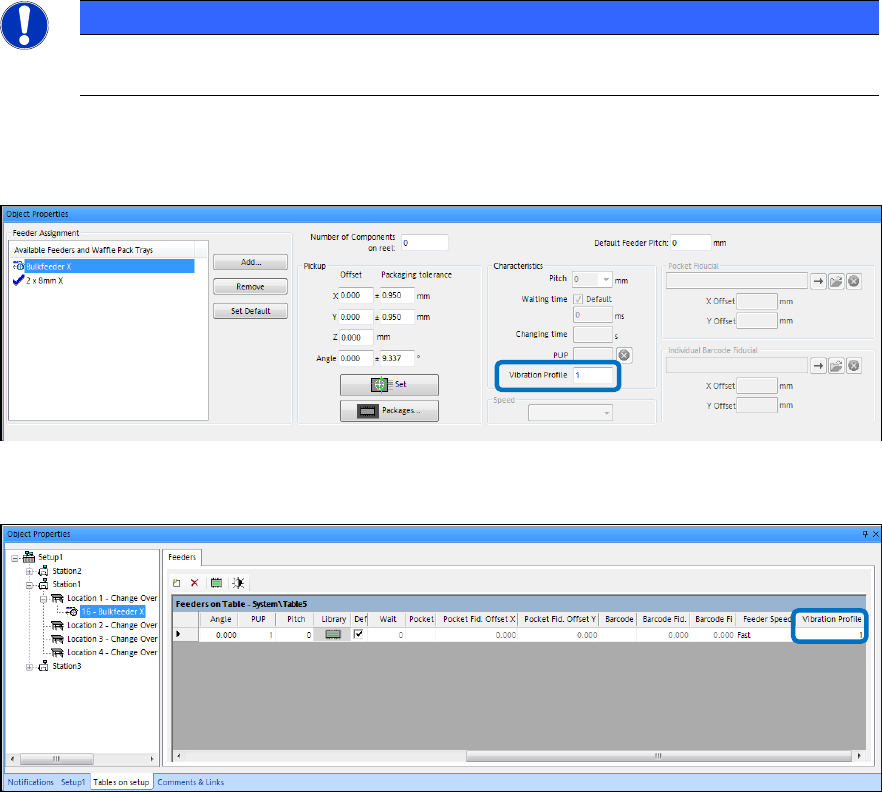
The Vibration Profile setting has to be set in the Component, Component Shape and Setup
Editors for the SIPLACE BulkFeeder X.
Figure 4-1: Component / Component Shape Editor – Vibration Profile setting
The vibration profile 1 is preset and is only supported.
Figure 4-2: Setup Editor – Vibration Profile setting
For Level 3 Optimization with feeder inventories, the SIPLACE BulkFeeder X is considered as an
alternative feeder type for 8 mm feeders.
The component face down recognition for resistors has to be enabled manually by the operator.
SIPLACE BulkFeeder X / Operating Manual 05/2017 Edition
20
4.3 Settings in the Station Software
The SIPLACE BulkFeeder X can be configured together with the station software.
NOTICE
Detailed information on how to work with the station software and the Vision software
can be found in the online help of the station software.
4.3.1 Setup
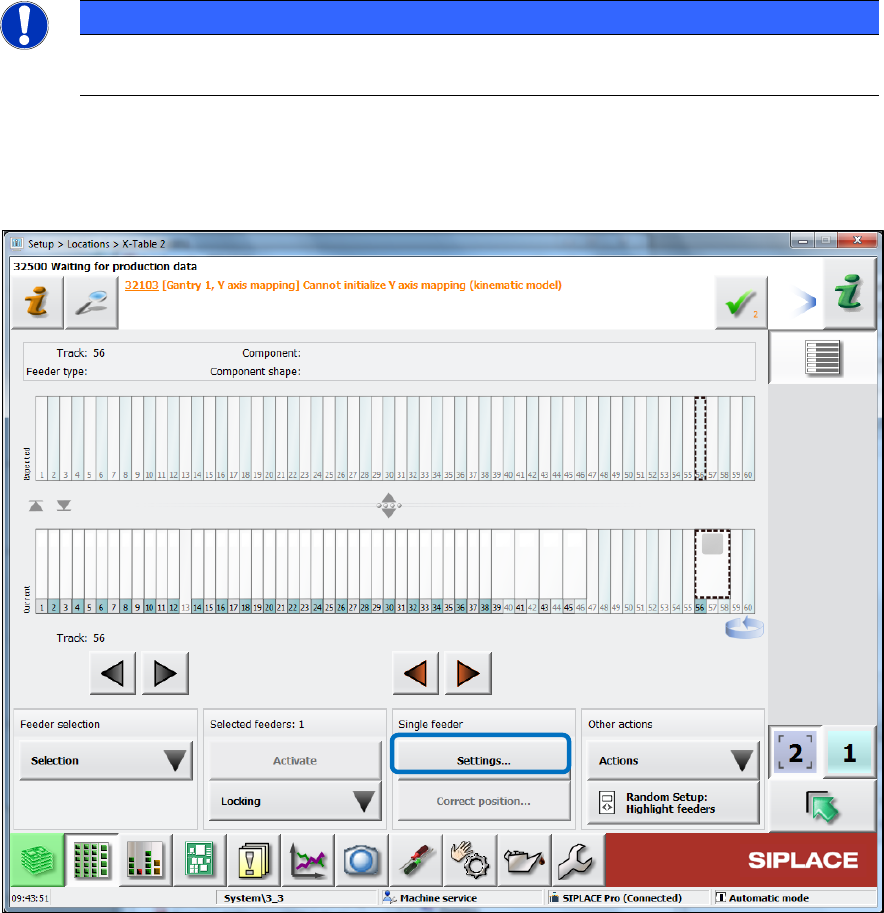
The feeder setup is displayed in the Table dialog for the location in the Setup view.
Figure 4-3: Feeder setup
Click on Settings… to display further data for the feeder. ►