00198045-01_OM_BulkFeeder_X_EN.pdf - 第22页
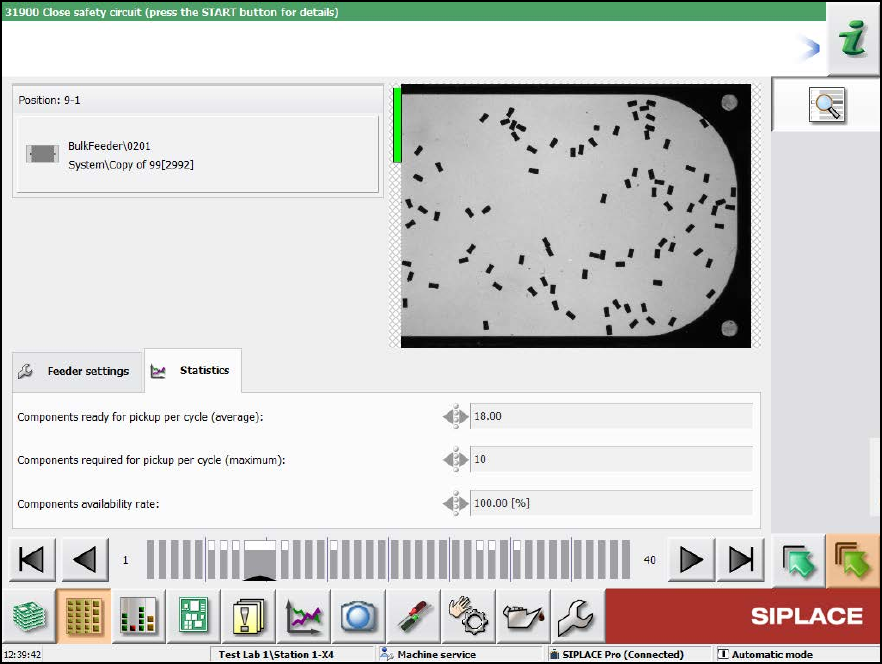
SIPLACE BulkFeede r X / Operating Ma nual 05/2017 Edition 22 Figure 4-5: Statistics tab In the Statistics tab further service dat a is displayed f or the feeder.
SIPLACE BulkFeeder X / Operating Manual 05/2017 Edition
21
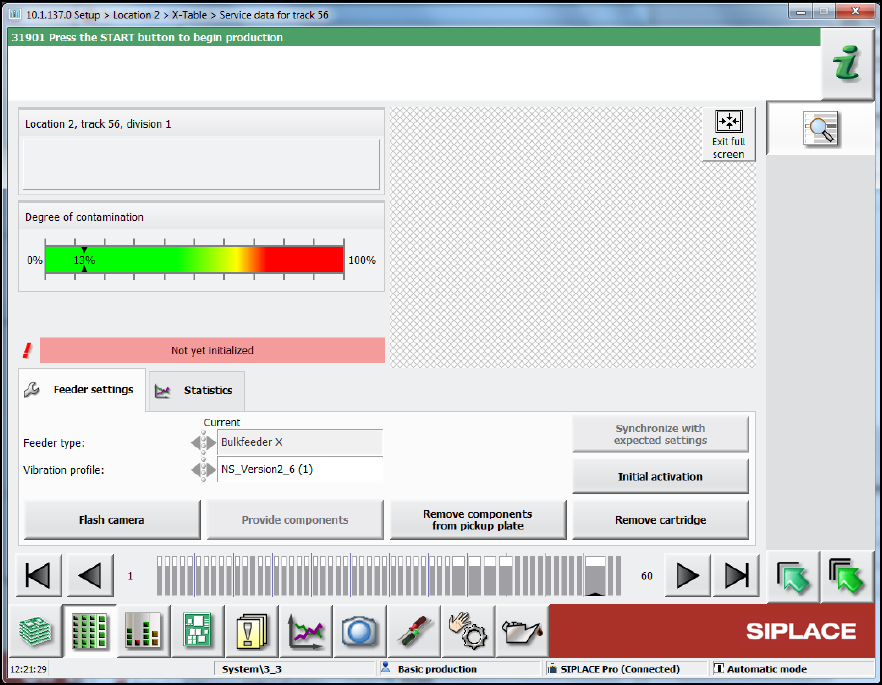
Figure 4-4: Feeder settings
In the Feeder settings tab, the feeder type and vibration profile are displayed. Additionally, you
can perform the following actions:
Select the Flash camera button to take a new image. ►
Select the Provide components button to vibrate the components onto the glass plate. ►
Select the Remove components from pickup plate button to vibrate the components back ►
from the pickup plate into the container.
Select the Remove cartridge button to remove the Cartridge from the Base Unit. ►
After changing the vibration profile, select the Synchronize with expected settings button to ►
restore the settings.
After removing the cartridge, select the Initial activation button. Calibration must be carried ►
out after a cartridge has been inserted in the base unit: This involves removing the components
from the pickup plate and measuring the camera position of the feeder again. Calibration is
performed automatically after a product has been specified or when a new board is moved in.
SIPLACE BulkFeeder X / Operating Manual 05/2017 Edition
22
Figure 4-5: Statistics tab
In the Statistics tab further service data is displayed for the feeder.
SIPLACE BulkFeeder X / Operating Manual 05/2017 Edition
23
4.3.2 Manual operations
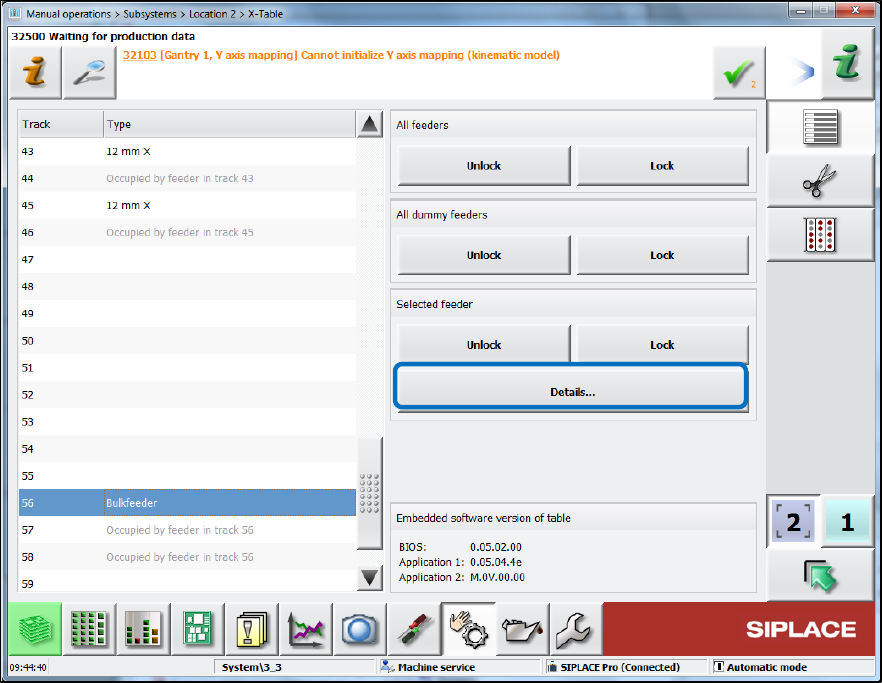
The feeder can be selected in the Table dialog for the location under Manual operations –
Subsystems.
Figure 4-6: Displaying further feeder details
Click on the Bulkfeeder entry on the left and click on Details…. ►