00198045-01_OM_BulkFeeder_X_EN.pdf - 第44页
SIPLACE BulkFeede r X / Operating Ma nual 05/2017 Edition 44 5.10 Co m ponent Test Functio ns with Internal Feeder Camera In the SIPLACE Vision live image tab, the current Vision ima ge is displayed. A new image can be t…
SIPLACE BulkFeeder X / Operating Manual 05/2017 Edition
43
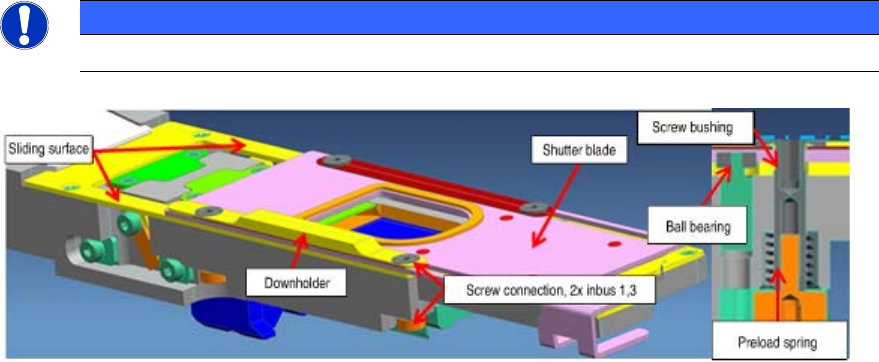
5.9 Maintaining the Plate Shutter
The ball bearings should be relubricated, when the mileage of 20% is reached. A rough cleaning of
parts is carried out at the same time.
Dismantling the downholder and plate shutter
Remove the two fixing screws with a hexagon socket spanner size 1.3. ►
NOTICE
The fitting is pretensioned with a spring. Loose of parts is possible.
Remove the downholder and the screw socket. ►
Cleaning the ball bearing, sliding surfaces and shutter plate
The ball bearings are rinsed in the built-in state.
Press alcohol through the opening into the ball bearings. ►
Remove rest alcohol and soiling with compressed air. ►
Repeat this procedure 2-3 times. ►
Clean the sliding surfaces and shutter plate with a cotton wool tip and alcohol. ►
Lubrication of the ball bearings
Fill LUBCON Thermoplex ALN 1001/00 [03078556-xx] in the middle of the ball bearing, by ►
using the multi-nozzle from Eppendorf [00386154-xx] (inside the service bag).
Spread the grease in the ball bearing by rotating and by using a toothpick. ►
Assembly Instruction
Fit the parts in reverse order. ►
SIPLACE BulkFeeder X / Operating Manual 05/2017 Edition
44
5.10 Component Test Functions with Internal Feeder Camera
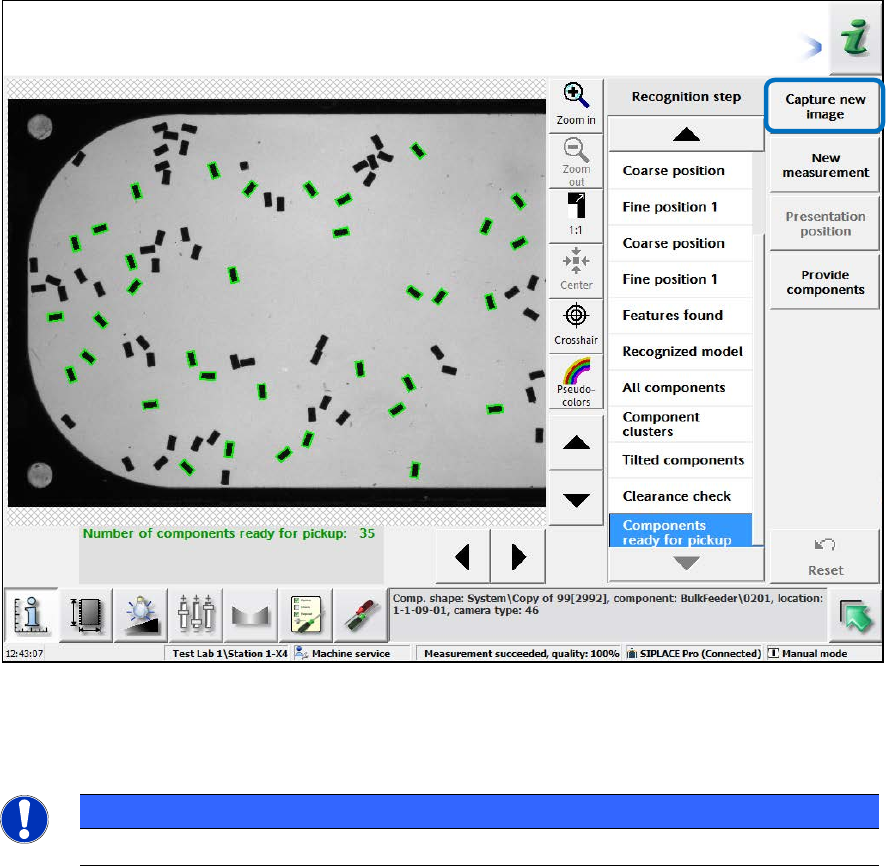
In the SIPLACE Vision live image tab, the current Vision image is displayed. A new image can be
taken by clicking on the Capture new image button.
Figure 5-9: Feeder details – Teaching dialog
The components can be taught in the corresponding teaching dialog for the feeder. Please refer to
the SIPLACE Vision online help for more information about the teaching process.
NOTICE
The Settings tab is only for settings during development.
SIPLACE BulkFeeder X / Operating Manual 05/2017 Edition
45
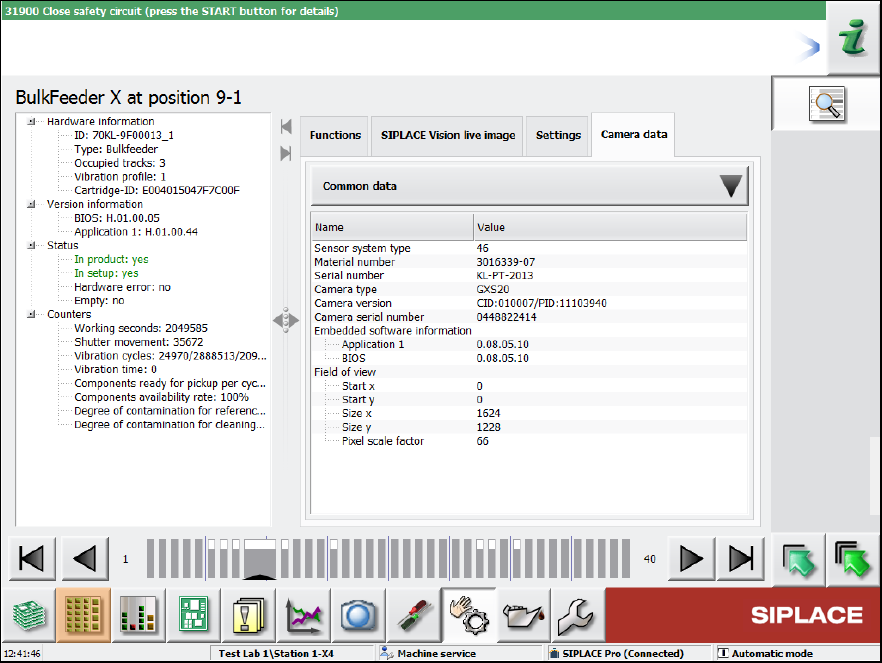
Figure 5-10: Feeder details – Camera data
In the Camera data tab, details on the internal camera are displayed.