00197458-01_UG_EDM_V2.2_en - 第19页
EDM V2.2 / U ser Guid e Ausgabe 10/2013 E dition 19 Figure 4-6 : Multipl e tab pages By clic king the OK butto n, the ent ered values will be used for the active win dow and the t ab page clos ed. Closing t he dialog wit…
EDM V2.2 / User Guide Ausgabe 10/2013 Edition
18
4.2.1.1 Comment Dialog Box
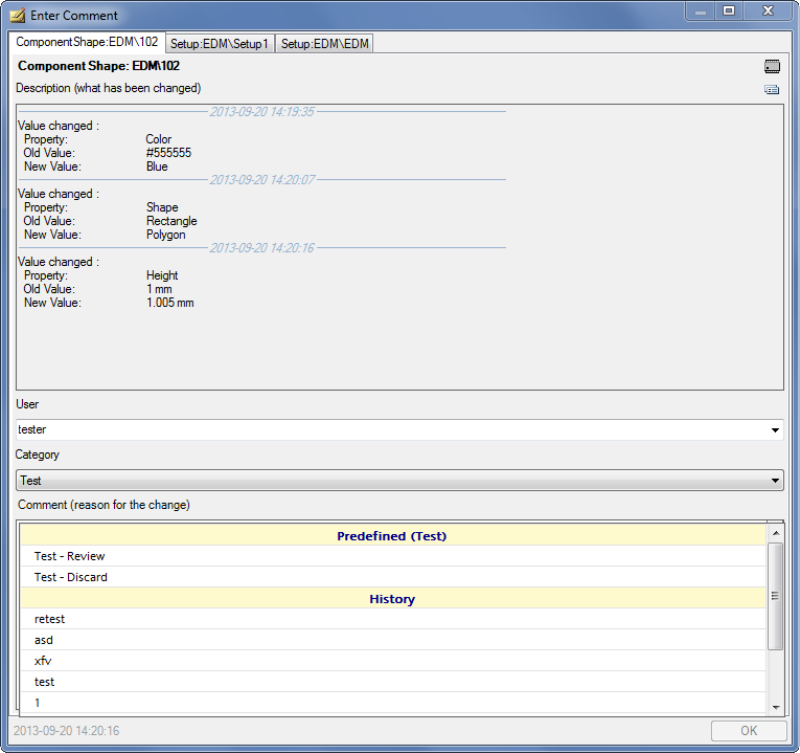
The Comment dialog box opens if you make changes in SIPLACE Pro on the Line Server (e.g. if
you change the component shape).
Display on the Line Server
Figure 4-5: Comment Dialog box
► Enter your user name.
► Select the appropriate category from the drop-down list.
► Select a predefined comment or add an explanation in the Comment field why you have made
the change in SIPLACE Pro.
► Click OK to close the comment dialog box.
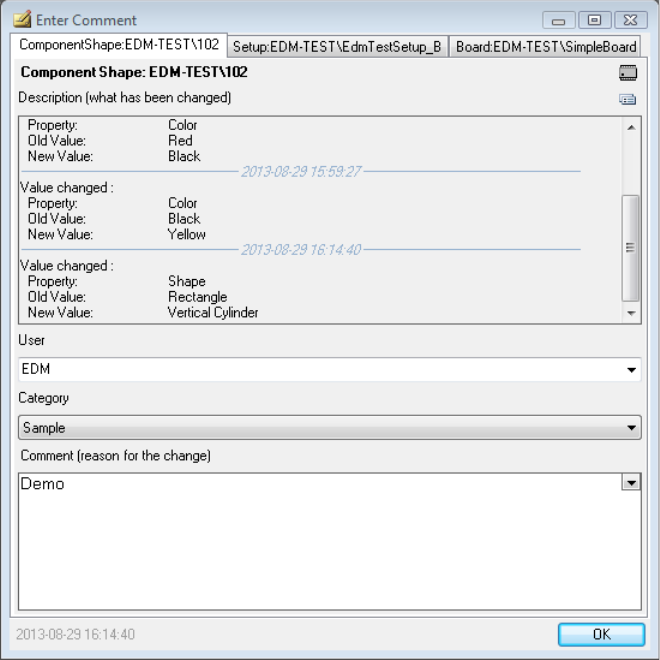
The standard EDM Comment dialog has been extended to display multiple tab pages if another
object is changed while the dialog is open. Multiple changes to the same object will be listed in the
description window separated by the change time:
EDM V2.2 / User Guide Ausgabe 10/2013 Edition
19
Figure 4-6: Multiple tab pages
By clicking the OK button, the entered values will be used for the active window and the tab page
closed.
Closing the dialog with the X button will apply the same comment entry to all changed objects. A
confirmation message will be displayed if more than one object are affected.
Exception:
If the value of DisableClosingOfMultiple CommentTabs in the System Settings –
Comment Entry is set to true, the X button will have the same effect as the OK button.
EDM V2.2 / User Guide Ausgabe 10/2013 Edition
20
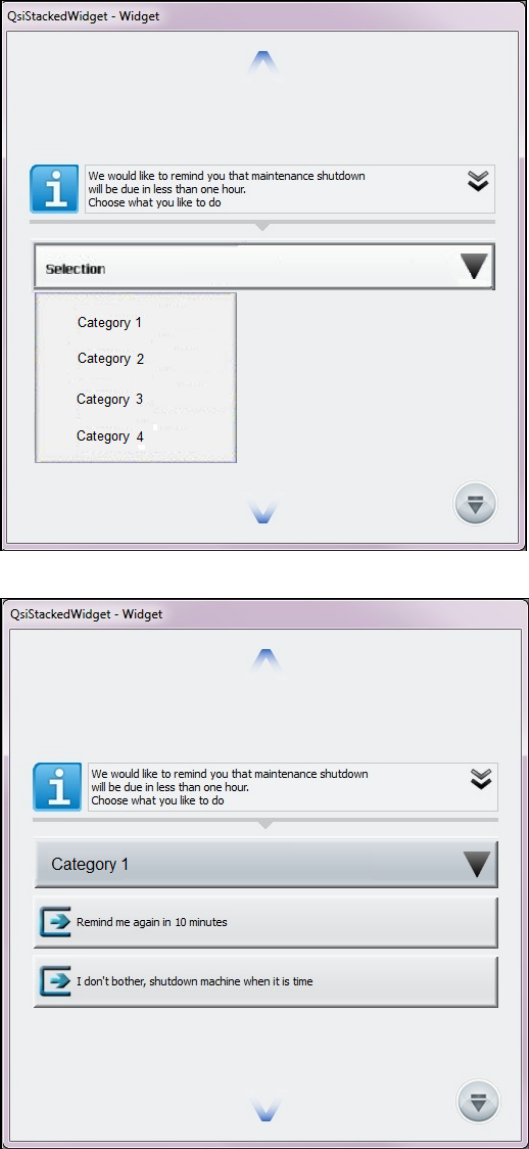
Display at the Station
If configured, the Comment dialog may appear at the station on which the SIPLACE Pro changes
are made.
The Comment dialog will be displayed by the OIB Display Service at the station as follows, if the
feature is enabled and the behavior has not been changed by an EDM filter.
Figure 4-7: Selecting comment category at the station
Figure 4-8: Selecting comment at the station
The operator at the station can either select a comment category and a predefined comment or
enter any text as comment.