00197458-01_UG_EDM_V2.2_en - 第38页
EDM V2.2 / U ser Guid e Ausgabe 10/2013 E dition 38 4.6 EDM Configurati on Manager The EDM C onfigurat ion Manager is the c entral tool f or conf iguring th e EDM s y ste m. The EDM Configura tion Mana ger brin gs the fo…
EDM V2.2 / User Guide Ausgabe 10/2013 Edition
37
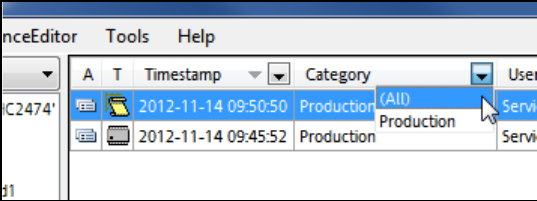
4.4.4 Filtering Notifications
In the column header of the notification view in the Clearing Pool values can be selected to filter the
notification list. By clicking on a column header, the displayed notifications may be sorted in
ascending or descending order.
Figure 4-31: Filter values
► Select any of the available filter values or All to display all entries.
4.5 EDM Notifications
The EDM notifications subsystem converts the change notifications received from the lines into a
user-readable form and distributes them to the appropriate locations. The type of messages sent
and the recipients of the messages can be configured.
More information about this can be found in section 5.1.7.
EDM V2.2 / User Guide Ausgabe 10/2013 Edition
38
4.6 EDM Configuration Manager
The EDM Configuration Manager is the central tool for configuring the EDM system. The EDM
Configuration Manager brings the following advantages:
● It provides a central point for the configuration of EDM. Thus, the cumbersome and error prone
manual configuration of every single EDM installation in the factory can be avoided. E.g., it is
not necessary to keep multiple configuration files persistent when configuring the Line Server
alias names anymore, what ensures that no inconsistent information is transferred to the
Clearing Pool.
● It distributes the changed configurations automatically to the affected Line servers. There is no
need to copy them manually to the Line Servers anymore.
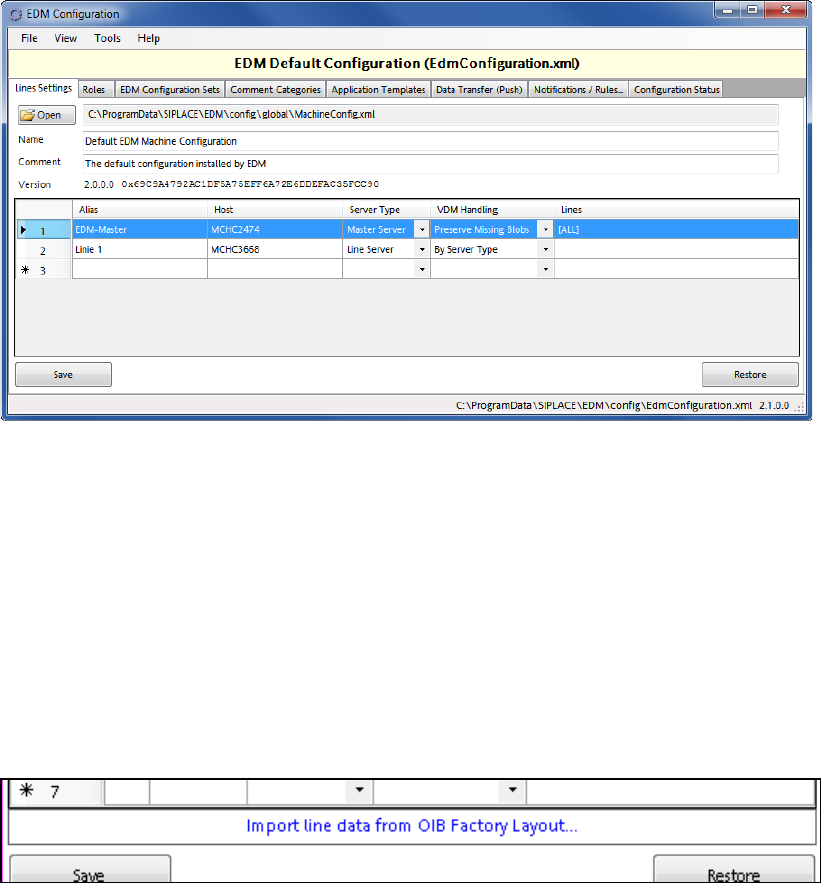
Figure 4-32: EDM Configuration Manager
The EDM Configuration Manager provides the functionality to define and change configuration sets
to support multiple EDM scenarios. A configuration set consists of references to all configuration
items, such as:
● Filter rule settings
● Settings for email notification on incoming notifications
● EDM Master Server storage location
Based on certain rules (Roles), the EDM Configuration Manager assigns exactly one configuration
set to each EDM Client computer, defining its behavior.
In the Lines Settings tab it is possible to import line data from the OIB Factory Layout into the
EDM Line Alias configuration.
Figure 4-33: Importing OIB Factory Layout data
EDM V2.2 / User Guide Ausgabe 10/2013 Edition
39
This will generate EDM Line Alias entries from the following nodes:
● Nodes generated by the Line Control Adapter (during download).
The SPI Line will be used as associated line. The line name (without path) will be used as EDM
Line Alias and the host name of the first "OIB LineControlService" endpoint (in the hierarchy)
will be used as host.
● All nodes that have a "SIPLACE.Pro.SPI" service assigned to them. All direct child workcells
with "SIPLACEProObjectType" of "Line" will be used as associated lines.
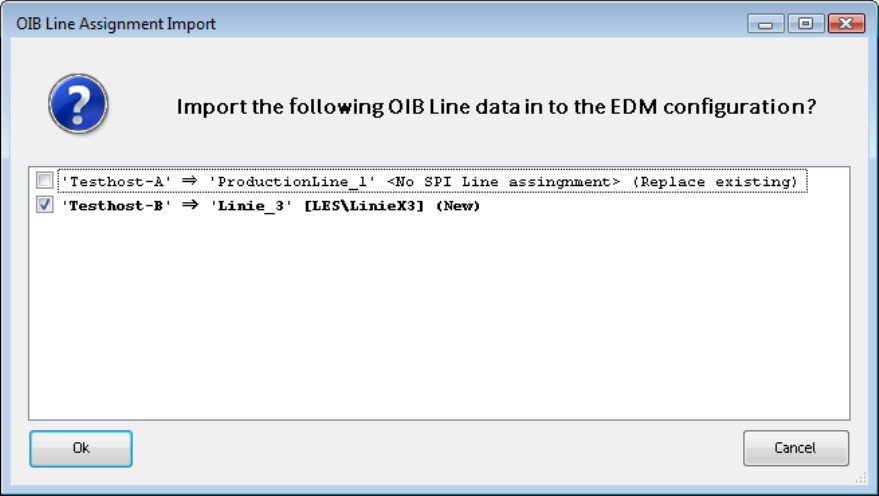
A list of all importable entries is displayed and the used can select the entries to be used.
Figure 4-34: Importable OIB Line data
A detailed description of the EDM Configuration Manager with its options and user interface can be
found in section 5.1.
4.7 EDM Line Service
The EDM Line Service is the counterpart to the EDM Master Service and performs the following
tasks:
● The EDM Line Service monitors the changes made by users to the local SIPLACE Pro
database, documents the changes and sends them to the master service for entry in the
Clearing Pool.
● The EDM Line Service sends requests to the master service, receives requests from it and
forwards them for processing to the EDM Client.
● The EDM Line Service receives and processes push data packages and supplies status
information to the EDM master.