00197458-01_UG_EDM_V2.2_en - 第45页
EDM V2.2 / U ser Guid e Ausgabe 10/2013 E dition 45 5 Config uring S IPLA CE EDM This c hapter describ es how to c onfigure S IPLACE EDM. Addition ally, som e basic conf iguration se ttings c an be adap ted after install…
EDM V2.2 / User Guide Ausgabe 10/2013 Edition
44
Part 2: Configuration and Technical References
EDM V2.2 / User Guide Ausgabe 10/2013 Edition
45
5 Configuring SIPLACE EDM
This chapter describes how to configure SIPLACE EDM.
Additionally, some basic configuration settings can be adapted after installation. These settings can
be found in the EDM Installation Manual, item no. [00197457-xx].
5.1 EDM Configuration Manager
The EDM Configuration Manager is the central tool to control an EDM environment. The user
changes settings and options that are then transferred to the Client computers.
After changing a setting, the user applies it with the Save button. If changes were detected, a
dialog is shown to confirm the immediate transfer to the affected EDM Client computers.
5.1.1 Regular Expressions for Search Patterns, Rules and Roles
In several edit fields, regular expressions are used instead of (case-sensitive) string patterns.
Some edit fields provide a Regexp check box to activate regular expression evaluation on this field;
others use regular expressions by default (e.g. the Name Pattern section of the notification rules).
EDM uses the standard regular expressions of the .NET Framework. A reference guide is available
on Microsoft®’s MSDN online library (http://msdn.microsoft.com/en-us/library/az24scfc.aspx).
5.1.2 Configuration Sets
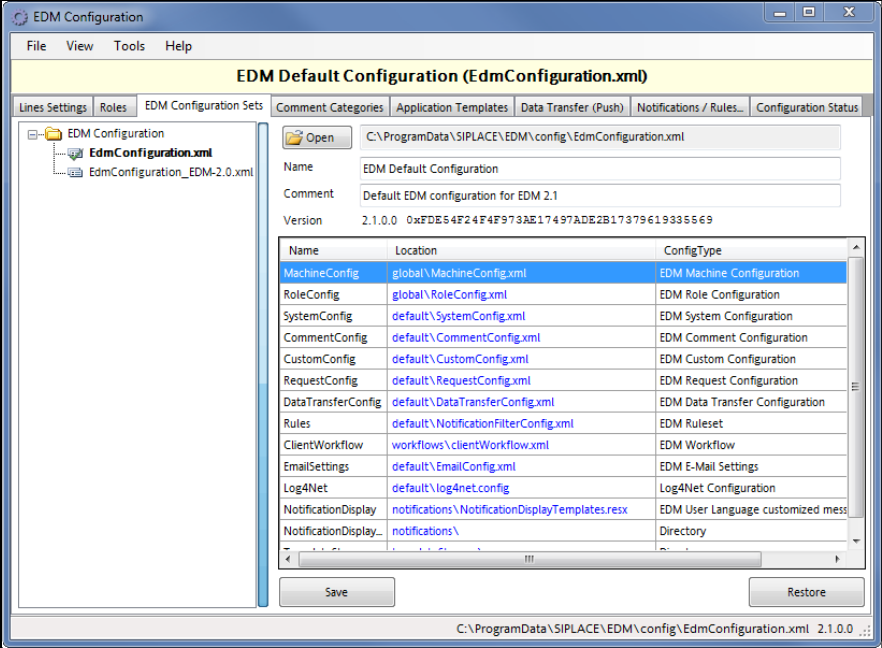
Figure 5-1: Configuration Sets
EDM V2.2 / User Guide Ausgabe 10/2013 Edition
46
The left-hand side of the GUI shows a list of all configuration sets. The context menu makes
available some edit functionality (New set, duplicate…).
By selecting an EDM Configuration Set, all subsequent operations refer to this Configuration Set.
The grid on the right-hand side shows the name of the configuration item, together with the location
of the associated configuration file (on the configuration server). The checksums serve as “unique”
version identifier e.g. to detect changed configuration items.
5.1.3 Lines Settings
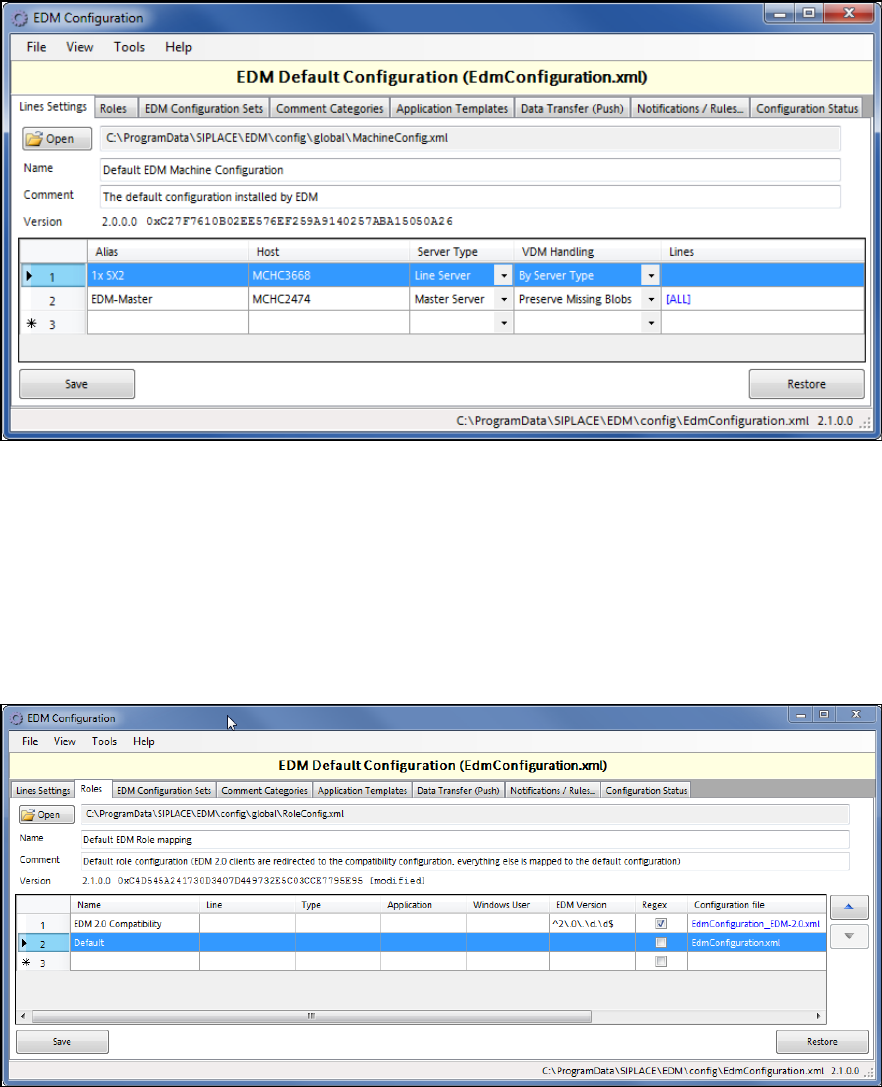
The Lines Settings tab provides an overview over the EDM network and shows each registered
computer, together with its associated role.
Figure 5-2: Line Settings
This dialog is an editor to the basic line data given during the setup (see EDM Installation Manual).
In addition, the behavior of the EDM VisionDataManager may be changed in the VDM Handling
column. For detailed information on these settings, see section 6.2.6.29.
5.1.4 Roles
The Roles tab defines which configuration set shall be sent to the EDM Clients.
Figure 5-3: Configuration of EDM roles